
10 Best Cnc Laser Cutting Machines in 2026
This post contains affiliate links. As an Amazon Associate, we earn from qualifying purchases.
Our best overall CNC laser cutting machine is the xTool P2S 55W CO2 Laser Cutter for its raw power and smart automation that handles thick materials and long runs. We also highlight the OMTech 1500W Fiber Laser Cutter for dedicated metal shops and the Creality Falcon Pro 10W Laser Engraver for beginners prioritizing safety.
Choosing the right machine means matching its core capability, like a CO2 laser for acrylic or a fiber laser for steel, to your primary materials and shop space. Our research compares specifications, manufacturer data, and patterns in expert and owner feedback to help you find a capable machine that fits your workflow.
Top 10 CNC Laser Cutting Machines in the Market
Certain content that appears on this site comes from Amazon. This content is provided "as is" and is subject to change or removal at any time.
The Best CNC Laser Cutting Machines, Reviewed
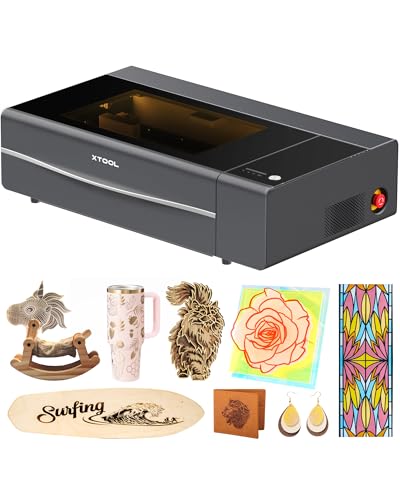
xTool P2S 55W CO2 Laser Cutter
What We Like
- 55W power cuts thick wood and acrylic in one pass
- Auto-passthrough handles materials up to 118 inches long
- Dual 16MP cameras and LiDAR for precise alignment
- Enclosed design with AI fire detection for safety
Trade-offs
- Class 4 laser requires strict safety protocols and dedicated space
A 55-watt CO2 laser tube provides the strength to cut through materials like three-quarter-inch black walnut or acrylic in one pass, which is substantial for a desktop unit. That capability, paired with dual high-resolution cameras for previews, positions it as a core tool for a small shop or serious maker. Its Auto-Passthrough handles pieces nearly ten feet long, making it ideal for managing both thick stock and lengthy projects.
The trade-off is its footprint and safety class; this isn’t a machine you tuck away between projects. It needs a committed, ventilated station. For intricate work on glass, research suggests a dual-beam diode laser could be an alternative. If your projects demand consistent, heavy-duty cutting on a benchtop scale, the P2S’s combination of power, smart features, and expandable workspace is hard to beat.
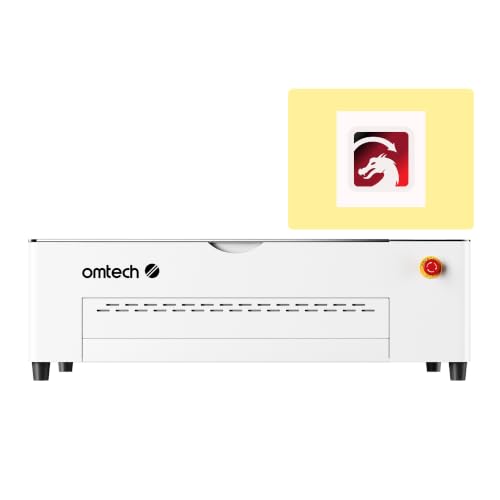
OMTech Polar2 70W CO2 Laser Engraver
What We Like
- High 1200 mm/s speed for fast output
- Large 28×14 inch bed for bigger projects
- Built-in 16MP camera for precise alignment
- Includes rotary attachment and LightBurn software
Trade-offs
- Weighs 220.5 lb, requiring a permanent, sturdy bench
- CO2 laser cannot directly mark bare metals
- 46.4-inch length demands significant shop floor space
With engraving speeds up to 1200 mm/s, this machine is designed for efficient production in workshops and small businesses. Its 70W CO2 laser tube is listed for cutting performance on materials like wood, acrylic, and leather. The included built-in camera and rotary attachment support accurate alignment and cylindrical engraving from the start.
You pay for that speed and size with a substantial footprint and heft. It demands a dedicated, level workshop station. For users who need to engrave metals directly, a fiber laser like the OMTech 1500W is the required tool. But if your work is primarily on wood, acrylic, and leather, and shop space isn’t an issue, the Polar2’s combination of raw speed and a large, capable bed is hard to match in its class.
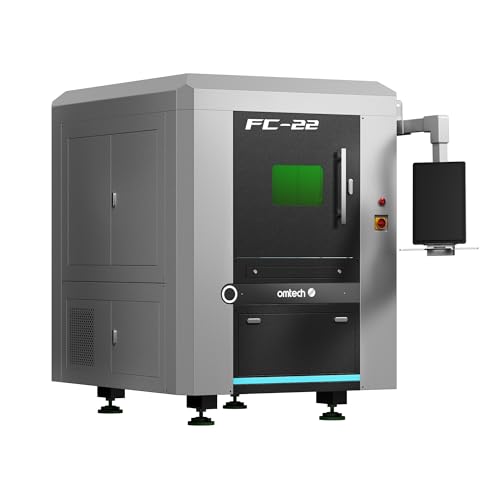
OMTech 1500W Fiber Laser Cutter
What We Like
- Fully enclosed design with safety interlocks
- Built-in water chiller for simplified setup
- Front and back pass-throughs for oversized materials
- Powerful 1500W laser for thick metal cutting
Trade-offs
- Fiber laser wavelength is primarily optimized for metals
A 1500W fiber laser core means this machine doesn’t just mark metal, it slices through up to 0.4-inch carbon steel in a single pass. That raw power, paired with a fully enclosed safety cabinet, makes it a serious contender for any shop regularly processing sheet metal, custom fabrication parts, or heavy-duty signage. It’s built for the user who needs to cut first and ask questions later, with a generous pass-through that handles material wider than the bed itself. You get a tool that’s ready to run right out of the box, thanks to the integrated chiller, letting you focus on production instead of plumbing.
With 1500 watts of power, this OMTech cutter slices through stainless steel up to 0.2 inches thick, which means it handles serious metal fabrication tasks directly in a workshop. Its fully enclosed design and safety interlocks contain the laser beam, so operators can work nearby without specialized protective gear. The machine includes a built-in water chiller and laser supply, so it is ready for operation after a simple electrical connection. A generous 23.6 by 23.6 inch work area with front and back pass-throughs accommodates wider sheets, providing flexibility for larger projects like custom signage.
Creality Falcon Pro 10W Laser Engraver

What We Like
- One-button control for offline operation
- Built-in air assist for clean results
- Multiple safety features including emergency stop
- Simplified assembly and TF card file import
Trade-offs
- 10W diode laser cannot cut thick materials
A 10W diode laser with a simplified one-button control box and prominent safety features makes this machine remarkably approachable for a first-timer. It’s compact and light enough to set up on a desk, and the ability to run from a memory card means you aren’t tethered to a computer. The built-in air assist helps produce cleaner engravings right from the start, which is a nice confidence booster. For someone taking their first steps into laser work with wood, leather, or acrylic, this setup removes a lot of the initial technical friction.
A 10W diode laser handles engraving and cutting thin materials like paper, wood, and leather, but it cannot cut thick stock or directly cut metal like a 70W CO2 machine. This makes it a focused tool for learning basics and completing small projects, not for heavy-duty fabrication.
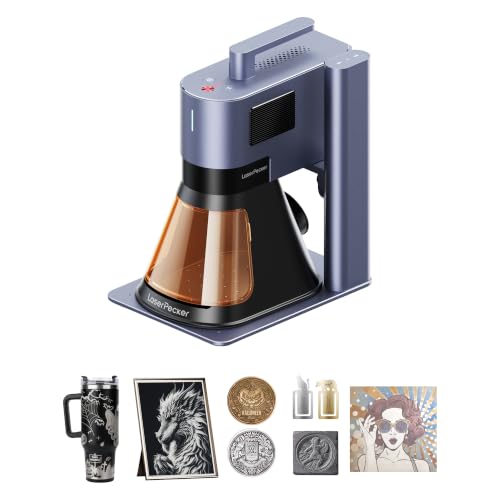
LaserPecker LP5 Dual Laser Engraver
What We Like
- Ultra-portable 6.02 kg weight for mobile setups.
- Dual laser system cuts both metal and non-metal materials.
- 10X faster engraving speed at 10,000mm/s.
- 3D grayscale function for high-detail relief art.
Trade-offs
- Maximum wood cut depth of 20mm limits thick projects.
- Fiber laser only cuts metal up to 0.5mm thick.
A 20W dual-laser system in a 6kg package makes this the most portable professional-grade engraver you can get. That combination of power and portability is perfect for someone running a mobile engraving service or a mall kiosk, where you need to set up in minutes. It handles everything from personalized keychains to fine jewelry engraving. The 10,000mm/s speed and 0.0027mm precision mean you can deliver custom work while a customer waits, turning scrap material into high-value items with the 3D grayscale function.
Its cutting capacity is defined by its dual-laser design. The 20W diode laser can cut wood up to 20mm thick and acrylic up to 15mm, while the fiber laser handles metals like brass and titanium up to 0.5mm thick. For projects requiring deeper cuts in thicker materials or a larger work area, stationary machines like the OMTech Polar2 offer different specifications.
WECREAT Vision Pro 45W Laser Engraver
What We Like
- Large work area for batch processing
- Auto-lifting handles materials up to 140mm thick
- Class 1 certified with full metal enclosure
- HD camera for precise positioning
Trade-offs
- The 2W IR laser module requires separate purchase
- At 77.2 pounds, it's not a portable machine
- Its 31.5-inch length demands a dedicated workspace
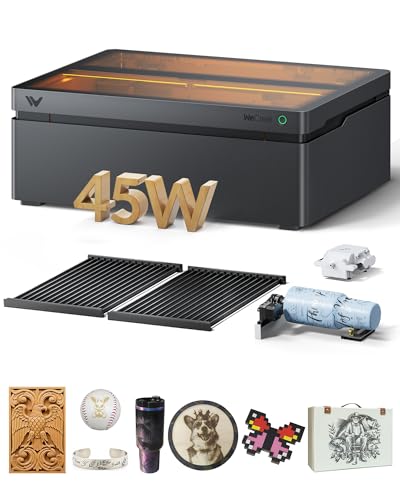
With a 22.83 by 15.75 inch laser bed, this machine can engrave over two hundred dog tags in one pass, a clear benefit for batch processing or handling large craft projects. Its auto-lifting system handles materials from 1mm up to 140mm thick, allowing you to engrave a tumbler and then cut a block of wood without needing separate riser bases. This setup is for users who need to combine high-volume work with material flexibility in a fully enclosed machine.
The 45W diode laser uses BeamFocus technology to achieve cutting performance comparable to higher-wattage machines, saving time on materials like wood and acrylic. It operates as a Class 1 certified system within a full metal enclosure, which makes it a safer option for environments like homes or schools compared to open-frame designs. With the separately sold 2W IR module, it can work with over 300 materials, consolidating engraving and cutting functions into a single tool.
Product photos
xTool S1 40W Laser Cutter

What We Like
- Powerful 40W laser cuts 18mm wood in one pass
- Class 1 safety enclosure filters 99% of laser light
- Intuitive software with AI design and 1,000+ tutorials
- Auto-focus and pre-tested settings for 400+ materials
Trade-offs
- Lacks the raw power of higher-wattage CO2 machines
Its 40-watt diode laser slices through 18mm cherry wood in a single pass, letting you immediately cut substantial pieces rather than just engraving surfaces. A full Class 1 enclosure filters 99% of laser light for eye safety, so you can operate it without goggles even with family around. Built-in flame sensors and an emergency stop button further create a secure workspace, which removes a major worry for a home workshop. That safety is paired with pre-tested settings for over 400 materials and intuitive software, systematically lowering the barriers for a first-time user.
The trade-off is in material versatility. While it handles wood, metal, and acrylic well, research mentions that UV lasers are the most versatile option for engraving glass. For a beginner focused on common materials who values safety and ease of use above all, the xTool S1 provides a solid foundation. If your projects later evolve to require specialized glass work, you might outgrow it, but you’ll have learned on a machine that made the start simple and secure.
Product photos
VEVOR 60W CO2 Laser Engraver
What We Like
- Spacious 24×16-inch dual work beds
- Four-way pass-through for long materials
- Built-in air-assist keeps lens clean
- Broad Windows, macOS, and Linux compatibility
Trade-offs
- Class 4 laser demands a dedicated, ventilated workspace
- Cannot engrave bare metals, only coated surfaces
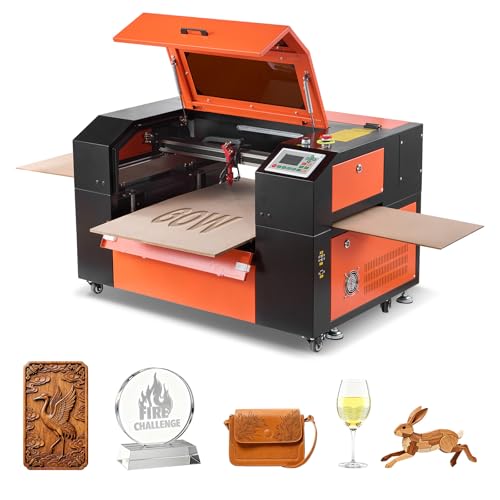
A 24 by 16-inch work area is the main event here. It lets you handle larger sheets of material or batch smaller items without constant reloading, which is a serious time-saver for production work. The four-way pass-through design extends that utility, allowing you to feed in longer pieces of leather or wood trim manually. This machine suits a maker who has outgrown a desktop engraver’s footprint and needs the physical capacity for consistent, larger-scale projects like signage or decor.
That capacity comes with real heft. Compared to a more compact option like the Creality Falcon Pro 10W, you’re trading portability for a substantial work envelope. The integrated air assist and water cooling support reliable operation, but remember it’s a Class 4 laser. Proper fume extraction isn’t optional, it’s a mandatory part of the setup for safe use in any shared space.
Product photos
Twotrees TTS-20 Pro Laser Engraver
What We Like
- Exceptionally large 418x418mm desktop engraving area.
- TMC2209 silent drivers for quiet, precise operation.
- Full offline capability via 4GB TF card.
- Expandable design with ports for air assist and touchscreen.
Trade-offs
- 20W diode laser is limited to engraving and light cutting.
- Standard package excludes useful accessories like a honeycomb panel.
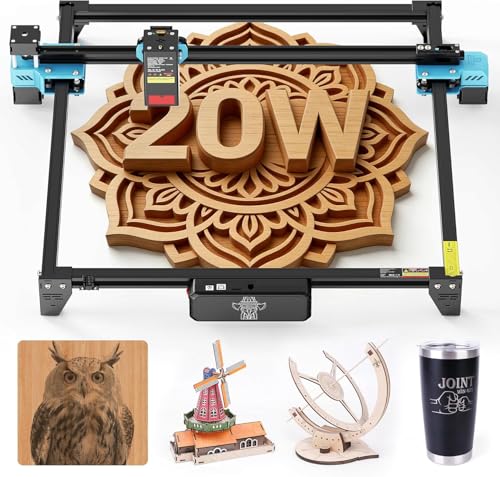
A 418x418mm working area is the standout feature here, giving you the space to tackle large sheet projects or batch-process smaller items without constantly repositioning material. That size, combined with its 0.1mm accuracy and silent-running drivers, makes this machine a logical fit for hobbyists and small shops focused on detailed engraving work on wood, leather, and acrylic across a big surface. It’s built for the user who needs a spacious, consistent desktop workhorse for repetitive craft production.
With a 20W diode laser, this machine is designed for engraving and light cutting on materials like wood, leather, and coated stainless steel, not for heavy-duty fabrication. Its optical power is stable at 19.5W or more, which concentrates energy for clean details on DIY crafts and custom gifts. For cutting thicker materials in a single pass, a higher-power CO2 system like the OMTech Polar2 would be required.
Product photos
Monport 70W Desktop CO2 Laser
What We Like
- Industry-first optical focusing for 0.03mm spot size
- Built-in 8MP HD camera and auto-focus system
- Enhanced airflow design optimizes cutting edge quality
- Smart batch fill reduces processing time
Trade-offs
- Desktop size limits material to 28 by 14 inches
- Autofocus requires perfectly flat material to be accurate
- Built-in air duct cannot eliminate all odors from plastics
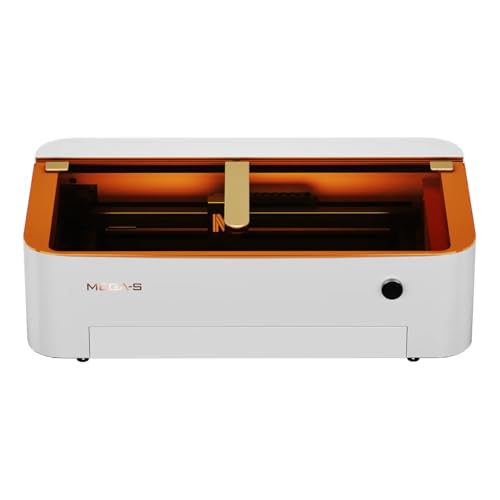
A 0.03mm minimum laser spot size is the key spec here, allowing for engraving detail so fine it can hit 1000 DPI. That’s what makes this machine a specialist. It’s built for the crafter or small-scale producer whose work lives and dies by intricate lines and deep, high-contrast engraving on items like detailed signage or personalized gifts. The built-in camera and automatic focus mean you spend less time setting up and more time running jobs, which is critical when precision is non-negotiable.
The trade-off for that detail is a compact, 28 by 14 inch desktop footprint. It’s a capable cutter for sheets up to 20mm thick, but you’re working in a smaller arena than machines like the roomier OMTech Polar2. Think of it as a precision engraving workstation first. If your projects are larger panels or high-volume production runs, the smaller bed will feel restrictive. But for fitting intricate artwork into a defined space, its optical system is hard to match in this class.
Product photos
How We Evaluated CNC Laser Cutting Machines
Our evaluation is based on a review of product specifications, manufacturer documentation, and expert round-ups. We focused on the core criteria that define a machine’s real-world utility. These include laser type and power for material compatibility, work area and machine footprint for shop fit, and built-in features that affect safety and ease of use.
This research-led approach identifies machines with the right specifications for specific tasks, like cutting metal or engraving large panels. A key limit of this method is that we cannot verify hands-on performance metrics like cut-edge quality or long-term reliability, which vary with material and maintenance.
What To Look For In CNC Laser Cutting Machines
Your primary material determines everything. A machine optimized for engraving wood will struggle with steel, and a desktop diode laser won’t match the speed of an industrial CO2 system. Understanding the core types and their strengths is the first step to a smart purchase.
Focus first on laser type: CO2 lasers excel on wood and acrylic, fiber lasers cut metal, and diode lasers are versatile for engraving. Match the work area to your project size and ensure the machine’s physical footprint fits your space. Integrated safety features like enclosures and interlocks are non-negotiable for home workshops.
Laser Type & Power
The laser source dictates what you can process. CO2 lasers, common in our list, are fantastic for cutting and engraving wood, acrylic, leather, and glass. Fiber lasers, like the one in our dedicated metal cutter, are the standard for marking and cutting metals.
Diode lasers are affordable and great for engraving but lack the power for deep, fast cuts on thick stock. Wattage is a rough indicator of capability; a 10W diode can engrave but not cut thick wood, while a 55W CO2 laser can slice through it in one pass.
Remember, a fiber laser’s wavelength is primarily for metals, while a CO2 laser cannot directly mark bare metal.
Work Area & Machine Footprint
Consider both the usable engraving bed and the machine’s physical size. A large work area, like the 28×14 inch bed on the high-speed production pick, allows for batch processing or bigger single pieces. However, that machine is over forty-six inches long and weighs over two hundred pounds, demanding a permanent, sturdy bench. For a home shop, a more compact desktop CNC machine might be a better fit. Also look for pass-through features, which let you process materials longer than the bed itself, a key advantage for sign making or trim work.
Critical Features & Safety
Built-in features dramatically affect usability and safety. An enclosure is paramount, containing light and fumes; a Class 1 rating, like on our beginner safety pick, means it’s fully enclosed during operation. Cameras for material alignment and auto-focus systems save immense time and improve accuracy.
For cutting, integrated air assist is essential to keep the lens clean and produce crisp edges. Software compatibility is also crucial; ensure the machine works with standard programs like LightBurn. When comparing laser cutters and engravers, note that a fully enclosed design with safety interlocks is a major advantage for any workshop.
Verify the electrical requirements; some powerful fiber laser cutters may need 240V power. – Check for included accessories like rotary attachments for engraving cylinders or honeycomb beds for better cutting. – Assess ventilation needs; cutting plastics produces toxic fumes that must be vented outdoors. – Review the software learning curve; some machines offer intuitive apps, while others require more technical setup.
Always prioritize a machine with strong safety features, especially if it will be used in a shared or home environment.
CNC Laser Cutting Machines Compared
The following table compares the key specifications of all ten machines side-by-side, highlighting their laser type, power, work area, and primary use case to help you quickly narrow your options.
| Product | Laser Type / Power | Work Area | Max Engraving Speed |
|---|---|---|---|
| xTool P2S 55W CO2 Laser Cutter | 55W CO2 | 26 x 14 inches | Up to 600mm/s |
| OMTech Polar2 70W CO2 Laser Engraver | 70W CO2 | 28" x 14" | 1200 mm/s |
| OMTech 1500W Fiber Laser Cutter | 1500W fiber | 23.6 x 23.6 in. | 27.56 ips |
| Creality Falcon Pro 10W Laser Engraver | 72000mW (10W) diode | N/A | N/A |
| LaserPecker LP5 Dual Laser Engraver | 20W Fiber & Diode dual laser | N/A | 10000mm/s |
| WECREAT Vision Pro 45W Laser Engraver | 45W diode with BeamFocus | 22.83 x 15.75 inches | N/A |
| xTool S1 40W Laser Cutter | 40W (40,000mW) | 23.93" x 15.16" | 600mm/s |
| VEVOR 60W CO2 Laser Engraver | 60W CO2 | 24 x 16 inches | Up to 600 mm/s |
| Twotrees TTS-20 Pro Laser Engraver | 20W Diode (≥19.5W optical) | 418 x 418 mm | 30000 mm/min |
| Monport 70W Desktop CO2 Laser | 70W CO2 | 28" X 14" | N/A |
Frequently Asked Questions
What is the best CNC laser cutting machine?
The best machine depends on your main material. For a powerful, smart all-rounder that cuts thick wood and acrylic, the xTool P2S 55W CO2 Laser Cutter is our top pick. For cutting metal, a dedicated fiber laser like the OMTech 1500W is essential. Beginners should start with a simpler, safer enclosed diode machine.
What are the top 5 laser engravers?
Our ranked list includes machines for different needs. Beyond the overall best, key picks are the OMTech Polar2 for high-speed production, the OMTech 1500W for metal, the Creality Falcon Pro for beginners, and the LaserPecker LP5 for portable professional use. The “best” depends entirely on whether you need speed, material focus, or portability.
Which is better, xTool or LaserPecker?
They serve different purposes. XTool machines like the P2S are powerful, enclosed benchtop cutters for a stationary workshop. LaserPecker’s LP5 is an ultra-portable, dual-laser system designed for mobility and instant customization at events. Choose xTool for deep cutting in your shop; choose LaserPecker for taking your service on the road.
What laser is best for cutting metal?
You need a fiber laser. CO2 and diode lasers cannot effectively cut bare metals. A machine like the OMTech 1500W Fiber Laser Cutter, with its enclosed design and built-in chiller, is built for this task. For a comparison with other metal-cutting technologies, you can explore CNC plasma cutting machines.
Can one machine cut both wood and metal?
Yes, but typically with limitations. Some systems use two laser sources, like the portable LaserPecker LP5 which has separate diodes for non-metals and a fiber laser for thin metal marking. For deeper cuts on both, you often need two separate machines: a CO2 laser for wood and acrylic and a fiber laser for steel. Understanding the debate between a laser engraver and a CNC router can also clarify which tool is right for your material goals.
The Bottom Line
For most workshops needing to cut and engrave a variety of non-metallic materials, the xTool P2S 55W CO2 Laser Cutter is the best overall choice. It balances high power with smart features like auto-pass-through and LiDAR alignment. If your budget is tight or you’re just starting out, look to the award-winning Creality Falcon Pro 10W Laser Engraver for a safe, simple introduction.
For specialized needs, our picks for metal cutting, high-speed production, and portability offer focused solutions. Ultimately, let your primary material guide your choice, it’s the single most important factor in finding the right CNC laser for your shop.
