
10 Best Wood Cnc in 2026
This post contains affiliate links. As an Amazon Associate, we earn from qualifying purchases.
For a balanced entry into wood CNC, the best overall machine is the SainSmart Genmitsu 3018-PROVer, thanks to its pre-assembled parts for fast setup and impressive material compatibility for a beginner. We also highlight the FoxAlien Masuter Pro for hobbyist precision and the Genmitsu PROVerXL 6050 Plus for its large work area.
Choosing a CNC router for your shop means balancing your available space with the size of projects you want to tackle. The right machine opens up possibilities for precise carvings, repeatable parts, and intricate designs that are difficult to achieve by hand.
This guide is the result of research into machine specifications, manufacturer documentation, expert round-ups, and patterns in owner feedback. We’ve compared ten models across critical factors like work envelope, spindle power, and ease of use to help you make an informed choice.
Top 10 Wood CNC Machines in the Market
Certain content that appears on this site comes from Amazon. This content is provided "as is" and is subject to change or removal at any time.
The Best Wood CNC Machines, Reviewed
SainSmart Genmitsu 3018-PROVer CNC Router

What We Like
- Pre-assembled main parts for fast setup
- Wide material compatibility for a beginner machine
- Clear cable management and easy accessory upgrades
- Strong manufacturer support and resource center
Trade-offs
- 16.5-inch machine width limits workpiece size
- Entry-level spindle power restricts heavy-duty cuts
- Requires separate software to generate toolpaths
Getting your first CNC machine running in under an hour is a major advantage for a beginner, and the SainSmart Genmitsu 3018-PROVer V2 achieves this with its pre-assembled main parts. It can engrave a wide range of materials, from wood and plastic to soft metals like aluminum and copper, which opens up projects from personalized gifts to circuit boards. The straightforward design is supported by accessible CAD/CAM software guidance and direct support, making it a reliable launchpad into CNC.
The machine’s compact footprint of roughly 16.5 inches square fits easily on a workbench, which is ideal for a home workshop. Research mentions highlight it as an affordable choice for small businesses that can handle an impressive variety of materials relative to its price. An optional laser engraver upgrade adds to its versatility, and a wide range of other accessories, like extension kits, can be added to increase functionality over time.
FoxAlien Masuter Pro CNC Router
What We Like
- All-aluminum construction for stable, precise cuts.
- Quick assembly with pre-wired components.
- Large work area with optional Y-axis expansion.
- Accepts a wide range of spindle upgrades.
Trade-offs
- Maximum Z-axis depth of 2.36 inches limits material thickness.
- Spindle is not included, requiring a separate purchase.
- Weighs 28.7 pounds, needing a sturdy benchtop.
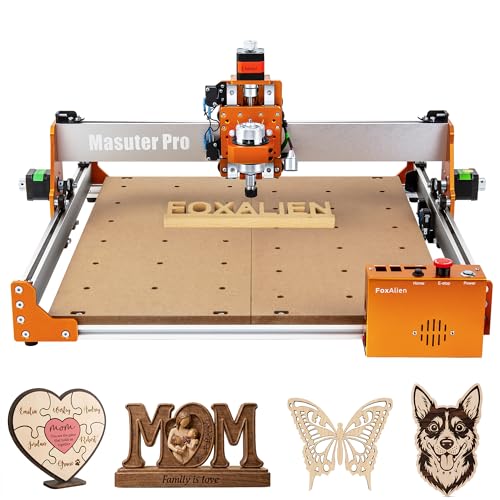
A 400mm square work area gives you a generous canvas for detailed inlays, intricate signs, or small furniture components without overwhelming a home workshop. This machine is built for the hobbyist who values precision, thanks to its all-metal frame and linear rail Z-axis that fight vibration for cleaner edges. The included dust-proof controller and quick assembly mean you spend less time fussing and more time making. It’s a solid choice for someone ready to move beyond basic engraving into more serious woodworking projects.
With a 400 by 400 millimeter engraving surface, the FoxAlien Masuter Pro provides a large area for bigger woodworking projects than many beginner machines. Its all-aluminum structure and linear rail Z-axis are engineered for stability during detailed engraving and cutting. The Z-axis travel of 60 millimeters handles plaques and sheet goods, though it limits carving on very thick blocks. This is a capable frame requiring a separate spindle and bits, not a complete system out of the box.
FoxAlien Masuter 3S CNC Router
What We Like
- Closed-loop motors eliminate step-loss for reliable cuts.
- Industrial-grade dual linear rails on Z-axis for stability.
- Built-in support for 4th-axis rotary carving.
- Dust-proof controller box with shortcut buttons.
Trade-offs
- Z-axis travel of 3.74 inches limits material thickness.
- Requires separate purchase for offline control capability.
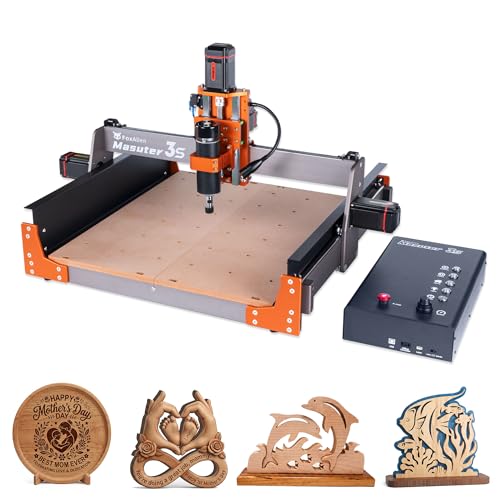
The closed-loop stepper motors are the defining feature here, providing 2.2 Nm of torque and completely eliminating missed steps. That means you can push the machine to its 10,000mm/min rapid speed on a complex wood carve without worrying about a ruined workpiece from a motor stall. It’s built for the hobbyist or small-shop pro who values finish quality and reliability over outright size, backed by a rigid frame with dual linear rails that minimize chatter. This focus on precision in motion control is exactly why it stands out in its class.
Its closed-loop stepper motors prevent step-loss and deliver high torque, so your carves finish accurately even at rapid speeds up to 10,000mm/min. You do trade some working volume for that rock-solid performance, especially in the Z-axis where just under four inches of clearance dictates your material choices. At 58.4 pounds, the machine’s weight aids vibration damping, yet it also means you need a seriously sturdy bench. For projects that fit within its footprint, this router delivers a level of confidence usually found on more expensive machines.
Genmitsu PROVerXL 6050 Plus CNC Router

What We Like
- Large working area for big projects
- Rigid all-metal frame with linear rails
- Pre-assembled core for faster setup
- T-track grid for versatile clamping
Trade-offs
- 300W spindle may be underpowered for hardwoods
- 4.53" Z-axis limits thick material options
- Dust shoe and offline controller sold separately
A 23.6 by 19.7-inch work area is the main feature, allowing you to carve panels or large signs without constantly repositioning your stock. The redesigned all-metal frame and dual linear rails are intended to improve accuracy and strength with quieter operation. Its 300W spindle and pre-assembled core system are designed to reduce setup time, so you can start carving with just a few installation steps.
Durable aluminum T-track extrusions support the MDF spoil boards, which are compatible with a wide variety of clamp sets and are easily replaceable. The included extra 65mm spindle holder allows for future upgrades, and accessories like an offline controller or dust shoe are sold separately. Research mentions that a similar entry-level model is considered easy to set up and can handle a wide variety of materials relative to its price.
Genmitsu Cubiko Desktop CNC Router
What We Like
- Pre-assembled for immediate use out of the box.
- Enclosed design contains debris and reduces noise.
- Automates Z-zero and surface mapping for easier setup.
- Works with wood, acrylic, PCB, plastics, and soft metals.
Trade-offs
- 13-inch square work area limits project size.
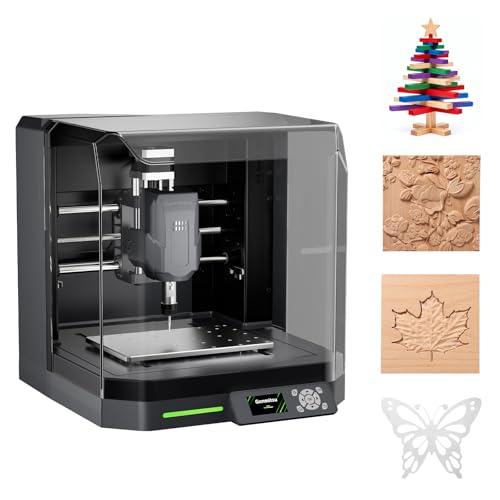
Coming pre-assembled with an integrated enclosure means you can go from the shipping box to making chips in your home workshop without a full day of frustrating assembly. The auto Z-probing and smart surface mapping handle two of the trickiest setup steps for a newcomer, letting you focus on the design instead of the calibration. This machine is built for someone taking their first steps into CNC, offering a controlled, quieter, and more forgiving environment to learn the fundamentals on wood, plastics, and PCBs.
Genmitsu’s Cubiko arrives pre-assembled for immediate use, a major advantage for newcomers who want to start their first CNC project quickly. This beginner-friendly approach does come with a compact 13-inch square footprint, which limits the size of plaques or panels you can create. Its automated setup features and enclosed design are ideal for learning the craft on smaller, precise items in wood, acrylic, or PCB.
LUNYEE 4040 Pro Max CNC Router
What We Like
- 800W router for stronger cutting performance
- Reinforced gantry and ball screw Z for stability
- Magnetic dust baffles protect motion components
- Pre-assembled modules for faster setup
Trade-offs
- Z-axis travel of 90mm limits very thick materials
- At 33 pounds, requires a sturdy, dedicated bench
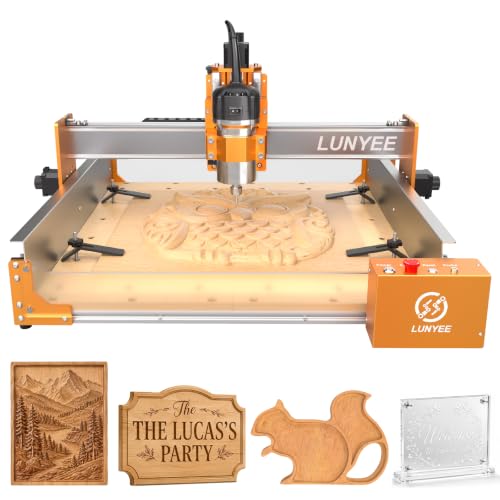
An 800W router gives this desktop CNC stronger cutting performance for materials like hardwoods and light aluminum, which lets it handle more demanding projects than many smaller machines. The reinforced gantry structure, dual linear-guide Z axis, and ball screw Z drive support more stable router movement, which means less vibration for cleaner cuts during detailed work. Its 400 x 400mm work area provides room for signs, panels, and thicker materials while keeping a practical size for a home workshop.
The 400mm square work area is spacious for a desktop but still limits projects to panel-sized pieces. With its 800W router and ball screw drive, the LUNYEE 4040 Pro Max is built for stronger cutting on tougher materials compared to many desktop models in its size class. The machine uses pre-assembled modules and GRBL compatibility to help users get started faster with common software.
Product photos
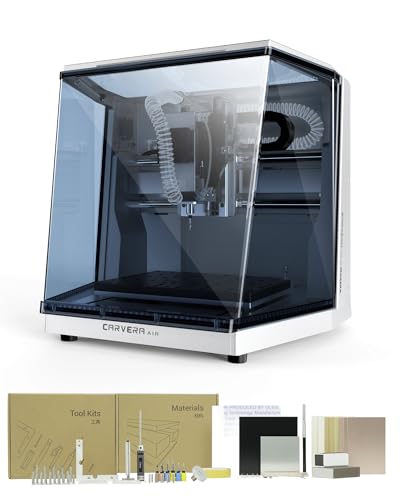
MAKERA Carvera Air Desktop CNC
What We Like
- Built-in quick tool changer for multi-step jobs.
- Fully enclosed design contains noise and debris.
- Automatic probing and leveling for uneven materials.
- Cross-platform control software for MacOS, Windows, iOS, Android.
Trade-offs
- Fully enclosed footprint requires a dedicated 19.7" x 17.7" space.
- Standard 3-axis version lacks a 4th-axis rotary option.
Changing tools in ten seconds transforms a multi-step woodworking project from a tedious chore into a fluid operation. For the maker who frequently blends engraving, drilling, and cutting in a single piece, this feature alone justifies the MAKERA Carvera Air’s place on the bench. It pairs that speed with industrial-grade accuracy, thanks to sub-thousandth-inch spindle runout and automatic surface leveling that compensates for warped stock. This machine suits a detail-oriented workshop where precision and efficient workflow trump raw cutting size, making intricate inlays, detailed signs, or small brass hardware a consistent pleasure.
Carvera Air’s 11.8 by 7.9 inch work area suits detailed machining on smaller projects like custom parts or PCBs, but limits larger single-piece work. The fully enclosed design contains noise and debris for cleaner use on a desktop. This machine changes tools in 10 seconds, which streamlines jobs needing multiple bits for engraving, drilling, and cutting.
Product photos
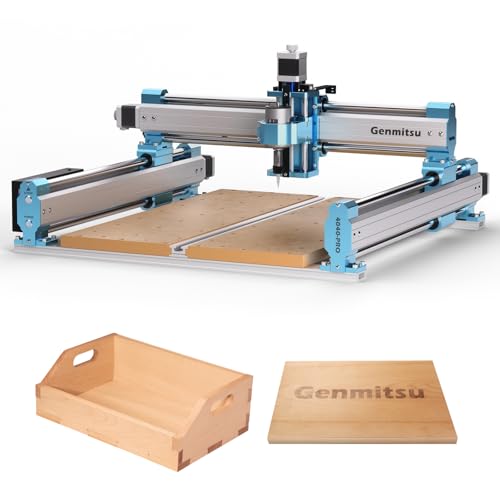
SainSmart Genmitsu 4040-PRO CNC
What We Like
- Enhanced steel frame ensures stability for precise cuts
- Silent 32-bit drivers enable quieter workshop operation
- Reinforced spoilboard prevents sagging under workpiece load
- Multiple spindle mounts and ports allow for easy expansion
Trade-offs
- Requires purchasing a separate kit for 4-axis functionality
- Upgraded motherboard for wireless control is an optional extra
What truly distinguishes this machine is its support for an add-on 4-axis rotation module kit, which enables complete 3D rotary carving and work from different angles. This capability moves beyond the flat-plane limitations of a standard 3-axis router. An enhanced steel HSS frame and lead screw drive provide the improved stability and precision such multi-axis projects require. It runs on the open-source Grbl v1.1 firmware and includes silent Toshiba drivers for smoother, quieter operation.
You are buying a capable and rigid 3-axis platform first, with a clear path to grow into a 4-axis machine later. This makes it a strategic step-up choice. If your needs are strictly for flat panel cutting and engraving, a more straightforward and accessible model will handle those basics. This machine asks you to invest in its potential, planning for the upgrades you’ll make down the line rather than delivering a complete rotary system out of the box.
Product photos
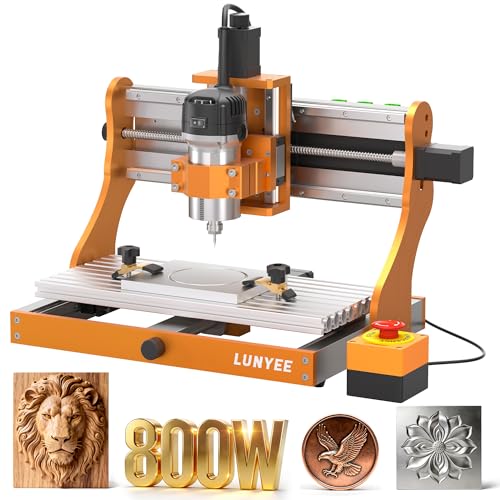
LUNYEE 3020 Nova CNC Router
What We Like
- Industrial-grade ball screws eliminate backlash
- All-metal frame provides superior durability and stability
- 800W spindle handles wood, aluminum, and plastics
- Arrives fully assembled for a ready-to-use experience
Trade-offs
- A 20.4-inch height requires considerable vertical clearance
- The 42.3-pound weight makes it less portable for a desktop unit
Precision is the name of the game here, and the LUNYEE 3020 Nova delivers it through an industrial-grade drive system. Each axis uses a ball screw and linear guide, which is a significant step up from the lead screws found in many hobbyist machines. This setup virtually eliminates backlash, giving you that critical ±0.05mm accuracy for clean, repeatable cuts in everything from aluminum to fine wood inlays. It’s a machine built for the maker who has outgrown the slop and play of an entry-level router and needs reliable, metal-capable precision on a benchtop. The 800W spindle has the torque and speed range to back that up, making it a serious tool for small-scale production.
The machine’s all-metal frame and 42.3-pound weight require a sturdy, dedicated spot on a workbench. Among comparable machines, the FoxAlien Masuter Pro has a larger footprint at 26.0 by 26.0 inches. For intricate work in harder materials where precision is paramount, the Nova’s ball screw and linear guide system is a defining feature.
Product photos
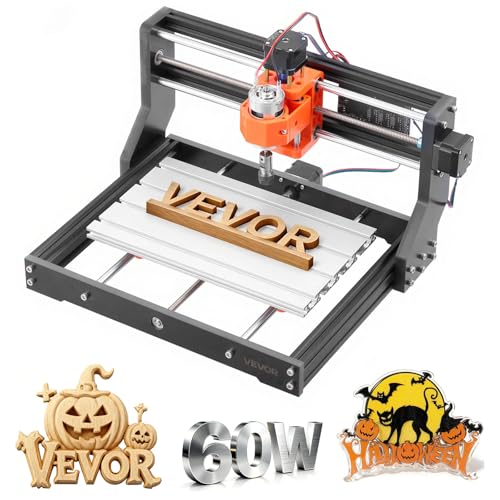
VEVOR 3018 CNC Router
What We Like
- Aluminum alloy build for stability and reduced vibration.
- Easy setup and operation with rotary knob control.
- Compatible with common free software on multiple OS.
- Expandable Y-axis for slightly larger workpieces.
Trade-offs
- 40mm Z-axis clearance limits material thickness.
- 60W spindle is best for soft materials like wood and acrylic.
A repeat positioning accuracy of ≤0.07 mm, delivered by a 60W spindle and 32-bit control board, supports high-precision engraving. The aluminum alloy body and heavy-duty base are designed for stability and reduced vibration. It is compatible with all software supporting GRBL f1.1 firmware, including Candle and Easel, and works with Mac, Windows, and Linux systems.
The trade-off for that accessible package is a strictly defined scope. The 60W spindle and 40mm of Z-axis travel are tailored for sheet materials like wood, acrylic, and PCB boards; it’s not built for deep cuts or hard metals. For the beginner wanting to learn the fundamentals on common hobbyist materials without complexity, this router defines a clear and capable starting point.
Product photos
How We Evaluated Wood CNC Machines
Our selection process began with gathering specifications and manufacturer data to build a clear picture of each machine’s capabilities and design. We then studied expert round-ups and aggregated common themes from owner feedback to understand real-world performance and reliability. This research-based approach identifies which features genuinely matter for a home workshop, beyond marketing claims.
We focused on three key criteria. The machine’s work envelope, which is its X, Y, and Z-axis travel, dictates the maximum size and thickness of your projects. Next, its spindle power and construction determine what materials it can cut and how cleanly. Finally, we considered overall usability, including setup complexity and included software. For a full comparison, explore our guide to the best wood CNC machines.
The main limitation of this method is that cutting precision or long-term durability cannot be verified. The evaluation relies on documented specifications and consistent user reports, which are useful for comparing features but cannot replicate the experience of extended use in a workshop.
What To Look For In Wood CNC Machines
Selecting a CNC router requires matching its physical and technical specifications to your shop space and project goals. A careful assessment upfront prevents the frustration of a machine that’s too small, too weak, or too complex for your needs. For a deeper dive into models specifically for shaping wood, see our review of CNC routers for wood.
Key factors include the work area (envelope) for your project sizes, spindle power for your intended materials, and the machine’s construction for precision and stability. Don’t overlook setup time and the learning curve of its control software.
Work Envelope and Footprint
The work envelope is defined by travel in the X (width), Y (depth), and Z (height) axes, setting the maximum dimensions of your workpiece. A machine like the Genmitsu PROVerXL 6050 Plus offers a large bed for big panels, while a compact model like the Genmitsu Cubiko is designed for small, desktop projects. Remember to also measure the machine’s own footprint, as a benchtop unit still needs a sturdy, dedicated surface. If you’re tight on space, you might consider a compact CNC for wood.
The Z-axis travel is especially critical, as it limits material thickness. Many hobbyist machines have a Z-axis clearance of a few inches. For projects that exceed this, you’ll need to look at larger, more industrial machines. Some software allows for ’tiling,’ or cutting a large design in sections, but this adds complexity and registration time to your workflow.
Spindle Power and Rigidity
The spindle is the cutting motor, and its wattage (e.g., 300W vs. 800W) broadly indicates its ability to handle different materials and cut depths. A more powerful spindle, like the 800W unit on the LUNYEE 4040 Pro Max, can tackle hardwoods and light metals more aggressively than an entry-level spindle meant for softwoods and plastics. Power isn’t everything, however; the machine’s frame must be rigid enough to resist vibration during cuts, which is why all-metal construction and reinforced gantries are valued features.
The spindle mounts (like ER11 collets) determine what size router bits you can use, which influences the detail and type of cuts you can make. Investing in quality CNC router bits is essential for achieving clean results. For those planning intricate work, a machine with ball screws, like the LUNYEE 3020 Nova, offers superior precision over more common lead screws by minimizing backlash.
Usability and Upgradability
Consider how the machine arrives and how quickly you can make your first cut. Some models come nearly fully assembled, while others require significant kit-building. Pre-wired electronics and clear cable management, as seen on the SainSmart Genmitsu 3018-PROVer, greatly reduce setup frustration. Also, check what control software is included or recommended, as this is your primary interface for creating toolpaths from your designs.
Think about your future needs. Does the machine support common upgrades? Look for features like T-track beds for versatile clamping, ports for adding a 4th-axis rotary attachment, or the ability to mount a more powerful spindle. A platform designed for expansion, such as the SainSmart Genmitsu 4040-PRO, can grow with your skills. For a primer on getting started, our guide on using a CNC router is a helpful resource.
- Measure your available benchtop space, including room for the workpiece to extend.
- Check your shop’s power outlets to ensure they match the machine’s voltage and amperage requirements.
- Plan for dust collection; these machines generate fine particulate that needs to be managed.
- Verify the computer and software requirements before purchasing.
Ultimately, buy for the projects you plan to do most often, not just the occasional dream build.
Wood CNC Machines Compared
The following table summarizes the key specifications and features of all ten machines we researched, providing a quick side-by-side comparison.
| Product | Working Area | Machine Weight | Assembly Level |
|---|---|---|---|
| SainSmart Genmitsu 3018-PROVer CNC Router | N/A | N/A | Pre-assembled main parts |
| FoxAlien Masuter Pro CNC Router | 15.75" x 15.75" x 2.36" | 28.7 Pounds | Pre-assembled main parts |
| FoxAlien Masuter 3S CNC Router | 15.75" x 15.75" x 3.74" | 58.4 Pounds | N/A |
| Genmitsu PROVerXL 6050 Plus CNC Router | 23.62" x 19.69" x 4.53" | N/A | Pre-assembled core system |
| Genmitsu Cubiko Desktop CNC Router | N/A | 24.4 Pounds | Pre-assembled |
| LUNYEE 4040 Pro Max CNC Router | 400 x 400 x 90mm | 33.0 pounds | Pre-assembled modules |
| MAKERA Carvera Air Desktop CNC | 11.8" x 7.9" x 5.1" | N/A | N/A |
| SainSmart Genmitsu 4040-PRO CNC | N/A | N/A | N/A |
| LUNYEE 3020 Nova CNC Router | N/A | 42.3 Pounds | Fully assembled unit |
| VEVOR 3018 CNC Router | 300 x 180 x 40 mm | 14.8 pounds | N/A |
Frequently Asked Questions
What is the best CNC for woodworking?
The “best” depends on your specific needs. For most beginners and small shops, a machine that balances ease of use, a practical work area, and good material compatibility is ideal. Based on our research, the SainSmart Genmitsu 3018-PROVer stands out as a strong starting point for its straightforward setup and versatility.
What is the best CNC wood machine for hobbyists?
Hobbyists should look for a machine that offers precision and room to grow. The FoxAlien Masuter Pro is an excellent choice for its all-aluminum construction and precise cuts, while the Genmitsu Cubiko is perfect for a first-time user wanting a clean, desktop-friendly experience. You can explore more CNC for home use options.
What is the best CNC brand for beginners?
Our research shows that brands like SainSmart Genmitsu and FoxAlien consistently produce machines praised in beginner communities for their documentation, support resources, and user-friendly designs. They often provide clear assembly guides and active user forums, which are invaluable for troubleshooting your first projects.
Should I get a CNC router or a laser engraver for wood?
This depends on the type of work. A CNC router physically cuts and carves material, allowing for 3D shapes and through-cuts. A laser engraver primarily etches surfaces and can cut very thin materials with a burned edge. For making signs, plaques, and furniture components, a CNC router is typically the more versatile tool. For a detailed breakdown, read our comparison of laser engraver vs CNC router.
How much space do I need for a desktop CNC router?
You need space for the machine’s footprint plus room to load and unload workpieces. A desktop model might be 20 inches square, but you should plan for a sturdy bench or table at least twice that size to comfortably operate it. Also account for space for a computer, dust collection hose, and tool storage.
The Bottom Line
For a reliable and versatile start in CNC woodworking, the SainSmart Genmitsu 3018-PROVer is our best overall pick. It’s ideal for beginners who want to minimize setup headaches and experiment with a wide range of materials, from wood and acrylic to soft metals.
If your budget is tight, consider the compact VEVOR 3018 as a capable starter. For those who already know they need a larger bed for big panels, the Genmitsu PROVerXL 6050 Plus is the clear choice. Ultimately, honestly assessing the maximum size of the projects you’ll actually build is the single most important step in choosing the right machine for your shop.
