9 Best Desktop Mills of 2026
This post contains affiliate links. As an Amazon Associate, we earn from qualifying purchases.
The Carvera Air Desktop CNC with 4th Axis stands as the best overall desktop mill, combining precision and advanced features in one refined package. For beginners, the Makera Z1&Z1Pro Desktop CNC Machine offers a forgiving entry point, while the XENDOLL Mini Milling Machine 36W takes the spot for most compact benchtop option.
If you’re diving into desktop milling, you’re likely balancing space, skill, and what you want to build. These machines aren’t full-size shop tools, but they can still deliver real results, if you pick the right one.
I ranked these models by comparing specs across rigidity, work area, spindle capability, and software compatibility. My focus was on machines that offer room to grow, whether you’re prototyping parts, cutting PCBs, or exploring hobby machining. This guide cuts through the clutter to highlight the ones worth your time.
Top 9 Desktop Mills in the Market
The Best Desktop Mills, Reviewed
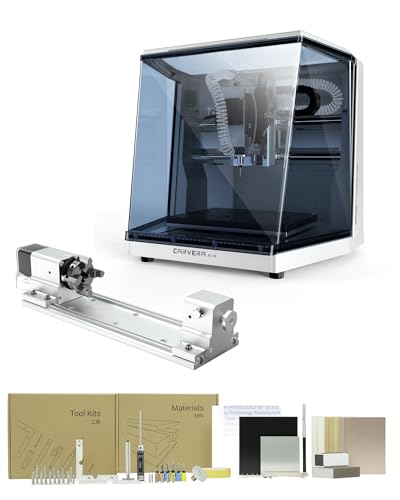
Carvera Air Desktop CNC with 4th Axis
Strengths
- Auto-probing and leveling for consistent accuracy
- Quick tool changer reduces project downtime
- 4th axis enables complex 3D and cylindrical work
Trade-offs
- Very high price for desktop category
- Larger footprint than most mini mills
- Steeper software learning curve
At nearly $2,700, the Carvera Air isn’t cheap, but it’s the only one here with auto-probing, a quick tool changer, and true 4th-axis support. That spindle runout under 0.01mm means it can hold tight tolerances on complex parts.
The closed-loop control and simultaneous 4-axis machining open doors for intricate 3D shapes and rotary engraving. It pairs with cross-platform software and works with Fusion360 and SolidWorks. For serious hobbyists, this is as close to pro-grade as desktop gets.
The ecosystem support and laser compatibility add long-term value. Yes, it’s expensive. But compared to the Makera Z1, it offers real automation. The smarter buy if you’re committed.
Video review
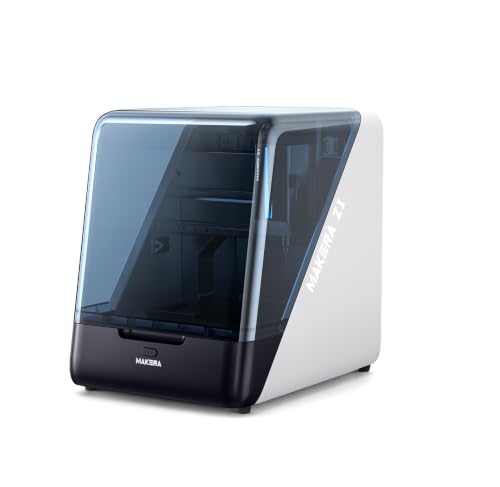
Makera Z1&Z1Pro Desktop CNC Machine
Strengths
- Enclosed workspace reduces mess and noise
- Integrated camera lets you monitor cuts remotely
- Part of a scalable ecosystem with learning resources
Trade-offs
- No auto Z-probing or tool changer at this price
- Spindle lacks power for heavy aluminum work
- Manual setup still required for tool changes
At nearly $1,400, the Makera Z1 promises an easy CNC on-ramp, but it delivers more than just beginner-friendliness. Its enclosed design with real-time camera monitoring and built-in dust management makes it stand out for home use.
The ±0.05mm accuracy and 0.02mm positioning precision are solid for a starter machine. It’s clearly designed to grow with you, especially since it ties into Makera’s ecosystem, including future upgrades like Carvera Air. But for the price, I’d expect auto-probing or a quick tool changer. It doesn’t have either.
Video review
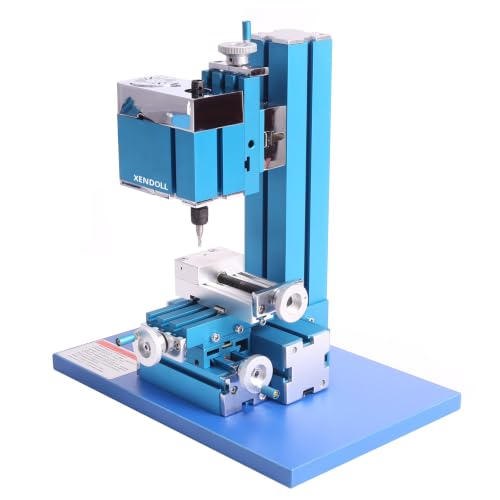
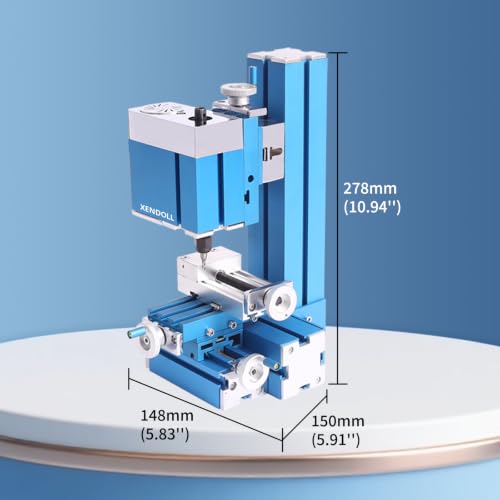
XENDOLL Mini Milling Machine 36W
Strengths
- Compact size fits tight workspaces
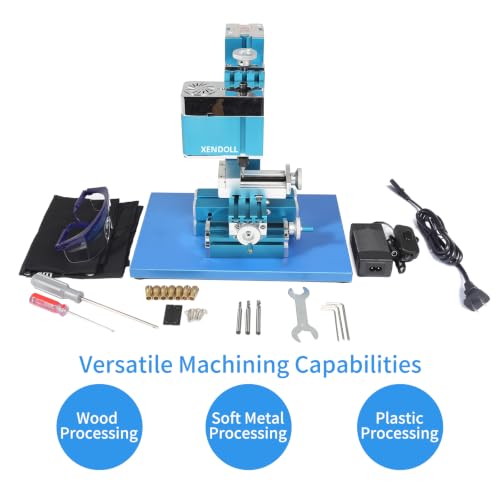
- Includes safety glasses and essential tools
- Wide voltage input works globally
Trade-offs
- Low power limits material options
- 0.1mm scale lacks fine control
- Plastic components reduce durability
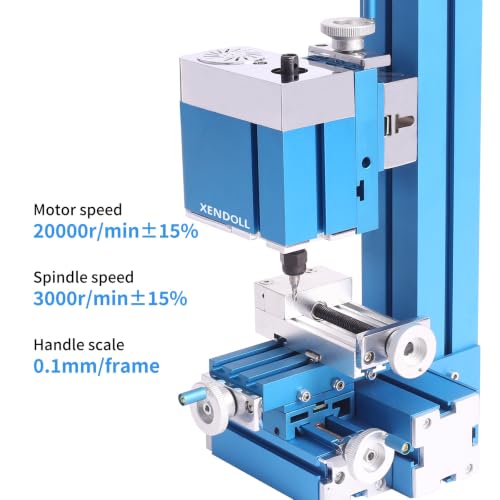
With a 20000 RPM motor in a 36W package, this mill prioritizes speed over torque. That makes it better suited for plastics, balsa, and PCBs than real metalwork. The 0.1mm scale on the handwheels is less precise than others in this list.
It’s compact and ships with safety gear and tools, so it’s truly plug-and-play. But the spindle speed claims seem optimistic, 7000 RPM is more realistic under load. Still, for model makers or STEM students, it’s a safe, simple start.
Product photos

AcmeFlare Mini Milling Machine 60W
Strengths
- 0.02mm handwheel precision for fine control
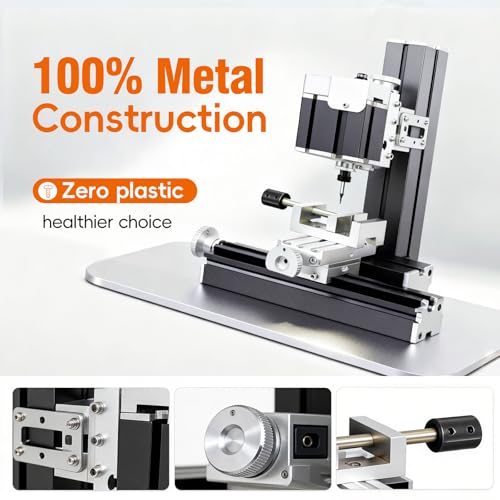
- All-metal construction improves rigidity and longevity
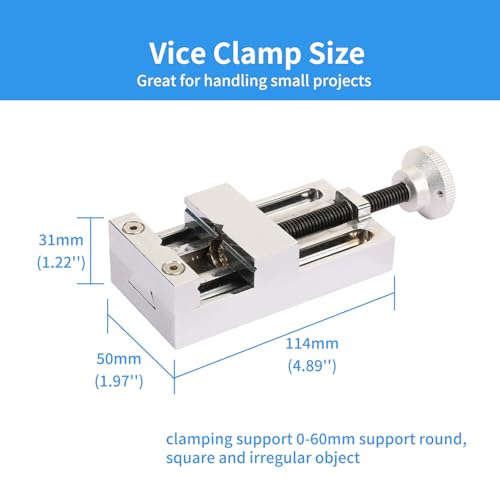
- Includes precision-scaled vise for accurate setups
Trade-offs
- No motorized axes or digital readouts
- Limited to small workpieces under 50mm
- Manual operation only, steep learning curve
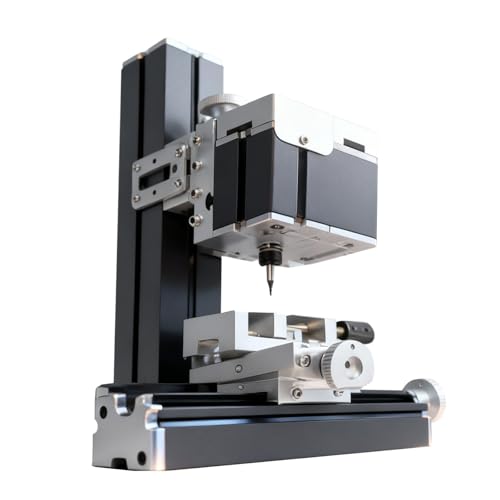
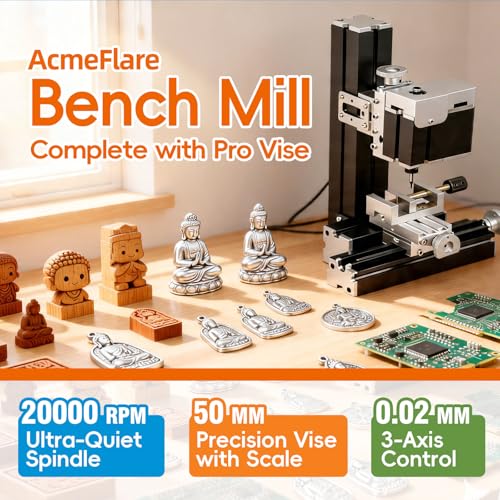
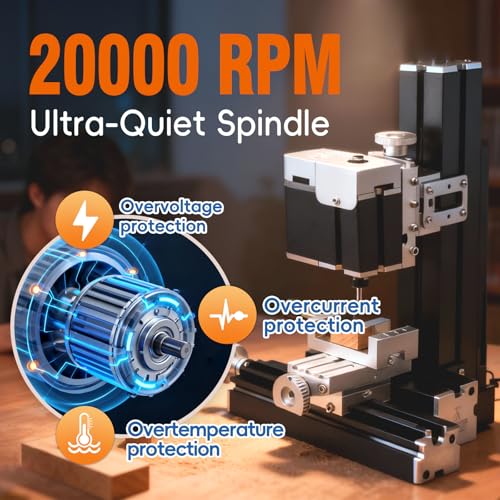
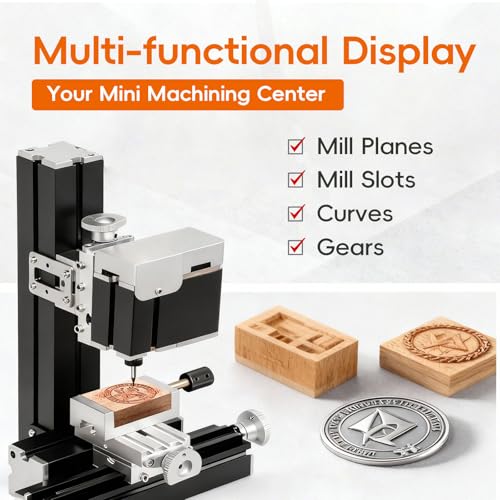
A 60W all-metal frame with 0.02mm handwheel scales means this mill is built for repeatable, tactile precision work. The electroplated metal body adds rigidity and rust resistance, which matters when you’re dialing in fine cuts over weeks or months.
Triple anti-vibration features, dovetail slides, pre-loaded nuts, and lock nuts, suggest it can handle light metal milling without chatter. That’s rare at this size. But without digital readouts or automation, it’s strictly manual. You’ll need patience and steady hands.
Product photos

TTC3018 Pro CNC Router Machine
Strengths
- All-metal Z-axis improves stability and accuracy
- Includes 10 cutters and full tooling kit
- Compact and lightweight for desktop use
Trade-offs
- No wireless or offline operation
- 775 spindle lacks power for deep cuts
- Basic GRBL board with limited features
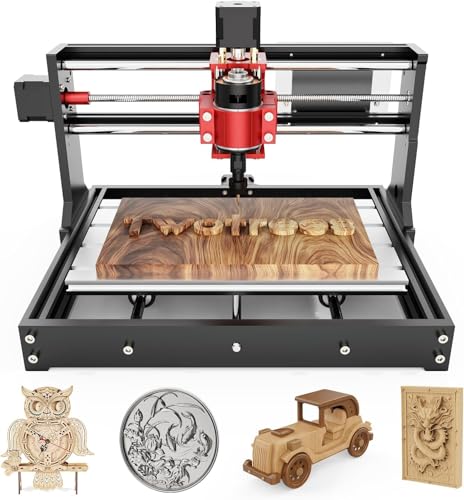
A metal Z-axis with T8 lead screws and 0.1mm accuracy for under $200? That’s rare. Most machines in this range use plastic Z-carriages that flex. This one doesn’t, making it a standout for precision on a budget.
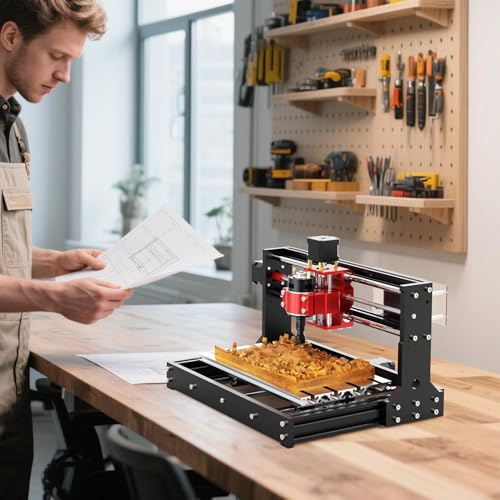
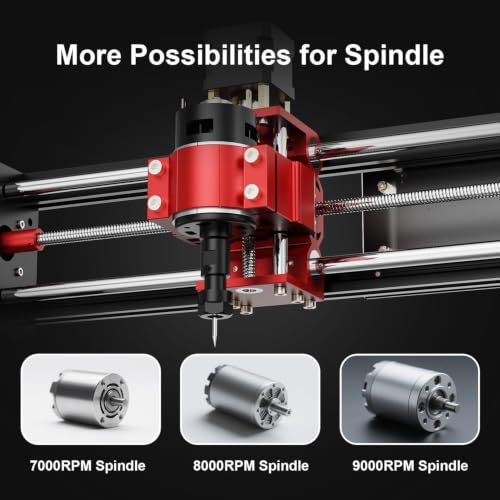
It includes 10 cutters and an ER11 collet, so you’re not buying extras day one. The 775 spindle is modest, 7000–9000 RPM, but enough for light aluminum. But it’s wired only via USB, no wireless or offline mode. You’re tethered to a PC.
Still, for STEM builds or small engraving jobs, it’s hard to beat. It’s not as polished as the Genmitsu, but the metal Z-axis gives it an edge in repeatability.
Product photos
Genmitsu 3018-PROVer V2 CNC Milling

Strengths
- 32-bit board with quiet Toshiba drivers
- Machined aluminum spoilboard improves flatness
- Strong software compatibility and support
Trade-offs
- Semi-preassembled, still requires setup time
- No enclosure or auto-probing
- Z-axis carriage can flex under load
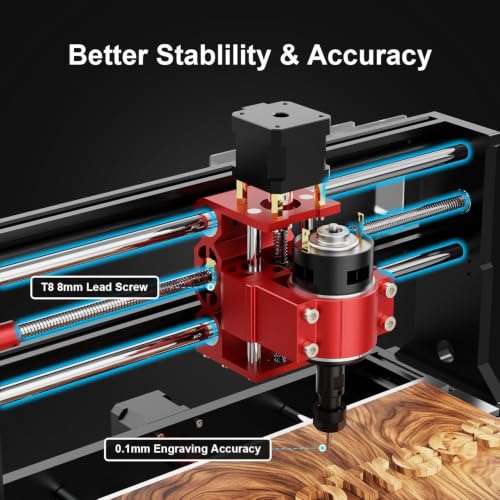
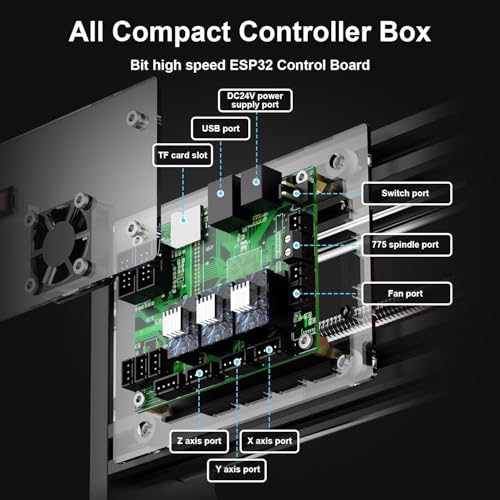
This 3018-PROVer V2 hits a sweet spot: $269 with upgrades like 32-bit control and Toshiba drivers that reduce noise and improve step accuracy. The machined aluminum spoilboard adds flatness you rarely see at this price.
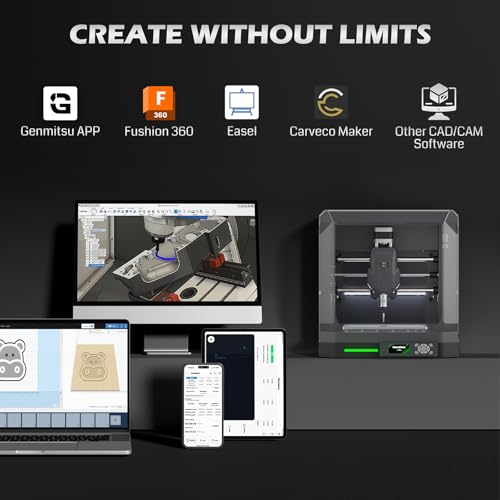
It’s not the fastest or most precise, but it’s reliable, well-supported, and compatible with Easel and Fusion360. The SainSmart backing means better documentation and customer help than most clones.
Compared to the CNCTOPBAOS, it’s sturdier and easier to tune. It doesn’t have the Cubiko’s enclosure, but it’s half the price. For new users, this is the smarter starting point.
Product photos


Genmitsu Cubiko Desktop CNC Router
Strengths
- Fully enclosed design contains dust and noise
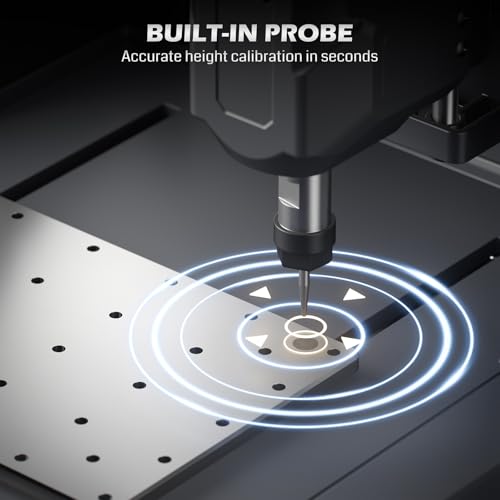
- Auto Z-probing simplifies setup
- Pre-assembled, ready to run out of the box
Trade-offs
- No tool changer limits complex workflows
- Positioning accuracy is only ±0.1mm
- Higher price than similar-spec open-frame models
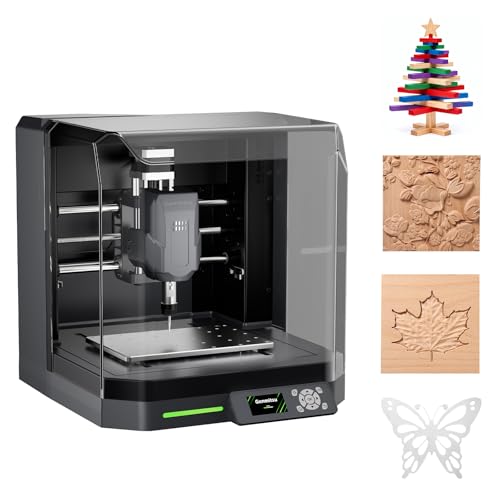
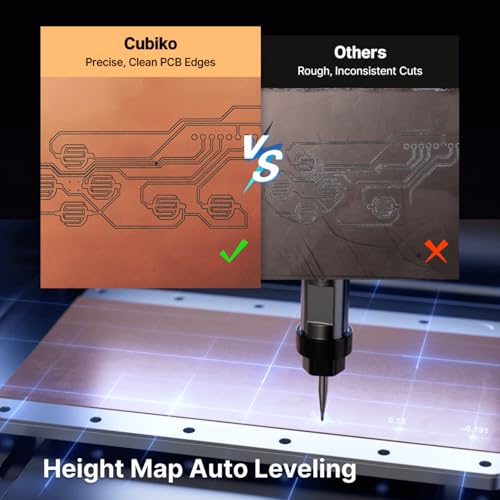
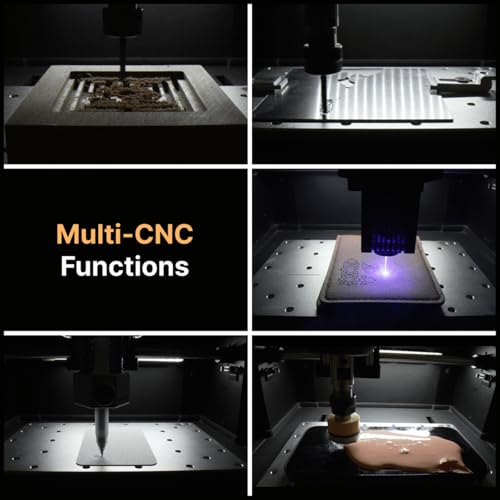
The Cubiko stands out with its full enclosure and auto Z-probing, features usually seen on pricier machines. The pause-on-open safety feature adds peace of mind, especially in homes or classrooms.
At $477, it’s not cheap, but it comes pre-assembled, which saves hours of frustration. The smart surface mapping is a real perk for PCB work, where even minor height variances ruin traces. But it lacks a tool changer, so multi-tool jobs stay manual.
Product photos
CNCTOPBAOS 3 Axis 1610 PRO Mini

Strengths
- Extremely low entry price for GRBL CNC
- ER11 collet supports wider tool range
- Includes USB drive with software and manuals
Trade-offs
- Small work envelope limits project size
- Frame lacks rigidity for consistent precision
- No wireless or offline operation
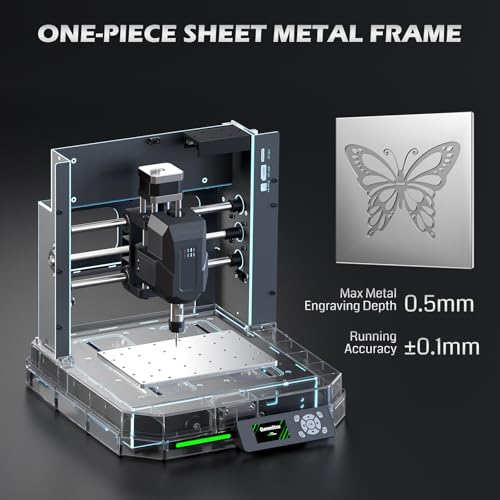
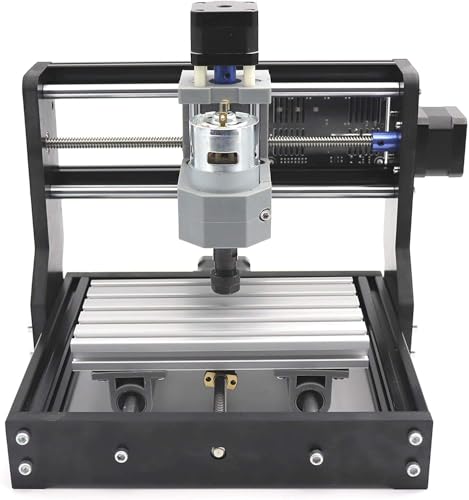
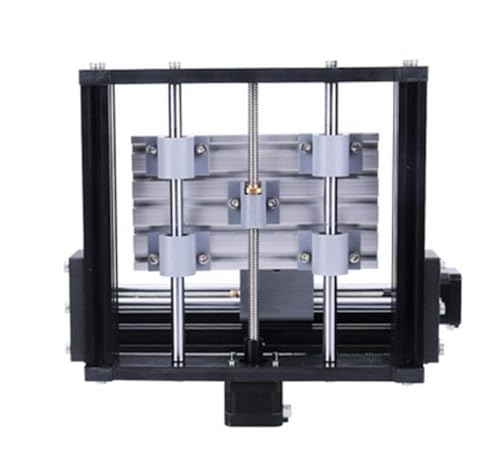
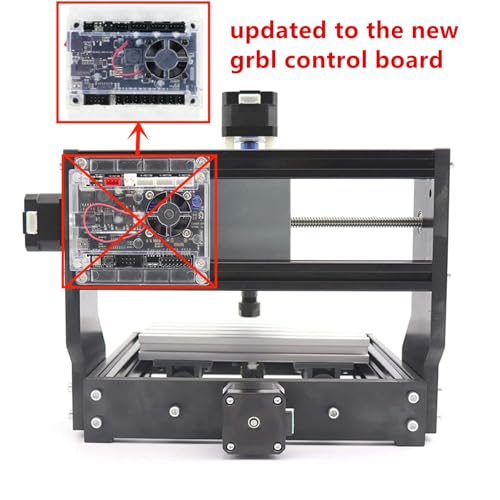
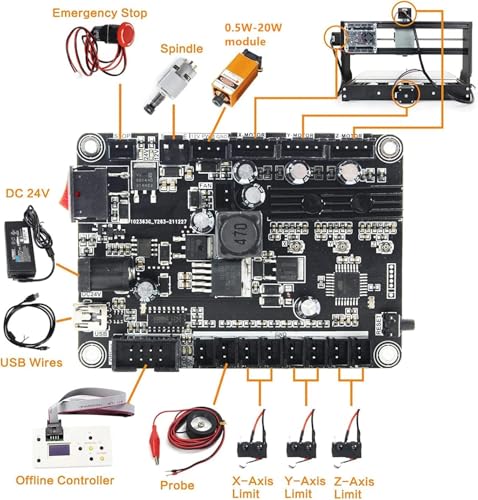
For under $120, this 1610 PRO is one of the most affordable entry points into real CNC milling. The 120W spindle and ER11 collet mean it can handle soft metals, not just wood and plastic.
But “affordable” comes with trade-offs. The working area is tiny, barely 7×4 inches, and the frame feels flimsy compared to all-metal builds. It runs GRBL, so compatibility with Fusion360 and Easel is a plus. Still, you’ll spend more time leveling and tweaking than cutting.
Product photos

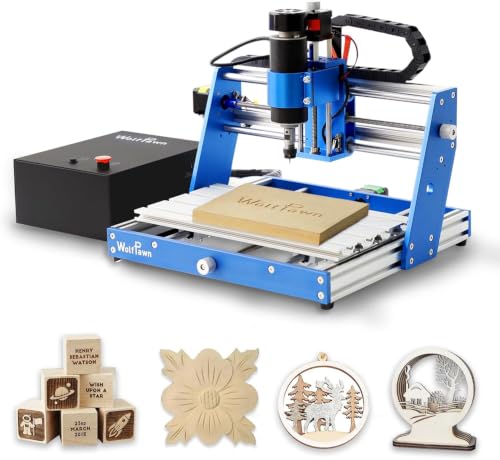
WolfPawn 3018 500W All Metal CNC
Strengths
- Rigid aluminum frame reduces vibration
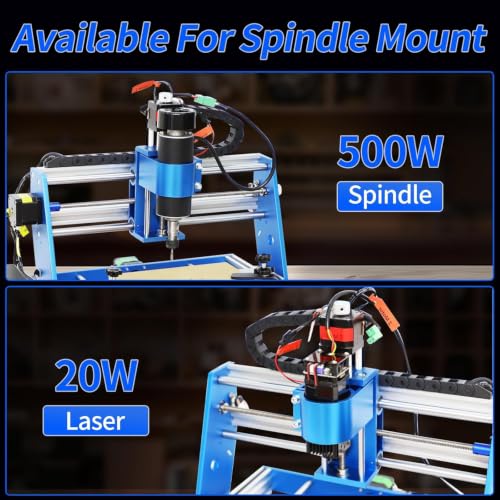
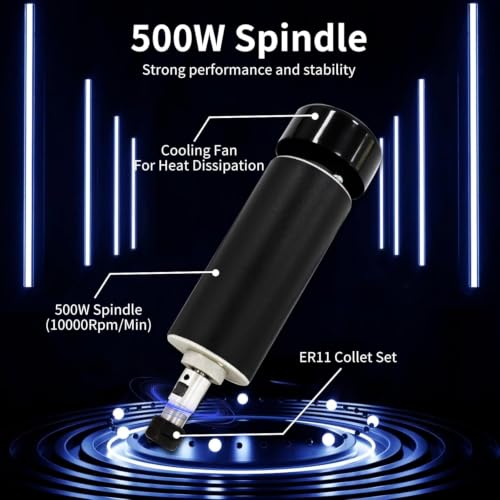
- 500W spindle handles harder materials
- Fast 15-minute assembly out of the box
Trade-offs
- No auto Z-probing for faster setup
- Spindle cooling may be inadequate for long runs
- Limited software integration
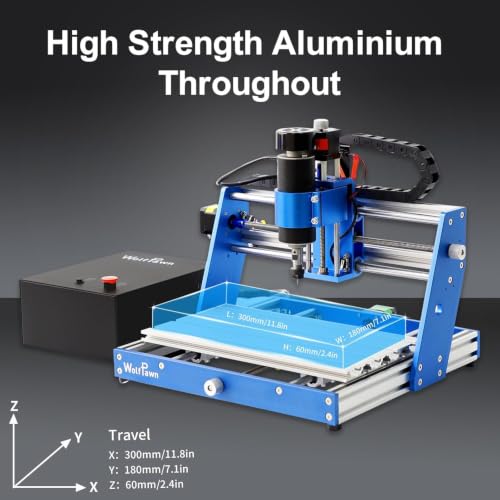
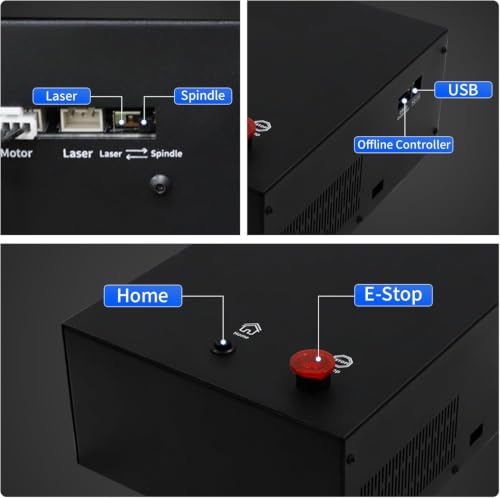
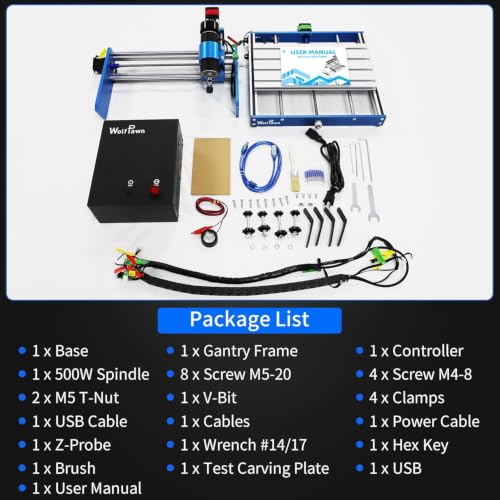
The 500W spindle and all-aluminum frame make this one of the stiffest budget mills here. That rigidity means less vibration during cuts, which translates to cleaner finishes, especially on wood and MDF.
It claims 0–12000 RPM speed control, but real-world performance likely peaks lower under load. Still, the pre-installed assemblies and 15-minute setup are a win for beginners. The integrated power supply also cleans up wiring. But no auto-probing means you’ll set Z-height by hand every time.
Product photos
How We Chose These Desktop Mills
This ranking is research-led: I compared published specifications and features across numerous models, then ranked each pick against three key criteria. As someone who spends a lot of time around power tools, I know the specs aren’t everything, but they give a solid foundation for comparing capability. I focused on identifying machines that offer a balance of features for their intended use.
For desktop mills, precision, material compatibility, and ease of use are paramount. Precision dictates the quality of the finished product, while material compatibility broadens the range of possible projects. Ease of use, especially for beginners, is crucial for reducing frustration and accelerating the learning curve. These factors directly influence whether a machine is suitable for hobbyists, makers, or more advanced users.
Published specs tell you about spindle power, work area dimensions, and positioning accuracy. However, they don’t reveal long-term durability or the true rigidity of the frame. A robust frame is essential for minimizing vibration and maintaining precision during extended use. Understanding end mill types is also key to maximizing the capabilities of any machine, and choosing the right bit for the material you are working with. You can explore further options in our guide to desktop CNC milling machines.
How To Choose The Desktop Mills
Finding the right desktop mill depends heavily on what you want to make and how much you’re willing to learn. These compact CNC machines put a lot of capability on your workbench, but they aren’t all created equal.
A good desktop mill balances precision, work area, material compatibility, and software integration. Look for a rigid frame, a spindle with sufficient power for your intended materials, and software that fits your skill level. Consider features like auto-leveling and probing for improved accuracy and ease of use, and pay attention to the available workspace.
Work Material & Spindle Power
The materials you plan to cut are the biggest driver of cost and capability. If you’re focused on softwoods, plastics, and PCBs, a lower-powered spindle – like the 36W motor in the XENDOLL Mini Milling Machine – will suffice. However, if you want to tackle aluminum or harder woods, you’ll need a more robust spindle. The WolfPawn 3018 500W All Metal CNC, for example, boasts a 500W spindle capable of 12,000 RPM, making it suitable for more demanding tasks. Don’t assume a higher wattage automatically equals better results; the quality of the spindle and its collet system (ER11 is a common standard) are just as important.
Size and Rigidity
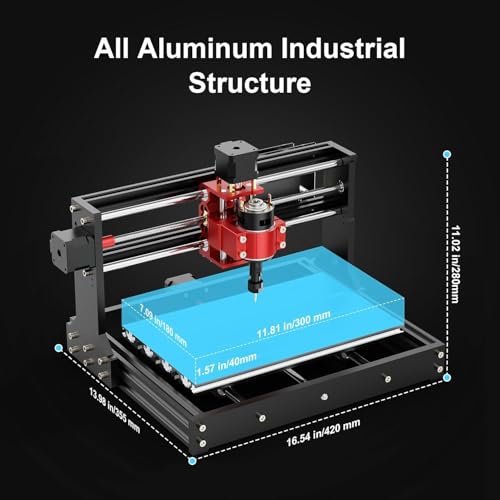
Desktop mills come in a range of sizes, impacting the maximum size of your projects. The working area is a crucial specification. The TTC3018 Pro CNC Router Machine offers a relatively small 300x180x40mm workspace, which is fine for small parts and prototyping. For larger projects, the Carvera Air Desktop CNC with 4th Axis provides a more generous work area. Beyond size, rigidity matters. A more rigid frame minimizes vibrations, leading to cleaner cuts and improved accuracy. The all-metal construction of the WolfPawn 3018 500W is a clear advantage in this regard, minimizing deflection during operation.
Software and Ease of Use
The learning curve for CNC machining can be steep. Some machines, like the Makera Z1&Z1Pro Desktop CNC Machine, are specifically designed for beginners and integrate with user-friendly software and learning resources. This can dramatically reduce the time it takes to get up and running. More advanced models, like the Carvera Air, offer compatibility with industry-standard CAD/CAM software like Fusion360 and VCarve Pro, giving you more control but requiring more expertise. If you’re just starting out, explore best desktop CNC mills that prioritize ease of use and thorough support. For those looking for a smaller scale option, checking out mini mills can be a good starting point.
Don’t underestimate the importance of a solid base. A wobbly desktop mill is a frustrating desktop mill. Consider a dedicated stand or a very stable workbench.
:
Desktop Mills Compared
This table provides a detailed specification comparison of the desktop mills featured in this guide.
| Title | Spindle Power | Spindle Speed (RPM) | Working Area (X x Y x Z mm) | Precision (mm) | Material Compatibility | Control System |
|---|---|---|---|---|---|---|
| Carvera Air | N/A | 0-13,000 | N/A | <0.01 | Wood, plastics, metals | Makera CAM/APP |
| Makera Z1&Z1Pro | N/A | N/A | N/A | ±0.05 | Wood, acrylic, PCB, plastics, aluminum | Makera CAM/APP |
| XENDOLL Mini Milling Machine 36W | 36W | 20000 / 3000 | N/A | 0.1 | Wood, soft metal, plastic | N/A |
| AcmeFlare Mini Milling Machine 60W | 60W | 20000 | N/A | 0.02 | Metal, wood, plastic | N/A |
| TTC3018 Pro CNC Router Machine | N/A | 7000-9000 | 300x180x40 | 0.1 | Aluminum, brass, wood | GRBL 32 |
| Genmitsu 3018-PROVer V2 | N/A | N/A | N/A | N/A | Wood, acrylic, plastic | Fusion360, Easel, Carveco |
| Genmitsu Cubiko Desktop CNC Router | N/A | N/A | N/A | ±0.1 | Wood, acrylic, PCB, plastics | Genmitsu App, WiFi |
| CNCTOPBAOS 3 Axis 1610 PRO Mini | N/A | 10000 | 180x100x45 | N/A | Plastic, wood, acrylic, copper, aluminum | GRBL 1.1f |
| WolfPawn 3018 500W All Metal CNC | 500W | 0-12000 | 300x180x60 | N/A | Wood, acrylic, MDF, nylon | N/A |
Frequently Asked Questions
What is the best desktop mill?
The Carvera Air Desktop CNC with 4th Axis is the overall best choice, offering a good balance of features and capability, including the versatility of a fourth axis for more complex projects. It stands out for its potential for detailed work and larger projects.
What is the best milling machine brand?
While there isn’t one definitively “best” brand, Makera has positioned itself well with the Z1&Z1Pro Desktop CNC Machine, particularly for beginners due to its focus on ease of use and learning resources. Many also appreciate the robust design and power of the WolfPawn machines.
Is CNC machining a dying trade?
No, CNC machining is not a dying trade. In fact, it’s evolving. While some repetitive tasks are being automated, skilled CNC machinists are still needed for programming, setup, quality control, and complex projects. Understanding CNC vs laser engraver can help you see where each technology fits.
What are the most profitable CNC projects to sell?
Profitable projects vary, but small-batch production of custom parts, personalized gifts, and prototyping services tend to do well. The ability to create intricate designs with a machine like the AcmeFlare Mini Milling Machine 60W opens doors to niche markets.
I’m new to CNC. What mill should I start with?
The Makera Z1&Z1Pro Desktop CNC Machine is designed with beginners in mind. It offers a relatively straightforward setup and integrates with user-friendly software, making it easier to learn the fundamentals before moving on to more complex machines or exploring best benchtop mills for more advanced capabilities.
The Bottom Line
Choosing a desktop mill often comes down to balancing control with convenience. You can spend more for a machine with advanced features and greater precision, or opt for a simpler model that prioritizes ease of use. For consistent, accurate results and a generous work area, the Carvera Air Desktop CNC with 4th Axis stands out as the strongest overall choice.
If you have specific needs, several other options excel. The Makera Z1&Z1Pro Desktop CNC Machine is the best for beginners wanting a smooth introduction to CNC machining. For those on a tight budget, the CNCTOPBAOS 3 Axis 1610 PRO Mini delivers impressive value, and for hobbyists seeking rigidity, the WolfPawn 3018 500W All Metal CNC is a solid pick. Understanding how to use a desktop CNC is vital for maximizing any machine.
Ultimately, the most important factors are a rigid frame, a suitable spindle for your materials, and software you can learn. Don’t get caught up chasing the highest specs, a well-built, user-friendly machine that fits your skill level and project goals will deliver far more satisfaction than the most powerful mill you can’t effectively operate. Consider exploring other small CNC mills if you need to narrow down options.
