
10 Best Desktop Mills in 2026
This post contains affiliate links. As an Amazon Associate, we earn from qualifying purchases.
The Makera Carvera Air is our best overall desktop CNC machine, winning for its fully enclosed design that reduces dust and its automated probing for exceptional accuracy. For those on a budget, the Genmitsu 3018-PROVer V2 offers tremendous value, while the MAKERA CARVERA Z1 provides the most guided experience for beginners. Choosing the right machine depends heavily on the materials you plan to cut and the size of parts you need to produce.
A desktop mill brings digital fabrication into a home shop, but not all models handle metal or large panels. Your decision hinges on work area size, motor power, and overall rigidity, which directly determine what you can successfully make. It’s about matching the machine’s capability to your specific projects, not just finding the cheapest option.
This guide is the result of extensive research into manufacturer specifications, expert round-up comparisons, and patterns in owner feedback. We’ve organized ten standout machines to help you identify the right balance of precision, power, and practicality for your bench.
Top 10 Desktop Mills in the Market
Certain content that appears on this site comes from Amazon. This content is provided "as is" and is subject to change or removal at any time.
The Best Desktop Mills, Reviewed
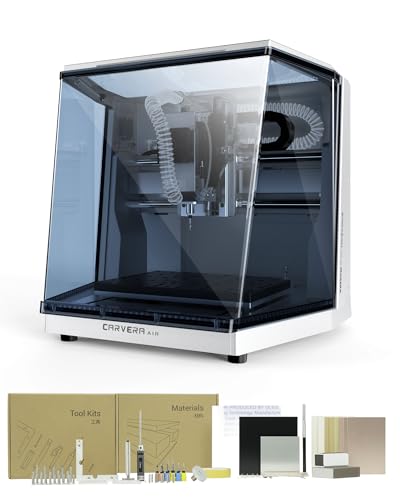
Makera Carvera Air Desktop CNC Machine
What We Like
- Fully enclosed design reduces noise and dust
- Automatic probing and surface leveling for accuracy
- Quick tool changer streamlines multi-step jobs
- Cross-platform control software and wide CAD/CAM integration
Trade-offs
- 11.8" x 7.9" work area is smaller than some desktop mills
- Standard 3-axis version lacks 4th-axis rotary capability
- Enclosed footprint requires a stable 19.7" x 17.7" bench space
A quick tool changer that swaps bits in ten seconds transforms a desktop CNC from a prototyping toy into a practical workshop asset. For anyone running jobs that mix drilling, cutting, and engraving, that feature alone saves countless manual interruptions. The Carvera Air pairs this with industrial-grade precision, thanks to sub-0.0004-inch spindle runout and automatic probing that compensates for imperfect material surfaces. It’s the complete package for a serious hobbyist or a small shop needing reliable, repeatable results in materials from aluminum to hardwood without the fuss of constant manual calibration.
The trade-off for that polished, enclosed design is a compact workspace. You won’t be machining large sign blanks like you could on the open-frame FoxAlien Masuter Pro MAX. This machine excels at detailed components, precision parts, and PCB milling within its footprint. If your projects demand a larger bed, you’ll feel constrained. But if your work fits, the Carvera Air delivers a level of integrated automation and finish quality that makes it feel less like a project. It becomes a tool you can rely on day in and day out.
Product photos
Genmitsu 3018-PROVer V2 CNC Milling Machine

What We Like
- Semi-preinstalled for fast 35-minute setup.
- Upgraded Toshiba drivers for quiet, accurate operation.
- Compatible with beginner-friendly CAD/CAM software.
- Extensive accessory and upgrade ecosystem available.
Trade-offs
- The 11.4-inch work area limits project size.
- Primarily for engraving and light milling in soft materials.
A work area just under a foot square makes this machine a perfect first step into CNC. You can learn the fundamentals of toolpaths, feeds, and speeds on wood and acrylic without a massive investment in space or money. For a beginner wanting to craft small signs, personalized gifts, or intricate artwork, the 3018-PROVer V2 delivers incredible value. It’s the machine that gets you from unboxing to making chips in an afternoon, with a supportive brand behind it.
As an entry-level machine, the Genmitsu 3018-PROVer V2 is designed for engraving and light milling rather than heavy-duty cutting. Expert round-ups note it can handle an impressive variety of materials relative to its price, which means beginners can work on wood, plastics, and soft metals. If a project requires cutting harder metals like stainless steel, a more powerful machine such as the AnoleX 3030-Evo Max, listed as ideal for that material, would be necessary.
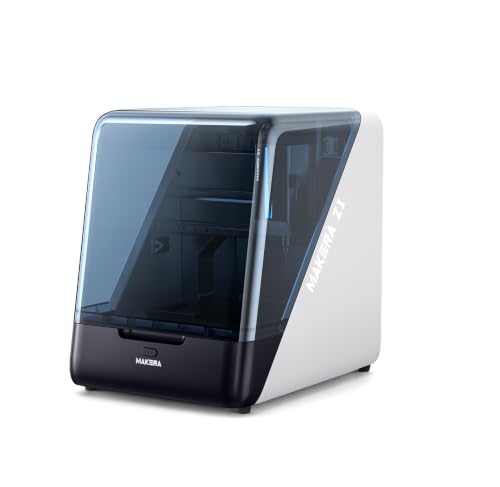
MAKERA CARVERA Z1 Desktop Mill
What We Like
- Ecosystem with CAM software and tutorials
- Enclosed design with real-time camera monitoring
- Desktop-friendly size and dust control
- Practical precision for first CNC projects
Trade-offs
- 39.7-pound weight requires a sturdy, permanent surface
- Limited to softer metals like aluminum
A ±0.05mm machining accuracy is tight enough for detailed crafts and prototypes without being intimidating. The Makera Carvera Z1 is built for someone taking their first step from 3D printing or hand tools into subtractive manufacturing. Its enclosed design, integrated camera, and companion software are all engineered to remove guesswork. You get a cleaner workspace and can watch the cut happen from your screen, which builds confidence far faster than troubleshooting a bare-bones machine.
Material choices focus on softer metals like aluminum along with wood, acrylic, and plastics, which covers a wide range of hobbyist and prototyping work. This desktop mill isn’t built for harder metals such as stainless steel, so projects must stay within its stated capabilities. Should your needs evolve, the Makera ecosystem supports a transition to more advanced solutions like the Carvera Air. For users requiring work with materials like stainless steel from the outset, other machines in the category, such as the AnoleX model, list that specific capability.
Product photos
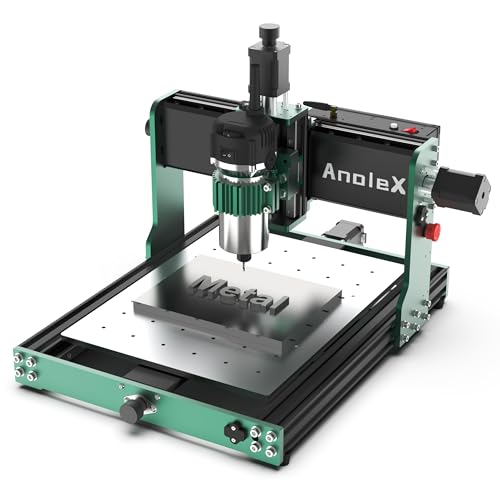
AnoleX 3030-Evo Max CNC Router Machine
What We Like
- All-metal dual linear guides for rigidity in metal cutting
- Upgrade path to 1.5kW spindle and ball screws
- GRBL_ESP32 control enables WiFi and advanced feature support
- Includes limit switches, E-stop, and probe for full functionality
Trade-offs
- 39.5 lb weight and compact size limit workpiece scale
- Router speed requires manual dial adjustment, not software control
A repeatability accuracy of ±0.01mm and a cutting accuracy within ±0.05mm on aluminum are the numbers that matter for precision work on metals. This machine is built for the hobbyist or small shop operator who needs to reliably cut aluminum, brass, and stainless steel prototypes or parts. Its all-metal construction and dual linear guides on every axis provide the necessary rigidity, while the included 800W router has enough grunt for light-duty metal work. The extensive upgrade options, from a more powerful spindle to closed-loop motors, mean it can grow with your skills.
The trade-off is its compact 19.7-inch square work area, which confines you to smaller projects. For larger panels or multiple parts, you’d need to look at a machine like the FoxAlien Masuter Pro MAX. Where the AnoleX shines is in its out-of-the-box readiness for precise, small-scale metalwork and its modern 32-bit control board. That board runs the latest GRBL firmware and adds WiFi control and programmable macro buttons, features often missing in this class. It’s a solid, capable foundation that’s thoughtfully designed for future expansion.
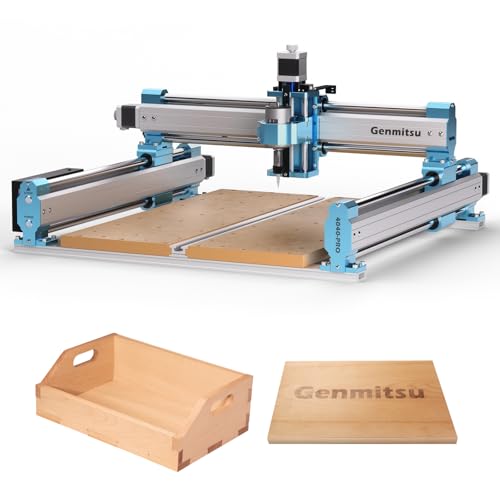
SainSmart Genmitsu 4040-PRO CNC Milling Machine
What We Like
- Steel HSS frame ensures stability during milling
- Silent Toshiba drivers for quieter workshop operation
- Expandable with optional spindle mounts and wireless control
- Reinforced spoilboard prevents sagging under load
Trade-offs
- 4-axis kit is an additional purchase, not included
- Requires separate software for full 3D rotary carving
Support for a true 4th-axis rotation module distinguishes this machine, enabling complex 3D rotary carving from different angles. Its rigid steel HSS frame and dual Y-axis rails are designed for improved stability during milling. Upgraded electronics with silent drivers allow for quieter operation in a home workshop, while open-source Grbl software and multiple accessory ports offer a customizable platform that can grow with a user’s projects.
This is a 3-axis machine with a clear upgrade path, as the 4-axis rotation module kit and appropriate software are separate purchases. The design emphasizes customization, with optional spindle mounts and ports for accessories like an air pump. The reinforced spoilboard with an integrated T-track provides versatile clamping options for workholding on various projects.
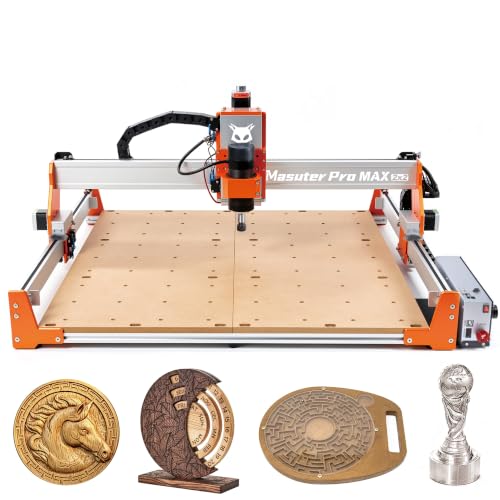
FoxAlien Masuter Pro MAX CNC Router
What We Like
- Massive 23.6-inch square work area for oversized projects
- 500W brushless spindle for quiet, continuous heavy-duty cutting
- Enhanced X-axis rigidity for superior carving precision
- Future-proof control board for easy closed-loop motor upgrades
Trade-offs
- At 57.3 pounds, it's a substantial, less portable desktop unit
- Large 37-inch footprint requires a dedicated, sturdy work surface
A 600x600mm active work area means you can tackle large-scale projects like furniture panels or full sign blanks without needing to cut your stock down first. This makes the FoxAlien Masuter Pro MAX the clear choice for woodworkers and makers who consistently work with sheet goods or need to machine multiple smaller parts in a single setup. Its 500W brushless spindle is purpose-built for marathon sessions, pushing through wood, plastics, and soft metals without the whine and wear of a brushed motor. The strengthened X-axis extrusion provides the stability needed to make that large work area truly usable, drastically reducing chatter for cleaner finishes.
You pay for that expansive capacity with a substantial footprint and weight. This machine demands a dedicated, rock-solid bench, not a temporary setup. It’s a commitment. Compared to a more compact model like the Genmitsu 3018-PROVer V2, the Masuter Pro MAX offers a vastly larger canvas. However, it sacrifices the easy portability and smaller storage footprint that beginners or those with tight shop space might need.
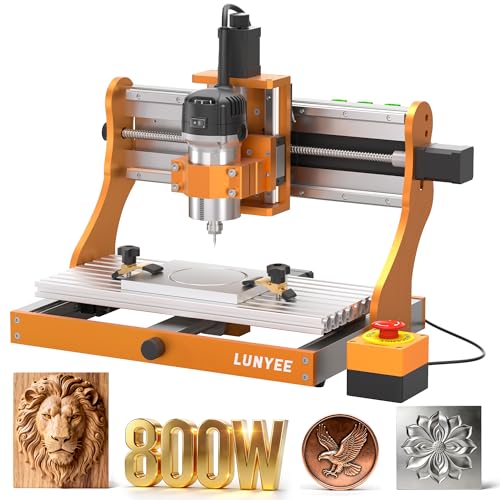
LUNYEE 3020 Nova CNC Router Machine
What We Like
- All-metal frame and linear guides for stability
- Fully assembled, ready-to-use design
- Ball screw drives eliminate backlash
- Wide software compatibility with GRBL
Trade-offs
- 42.3 lb weight requires a sturdy benchtop
- No enclosure mentioned for dust or noise
An industrial-grade drive system with ball screws and linear guides on every axis delivers that coveted ±0.05mm accuracy. That’s the kind of repeatable precision that lets you confidently tackle aluminum or brass alongside wood and plastics, making this a serious choice for a hobbyist ready to step up their metalworking game. The 800W spindle has the torque and speed range to handle that mixed-material workload right out of the box, and it arrives fully assembled, you’re making chips minutes after unboxing.
Its fully assembled, ready-to-use design means you can unbox it, install the Z-axis, plug it in, and start cutting without complicated setup. This all-metal CNC router comes with pre-connected wiring for a hassle-free experience right from delivery. For users who want a desktop machine that mills materials like aluminum and wood accurately without fuss, the LUNYEE 3020 Nova’s design speaks directly to that need.
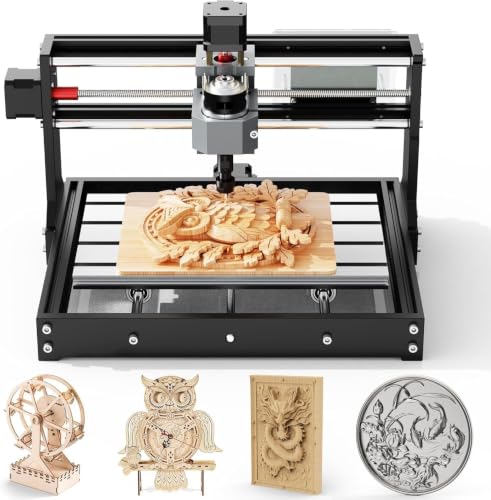
Twotrees TTC3018 CNC Router Machine
What We Like
- Compact 420x355x280mm footprint fits on a desk.
- Handles wood, plastics, and soft metals like aluminum.
- Comes with multiple international safety certifications.
- Pre-assembled components and clear cables simplify setup.
Trade-offs
- The 775 spindle is a light-duty motor for soft metals only.
- No enclosure is mentioned, so debris containment is on you.
A 16.5-inch length makes this CNC router a true desktop machine, fitting easily on a workbench without consuming much space. Its 300x180mm work area accommodates small plaques or intricate prototypes, while the 0.1mm engraving accuracy and GRBL control deliver clean, detailed results on wood, acrylic, and soft metals. This combination creates a solid entry point for education and personal projects.
You’re not going to be hogging out deep pockets in aluminum billet here. For more aggressive milling in metals, you’d need to step up to a machine with a more powerful 800W router, like the AnoleX. But if your goal is to learn CNC fundamentals or create detailed engravings on smaller workpieces, this machine delivers capable performance in a very accessible package.
Product photos
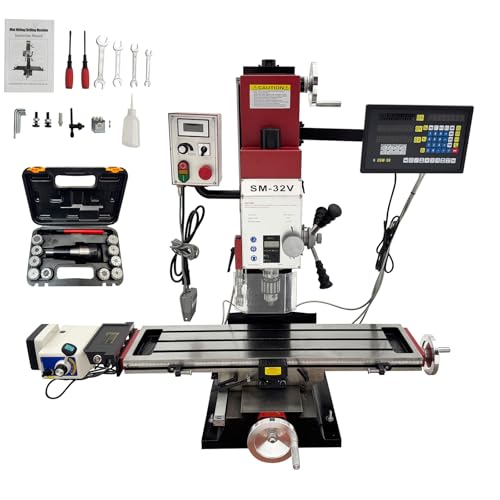
IntXanth 2HP Mini Milling Drilling Machine
What We Like
- 2HP brushless motor provides high torque
- Precise 3-axis DRO with grating ruler
- Versatile R8 spindle tilts and swivels
- Integrated safety features and clear shield
Trade-offs
- 22.4-inch X-axis travel limits large parts
- Benchtop design lacks full CNC automation
A 2HP all-copper brushless motor delivers continuous high torque across its 50-2250 RPM range, so it can handle everything from fine detail work to heavy-duty metal removal without bogging down. The integrated 3-axis digital readout with a grating ruler provides 0.005mm resolution, eliminating manual dial estimation for shop-floor accuracy in metalworking or prototyping. With an R8 spindle that tilts and swivels, this single benchtop unit consolidates drilling, face milling, and end milling into one footprint.
Operation is entirely manual, requiring you to turn handwheels rather than program a computer. This provides direct, tactile control over cuts, which some operators prefer for feeling the material and making immediate adjustments. For projects requiring automated, unattended operation, the other-products list includes several dedicated CNC machines like the Makera Carvera Air or Genmitsu models that follow a different design path.
Product photos
WolfPawn 4040-PRO CNC Router Machine

What We Like
- Comes as a complete kit with all essential accessories
- 500W spindle with clamps allows for easy future upgrades
- GRBL control offers wide software compatibility for hobbyists
- Pre-wired components simplify the initial setup process
Trade-offs
- 2.9-inch Z-axis travel limits material thickness for 3D carving
- V-wheel and belt drive on X/Y may flex under heavy metal loads
- Smaller work area than models like the AnoleX 3030-Evo Max
A 500W spindle and a complete accessory kit mean you can start cutting within hours of unboxing, not days spent sourcing parts. This makes the WolfPawn 4040-PRO a standout for the hobbyist who values immediate functionality over building from scratch. Its GRBL control via USB is a widely supported standard, so you can jump into software like Candle and begin learning the ropes of CNC operation with the included test board and tools right away.
Ready-to-use assembly is a key feature, with pre-wired parts and a full kit of clamps, probes, and tools for quick setup. This desktop router uses a 2GT belt and V-wheel system on its X and Y axes, which provides motion for tasks like engraving and milling softer materials. For more demanding metal cutting, other models in its class like the LUNYEE 3020 Nova use an all-metal linear guide and ball screw design.
Product photos
How We Evaluated Desktop Mills
Our evaluation began with a deep dive into manufacturer specifications and technical documentation to understand each machine’s stated capabilities. We then cross-referenced this data with expert round-ups and comprehensive desktop CNC mill reviews to see how models stacked up in professional comparisons. Finally, we analyzed patterns in owner feedback, looking for consistent reports on real-world performance, reliability, and ease of use.
The most critical criteria were work area dimensions, spindle power, and frame construction. The work area defines your maximum part size, while spindle power and torque determine if you can cut hardwoods, aluminum, or steel. A rigid, all-metal frame is non-negotiable for milling metal, as it prevents chatter and ensures accuracy. We also weighed software compatibility and setup complexity, especially for desktop CNC milling machines aimed at beginners.
The primary limit of our research-led approach is that we cannot provide hands-on data on long-term durability or subtle performance differences. Our recommendations are based on aggregated specs and consensus from existing users, which is a reliable way to narrow the field before you make a final purchase decision.
What To Look For In Desktop Mills
Selecting a desktop mill means balancing your project ambitions with your shop’s constraints. The right machine opens up a world of precise fabrication, while the wrong one leads to frustration and broken tools. Focus on the core specs that dictate what you can actually make.
Key buying factors are work area size for your parts, spindle power for your materials, and machine rigidity for clean cuts. Consider if you need an enclosed design for noise and dust, and ensure the control software is compatible with your workflow.
Work Area and Machine Footprint
The work area, defined in X, Y, and Z axes, is your absolute maximum part size. A machine like the FoxAlien Masuter Pro MAX offers a 23.6-inch square area for large signs or panels, while a compact model like the Twotrees TTC3018 is designed for smaller engravings. Remember to also measure your bench space for the machine’s own footprint; a large-format router needs a dedicated, sturdy surface.
Spindle Power and Material Capability
Spindle power, measured in watts or horsepower, dictates what materials you can cut. A 500W brushless spindle can handle hardwoods and light aluminum passes, while a light-duty 775 motor is limited to wood and plastics. For consistent milling machine basics in metals like aluminum or brass, look for a minimum of 1kW (about 1.3HP) and an all-metal frame. Our “Best For Light Metals” pick, the AnoleX 3030-Evo Max, is built specifically for this with dual linear guides.
Rigidity and Drive System
Rigidity prevents the machine from flexing under cutting forces, which ruins precision and finish. Ball screw drives, found on models like the LUNYEE 3020 Nova, offer superior accuracy and eliminate backlash compared to belt-driven systems. For heavy cutting, a steel frame and supported linear rails are essential. This is a fundamental difference between types of milling machines, where router-style CNCs may use belts, and more rigid benchtop mills use screws.
Control Software and Accessibility
The software ecosystem can make or break your experience. Some machines come with proprietary, beginner-friendly CAM software, while others rely on open-source GRBL controllers compatible with universal senders. Ensure the software fits your skill level; a complete kit is great, but not if the learning curve is overwhelming. Many top desktop CNC mills now offer WiFi control and camera monitoring for easier operation.
- Check if the machine requires separate CAD/CAM software purchases.
- Verify community support and tutorial availability for the control system.
- Consider machines with automatic tool changers or probing to streamline multi-step jobs.
Ultimately, buy for the hardest material you’ll regularly cut, not your dream project. A machine strained to its limits will underperform and wear out quickly.
Desktop Mills Compared
For a quick side-by-side view of key specifications, refer to the comparison table below.
| Product | Work Area | Spindle Power / Type | Control System / Connectivity |
|---|---|---|---|
| Makera Carvera Air Desktop CNC Machine | 11.8" x 7.9" x 5.1" | N/A | Wi-Fi and USB |
| Genmitsu 3018-PROVer V2 CNC Milling Machine | L 11.4 inches, W 11.4 inches | N/A | N/A |
| MAKERA CARVERA Z1 Desktop Mill | N/A | N/A | N/A |
| AnoleX 3030-Evo Max CNC Router Machine | N/A | 800W trim router (8000-24000 RPM) | GRBL_ESP32 (WiFi, macro buttons) |
| SainSmart Genmitsu 4040-PRO CNC Milling Machine | N/A | N/A | Open-source Grbl v1.1 |
| FoxAlien Masuter Pro MAX CNC Router | 600x600x100mm | 500W brushless | Dual-Motion, closed-loop ready |
| LUNYEE 3020 Nova CNC Router Machine | N/A | 800W | N/A |
| Twotrees TTC3018 CNC Router Machine | 300x180x40mm | 775 (7000-9000 RPM) | 32-bit STM32 with GRBL |
| IntXanth 2HP Mini Milling Drilling Machine | 22.4"×8.7"×15" Travel | 2HP brushless | N/A |
| WolfPawn 4040-PRO CNC Router Machine | 15.7" x 15.7" x 2.9" | 500W | GRBL via USB |
Frequently Asked Questions
What is the best desktop mill?
The best overall desktop mill for most makers is the Makera Carvera Air. It combines a fully enclosed workspace for noise and dust control with automated probing for high accuracy, making it a versatile and reliable choice for small, complex parts in various materials.
Is CNC machinist a dying trade?
No, the trade is evolving. While large-scale production may automate further, the rise of desktop CNC and digital fabrication has created huge demand for skilled operators in prototyping, custom manufacturing, and maker spaces. The skills are more accessible and in demand than ever.
What is the best milling machine brand?
There isn’t a single “best” brand, as it depends on your needs. For entry-level CNC routers, brands like SainSmart Genmitsu are popular. For more rigid, metal-capable small milling machines, brands like Makera and AnoleX are strong contenders. Research based on your specific material and precision requirements.
What are the most profitable CNC projects to sell?
Profitable projects often include custom signage, specialized jigs and fixtures for other hobbies, bespoke furniture hardware, and small-batch consumer products like bottle openers or puzzles. The key is identifying a niche market where personalized, high-quality machined items command a premium over mass-produced goods.
Should I get a 3-axis or a 4-axis desktop mill?
Start with a 3-axis machine unless you specifically need to carve cylindrical objects. A 4th axis (rotary) is for advanced projects like detailed columns or complex cam shafts. Many 3-axis mills, like the SainSmart Genmitsu 4040-PRO, offer an upgrade path to 4-axis functionality later.
The Bottom Line
For a balance of precision, automation, and clean operation in a desktop package, the Makera Carvera Air is the best overall choice. It’s ideal for makers and small workshops that need to reliably produce small, complex parts from a range of materials without turning their shop into a dust bowl.
If your budget is tight, start with the capable Genmitsu 3018-PROVer V2. For those who need to mill aluminum and brass, the AnoleX 3030-Evo Max offers the necessary rigidity. And if your projects demand a massive work area for sheet goods, the FoxAlien Masuter Pro MAX is the clear pick.
No matter which model you choose, prioritize rigidity and spindle power for the materials you intend to cut. A machine that flexes or bogs down won’t produce clean results, making this the single most important factor for a satisfying and productive experience with your new desktop mill.
