
10 Best Laser Engraver Machines in 2026
This post contains affiliate links. As an Amazon Associate, we earn from qualifying purchases.
The best overall laser engraver is the xTool F2 Ultra Dual Laser Engraver for its ability to professionally handle both metals and non-metals in one unit. For large-scale cutting, the xTool P3 CO2 Laser Cutter excels, while beginners will appreciate the safe, enclosed design of the Creality Falcon A1 Pro.
Choosing the wrong machine can waste your budget and workshop space on capabilities you don’t need. Our research focused on laser type, work area, safety features, and the practical needs of makers and small businesses. This guide distills those findings into clear picks for every project scale.
Top 10 Laser Engraver Machines in the Market
Certain content that appears on this site comes from Amazon. This content is provided "as is" and is subject to change or removal at any time.
The Best Laser Engraver Machines, Reviewed
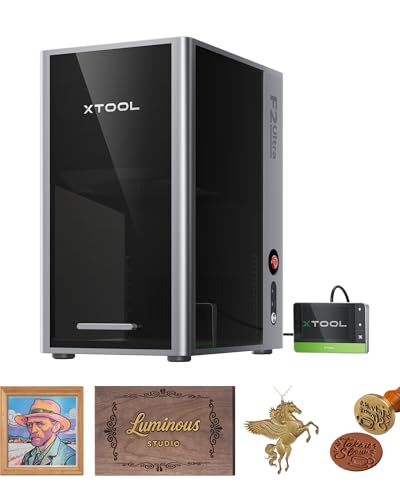
xTool F2 Ultra Dual Laser Engraver
What We Like
- Dual-laser handles all metals and non-metals
- AI cameras auto-detect materials and suggest settings
- Engraves over 100 consistent colors on metal
- Industrial speed for high-volume batch processing
Trade-offs
- Class 4 laser requires serious safety protocols
A 60W MOPA fiber laser paired with a 40W diode gives you genuine all-metal capability alongside the versatility to handle wood, acrylic, and leather. This means one compact machine on your bench can tackle 3D embossing, deep engraving, color marking on metals, and still cut through thick acrylic or wood. The dual AI cameras eliminate guesswork by auto-focusing and previewing your design, which is a huge time-saver when switching between materials. For a maker or small shop that regularly flips between metal jewelry and custom wooden signs, this combination is a legitimate workshop-in-a-box.
Combining a 60W MOPA fiber and a 40W diode laser in one machine means you’re managing two different systems, which adds operational complexity compared to a single-laser tool. Its Class 4 rating necessitates a dedicated, ventilated workspace with proper safety gear, so it isn’t suitable for casual use on a kitchen table. For projects focused solely on wood, plastics, and glass, the fully enclosed xTool P3 CO2 Laser Cutter provides a larger workspace.
xTool P3 CO2 Laser Cutter

What We Like
- Automated setup with LiDAR and dual cameras
- Powerful 80W CO2 laser cuts thick materials
- Class 1 safety enclosure with active protection
Trade-offs
- Large footprint at 49.2 inches long
- Essential accessories like the conveyor feeder are separate purchases
An 80-watt CO2 laser paired with a 36 by 18 inch bed transforms what you can make in a single pass. This machine is built for users who need to cut full sheets of plywood, acrylic, or dense wood up to an inch thick without constantly repositioning material. The automated camera and LiDAR system removes the guesswork from focusing and alignment, which is a huge time-saver when you’re running large batches. If your projects demand industrial-level cutting power on a desktop scale and you value a fully enclosed, safety-certified design, the P3 is engineered for that job.
The machine’s size, at over four feet long and two and a half feet wide, requires significant workshop space. Its automated creation system streamlines setup, but operation still involves managing a high-power CO2 laser and compatible accessories like an air purifier, which are sold separately. Research suggests the xTool F2 Ultra is a more compact choice for makers who frequently switch between metal and non-metal projects, but it uses different laser types. If your primary need is cutting thick wood and acrylic in a large format, the P3 delivers that specific capability.
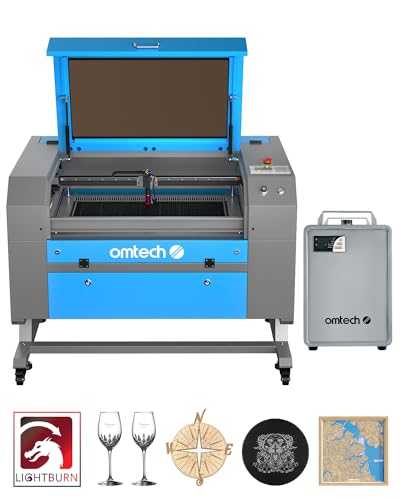
OMTech 60W CO2 Laser Engraver
What We Like
- Includes water chiller for consistent performance
- Button-adjustable bed with preinstalled autofocus
- Four-way pass-through for large/long items
- Built-in air assist protects optics
Trade-offs
- At 249 pounds, requires a permanent, sturdy installation
- Large footprint needs significant workshop floor space
With a 60W CO2 laser and a 20×28 inch work area, this machine accommodates larger projects. Its four-way pass-through doors allow for handling items longer than the bed itself. The bundle includes LightBurn software and a water chiller, providing the key components for operation.
The engraver weighs 249 pounds and measures 47.2 inches long, requiring a sturdy, dedicated surface. For comparison, the xTool F2 Ultra is 16.9 inches long. This OMTech model’s size suits a fixed workshop location.
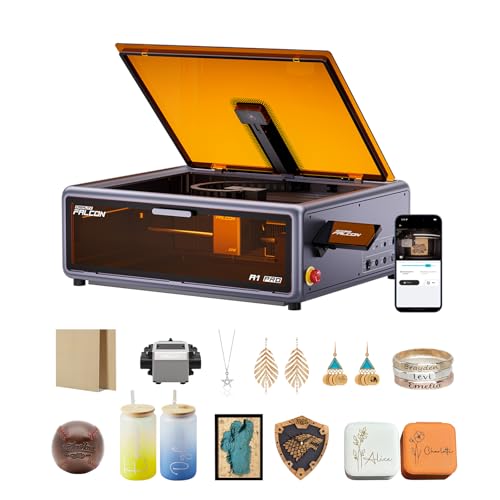
Creality Falcon A1 Pro Laser Engraver
What We Like
- Fully enclosed Class 1 safety design
- Smart touchscreen and app for remote control
- HD camera for precise positioning
- Arrives 80% pre-assembled for quick setup
Trade-offs
- 2W infrared laser module is a separate purchase
- Only compatible with its specific honeycomb panels
A 20W diode laser in a fully enclosed Class 1 housing means you can run it in a living space without worrying about stray light or smoke, a major hurdle cleared for beginners. The machine arrives mostly assembled, and features like the touchscreen and auto-focus let new users focus on designing, not on setup or calibration. It’s built for someone who wants to start engraving wood and acrylic safely and quickly, without needing a dedicated workshop or a degree in laser operation.
Its 460 x 346 mm work area fits projects like coasters or small signs, but not large panels. A separate 2W infrared laser module is required for high-precision engraving on metals and plastics. The fully enclosed design, with dual protective covers, provides a Class 1 safety rating that eliminates the need for goggles during operation.
ORTUR Laser Master 2 S2 Engraver

What We Like
- 10W diode laser handles substantial cutting tasks.
- Modular, all-metal frame for easy assembly and durability.
- Comprehensive safety suite with tilt and disconnect protection.
- Wide file format and operating system support.
Trade-offs
- Open-frame Class 4 laser requires strict safety protocols.
- Large 22.4 x 21.6 inch footprint needs a dedicated bench.
A 10-watt diode laser gives this machine the muscle to cut through 20mm wood and 30mm acrylic, moving it beyond simple engraving into legitimate light-duty fabrication. That power, paired with a generous 390x410mm work area, makes it a serious contender for hobbyists and small workshops needing to process larger panels. Its modular, all-metal construction is built to last, and the inclusion of safety features like a G-sensor and automatic laser shutdown shows thoughtful design for real-world use. For the maker who has outgrown a 5W machine but isn’t ready to invest in a full CO2 setup, this is a logical and capable step up.
Its open-frame design requires you to provide your own well-ventilated, dedicated workspace. Compared to dedicated CO2 laser cutters like the OMTech 60W, it uses a different diode technology. For a balance of sizable cutting capacity and engraving versatility on a budget, the Laser Master 2 S2 delivers utility without frills.
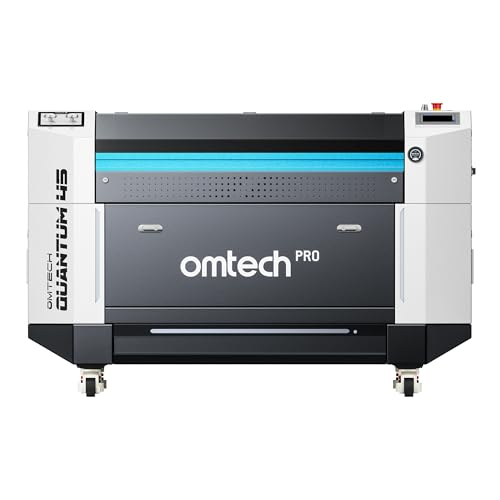
OMTech Pro Quantum CO2 Laser
What We Like
- Blazing 4200 mm/s engraving and cutting speed
- RF tube provides 0.07 mm precision and 20,000+ hour life
- Industrial enclosed design with integrated 30L air compressor
- Comprehensive 2-year service with 24/7 global support
Trade-offs
- Massive 959-pound weight requires a permanent, reinforced floor.
With a maximum speed of 4200 mm/s, this laser can cut processing time in half, fundamentally boosting shop throughput for bigger projects. Its 0.07 mm spot size from the RF tube ensures sharp engravings even at that full speed, which is key for professional detail. The built-in 30L compressor automatically adjusts air pressure for cutting materials like 22mm wood, so it’s ready for heavy-duty work immediately.
That industrial capability comes with an equally industrial footprint, demanding a dedicated and sturdy space in a shop. Weighing 959 pounds and measuring over five feet on a side, it isn’t a machine you can move or tuck into a corner. For context, another OMTech 60W model weighs 249 pounds, which is roughly a quarter of this unit’s mass. The Pro Quantum is built for a shop where the laser runs daily and throughput is the primary metric.
Product photos
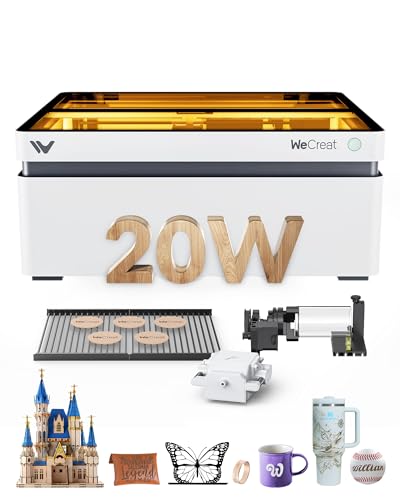
WECREAT Vision 20W Laser Engraver
What We Like
- Auto-lifting design handles materials up to 140mm tall
- Integrated smart camera for precise design positioning
- Fully enclosed Class 1 safety with automatic stop
- Includes rotary system and two specialized laser beds
Trade-offs
- Diode laser limits cutting depth versus CO2 models like the OMTech 60W
- Work area is smaller than dedicated cutters like the xTool P3
An auto-lifting mechanism that handles materials up to 140mm thick removes a major headache in desktop engraving. You no longer need to fiddle with riser bases for taller items like mugs or small boxes. This feature, combined with a built-in camera and a quick-view matrix for over 100 materials, makes it a remarkably self-contained system for a hobbyist or small business wanting to jump straight into projects. The fully enclosed Class 1 safety rating means you can run it in a shared space without extra gear, which is a significant practical advantage over open-frame diode lasers.
A 20W diode laser can cut through 10mm wood in a single pass, which handles many common workshop materials, but it operates within the physical limits of its technology. For users whose primary need is high-volume cutting of thick stock, a more powerful CO2 system might be necessary. The WECREAT Vision 20W is designed as a 4-in-1 desktop system that mixes engraving with occasional cutting, and its automated features like the auto-lifting enclosure and smart camera aim to streamline the workflow. When placed next to a basic open-frame diode laser, the Vision includes integrated safety and automation that can reduce setup time.
Product photos
Artilume T1 Foldable Laser Engraver

What We Like
- Unique foldable and portable design for easy storage
- Includes complete starter kit with safety goggles and materials
- Compatible with advanced desktop software like LightBurn
- Powerful enough for engraving and light cutting on various materials
Trade-offs
- 200x150mm work area limits project size compared to desktop units
- 12W laser is for light cutting, not heavy-duty material processing
- Requires well-ventilated area and user vigilance for safe operation
A foldable 12W laser design sets up quickly and saves space, so it can move easily between rooms or workspaces. This machine is built for the maker who needs to clear off the kitchen table after a project or wants to use it on a desk, craft table, or garage bench. It delivers 0.01mm engraving precision and works on materials like wood, leather, and acrylic for detailed engravings and light cuts, all while coming as a complete starter kit. For crafters, hobbyists, and small business owners with limited permanent space, it turns any cleared surface into a temporary workshop.
The trade-off for that portability is the practical 200x150mm working area. You can handle coasters, ornaments, and small wood signs, but a full-sized cutting board is out of the question. It’s a focused tool, not a workshop centerpiece. When projects require a larger work area, other products in the category like the Creality Falcon A1 Pro are listed with bigger dimensions. This laser makes a compelling case for itself by solving the space problem first.
Product photos
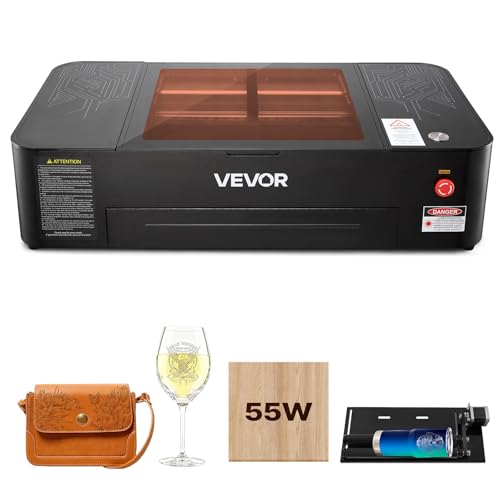
VEVOR 55W CO2 Laser Engraver
What We Like
- Spacious 20×12 inch work area for large projects
- Precise 5MP camera for accurate positioning
- Includes rotary axis for cylindrical objects
- Built-in air-assist and water cooling for clean operation
Trade-offs
- At 120.6 pounds, it's a substantial, stationary desktop unit
- Cannot engrave bare metals, only suitable for coated metals
- Requires a dedicated, sturdy workspace due to its size
A 55-watt CO2 laser and a 20 by 12 inch bed provide the power and space to cut through acrylic and plywood, which research notes is the core strength of a CO2 system. The machine engraves or cuts wood and acrylic with burr-free edges, and its 5 MP camera enables accurate positioning for a single-click start. Built-in air assist clears smoke, while water pump cooling and a pull-out waste tray support longer, cleaner operation.
You’re getting a Class 4 CO2 laser cutter with a 120.6-pound footprint, so it’s a dedicated workshop tool. Research confirms CO2 lasers are best for cutting thicker wood and acrylic in any color, which this model handles at up to 500 mm/s. For the price, it delivers the core functionality that makes CO2 lasers the right choice for this work, including compatibility with LightBurn and a rotary axis for cylindrical objects.
Product photos
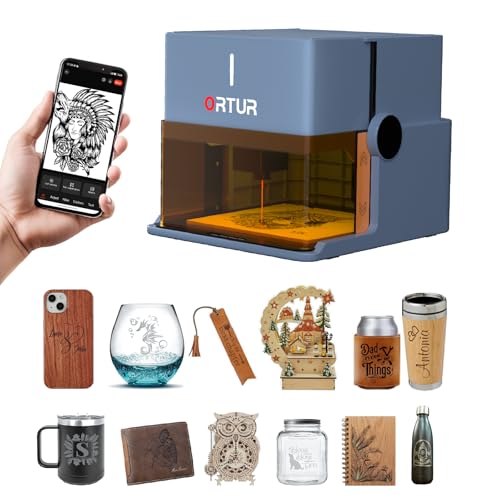
Ortur R1 Portable Laser Engraver
What We Like
- Unique foldable, plug-and-play portable design
- Class 1 laser safety with full enclosure
- App with AI image generation and hand-draw mode
- Comprehensive safety suite including tilt detection
Trade-offs
- 100mm x 100mm work area is very small
- 5W power limits cutting to 3mm basswood
A Class 1 safety rating and foldable design let you unpack, unfold, and engrave on a kitchen table without safety goggles. The 5W power and 100mm square area are suitable for engraving wood, leather, glass, or cloth on small items. Its app includes AI image processing and hand-drawn engraving, which can transform a sketch into a permanent design.
That portability comes with a 100mm square work area and power that cuts 3mm basswood in one pass. Engraving small gifts, keychains, or QR codes fits within its capabilities. To cut thicker materials or handle larger items like picture frames, a model such as the Ortur Laser Master 2 S2 offers 10W power and a larger footprint but lacks the foldable design.
Product photos
How We Evaluated Laser Engraver Machines
Our evaluation is based on manufacturer specifications, expert technical round-ups, and patterns in owner feedback. We prioritized the laser type (diode, CO2, or fiber) as it dictates which materials you can work with, from wood to bare metal. We also weighed the work area size against the machine’s footprint, safety enclosure class, and the included features that affect daily use, like air assist or auto-focus. This research-based approach identifies machines that are well-regarded for their intended role, but we cannot verify long-term durability or hands-on setup quirks from a desk.
What To Look For In Laser Engraver Machines
Your primary material dictates the laser technology you need, while your project size and workspace determine the ideal machine footprint and safety design.
Match the laser type to your materials: diode for wood/leather, CO2 for cutting thick wood and acrylic, fiber for bare metals. Consider work area size, safety class, and whether you need an enclosed design for a shared space.
Laser Type and Power
The laser source is the most critical choice. Diode lasers, like the one in the ORTUR Laser Master 2 S2, are budget-friendly and excellent for engraving and light cutting of wood, leather, and coated metals. CO2 lasers, such as the OMTech 60W, deliver more power for faster, deeper cuts in materials like acrylic and thick plywood.
For engraving bare metals like stainless steel or aluminum, you need a fiber or infrared laser, which is why the dual-laser xTool F2 Ultra is so versatile. When researching CO2 laser engravers, you’ll find they are the standard for cutting but cannot mark bare metal.
Work Area and Footprint
The work area defines your maximum project size, but the machine’s total footprint must fit your space. A large 20×12 inch bed like the VEVOR 55W CO2 Laser Engraver‘s requires a substantial, permanent bench. Machines designed for home laser engravers often balance a useful work area with a manageable size. Conversely, industrial machines like the xTool P3 have massive beds for sheet goods but demand a dedicated workshop. Consider if a compact, beginner-friendly option like the Artilume T1 meets your project needs before committing to a large unit.
Safety and Enclosure
Laser safety is non-negotiable. Class 1 lasers are fully enclosed, often with automatic stops when opened, making them ideal for homes or shared spaces; the Creality Falcon A1 Pro is a prime example. Open-frame Class 4 lasers, like many powerful diode models, require a dedicated, well-ventilated room and strict user protocols.
Key features to look for include integrated air assist to keep lenses clean and reduce fire risk, and fume extraction ports. For those comparing technologies, understanding the differences in operation between a laser engraver and a CNC router is also wise, as CNC routers generate dust but not hazardous light.
- Verify the machine’s laser safety class (1 or 4).
- Plan for proper ventilation or an exhaust system.
- Ensure your workspace can accommodate the machine’s size and any required safety peripherals.
- Check for safety interlocks, flame sensors, and emergency stop buttons.
Your first decision should always be: “What materials do I need to work on?” This locks in the required laser type.
Laser Engraver Machines Compared
The table below compares key specifications across our picks to help you quickly evaluate their core capabilities.
| Product | Laser Type & Power | Max Working Area | Safety Class |
|---|---|---|---|
| xTool F2 Ultra Dual Laser Engraver | 60W MOPA fiber, 40W diode | 8.7" x 8.7" (expandable) | Class 4 |
| xTool P3 CO2 Laser Cutter | 80W CO2 | 36 x 18 inches | Class 1 enclosed |
| OMTech 60W CO2 Laser Engraver | 60W CO2 | N/A | Class 2 |
| Creality Falcon A1 Pro Laser Engraver | N/A | N/A | Class 1 enclosed |
| ORTUR Laser Master 2 S2 Engraver | 10000mW (10W) | 390 x 410 mm | Class 4 |
| OMTech Pro Quantum CO2 Laser | 60W RF CO2 | 39.4" x 23.6" | N/A |
| WECREAT Vision 20W Laser Engraver | 20W (20,000mW) diode | N/A | Class 1 |
| Artilume T1 Foldable Laser Engraver | 12000mW / 12W | 200x150mm | N/A |
| VEVOR 55W CO2 Laser Engraver | 55,000 mW (55W) | 20 x 12 inches | N/A |
| Ortur R1 Portable Laser Engraver | 5000mW (5W) | 100 x 100mm | Laser Class 1 |
Frequently Asked Questions
What is the best laser engraver for the money?
For most makers, the best value is a machine that reliably handles your most common materials without overpaying for unneeded power. The ORTUR Laser Master 2 S2 is a standout budget workhorse for large-format wood engraving and light cutting. If you need to engrave metals, the xTool F2 Ultra‘s dual-laser system provides excellent value by combining two machines in one.
Which type of laser engraver is best?
No single type is best for all tasks. Diode lasers are best for beginners and wood/leather. CO2 lasers are best for cutting thick wood and acrylic. Fiber lasers are best for engraving bare metals. Your primary project materials determine the best type for you, which is why our comprehensive laser engraver guide breaks down each technology’s strengths.
What are the top 5 laser cutting machines?
Our top picks for cutting include machines that excel in different areas. These are the xTool P3 for large-scale automated cutting, the OMTech 60W for commercial CO2 value, the OMTech Pro Quantum for industrial RF speed, the VEVOR 55W for a desktop CO2 with a camera, and the ORTUR Laser Master 2 S2 as a budget diode cutter. The “best” choice depends on your material thickness and required work area.
Which is better, xTool or LaserPecker?
This comparison depends on your needs. XTool offers a wider range of machines, from desktop dual-lasers to large-format CO2 cutters, suitable for workshops and small businesses. LaserPecker focuses more on compact, portable engravers for very small projects. For professional versatility and larger work areas, xTool machines like the F2 or P3 are typically the stronger choice over LaserPecker’s more niche, portable devices.
Can a beginner use a laser engraver?
Yes, beginners can start successfully with the right machine. Look for features like a fully enclosed Class 1 safety design, intuitive software, and good pre-assembly. The Creality Falcon A1 Pro is built for this, arriving mostly assembled with a smart touchscreen.
The Bottom Line
For makers and small businesses needing a single machine that professionally engraves both metals and non-metals, the xTool F2 Ultra Dual Laser Engraver is the best overall choice. Budget-focused users working primarily with wood should look at the ORTUR Laser Master 2 S2, while those needing safe, simple operation at home should start with the enclosed Creality Falcon A1 Pro. Ultimately, let your core materials guide your purchase, as the laser type is the one spec you cannot work around.
