
10 Best Home Laser Engravers in 2026
This post contains affiliate links. As an Amazon Associate, we earn from qualifying purchases.
Our best overall home laser engraver is the xTool M2 10W Laser Engraver, thanks to its fully enclosed Class 1 safety and beginner-friendly camera setup. For large projects, the xTool S1 40W Laser Cutter is the top choice, while the Creality Falcon A1 Pro Laser Engraver is the best enclosed beginner machine.
Choosing the right home laser means balancing power, safety, and the physical space you have available. We researched specifications, manufacturer data, and patterns in owner feedback to evaluate ten top models. This guide helps you find a machine that fits your workshop and your projects.
Top 10 Home Laser Engravers in the Market
Certain content that appears on this site comes from Amazon. This content is provided "as is" and is subject to change or removal at any time.
The Best Home Laser Engravers, Reviewed
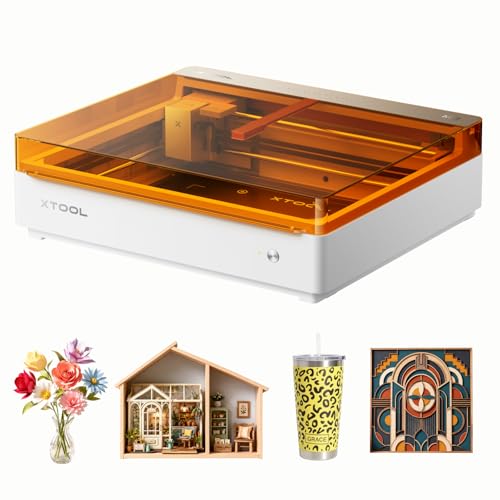
xTool M2 10W Laser Engraver
What We Like
- Fully enclosed Class 1 safety for home use
- Dual cameras enable accurate 'Place & Go' workflow
- Beginner-friendly software with ready-made templates
- Modular design for future inkjet or IR laser upgrades
Trade-offs
- CMYK inkjet and rotary attachments sold separately
- Standard 10W laser limits metal engraving without add-ons
- Modular versatility requires additional investment
The built-in dual cameras and ACS system give you a real-time preview and eliminate material guesswork, which is a massive time-saver for consistent projects. That ‘Place & Go’ accuracy, combined with a fully enclosed Class 1 design, makes it a safe and smart core machine for home crafters tackling everything from personalized gifts to side hustle batches. It’s the right pick if you want a reliable, safe foundation that can grow with your skills.
The xTool M2 includes a 10W diode laser for engraving and cutting materials like wood, leather, and paper. This standard setup handles many DIY projects, but adding capabilities like metal engraving or full-color printing requires purchasing separate modules. Its modular design offers long-term flexibility, though it means higher initial costs for specialized tasks compared to some all-in-one alternatives.
xTool S1 40W Laser Cutter

What We Like
- Powerful 40W laser cuts thick wood in one pass
- Very large bed for signs and batch projects
- Patented Pin-point and AutoPassthrough technologies
- Class 1 safety enclosure, no goggles needed
Trade-offs
- Large 19.6" x 19.6" footprint requires dedicated space
- Primarily a diode laser, not ideal for bare metals
You can cut a solid wood door sign in one pass or engrave over a hundred dog tags in a single batch. This makes the S1 a serious tool for small business production or ambitious home crafters who regularly work on large panels or high-volume items. Its enclosed Class 1 safety design and pre-tested material library also mean you can run it confidently in a busy household workshop.
That power and size come with a trade-off in footprint and specialization. You need a sturdy, permanent bench for its nearly 20-inch square base. While it handles coated metals, its diode laser isn’t the best choice for deep engraving on bare stainless steel or titanium. For those materials, a machine with a dedicated fiber laser would be more versatile. But if your primary materials are wood, acrylic, and leather, and your constraint is project size, not bench space, the S1’s capacity is unmatched.
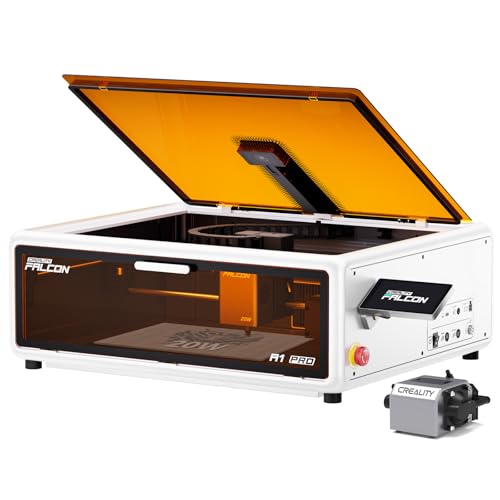
Creality Falcon A1 Pro Laser Engraver
What We Like
- Class 1 safety enclosure blocks smoke and light
- HD camera for accurate positioning and auto-focus
- Smart touchscreen for easy workflow management
- Compatible with LightBurn and Creality's own app
Trade-offs
- Internal fan requires external exhaust or air purifier
- Optional 2W IR module is not included in the package
A 20-watt laser in a Class 1 certified enclosure makes this a remarkably safe and capable starting point. The built-in HD camera handles auto-focus and positioning, which takes the guesswork out of setup. For a beginner, that combination of power and automated safeguards is the core appeal. It’s designed for someone who wants to start creating on wood and acrylic right away, without wrestling with safety goggles or complex calibration.
You do need to plan for ventilation, as the internal fan must be ducted outside or to a purifier. That adds a step compared to some fully self-contained units. While it cuts through 10mm wood capably, its compact 5-by-3-inch frame isn’t for large panels. If your projects are mostly smaller crafts and personalized items, the Falcon A1 Pro streamlines the process. For larger sheet goods, you’d look at a model like the xTool S1 with its bigger bed.
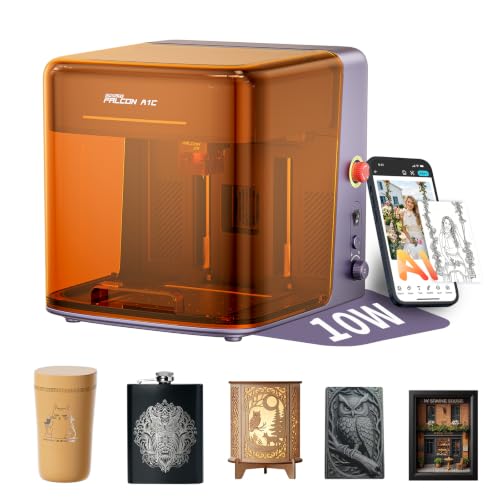
Creality Falcon A1C AI Laser Engraver
What We Like
- AI camera automates design positioning and removal
- Swappable laser modules for different task types
- Fully enclosed Class 1 safety for home use
- Compact desktop footprint with 5.9" work area
Trade-offs
- Package includes only one laser module
- AI features require learning proprietary software workflow
An AI camera that positions designs with 0.1mm accuracy means you can skip the most tedious part of setup and get straight to engraving. This machine is built for creators who want professional-looking results without becoming professional graphic designers first. The AI tools handle photo conversion and layout, which simplifies the process for beginners, while the interchangeable laser platform offers a path to grow your capabilities. It’s a solid fit for a home studio or classroom where safety and a streamlined workflow are priorities.
A 5.9-inch square work area makes the Creality Falcon A1C ideal for coasters, phone cases, and small ornaments, but a front door sign would need assembly from multiple pieces. Its compact, enclosed design prioritizes a small desktop footprint over a large engraving bed. The machine focuses on simplifying the creative process with its suite of AI-assisted design tools.
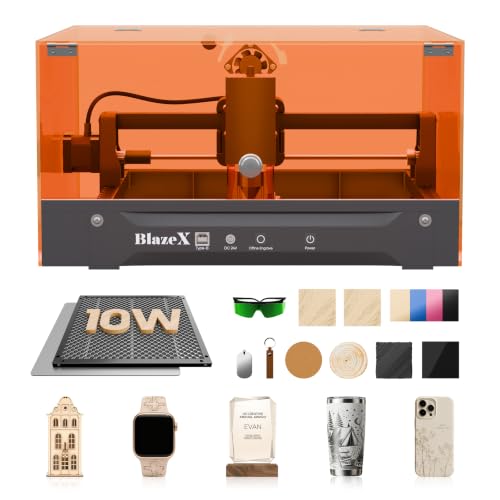
BlazeX M3 10W Laser Engraver
What We Like
- Comprehensive all-in-one starter kit
- Class 1 safety enclosure included
- Wide software and OS compatibility
- Supports over 300 materials
Trade-offs
- Tool ecosystem upgrades require additional purchase
A 0.01mm ultra-fine precision laser means your engravings on jewelry or small leather goods will have exceptionally clean lines and detail right out of the box. That accuracy, combined with a kit that includes the enclosure, honeycomb bed, and a stack of practice materials, removes the guesswork for a beginner. You can unbox it, follow the tutorials, and be making gifts or custom pieces in an afternoon without hunting for extra parts.
Its 10W diode laser handles engraving and light cutting on materials like wood and acrylic, making it a versatile tool for personal projects. The included starter kit with enclosure and materials means you can begin creating immediately, which is ideal for beginners. While its compact 8-pound build fits easily on a desk, the 10W power is best for engraving and thinner materials rather than heavy-duty cutting.
LONGER Ray5 10W Laser Engraver
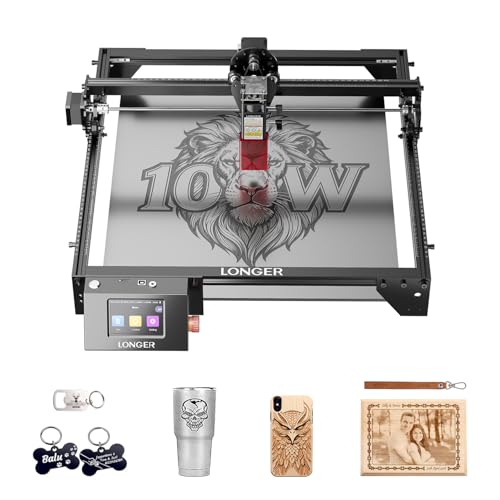
What We Like
- One controller can run multiple machines simultaneously
- High-speed ESP32 processor for fast operation
- Multiple safety features including emergency stop
Trade-offs
- Open-frame design lacks an enclosure.
- Dimensions are 24.5 inches long and 12.0 inches wide.
The ability to run several laser engravers from a single controller is a serious advantage for anyone looking to scale up hobby production or run a classroom. This setup is built for the maker or small business owner who needs to manage multiple workstations efficiently without constantly swapping computers or wrestling with complex setups.
You do trade off the built-in safety enclosures and higher power found in some premium machines. According to expert feedback on other 10W models, cutting materials like wood or acrylic can be a slow process, and an open base risks burning the underside from heat reflection. For dedicated, high-volume cutting, a more powerful machine like the xTool S1 40W is a better fit. The Ray5 excels where its multi-machine control and large format matter most for engraving and light-duty production.
Product photos
Carverall K15 Pro Laser Engraver
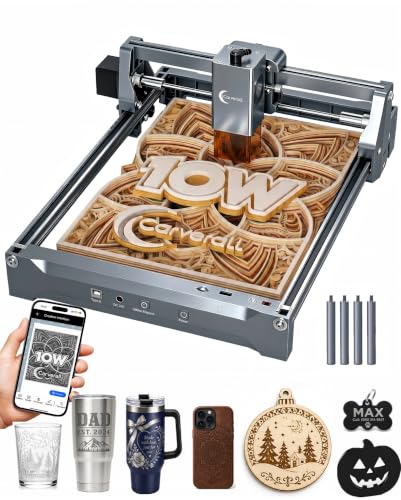
What We Like
- AI design generation from photos or prompts
- True offline operation via TF card
- Upgradeable with optional IR laser head
- Dual-fan cooling for extended runtimes
Trade-offs
- A4 work area limits larger sheet projects
- Bare metal engraving requires separate IR head purchase
The ability to generate a design from a simple photo or text prompt and then run that job completely offline via a memory card makes the Carverall K15 Pro uniquely suited for crafters who want to avoid computer software entirely. Its verified 10W output and dual-fan cooling handle long batches on wood and acrylic without overheating, while the compact A4 footprint fits easily on a crowded workbench. This is the pick for someone who values creative simplicity and wants to start projects instantly, not configure software.
You trade the safety enclosure and larger bed of models like the xTool M2 for that standout AI and offline flexibility. The A4 area covers most daily crafts like coasters and keychains, but you’ll need to work in sections for anything bigger. Its upgrade path is a genuine strength. Adding an IR head later for bare metal is more sensible than buying a whole new machine. Starting with core materials keeps the initial setup straightforward and genuinely beginner-friendly.
Product photos
Artilume T1-P Foldable Laser Engraver
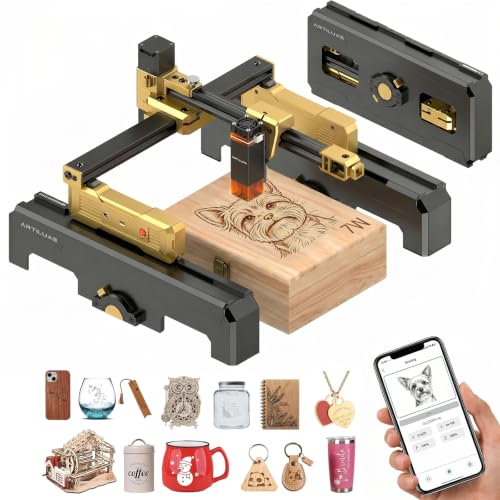
What We Like
- Exclusive foldable structure for easy storage
- Pre-assembled setup with built-in safety features
- Protective case doubles as a height extension stand
- Direct mobile app control for computer-free operation
Trade-offs
- 7W power limits cutting to thin, compatible materials only
- WiFi default password is a basic, common sequence
- Classified for jewelry making, not heavy-duty workshop tasks
Weighing just 2.6 pounds and folding down flat, the Artilume T1-P is built for the maker who needs to tuck their workshop into a closet or carry it to a class. Its 7W laser delivers the 0.01mm precision needed for detailed tags and leather crafts, and you can run the whole job from your phone. This machine suits anyone with a cramped desk or a nomadic workflow, where the ability to stow the tool is as important as the engravings it makes.
That portability comes with a power trade-off. The 7W module is fine for engraving and light cutting on wood and acrylic, but it can’t handle the thicker materials or faster speeds of a machine like the Creality Falcon A1 Pro. Think of the T1-P as a dedicated personalization station for smaller projects. Its clever case-as-stand and pre-assembled design get you from box to first engrave in minutes, which is a real confidence boost for a beginner setting up in a dorm room or apartment.
Product photos
Ortur R1 Portable Laser Engraver
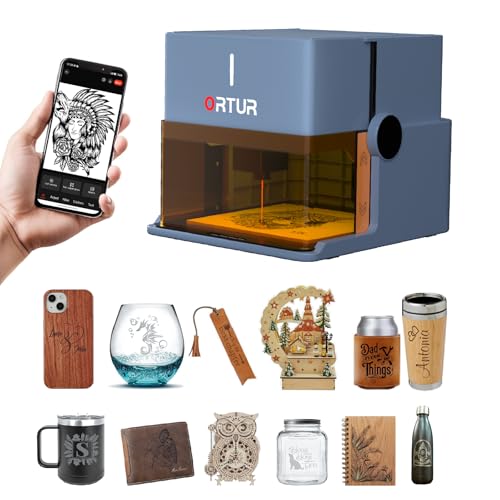
What We Like
- Unique foldable design requires no installation
- Comprehensive Class 1 safety features and enclosure
- App includes AI image generation and hand-drawn engraving
- Gift-box packaging and compact size for portability
Trade-offs
- 100mm x 100mm work area is quite small
- 5W laser limits cutting to 3mm basswood
A 100mm square engraving area and 5W laser mean this machine is built for small, personalized items, not large-scale projects. Its true strength is the foldable, ready-to-run design that makes it a genuine grab-and-go tool, perfect for someone who wants to engrave a quick gift or a child’s drawing without any workshop setup. The Class 1 enclosure and safety locks are thoughtful touches for family use.
Its foldable design prioritizes convenience over a large work area, which means it’s easy to store and transport but best suited for smaller projects. The engraving area is 100mm by 100mm, and it can cut up to 3mm basswood, so it won’t handle large signs or thick materials. For a more powerful laser in a compact but non-foldable unit, the Creality Falcon A1 Pro from the comparison list provides a 20W output.
Product photos
Creality Falcon A1 Laser Engraver

What We Like
- CoreXY system enables 600mm/s engraving speed
- Smart camera for live preview and drag-drop positioning
- Fully enclosed with six key safety protections
- Zero assembly required and beginner-friendly software
Trade-offs
- 10W laser limits single-pass cutting to 5mm wood
A top engraving speed of 600mm/s and instant acceleration from a CoreXY motion system allow for rapid completion of large projects while maintaining a 0.01mm precision level. This combination suits intricate designs and high-volume work where detail cannot be sacrificed for speed. The fully enclosed Class 1 laser safety and a smart HD camera for live preview and design placement make it a practical fit for a home environment.
While its 10W laser delivers fine engraving detail and can cut 5mm wood in one pass, thicker materials require multiple cycles. When compared to the Creality Falcon A1 Pro’s 20W laser, this model emphasizes speed and precision over maximum cutting depth. It is designed for detailed marking and engraving on materials like wood and acrylic rather than heavy-duty cutting.
Product photos
How We Evaluated Home Laser Engravers
This guide is based on a review of manufacturer specifications, expert comparisons, and consistent patterns in user feedback. The assessment focuses on three core criteria for home use: safety features, work area and power, and overall workflow ease.
Safety is paramount, so we prioritized machines with fully enclosed, Class 1-rated designs. For power and work area, we compared laser wattage and bed dimensions to determine what materials a machine can handle and what size projects it can accommodate. Finally, we assessed workflow features like built-in cameras, software compatibility, and setup complexity.
A research-led evaluation like this cannot replicate the experience of long-term ownership, but it effectively identifies the machines best suited for different home workshop needs.
What To Look For In Home Laser Engravers
The ideal home laser engraver balances safety, capability, and ease of use. Consider your available space, the materials you plan to work with, and your comfort level with the technology before you buy.
Look for a fully enclosed Class 1 safety system, a work area that fits your typical projects, and a laser power (wattage) sufficient for your materials. Beginner-friendly software and features like a camera for positioning are major workflow advantages.
Safety First: Enclosures and Classifications
For home use, a fully enclosed machine is non-negotiable. It contains potentially harmful laser light, contains smoke and debris, and significantly reduces fire risk. Look for a Class 1 laser safety rating, which means the enclosure is designed to prevent any exposure to the laser during operation. Some machines also include additional safety features like lid interlocks, flame sensors, and emergency stop buttons. An open-frame machine requires you to provide your own enclosure and safety goggles, adding cost and complexity.
Power and Work Area
Laser power, measured in watts, determines what you can cut and how quickly. A 5W to 10W diode laser is great for engraving and cutting thin materials like paper, leather, and 3mm wood. For cutting thicker wood or acrylic in a single pass, you’ll want 20W or more, like the 40W diode in our pick for large projects.
The work area, or bed size, defines your project’s maximum dimensions. A compact 100mm x 100mm area is fine for jewelry and keychains, but for signs or batch production, you’ll need a bed closer to 400mm on a side. Remember to measure your available space, as a large machine needs a dedicated, stable surface.
Workflow and Software
A smooth workflow makes the hobby more enjoyable. Features like a built-in HD camera allow for precise “place and go” positioning of designs, a huge time-saver over manual alignment. Check the included software; some brands offer beginner-friendly apps with templates, while others rely on third-party programs like LightBurn, which is powerful but has a steeper learning curve. Consider if you want mobile app control or true offline operation via SD card. For those starting out, a comparison of engravers and routers can clarify which tool type suits your goals.
- Verify the machine’s ventilation requirements. Most need an external exhaust fan or an air purifier accessory.
- Check for accessory ecosystems, like rotary attachments for engraving cylindrical objects, which expand your project possibilities.
- Review the setup process. Some machines arrive fully assembled, while others require significant assembly and calibration.
- Ensure the software is compatible with your computer’s operating system.
Your first machine should solve more problems than it creates. Prioritize a safe, ready-to-use system that matches your most common project size.
Home Laser Engravers Compared
The comparison table below summarizes the key specifications and features of all ten laser engravers we evaluated.
| Product | Laser Power | Safety Class | Engraving Speed |
|---|---|---|---|
| xTool M2 10W Laser Engraver | 10W diode laser | Class 1 enclosed | N/A |
| xTool S1 40W Laser Cutter | 40W (40,000mW) | Class 1 enclosed | 600mm/s |
| Creality Falcon A1 Pro Laser Engraver | 20W Blue | Class 1 enclosed | 600mm/s |
| Creality Falcon A1C AI Laser Engraver | 10W | FDA Class 1 enclosed | 15,000 mm/min |
| BlazeX M3 10W Laser Engraver | 10W | Class 1 | N/A |
| LONGER Ray5 10W Laser Engraver | 10W dual-beam | N/A | 24,000 mm/min |
| Carverall K15 Pro Laser Engraver | 10.36-10.58W | Class 1 | 15,000mm/min |
| Artilume T1-P Foldable Laser Engraver | 7000mW (7W) | N/A | 10,000mm/min |
| Ortur R1 Portable Laser Engraver | 5000mW (5W) | Class 1 | 5000mm/min |
| Creality Falcon A1 Laser Engraver | 10W | Class 1 | 600mm/s |
Frequently Asked Questions
What is the best laser engraver for use at home?
The best home laser engraver prioritizes safety and ease of use. We recommend the xTool M2 10W as the best overall because its fully enclosed Class 1 design makes it safe for any room, and its dual-camera system simplifies setup. For beginners, the Creality Falcon A1 Pro offers a similar safe enclosure with a user-friendly touchscreen.
Which is better, xTool or LaserPecker?
The better brand depends on your project scale. XTool machines typically offer larger work areas and more power, making them suitable for a wider range of DIY and small business projects. LaserPecker models are often more compact and portable, ideal for very small, detailed engravings. Our research into portable laser engravers highlights machines designed for mobility.
Which type of laser engraver is best?
For most home crafters, a diode laser engraver is the best starting point. Diode lasers are affordable, relatively safe, and excellent for engraving and cutting wood, leather, acrylic, and other common materials. For engraving bare metal, you need a fiber or infrared laser module, which are often available as upgrades or in specialized machines.
What is a good laser engraver to start with?
A good starter engraver is safe, easy to set up, and comes with supportive software. The BlazeX M3 10W is an excellent all-in-one starter kit with a Class 1 enclosure. The Creality Falcon A1 Pro is another top choice for beginners due to its enclosed design and smart touchscreen. Our guide to entry-level laser engravers explores more options.
Can one laser engraver do everything?
No single laser engraver does everything perfectly. Diode lasers are versatile for non-metals, CO2 lasers excel at cutting thick wood and acrylic, and fiber lasers are dedicated to metal marking. Some machines offer swappable laser heads to cover more ground, but this modularity adds cost. Your choice should be guided by the materials you use most.
The Bottom Line
For most home crafters, the xTool M2 10W Laser Engraver is the best overall choice. Its fully enclosed Class 1 safety and accurate camera positioning create a worry-free environment for projects on wood, leather, and paper, with the option to upgrade later.
If your budget is tight, look at the all-in-one value of the BlazeX M3 starter kit. For those with space for large projects, the powerful xTool S1 40W is unmatched. Always start your search by confirming a machine has a proper safety enclosure, it’s the most critical feature for bringing a laser into your home.
