
9 Best Co2 Laser Engravers in 2026
This post contains affiliate links. As an Amazon Associate, we earn from qualifying purchases.
Our best overall pick is the xTool P3 80W CO2 Laser Cutter for its industrial-grade power and automated setup features. For high-power professional work, we recommend the OMTech Maker 90W, while the OMTech Polar2 70W excels as the best desktop option for speed. Choosing a CO2 laser means balancing power, work area, and setup complexity against your specific project needs and available workshop space. This research-based guide analyzes nine top machines, comparing their key specs and owner-reported performance to help you find the right tool.
Top 9 CO2 Laser Engravers in the Market
Certain content that appears on this site comes from Amazon. This content is provided "as is" and is subject to change or removal at any time.
The Best CO2 Laser Engravers, Reviewed
xTool P3 80W CO2 Laser Cutter

What We Like
- Industrial 80W power for thick materials
- Automated setup with LiDAR and dual cameras
- Massive 36" x 18" desktop work area
- Class 1 fully enclosed safety design
Trade-offs
- Large footprint at 49.2" L x 30.7" W
- Key accessories like conveyor feeder sold separately
- Automation features add complexity for simple tasks
With its 80W CO2 laser, the xTool P3 can cut 20mm wood and 25mm acrylic, mastering materials like clear acrylic that diode lasers cannot handle. This industrial-grade power suits a professional workshop ready for production. The automated creation system integrates LiDAR autofocus and dual HD cameras for a ‘Place & Go’ workflow, significantly simplifying setup to get from design to finished part faster.
The machine’s large 36-inch by 18-inch workspace and sophisticated automation require dedicated bench space. For projects that do not need its full width or capabilities, a more compact model like the OMTech Polar2 70W might be a better fit for a crowded shop. If your work involves running sheets of material, the P3’s automated workflow justifies its footprint.
OMTech Maker 90W CO2 Laser Engraver

What We Like
- 90W power for deep 0.4-inch engraving
- Four-way pass-through for large materials
- Built-in air assist protects optics
- Cover interlock enhances operational safety
Trade-offs
- Professional power and features exceed hobbyist needs
A 90-watt laser tube paired with a dedicated water chiller is built for production work. This setup lets you run extended sessions on dense materials without thermal throttling. That power, combined with the generous 20 by 28-inch bed and four-way pass-through doors, makes this machine a serious contender for small businesses and professional makers. It’s designed for users who need to handle large panels or long items regularly and view the laser as a primary revenue tool, not an occasional hobby.
The trade-off is its substantial footprint and heft, this isn’t a machine you tuck into a corner. It commands a dedicated space in your workshop. For a user needing similar professional-grade throughput but with less floor space, the OMTech Polar2 70W Desktop model offers a more compact, though less powerful, alternative. Research and owner feedback consistently point to the Maker 90W as a workhorse for those ready to step up to industrial-capacity engraving and cutting.
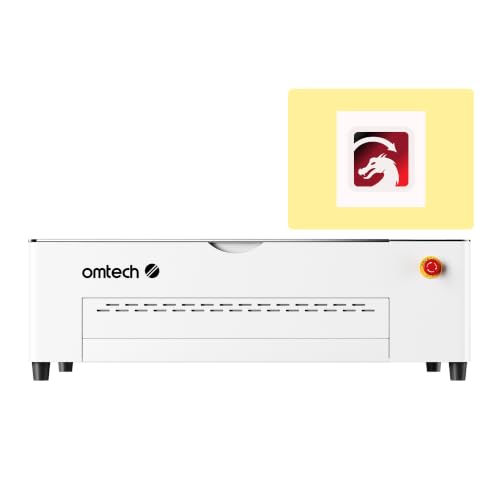
OMTech Polar2 70W Desktop CO2 Laser Engraver
What We Like
- Blazing 1200 mm/s engraving speed for high output
- Includes rotary attachment for cylindrical projects
- Strong 70W tube for both engraving and cutting
Trade-offs
- At 220.5 pounds, it's a substantial desktop unit
An engraving speed of 1200 mm/s means this machine chews through production runs, making it a serious contender for a small shop focused on volume. The 70-watt tube has the muscle for clean cuts through thicker materials, while the included camera and rotary tool add professional versatility right out of the crate. For a maker who needs to turn projects around fast without sacrificing cut quality, this desktop model packs a lot of production-ready punch in its footprint.
Its 28 by 14-inch bed is generous for a desktop but can’t handle full sheet goods like the larger OMTech Maker 90W. If your work involves large-format panels, you’ll need to step up to a gantry-style machine. For focused, high-speed production on smaller items, however, the Polar2 is built to run.
VEVOR 80W CO2 Laser Engraver
What We Like
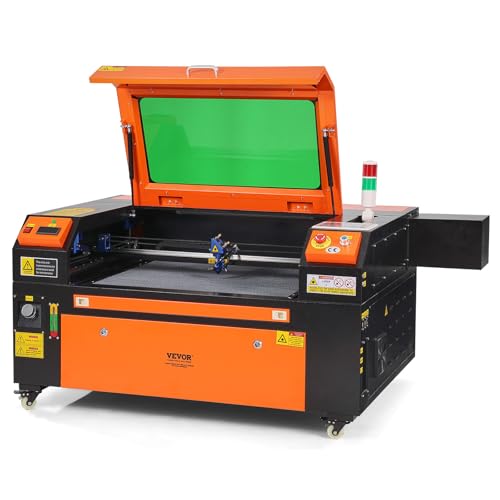
- Spacious 20×28 inch honeycomb bed for large projects
- Compatible with major OS and design software
- Includes safety features like tinted window and emergency stop
Trade-offs
- Weighs 282.2 pounds, limiting placement options.
A 20 by 28 inch work area is the main event here, giving you the room to tackle full-sized signage, detailed furniture panels, or batch production without constantly repositioning material. This VEVOR model suits a serious hobbyist or small shop that has outgrown smaller desktop engravers and needs a dedicated machine for consistent, larger-format work. Its 80W CO₂ laser can cut materials up to 0.59 inches thick in one pass, which moves projects from engraving into full cutting applications.
That capability comes with a substantial physical presence. This isn’t a machine you tuck under a bench; its dimensions and 282.2-pound weight mean you commit a permanent spot in your shop. Compared to the more compact OMTech Polar2, it offers a larger working area but requires significantly more floor space.
VEVOR 55W CO2 Laser Engraver with Camera
What We Like
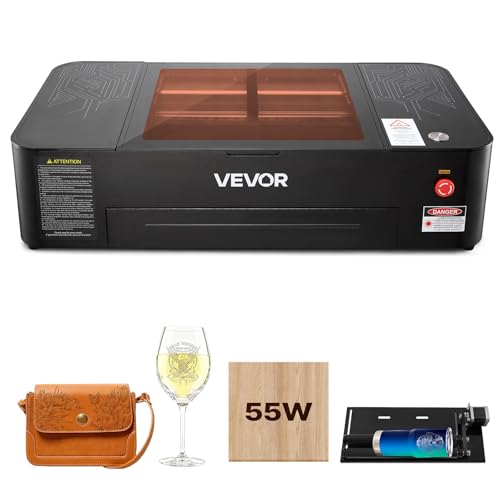
- Auto focus and camera enable precise, one-click positioning
- Includes rotary axis for cylindrical objects like cups
- Built-in air-assist and pull-out waste tray simplify cleanup
- Broad software and operating system compatibility
Trade-offs
- Cannot engrave bare metal, only coated metals
- Smaller 20×12 inch bed limits large single-piece projects
- Weighs 120.6 pounds, requiring a dedicated, sturdy surface
A 55-watt CO2 laser paired with a 5MP camera and auto-focus function enables accurate positioning. This allows engraving to begin with a single click. You can visually place a design on-screen and have the laser head automatically adjust its height, which streamlines the setup process for jobs on materials like wood and acrylic within the 20 by 12 inch work area.
The trade-off is in its capacity. That work area is spacious for signs and panels, but you won’t be fitting a full furniture side panel like you could on the larger VEVOR 80W model. For cutting, it handles acrylic up to 7mm and wood up to 5mm, which covers most hobbyist needs but isn’t meant for heavy industrial production. Compared to a machine like the OMTech Polar2, which offers a more powerful 70W tube in a similar desktop form, this VEVOR’s standout feature is its automated camera-guided workflow, not its cutting depth or speed.
Product photos
Monport 70W Desktop CO2 Laser Engraver
What We Like
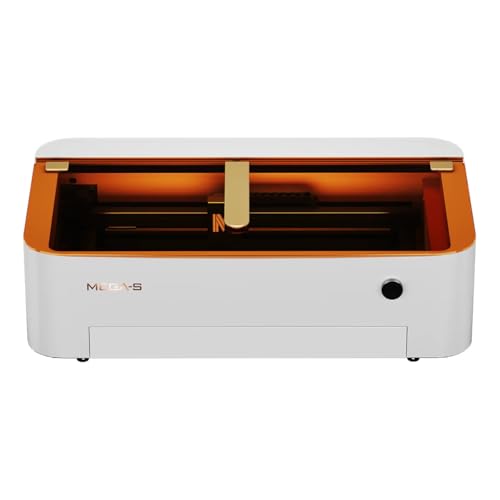
- Integrated water cooling simplifies setup
- AutoFocus system for quick material changes
- 5-minute optical path alignment for maintenance
- Air duct system manages smoke during operation
Trade-offs
- 28 x 14 inch bed is smaller than many cabinet-style units
- Autofocus requires flat materials; warping affects accuracy
- At 10 inches tall, enclosure limits material height
Its built-in water cooling eliminates the need for a separate chiller and hoses, which saves floor space right from the start. This desktop laser supports cutting up to 20mm acrylic and engraving with a minimum spot size as small as 0.03mm. An air duct system removes smoke to maintain a clean workspace, and autofocus uses built-in sensors for precise focus on flat materials.
You trade workspace for that integrated convenience. The 28 by 14 inch bed handles many projects, but it’s smaller than larger units like the OMTech Maker 90W. That model has a bigger footprint and includes a water chiller. The Monport’s design consolidates components, making it a contender for shops where floor space is limited, provided your work fits its frame.
Product photos
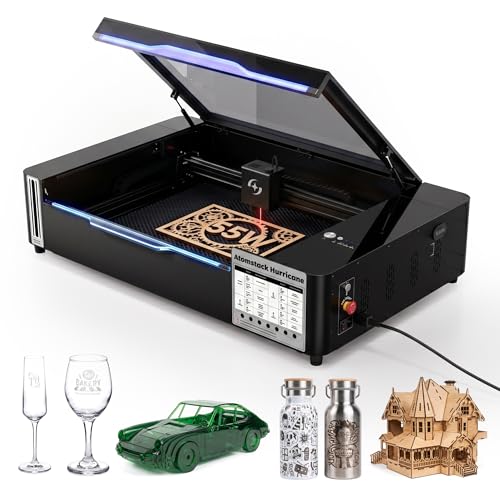
AtomStack Hurricane 55W CO2 Laser Engraver
What We Like
- AI software automates batch image positioning
- Cuts clear acrylic and glass, unlike diode lasers
- Fully enclosed Class 1 safety design
- Includes autofocus and 5MP camera for setup
Trade-offs
- Smaller 19.6" x 11.8" work area than many 80W models
- 5MP camera is basic compared to higher-end units
AI batch mode automatically positions images on objects, which makes producing items in large quantities more efficient. An autofocus system and a 5 MP HD camera for material alignment further simplify setup, reducing time and material waste. These features are built for volume production.
The 55 W laser and 19.6 by 11.8 inch workspace are competent, but they are outmatched by larger, more powerful options such as a 90-watt machine. It handles materials like clear acrylic and glass and includes several safety features in a fully enclosed Class 1 design. This ensures better ease of use compared to some other CO2 laser systems.
Product photos
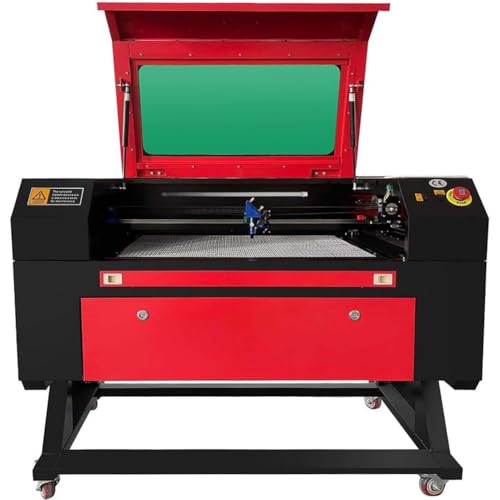
Furvveerr 80W CO2 Laser Engraver
What We Like
- Cuts 15mm thick material in one pass
- Large 28×20 inch honeycomb workbed
- Digital control panel for on-machine adjustments
- Fire-resistant polyester viewing window
Trade-offs
- At 364 pounds, it requires a dedicated, sturdy installation
- Lacks integrated water cooling seen in models like the OMTech Maker
- Class 4 laser requires strict safety protocols and dedicated space
An 80W laser that can slice through 15mm of material in a single pass means you’re not making multiple, time-consuming cuts on thick acrylic or dense wood. This machine is built for a workshop that regularly processes hefty stock for signs, prototypes, or furniture components. The generous 28 by 20 inch bed provides the real estate for those larger panels, and the front and rear pass-through doors let you handle pieces even longer than the bed itself. The digital control panel gives you direct command over the job, which is essential when dialing in power for different material densities.
Weighing 364 pounds, this laser demands a dedicated, sturdy workbench rather than casual desktop use. Its 28 by 20 inch working area provides a generous 560 square inches of space for larger projects, while the honeycomb bed structure helps with stability. The front and back pass-through doors allow for handling materials longer than the bed itself.
Product photos
Orion Motor Tech 50W CO2 Laser

What We Like
- Digital Ruida display for real-time process control
- Explicitly lists over 20 compatible non-metal materials
- Open-source platform compatible with major third-party software
- Includes built-in air compressor and auto-shutdown sensor
Trade-offs
- At 165 lb, it's a substantial, stationary benchtop unit
- 50W power is lower than many 70W+ models in its size class
- Included software is PC-only, though USB upload is an option
With its 50W laser tube and a listed compatibility with over twenty materials including wood, leather, and coated metals, this machine is designed for creators who frequently switch between different project types. The Ruida digital display provides real-time power data and process control through a windowed cover, which helps correct placements and includes a safety sensor. Its open-source platform supports third-party software like LightBurn, and files can also be uploaded directly via USB, offering flexibility beyond the included PC-only software.
The trade-off for that material versatility is raw power. Its 50W rating means cutting thick, dense materials will be slower compared to higher-wattage models. You’re buying a broad capability brush, not a deep-cutting torch. The 12×20 inch work area is generous for most crafts and small signage, but the machine’s 165-pound footprint requires a dedicated, sturdy table. It’s a serious tool for a serious hobbyist or small business, offering a controlled environment to explore a vast range of engraving and light cutting projects.
Product photos
How We Evaluated CO2 Laser Engravers
Our evaluation is based on detailed manufacturer specifications, expert round-ups, and patterns in owner feedback. We prioritized three core criteria for this category: laser power and capability, workspace size and machine footprint, and the level of automation or ease of setup.
First, we examined laser wattage, which directly determines the thickness of materials like wood and acrylic a machine can cut and the speed of engraving. We also noted specialized features like auto-focus and camera-assisted positioning that affect workflow. Second, we compared the physical workbed dimensions against the machine’s overall footprint, as a large bed is useless if you lack the floor space for the cabinet. Finally, we assessed setup complexity, from integrated cooling systems to software compatibility, which dictates the learning curve.
A research-led evaluation has limits; we cannot verify hands-on performance like cut quality consistency or long-term tube reliability. Our goal is to arm you with a clear comparison so you can match a machine’s documented strengths to your workshop’s demands.
What To Look For In CO2 Laser Engravers
Selecting a CO2 laser involves matching its technical capabilities to your most common materials and project scales. Power dictates cut depth, the bed size limits your workpiece dimensions, and features like autofocus impact your daily workflow efficiency.
Key factors are laser power (measured in watts) for material thickness, work area dimensions for project size, and features like auto-focus or integrated cameras that streamline operation. Always verify software compatibility and required safety clearances for your space.
Laser Power and Material Compatibility
Laser power, measured in watts, is the primary factor for cutting depth and engraving speed. A 50W tube can handle detailed engraving and light cutting on woods and acrylics. For cleanly slicing through 15mm thick material in one pass, an 80W or 90W machine like the Furvveerr 80W is necessary.
Remember, CO2 lasers excel with non-metallics; they can engrave coated metals but not bare metal, which requires a fiber laser engraver. Check a model’s specified compatible materials list, as seen with the Orion Motor Tech 50W, which explicitly lists over 20 non-metal options.
Work Area and Machine Footprint
The work area is the usable space inside the machine, while the footprint is the floor space it occupies. A large honeycomb bed, like the 20×28 inch area on the VEVOR 80W, is ideal for processing full-sized panels. However, such capacity often comes with a substantial cabinet that requires a dedicated, sturdy installation.
For smaller shops, a desktop unit like the Monport 70W offers a more compact 28 x 14 inch bed at the cost of handling smaller single-piece projects. Always measure your available space, including room for ventilation and access.
Automation and Setup Features
Features that automate setup can drastically reduce job preparation time and improve consistency. An auto-focus system, as found on the VEVOR 55W with Camera, allows quick material changes without manual measurement. Integrated cameras enable precise, one-click positioning of designs. Some models, like the AtomStack Hurricane 55W, even use AI software to automate batch image processing for volume production.
Consider these practical checks before deciding:
- Check the software compatibility with your computer’s operating system.
- Verify if essential accessories like a rotary attachment or air assist are included or sold separately.
- Assess the cooling system; integrated water cooling simplifies setup but adds complexity.
- Review safety features like Class 1 enclosures, emergency stops, and interlocks.
- Confirm the machine’s weight and ensure your workbench can support it.
A good rule of thumb: prioritize a machine that excels at your most frequent task, whether that’s high-speed engraving, cutting thick stock, or processing a wide variety of materials.
CO2 Laser Engravers Compared
The following table provides a direct comparison of the nine CO2 laser engravers featured in this guide, highlighting their key specifications and primary strengths at a glance.
| Product | Laser Power | Work Area | Max Engraving Speed |
|---|---|---|---|
| xTool P3 80W CO2 Laser Cutter | 80W CO2 | 36" x 18" | 1200mm/s |
| OMTech Maker 90W CO2 Laser Engraver | 90W CO2 tube | 20 x 28 inches | 23.6 ips |
| OMTech Polar2 70W Desktop CO2 Laser Engraver | 70W CO2 glass tube | 28 x 14 inches | Up to 1200 mm/s |
| VEVOR 80W CO2 Laser Engraver | 80W CO₂ | 20 x 28 inches | 19.7 IPS |
| VEVOR 55W CO2 Laser Engraver with Camera | 55,000 mW (55W) | 20 x 12 inches | Up to 500 mm/s |
| Monport 70W Desktop CO2 Laser Engraver | 70W | 28" X 14" | N/A |
| AtomStack Hurricane 55W CO2 Laser Engraver | 55W CO2 | 19.6" x 11.8" | N/A |
| Furvveerr 80W CO2 Laser Engraver | 80W CO2 tube | 700 x 500 mm (28 x 20 in) | 500 mm/s (19.7 ips) |
| Orion Motor Tech 50W CO2 Laser | 50W | 12 x 20 inches | 0-500 mm/s |
Frequently Asked Questions
What is the best CO2 laser engraver?
For most professional workshops, the best overall CO2 laser engraver is the xTool P3 80W. It combines industrial 80W power for thick materials with automated setup via LiDAR and dual cameras, all within a Class 1 safety enclosure. Its massive 36″ x 18″ work area supports large-scale projects.
What is the best CO2 laser on the market for a small business?
The best CO2 laser for a small business depends on output needs. For high-volume engraving of smaller items, the speed-focused OMTech Polar2 70W is excellent. For versatile cutting and engraving on a budget, the VEVOR 80W offers a large work area. For automated batch processing, consider the AtomStack Hurricane 55W.
Which CO2 laser machine is best for cutting thick wood?
The best CO2 laser for cutting thick wood and dense materials is the Furvveerr 80W, which is specified to cut material up to 15mm thick in a single pass. Its 80W power and large 28×20 inch honeycomb bed are built for this demanding workshop task.
Is a CO2 laser engraver worth it?
A CO2 laser engraver is worth the investment if you regularly need to cut or engrave non-metal materials like wood, acrylic, leather, glass, or fabric with high precision and speed. They offer capabilities beyond those of a desktop CNC router for these materials, making them essential for many makers and small-scale manufacturers.
What can a CO2 laser engrave that a diode laser cannot?
CO2 lasers can effectively cut and engrave clear acrylic and glass, which diode lasers typically cannot process due to the material’s transparency to their wavelength. They also generally cut through thicker materials faster and with cleaner edges, making them superior for wood and acrylic at a production scale.
The Bottom Line
For professional workshops requiring power, safety, and automation, the xTool P3 80W CO2 Laser Cutter is our clear best overall choice. Its 80W tube handles thick materials, while LiDAR and camera systems streamline setup for large-format projects.
If your budget is tighter or your needs are more specific, look to our award winners. The VEVOR 55W with Camera is a strong value pick for its auto-focus system, while the OMTech Polar2 70W is unmatched for desktop engraving speed. For those exploring laser capabilities, our guide on beginner laser engravers is a useful starting point.
Ultimately, the most important factor is matching the laser’s power and work area to your most common materials and project sizes. A machine that fits your workflow and space will provide the best return on your investment.
