
9 Best Co2 Laser Engravers For Small Business in 2026
This post contains affiliate links. As an Amazon Associate, we earn from qualifying purchases.
For a small business needing reliable power and a large work area, the OMTech Pronto 150W CO2 Laser Engraver is our best overall pick. It offers deep engraving at high speeds and includes key accessories like a chiller. For those with massive projects, consider the Best Large-Format Workhorse, and for a strong value on a big bed, look to the Best Budget Large Bed.
Choosing the right CO2 laser means matching its capabilities to your most common jobs and your available shop floor space. A mismatched machine can become an expensive bottleneck. We researched specifications, expert recommendations, and patterns in owner feedback to compile this list of nine models to help you invest confidently in a tool that grows with your business.
Top 9 CO2 Laser Engravers For Small Business in the Market
Certain content that appears on this site comes from Amazon. This content is provided "as is" and is subject to change or removal at any time.
The Best CO2 Laser Engravers For Small Business, Reviewed
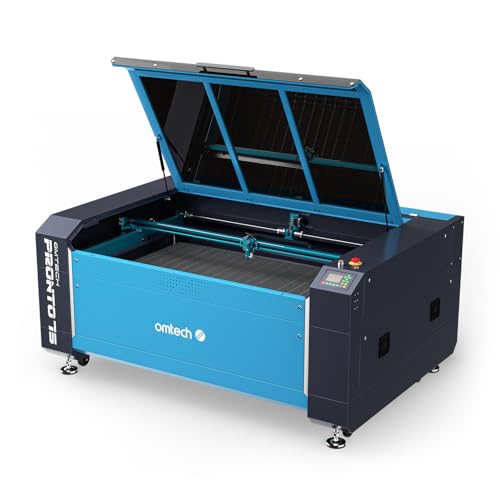
OMTech Pronto 150W CO2 Laser Engraver
What We Like
- Large work area with two-way pass-through doors
- 150W power for deep engraving and fast speeds
- Preinstalled autofocus and motorized bed adjustment
- Includes chiller and smart air assist module
Trade-offs
- Shipment arrives in three separate packages
- Limited to nonmetallic materials like wood and acrylic
A 150-watt laser tube gives this machine serious muscle for a small business, letting you engrave up to ten millimeters deep and push speeds to 1000 millimeters per second on materials like wood and acrylic. It’s built for the shop that needs to handle large or long items regularly and wants the confidence of a long-life laser tube and comprehensive safety features like water and temperature alarms. The included autofocus gets you from design to finished product faster by eliminating manual guesswork.
The machine’s large work area requires a dedicated workshop space, and it arrives in three separate shipments for the engraver, water chiller, and air assist module. For users who do not require such an expansive bed, other models in the category offer different form factors and integrated cooling systems.
OMTech Pro 130W CO2 Laser Engraver

What We Like
- Massive 35×55-inch workspace for large materials
- Built-in industrial water chiller for consistent operation
- High-speed servo motors for rapid production
- Four-way pass-through doors for flexible material handling
Trade-offs
- High 130W power is excessive for small craft items
- Large footprint requires significant shop floor space
A 35 by 55 inch workspace paired with a 130-watt laser is built for volume. This machine is for the small shop that has outgrown desktop units and needs to tackle full sheets of plywood, large signage, or batch production runs without constant material repositioning. The integrated water chiller and servo motors are professional-grade features designed to run for hours, making it a core piece of production equipment rather than a prototyping tool.
Its 130-watt CO2 laser and 35-inch by 55-inch workspace are designed for professional or industrial-scale projects on wood, glass, acrylic, and other non-metallic materials. This level of capability requires a dedicated, well-ventilated area and a workflow that justifies its power. The design reinforces this large-format purpose with features like four-way pass-through doors for handling bigger sheets and an integrated industrial water chiller.
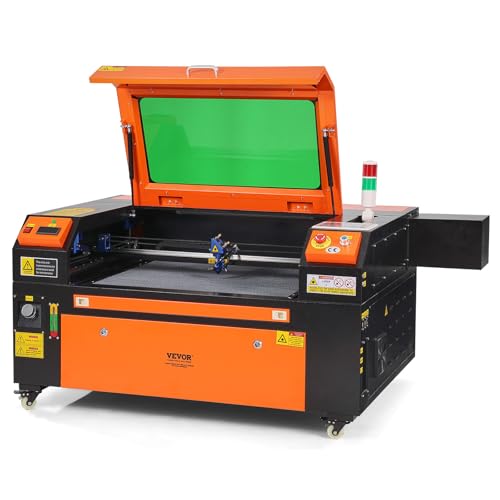
VEVOR 80W CO2 Laser Engraver
What We Like
- Exceptionally large 20×28 inch working area
- Powerful 80W tube for cutting thicker stock
- Front and rear pass-through doors for long materials
- Compatible with major OS and design software
Trade-offs
- Cannot cut or engrave metal
- Cut edges on some materials may require light sanding
An 80-watt laser tube paired with a 20 by 28 inch bed delivers serious capability for the money. It suits makers who need to handle larger sheet goods or batch out bigger projects like signage and furniture parts. The pass-through doors let you work on materials longer than the bed itself. This machine is a solid choice for a small shop that has the floor space and needs to cut up to half-inch thick wood and acrylic efficiently without stepping into pro-grade pricing.
The trade-off is in its physical footprint and weight, this is a permanent workshop fixture, not something you’ll move around. For the core materials it’s designed for, like wood, acrylic, and leather, it punches well above its weight class. If your work demands intricate engraving on non-metallic materials at high volume, this VEVOR holds its own. When you need more power for faster production or thicker materials, you’d look at a model like the OMTech Pro 130W, but that’s a significantly larger and more expensive machine.
VEVOR 130W CO2 Laser Engraver

What We Like
- Massive 35×55 inch workspace for large projects
- High 130W power cuts 0.24-inch material in one pass
- Compatible with major design software and operating systems
- Includes safety features like emergency stop and tinted window
Trade-offs
- Cannot cut metal, limiting material options
A 130W laser paired with a 35×55 inch bed is built for production. This machine has the raw power and vast workspace to handle large sheets of wood, acrylic, or leather, making it a serious contender for a small shop looking to scale up batch work. It’s the kind of tool you buy when your projects have outgrown desktop units and you need industrial-grade throughput without stepping into commercial factory equipment. The built-in air assist and pass-through doors are practical touches for managing smoke and longer materials during long runs.
Its sheer size and weight are significant factors. While it excels at cutting and engraving non-metals on a large scale, it won’t touch metal, and some owners note that the cut edges on certain materials might need a quick sanding. For a business focused on premium gifts or detailed engraving on smaller items, a more compact machine like the xTool P2S might be a more efficient use of space and power.
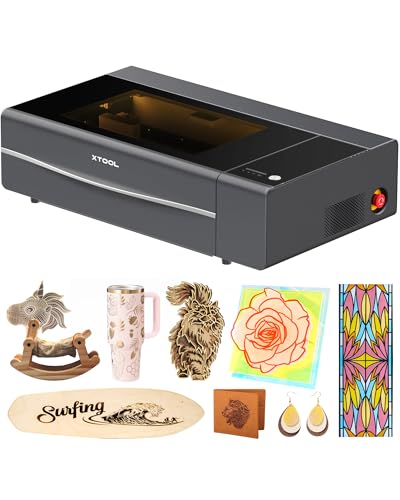
xTool P2S 55W CO2 Laser Cutter
What We Like
- Dual 16MP cameras for real-time previews
- LiDAR for 0.001'' autofocus precision
- Auto-passthrough for materials up to 118 inches long
- Enclosed design with AI fire detection
Trade-offs
- No built-in rotary tool; requires compatible add-on
A 55W laser tube that cuts 20mm acrylic in one pass delivers the kind of serious cutting power small shops need for production runs, not just prototypes. The xTool P2S suits a business ready to move past tinkering, where its smart features, like the dual cameras for perfect alignment and the LiDAR autofocus, pay back in time saved and wasted material avoided. This is the machine for the craftsperson who wants to focus on design and output, not constantly babysitting the laser’s setup.
Its size and infrastructure needs are the main considerations; this isn’t a plug-and-play unit for a corner of the dining room. It demands shop space and proper venting. For pure, high-volume cutting on larger sheets, industrial-frame machines such as the OMTech Pro 130W offer more raw power and bed size. However, for a desktop machine that bridges the gap between hobbyist convenience and semi-professional capability, the P2S packages its power with an impressive array of precision assists.
Product photos
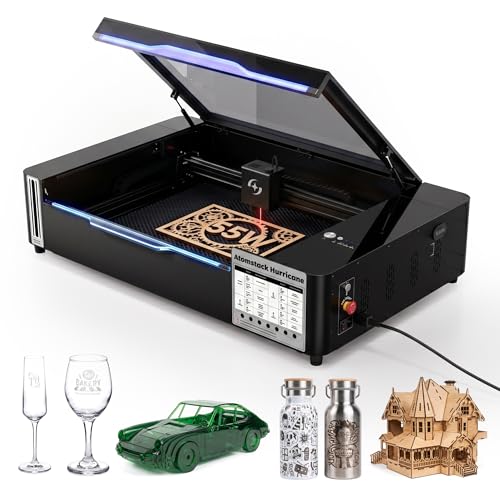
AtomStack Hurricane 55W CO2 Laser Engraver
What We Like
- AI Batch Mode automates image positioning for volume work
- Handles clear acrylic and glass, which diode lasers cannot
- Integrated 5MP camera for material calibration
- Fully enclosed, Class 1 safety design with autofocus
Trade-offs
- 55W laser is less powerful for thick material than 80W+ models
- Work area is smaller than some commercial-grade CO2 units
Its AI Batch Mode automatically positions images on objects, which for a small business producing items like personalized glasses or leather keychains drastically cuts setup time and material waste. The large 19.6 by 11.8-inch workspace accommodates different project sizes. A 55W CO2 laser handles materials like clear acrylic and glass that diode machines cannot, while the fully enclosed Class 1 safety design allows safe operation in a busy shop.
Power and scale are its trade-offs. The 55W output and mid-size bed mean it’s not the machine for quickly cutting thick plywood or producing large signage. If your projects demand that heavier-duty capability, a model such as the VEVOR 80W offers a more powerful laser and a larger work area, though it lacks the automated batch-processing software. The Hurricane’s real strength is streamlining volume production of smaller, intricate items where material handling and precision setup are the bottlenecks, not raw cutting force.
Product photos
Monport MEGAS 70W CO2 Laser
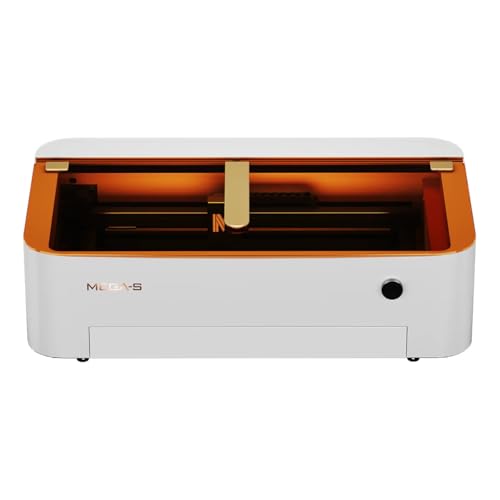
What We Like
- Achieves a remarkably small 0.03mm spot size for fine detail.
- Integrated water cooling and air duct system for cleaner operation.
- Five-minute optical path alignment simplifies maintenance.
Trade-offs
- Cutting capacity of 20mm acrylic is less than higher-wattage models.
- Autofocus requires flat materials; warping affects accuracy.
- Desktop size limits material size versus large-format machines.
A minimum spot size as small as 0.03mm supports engraving resolutions up to 1000 DPI, which is necessary for intricate details in photorealistic images or fine text on wood or acrylic. This precision suits a small business focused on premium engraving work where clarity is paramount. The built-in 8MP HD camera aids in positioning designs, while the autofocus system uses thickness sensors to achieve precise focus on flat materials.
The trade-off for that precision is raw cutting power. It handles 20mm acrylic, but a more powerful industrial model will plow through thicker stock faster. Think of the Monport as a specialist tool. If your business thrives on detailed personalization and delicate work, its optical system is a major advantage. If you’re mainly cutting thick plywood or dense materials all day, a more powerful, industrial-sized machine would be a better fit for the shop floor.
Product photos
PEIXU 60W Commercial CO2 Laser
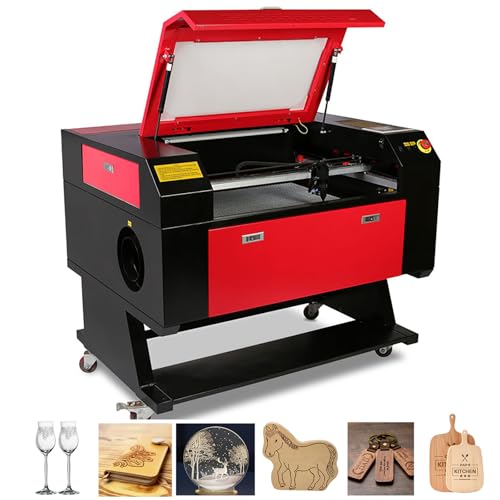
What We Like
- Large 20×28 inch honeycomb work platform
- Ruida DSP system compatible with CorelDraw and AutoCAD
- Two-way pass-through doors for larger materials
Trade-offs
- Large footprint of 58.7 x 37.8 inches requires significant shop floor space
- Requires connection to external exhaust with provided pipe
A 60-watt laser tube paired with a 20 by 28 inch work area strikes a practical balance for a small commercial shop. It delivers enough power to cleanly cut and engrave common materials like wood, acrylic, and leather at speeds up to 500 millimeters per second, which keeps production moving. The included Ruida controller and digital panel mean you can run it directly from industry-standard design software without extra dongles. This package is for the business owner who needs reliable, all-day operation from a ready-to-run unit, without stepping into the higher cost and complexity of industrial-grade power.
With a 60-watt CO2 laser tube, this machine focuses on engraving and cutting thinner materials rather than plowing through thick stock. It reaches speeds up to 500 mm/s for tasks like intricate sign making, detailed engraving on wood or glass, and producing smaller leather goods. The power is well-suited for commercial craft or gift businesses that prioritize precision and a broad application range over raw cutting depth.
Product photos
otmechl 80W Large-Bed CO2 Laser

What We Like
- Massive 35×24 inch bed for large projects
- Dual-pass doors handle oversized materials
- Two specialized platforms for different material types
- Multiple safety systems, including water-cut protection
Trade-offs
- Cannot cut metal, limited to non-metallic materials
- Significant floor space required for its large footprint
- Class 4 laser demands strict safety protocols and space
The 35-inch wide workbed lets you lay out entire batches of signs or panels in a single run. It supports materials larger than the bed itself thanks to front and rear pass-through doors, so you can slide extra-long objects across the engraving table. Dual engraving platforms include a honeycomb platform for smaller items and an adjustable aluminum blade platform for larger pieces like acrylic blocks.
You trade some versatility for that capacity, as this CO2 laser cannot cut metal. Research characterizes it as a premium-gift specialist for items like crystal awards and wedding keepsakes, not a volume cutter. Its large size requires a dedicated workshop space, and a 3D crystal model takes about one hour to engrave.
Product photos
How We Evaluated CO2 Laser Engravers For Small Business
Our research focused on the specifications and features that directly impact production capacity for a small business. We analyzed manufacturer documentation, expert round-ups, and consistent patterns in owner feedback across various platforms. Key criteria included laser power for cutting speed and material thickness, work area dimensions for project size, and built-in features like autofocus or pass-through doors that reduce setup time between jobs.
We also prioritized machines with integrated safety and cooling systems for reliable, unattended operation. As a research-based evaluation, we cannot verify hands-on performance claims like edge finish quality, but we highlight where such feedback from owners is consistently reported.
What To Look For In CO2 Laser Engravers For Small Business
Selecting a CO2 laser is a balance of power, workspace, and features tailored to your output. The right machine should handle your typical material thickness at a competitive speed and fit within your shop’s physical and electrical constraints.
Key criteria are laser wattage for cutting depth, bed size for project capacity, and features like autofocus or cameras that streamline production. Consider your shop’s floor space and power requirements before purchasing.
Laser Power & Cutting Capacity
Wattage determines a laser’s cutting speed and the thickness of materials it can process. For a small business, a 40W to 60W laser is sufficient for detailed engraving and cutting thin woods and acrylics. For production work involving thicker stock or frequent cutting, 80W to 150W models provide much faster cycle times and the ability to cut through materials like 0.24-inch acrylic in a single pass. Higher wattage directly translates to higher throughput, which is critical for fulfilling volume orders profitably.
Work Area & Machine Footprint
The work area defines the maximum size of a single piece you can process. For signs or furniture components, a large bed of 35×55 inches is essential. However, the machine’s total footprint can be significantly larger than its work area, requiring substantial shop floor space. Consider if pass-through doors are included, as they allow you to work with materials longer than the bed itself, like planks or rolled leather, greatly expanding your capabilities without needing a physically larger machine.
Productivity & Automation Features
Features that reduce manual intervention between jobs are investments in your time. Autofocus ensures consistent engraving depth across warped materials or batch runs. Integrated cameras enable precise job positioning on pre-cut blanks, minimizing waste. For operations focused on volume, an AI Batch Mode automates image positioning across a bed full of items. These features turn a manual tool into a semi-automated production asset.
- Check for compatibility with your existing design software like CorelDraw or LightBurn.
- Verify the exhaust requirements and whether an air assist pump is included or sold separately.
- Ensure the electrical needs (120V vs. 240V) match your shop’s available outlets.
Ultimately, buy for the work you do daily, not for occasional dream projects.
CO2 Laser Engravers For Small Business Compared
The following table compares key specifications across our top picks to help you contrast their core capabilities at a glance.
| Product | Laser Power | Work Area | Max Engraving Speed |
|---|---|---|---|
| OMTech Pronto 150W CO2 Laser Engraver | 150W CO2 | 63"x40" (1600×1000 mm) | 1000 mm/s |
| OMTech Pro 130W CO2 Laser Engraver | 130W CO2 | 35"x55" | Up to 1,200 mm/s |
| VEVOR 80W CO2 Laser Engraver | 80W CO2 | 20 x 28 inches | 19.7 ips |
| VEVOR 130W CO2 Laser Engraver | 130W CO2 | 35 x 55 inches | 19.7 ips |
| xTool P2S 55W CO2 Laser Cutter | 55W (55000mW) | 26 x 14 inches | Up to 600mm/s |
| AtomStack Hurricane 55W CO2 Laser Engraver | 55W (55,000mW) CO2 | 19.6" x 11.8" | N/A |
| Monport MEGAS 70W CO2 Laser | 70W | 28" X 14" | N/A |
| PEIXU 60W Commercial CO2 Laser | 60W CO2 tube | 28"x20" (700×500 mm) | 500 mm/s |
| otmechl 80W Large-Bed CO2 Laser | 80000mW (80W) | 35x24in | N/A |
Frequently Asked Questions
What is the best CO2 laser engraver for a small business?
The best model depends on your primary materials and production scale. For a balance of high power, large format, and included accessories, the OMTech Pronto 150W is an excellent starting point. Businesses focused on intricate detail on smaller items might prefer the high-resolution Monport MEGAS, while those needing to process oversized sheets should look at the OMTech Pro or VEVOR 130W models.
Can a CO2 laser engraver cut metal?
No, standard CO2 lasers cannot cut or engrave bare metals. They are designed for non-metallic materials like wood, acrylic, leather, glass, and some plastics. For marking metal, you would need a different type of fiber laser engraver, which uses a different wavelength specifically absorbed by metallic surfaces.
What size laser do I need to start a business?
A CO2 laser in the forty to sixty watt range is a common starting point for engraving and light cutting on materials like wood and acrylic. For a business planning to cut thicker materials or prioritize fast production speeds, a model with eighty watts or higher is a better investment. The bed size should accommodate your most popular product dimensions.
Do I need a chiller for my CO2 laser?
Yes, a water chiller is essential for any CO2 laser with a glass tube. It maintains a consistent temperature for the laser tube, which is critical for power output stability and the tube’s lifespan. Many machines, like our top picks from OMTech, include an integrated chiller. Operating without proper cooling will quickly damage the laser tube.
What’s the difference between a CO2 laser and a diode laser?
CO2 lasers use a gas-filled tube to produce a beam ideal for cutting and engraving a wide range of non-metals quickly and with clean edges. Diode lasers are typically less powerful, slower for cutting, and can leave browner edges on wood, but they are often more compact and affordable for home use. For business use on materials like acrylic and glass, a CO2 laser is generally the more capable and efficient choice.
The Bottom Line
For most small businesses entering laser work, the OMTech Pronto 150W CO2 Laser Engraver offers the best combination of high power and a sizable work area. It comes with critical accessories like a chiller, making it ready for serious production. If your budget is tighter but you still need a large bed, the VEVOR 80W provides tremendous value. Shops that handle many custom tumbler orders should look closely at the smart automation of the xTool P2S.
Before purchasing, honestly assess the physical footprint of the machine in your workspace and match its wattage to the thickness of your most common materials. A laser that fits your shop and your workflow is an asset; one that doesn’t is just a very expensive space heater.
