
8 Best Laser Engravers For Home Use in 2026
This post contains affiliate links. As an Amazon Associate, we earn from qualifying purchases.
The best laser engraver for most home crafters is the xTool M2 10W Laser Engraver for its safe, enclosed design and precision cameras that simplify setup. For those needing to mark metal, the award for Best For Metal & Versatility goes to the xTool F2, and the OMTech K40+ is our top choice for cutting thick materials.
Choosing a laser for a home workshop means balancing safety, material capability, and space. You need a machine that’s safe for family environments, capable on the materials you love, and fits your available footprint. We built this guide by evaluating manufacturer specs, reviewing expert round-ups, and analyzing patterns in owner feedback to recommend eight machines for different needs.
Top 8 Laser Engravers For Home Use in the Market
Certain content that appears on this site comes from Amazon. This content is provided "as is" and is subject to change or removal at any time.
The Best Laser Engravers For Home Use, Reviewed
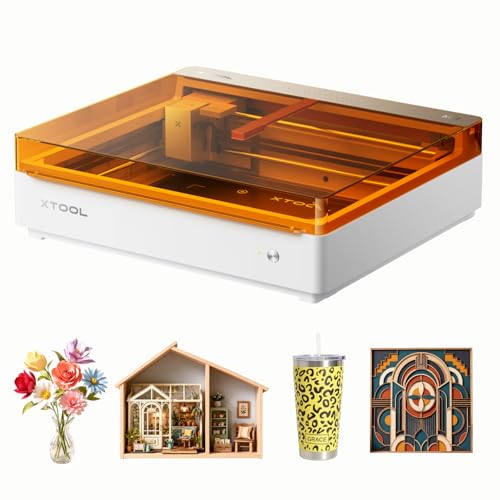
xTool M2 10W Laser Engraver
What We Like
- Class 1 enclosed design for safe home use
- Dual cameras enable 'Place & Go' precision
- Beginner-friendly software with AI and templates
- Modular design for future capability expansion
Trade-offs
- Core machine lacks inkjet and rotary accessories
- Requires separate modules for metal engraving
- 10W laser is standard; higher power needs upgrade
A built-in dual-camera system gives the xTool M2 a serious edge for home crafters by letting you see your material placement in real time. This eliminates the trial-and-error setup that wastes wood and leather, which is exactly why it stands out as the most versatile and user-friendly choice for DIYers. It’s a fully enclosed, Class 1 safe machine right out of the box, so you can run it on a kitchen table without worrying about stray beams. The included software and templates get you from idea to finished engraving in minutes, making it perfect for personalized gifts and home decor projects.
The trade-off is that its most advanced features, like full-color printing on cardstock or engraving on metal, require you to buy add-on modules separately. That keeps the initial cost manageable but means your most ambitious projects need extra investment. For a home user who wants maximum versatility straight away without extra purchases, a machine like the xTool F2 with its dual lasers built in might be a more straightforward fit for mixed materials. Still, the M2’s core accuracy and safety make it the most reliable foundation for a growing home workshop.
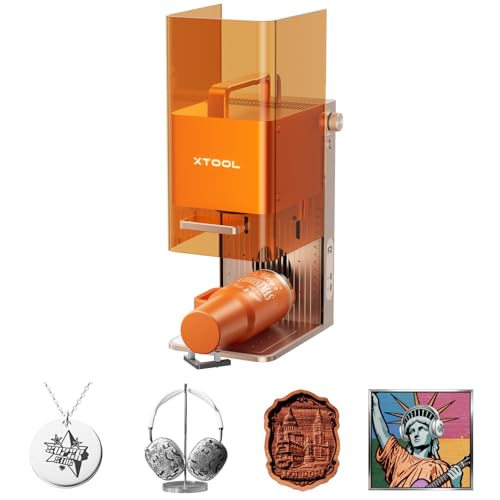
xTool F2 Dual Laser Engraver
What We Like
- Dual laser marks metal and cuts thick materials
- Ultra-fast 6000mm/s speed for batch work
- Precise 50MP camera for zero-waste alignment
- Portable 4.6 kg enclosed design for on-site use
Trade-offs
- Class 4 laser requires strict safety protocols
- Tool only; RA3 and Slide Extension are separate
The 15W diode and 5W IR laser combo is what sets this machine apart. It delivers vivid color marking on metal with the infrared beam while the diode handles deep engraving and cutting on hundreds of other materials. This dual capability makes the F2 a standout for a home user who needs a single, compact machine for mixed projects, from personalized jewelry to detailed wooden signs. Its 6000mm/s speed and slide extension turn small batches into a practical business.
You trade some workspace height and safety classification for that versatility. At just 0.1 inches tall, the engraving area is designed for flats like sheets, phone cases, and coasters, not bulky items. As a Class 4 laser, it demands a responsible setup with its enclosed design and optional purifier for indoor fumes. For a larger, safer home workshop laser focused less on metal, the fully enclosed xTool P3 with its autofocus system is a strong alternative.
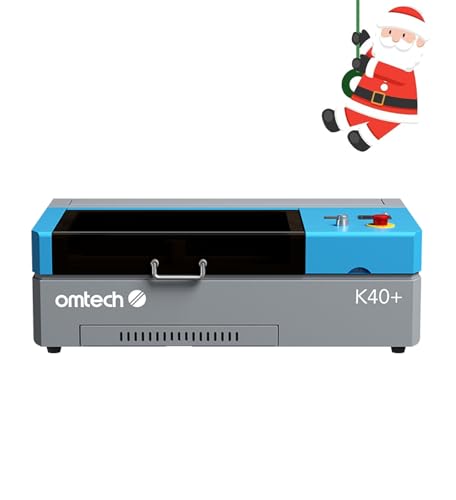
OMTech K40+ 45W CO2 Laser
What We Like
- 45W power cuts thick acrylic and wood
- Built-in air assist for cleaner cuts
- Detachable base for cylindrical objects
- Comprehensive door and water safety features
Trade-offs
- At 31.9" long, it requires a dedicated benchtop space
- CO2 laser requires external exhaust ventilation
A 45-watt CO2 laser tube is what separates hobbyist engravers from serious cutters. This power lets you slice through 10mm acrylic and 8mm wood, turning dense materials into finished projects rather than just etching their surface. That makes the K40+ a serious tool for a home workshop aiming to produce thicker signs, layered acrylic designs, or functional wooden parts. Its integrated air assist keeps the lens clean and cuts sharp, while compatibility with LightBurn gives you professional-grade control. If your home projects demand cutting power over a sprawling work area, this machine is built for the task.
The trade-off for that cutting muscle is its footprint and workflow. And as a CO2 laser, it needs a proper exhaust setup venting outdoors, this isn’t a plug-and-play desktop gadget. Compared to a fully enclosed, plug-in diode model like the Creality Falcon A1, the OMTech requires more initial setup and dedicated space. You’re trading convenience for the raw capability to work with thicker, more substantial materials.
Creality Falcon A1 10W Laser Engraver

What We Like
- CoreXY system enables 600mm/s speed
- Fully enclosed, Class 1 safety design
- Smart camera for live positioning
- Zero assembly, beginner-friendly operation
Trade-offs
- Cutting depth limited to 5mm wood
A speed of 600mm/s with instant acceleration means you can burn through batch projects or intricate designs in a fraction of the time of a standard machine. The 0.01mm precision from its automatic belt tensioning ensures those fast runs don’t sacrifice fine detail. This combination makes the Falcon A1 a strong fit for a hobbyist who values efficiency, whether they’re personalizing a stack of coasters or engraving detailed artwork. Its fully enclosed Class 1 safety rating and out-of-the-box readiness also make it one of the more responsible choices for a busy home workspace.
For cutting, it handles 5mm wood and 9.6mm acrylic, which covers many common crafts but won’t match the thicker material capacity of a machine like the OMTech K40+ CO2 laser. If your primary goal is lightning-fast, precise engraving on smaller items with maximum safety, the Falcon A1 delivers. If you need to routinely cut through half-inch plywood, you’ll want to look at more powerful options.
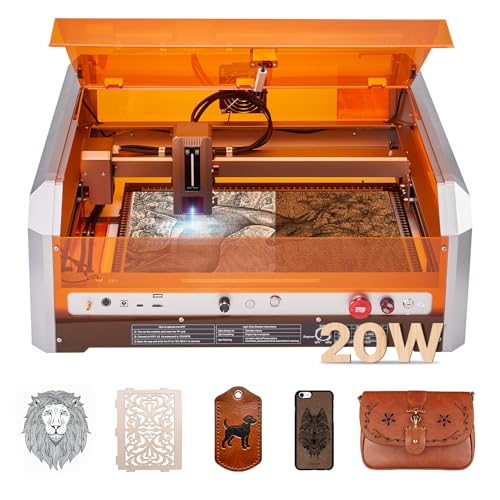
VEVOR 20W Laser Engraver
What We Like
- Class 1 safety enclosure included
- High 30000 mm/min engraving speed
- Class 1 safety enclosure
Trade-offs
- Cannot cut or engrave bare metals or transparent acrylic.
- Wi-Fi control limited to the CutLabX app only.
This VEVOR model is for the home craftsperson who has outgrown smaller engravers and needs the room to work on ambitious, single-piece designs. Its 20W diode laser cuts through basswood cleanly, and the full enclosure makes it a sensible choice for a shared household workshop.
While it handles wood and leather well, remember it won’t touch bare metal like the xTool F2 can. For someone whose projects are consistently pushing the limits of a standard letter-sized bed, this engraver delivers the physical space and capable power to match that ambition.
Product photos
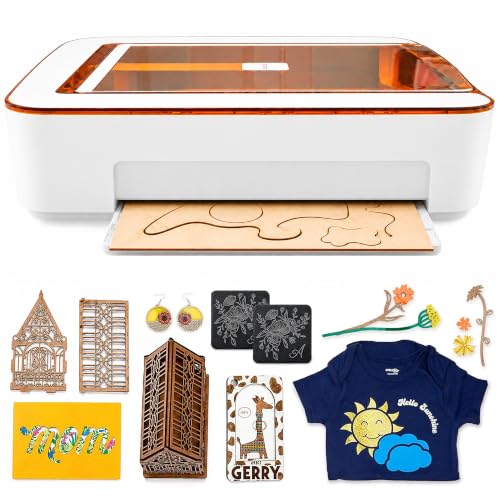
Glowforge Aura 6W Laser Engraver
What We Like
- Passthrough slot for materials longer than the machine
- HD camera provides a live preview for precise placement
- Web app ecosystem with automatic material settings
- Compact footprint with a 12-inch square workspace
Trade-offs
- 6W laser limits cutting speed and material thickness
- Cannot engrave white, blue, or clear acrylic
- Requires separate filter purchase for convenient indoor use
The built-in passthrough slot is the standout feature, letting you feed materials longer than the machine itself to create extended signs and decor. This makes the Aura a clever space-saver for a home workshop. It’s designed for beginners, with a camera that provides an HD live preview of your material on screen. The proprietary app automatically recognizes and optimizes settings for compatible Proofgrade materials, which helps remove guesswork when you’re starting out.
That ease of use comes with a trade-off in raw power. The 6W diode laser can cut and engrave wood, leather, paper, fabric, and dark acrylic, but it is not compatible with white, blue, or clear acrylic. Its power is lower than other diode lasers, like the 10W Creality Falcon A1 or a 20W VEVOR model. For projects needing a wider variety of plastics or higher wattage, other machines exist. For crafting personalized items from its approved materials, the Aura’s integrated ecosystem is a key advantage.
Product photos
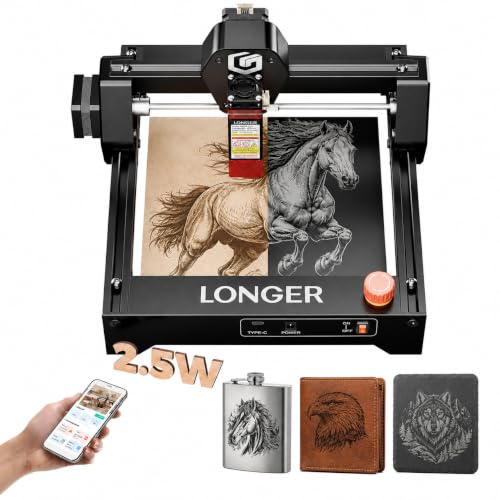
LONGER RAY5 2.5W Laser Engraver
What We Like
- Compact, pre-assembled desktop design
- Includes safety goggles and emergency stop
- Supports rotary roller and air assist accessories
- Compatible with LightBurn and LaserGRBL software
Trade-offs
- 2.5W laser limits cutting to thin, soft materials
This machine is for the hobbyist who wants to personalize small items, think keychains, wooden coasters, or leather tags, without dedicating a workshop corner. Its 2.5W diode laser and 0.01mm precision deliver clean detail for scripts and portraits, and being largely pre-assembled means you can start a project minutes after unboxing.
That small size and low power are the trade-off. You won’t be cutting thick acrylic or engraving large signs; this is a detail tool, not a production workhorse. For larger surfaces or faster cuts, you’d look at a model like the Creality Falcon A1 with its 10W laser and enclosed design. But for fitting engraving into a small space and a modest budget, the RAY5’s focused capability and expandable accessory system cover a lot of ground.
Product photos
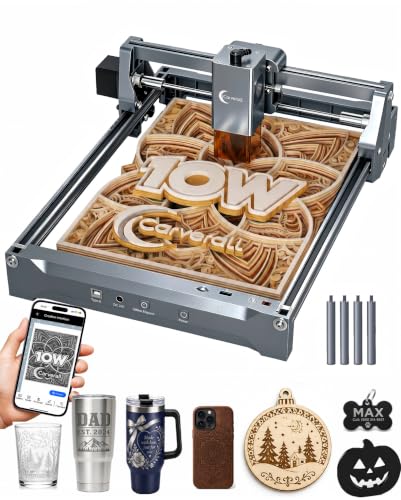
Carverall K15 Pro 10W Laser Engraver
What We Like
- Free AI design software and offline TF card control
- Dual-fan cooling for extended run times
- Upgradeable with optional IR head for bare metal
- Four heightening columns for tall objects
Trade-offs
- A4 work area limits projects larger than 11.8 inches wide.
- Requires optional accessories for air assist or rotary engraving.
The verified 10W output and dual-fan cooling mean you can run longer batch jobs without worrying about overheating, which is crucial for small business gift production. Its compact A4 footprint covers the vast majority of common crafts like coasters and keychains without dominating your workbench, and the one-touch focus removes a major point of frustration for beginners. This is a solid pick for a home crafter who values straightforward operation and plans to grow their setup over time, starting with wood and acrylic before potentially adding metal engraving.
Its 11.8 by 7.9 inch A4 workspace covers most daily projects like wood signs and coasters, fitting compactly under a desk. That size suits jewelry and tumblers perfectly, but anyone needing to engrave larger panels would find a model like the VEVOR 20W, with its 15.7-inch square bed, more appropriate.
Product photos
How We Evaluated Laser Engravers For Home Use
Our evaluation started with manufacturer specifications and documentation to understand core capabilities like laser type, power, and safety class. We then cross-referenced these details with expert round-ups and aggregated patterns from verified owner feedback, focusing on real-world usability and common issues. For a home setting, we prioritized three key criteria: safety features like Class 1 enclosures, material compatibility (especially wood, acrylic, and the ability to handle metals), and physical footprint or portability for a domestic workspace.
Since this is a research-led guide, our assessment can’t replicate the hands-on feel of operating each machine, but it highlights the technical and user-reported distinctions crucial for your decision.
What To Look For In Laser Engravers For Home Use
Selecting your first home laser requires careful thought about your space, projects, and safety. The right machine opens up endless creative possibilities, while the wrong one can lead to frustration or risk.
Focus on laser type and power for your core materials, safety certifications for home use, the work area size for your projects, and software that matches your skill level.
Laser Type & Power
The type of laser dictates what you can work on. Diode lasers, common in many budget-friendly laser engravers, are excellent laser engravers for wood and leather but struggle with clear acrylic and bare metal. CO2 lasers, like in our thick-material pick, handle all colors of acrylic and cut thicker wood. For directly marking metals, you need a fiber or infrared laser. Power, measured in watts, affects speed and cut depth; a 10W diode can cut thin wood, while a 45W CO2 laser slices through half-inch acrylic.
Safety & Enclosure
At home, safety is paramount. A fully enclosed Class 1 laser is the safest choice, containing all light and fumes. Machines with interlock switches that stop the laser when opened are a major plus. Proper ventilation is non-negotiable; many require an external exhaust vented outside, while some offer integrated filter options for indoor use. Always check the required laser engraver tables or stands for stability, as a wobbly setup is a hazard.
Work Area & Software
Consider your project size against the machine’s engraving area. A compact A4 workspace suits small gifts, while a larger bed is needed for signs. Some models offer a passthrough slot for working on longer items. User-friendly software with a camera for live positioning drastically reduces setup errors and waste, which is especially valuable for beginner laser engravers. Check if the machine uses proprietary software or is compatible with powerful third-party options like LightBurn.
- Measure your available bench space, including room for the machine’s cable and venting needs.
- Confirm the software runs on your computer’s operating system.
- Research if essential accessories like air assist or rotary tools are included or sold separately.
- Consider future needs: is the machine upgradeable with different laser modules?
- Read the manual for specific electrical requirements (e.g., dedicated circuit).
Your first priority should be a machine with a safety class and ventilation plan appropriate for your home environment.
Laser Engravers For Home Use Compared
To see how these eight laser engravers compare side-by-side across key specifications, review the table below.
| Product | Laser Power | Safety Class | Key Feature | Add-on Capability |
|---|---|---|---|---|
| xTool M2 10W Laser Engraver | 10W diode laser | Class 1 enclosed | Built-in dual cameras | CMYK Inkjet & IR laser modules |
| xTool F2 Dual Laser Engraver | N/A | N/A | N/A | N/A |
| OMTech K40+ 45W CO2 Laser | 45W CO2 | N/A | N/A | N/A |
| Creality Falcon A1 10W Laser Engraver | 10W | N/A | N/A | N/A |
| VEVOR 20W Laser Engraver | 20W (20000mW) | Class 1 enclosed | N/A | N/A |
| Glowforge Aura 6W Laser Engraver | 6W diode | Class 1 enclosed | Built-in passthrough slot | N/A |
| LONGER RAY5 2.5W Laser Engraver | N/A | N/A | N/A | N/A |
| Carverall K15 Pro 10W Laser Engraver | N/A | N/A | N/A | N/A |
Frequently Asked Questions
What is the best laser engraver for use at home?
For most home users, the best laser engraver is a fully enclosed, Class 1 safety-rated diode machine, like our best overall xTool M2. These designs prioritize safety by containing the laser light and fumes, making them suitable for shared living spaces, while still offering good capability for popular materials like wood, leather, and paper.
Which is better, xTool or LaserPecker?
The better brand depends on your primary need. XTool machines often emphasize integrated safety enclosures, precision cameras, and expandable modular systems, making them strong for dedicated home workshops. LaserPecker models frequently prioritize extreme portability and compact size, appealing to users who need a highly portable laser engraver for on-the-go use or very limited space.
What should you not laser engrave?
You should never laser engrave PVC, vinyl, or any material containing chlorine (like certain treated leathers), as they release toxic chlorine gas. Avoid materials with unknown compositions, reflective metals without proper laser absorption coatings, and items containing adhesives that can vaporize into harmful fumes. Always consult the manufacturer’s material compatibility list.
Which type of laser engraver is best?
No single type is best for everything. For beginners and general crafting on wood and leather, a diode laser is best. For cutting thick wood and acrylic of any color, a CO2 laser is superior. For directly engraving bare metals, a fiber or infrared laser is necessary. Your choice depends entirely on the materials you plan to use most.
Can you engrave glass with a home laser engraver?
Yes, you can engrave glass with many home laser engravers, particularly diode laser engravers and CO2 models. Specialized laser engravers for glass often use a technique that creates a frosted effect by micro-fracturing the surface. Success usually requires applying a wet paper towel or special coating to the glass to diffuse heat and prevent cracking, and using lower power settings.
The Bottom Line
The xTool M2 10W Laser Engraver is our best overall pick for its ideal balance of home safety, ease of use, and precision for common materials like wood and leather. It’s the right choice for DIY makers who want a capable and safe machine they can grow with over time.
If your budget is tight or you strictly need to mark metals, look to our budget-friendly or metal-engraving award winners, like the xTool F2. For crafters focused on cutting thick acrylic or large wooden signs, the OMTech K40+ or VEVOR 20W offer the necessary power and workspace. Ultimately, matching the laser type and power to your primary materials is the single most important factor in finding a machine you’ll love using.
