
10 Best Cnc Routers For Beginners in 2026
This post contains affiliate links. As an Amazon Associate, we earn from qualifying purchases.
The best overall CNC router for beginners is the SainSmart Genmitsu 3018-PROVer, thanks to its pre-assembled frame for fast setup and wide material compatibility. For more precision work with metals, consider the Genmitsu 3030-PROVer Ultra, and for an enclosed, automated experience, the Genmitsu Cubiko Desktop CNC Router excels.
Starting with CNC can be intimidating, with choices between software, hardware, and project size. You need a machine that gets you making quickly without overwhelming complexity or hidden costs. Our selections are based on specifications, manufacturer documentation, expert round-ups, and patterns in owner feedback to highlight models that offer a genuine head start.
Top 10 CNC Routers For Beginners in the Market
Certain content that appears on this site comes from Amazon. This content is provided "as is" and is subject to change or removal at any time.
The Best CNC Routers For Beginners, Reviewed
SainSmart Genmitsu 3018-PROVer CNC Router

What We Like
- Pre-assembled frame for under-one-hour setup
- Wide material compatibility for a beginner machine
- Clear cable management simplifies initial build
- Strong accessory ecosystem for future upgrades
Trade-offs
- Requires separate CAD/CAM software knowledge
Pre-assembled main parts and clear cable management mean you can have your first CNC machine running in under an hour, a major advantage for beginners facing a steep learning curve. The SainSmart Genmitsu 3018-PROVer V2 can engrave a wide range of materials, including wood, plastic, acrylic, and soft metals like copper and aluminum, which opens up many project possibilities. This combination of approachable setup and material versatility provides a solid foundation for learning CNC principles without immediate frustration.
The trade-off is scale. When you outgrow engraving small plaques, you’ll bump against the machine’s physical limits. For larger carvings, you’ll need to split your designs, which adds steps. If your primary goal is to work on bigger panels right from the start, you’d look at a model like the VEVOR 400×400 with its more generous footprint. But for its class, the 3018-PROVer’s ability to mill soft metals and its well-documented upgrade path for spindles and controls mean it grows with your skills, avoiding the dreaded dead-end purchase.
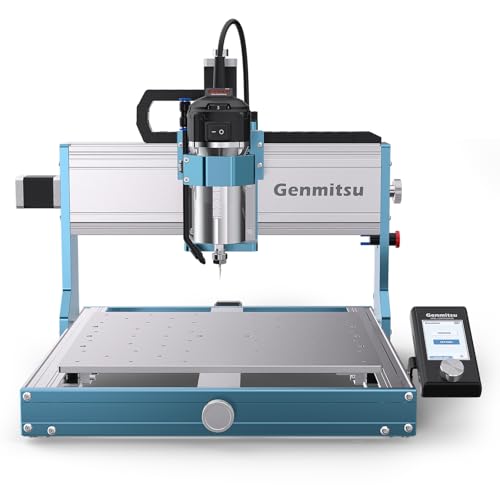
Genmitsu 3030-PROVer Ultra CNC Router
What We Like
- Industrial dual linear rails and ball screws ensure rigid accuracy
- Pre-assembled modules and app control simplify setup and operation
- Digital spindle display prevents overheating guesswork
Trade-offs
- At 50.7 lb, it's a substantial desktop machine requiring a sturdy surface
- Beginners must learn compatible software like Candle or Easel
A ±0.03mm precision rating and a 710W all-metal spindle mean this router can actually cut aluminum and acrylic with professional-grade consistency, not just engrave them. That’s the core reason it stands out for beginners serious about metalworking and detailed projects. The thick metal frame and industrial linear guides eliminate the chatter that ruins finishes on softer machines, giving you clean, sharp results right from the start. It’s built for the maker who’s done with wood and plastic and ready to tackle harder materials without upgrading the whole machine.
The machine’s weight of 50.7 pounds and its size reflect a solid, industrial-grade construction that requires a stable workspace. Compared to the smaller SainSmart Genmitsu 3018-PROVer, this model offers a larger working area and more powerful spindle for handling tougher materials. It ships as two pre-assembled modules to cut assembly by 80%, so users can start creating in minutes rather than hours while learning new software.
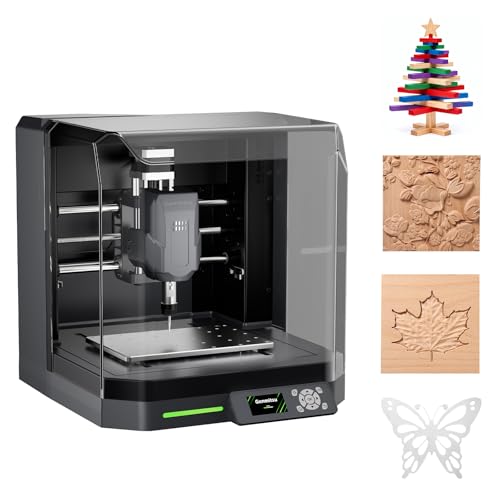
Genmitsu Cubiko Desktop CNC Router
What We Like
- Pre-assembled enclosure contains debris and noise
- Automatic Z-probing simplifies a key setup step
- Smart surface mapping aids precision PCB work
- Flexible control via app, WiFi, or PC software
Trade-offs
- 78 inches/min max feed rate is slower for large jobs
- Enclosure and pre-assembly add weight at 24.4 pounds
A pre-assembled, enclosed CNC router means you can start your first project minutes after unboxing, not hours. That integrated cover isn’t just for looks; it keeps wood chips off your desk and quiets the operation, which is a genuine relief in a home workshop. The automatic Z-probing and surface mapping handle two of the most tedious setup tasks for you, letting you focus on design over calibration. This machine is built for the beginner who values a clean, straightforward start and plans to work on smaller, detailed projects like PCB boards or intricate wood carvings where precision matters more than raw speed.
The Cubiko’s integrated enclosure helps contain chips and reduces noise, making it better suited for a desktop in a home workshop. Opening the cover automatically pauses operation for added safety. This thoughtful design prioritizes a cleaner and quieter beginner experience over raw speed or size.
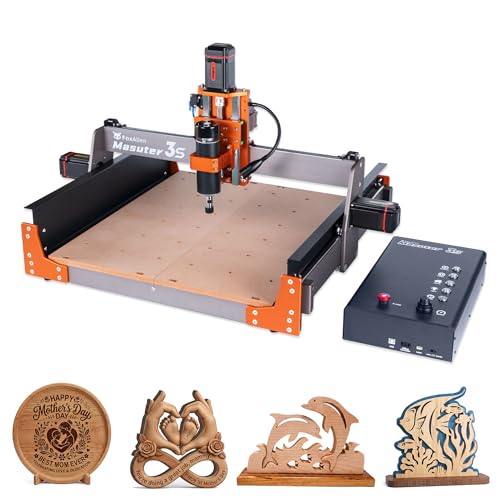
FoxAlien Masuter 3S CNC Router
What We Like
- Closed-loop motors prevent step-loss for reliable cuts.
- Industrial-grade linear rails and lead screws ensure stability.
- Ready for 4th-axis rotary carving of cylindrical objects.
- Dust-proof controller box with shortcut buttons.
Trade-offs
- At 58.4 pounds, it's a substantial bench-top unit.
- 3.74-inch Z-axis clearance limits thick material options.
- 400W spindle is modest for hard metals.
Closed-loop stepper motors provide 2.2 Nm of torque and prevent missed steps, so you can reliably use the rapid 10,000mm/min speed without losing position. Its reinforced frame and dual linear rails on the Z-axis contribute to a 0.05mm engraving precision, which helps produce clean cuts in wood, plastic, and soft metals.
Weighing 58.4 pounds, the machine requires a sturdy, dedicated workbench for stable operation. The included 400W spindle handles common materials, but the design supports an upgrade to a more powerful 1.5kW unit for harder projects. Its expandable work area and compatibility with a rotary module offer more versatility than some smaller, fixed-size desktop models.
VEVOR 400×400 CNC Router Machine

What We Like
- ['Large 400x400mm work area for bigger projects']
- ['Offline controller for computer-free operation']
- ['Pre-assembled key components for easier setup']
- ['Current detection protection for spindle longevity']
Trade-offs
- ['60mm Z-axis travel limits material thickness']
- ['300W spindle is less powerful than higher-end models']
A 400x400mm work area is the standout feature here, giving a beginner a generous canvas for sign blanks, large inlays, or detailed map carvings without needing to upgrade immediately. The GRBL control and offline controller mean you can learn the ropes without being tethered to a computer, and the pre-wired assembly gets you from box to first chips faster. For the hobbyist who wants to start with projects bigger than a coaster set, this machine delivers the space to grow.
With a 400 x 400 mm work area, this router provides a notably large flat space for projects like sign carving or panel engraving, all at a desktop-friendly size. Its 300W spindle and aluminum alloy frame cap its strength, making it suitable for woods, plastics, and foams, but pushing into harder materials reveals its limits. When sized against the similarly priced FoxAlien Masuter Pro, the VEVOR matches its weight but provides a larger work surface, though the FoxAlien uses an all-metal structure. This machine is a clear choice when square inches for lighter materials matter more than cutting depth or metal capability.
WolfPawn 1000×1000 CNC Router

What We Like
- Massive 1000x1000mm work area
- Precision linear guides on all axes
- Open-source GRBL for software flexibility
- Handles wood and aluminum materials
Trade-offs
- Large 39.4-inch footprint requires a dedicated, sturdy table
- Open-frame design offers less containment than enclosed models
With a 1000x1000mm working travel, this router supports oversized wood crafts and custom signage according to its description, freeing projects from size restrictions. That large area allows for intricate patterns or multiple smaller pieces in a single setup. Linear guides and ball screws on all axes aim to deliver clean, accurate cuts and detailed engravings across the entire bed.
Its dimensions of 39.4 inches in length and width create a larger footprint than many compact beginner models. The platform is built around this generous work area for large-scale creations, making it a candidate for users ready to move beyond a typical starter machine’s scale.
Product photos
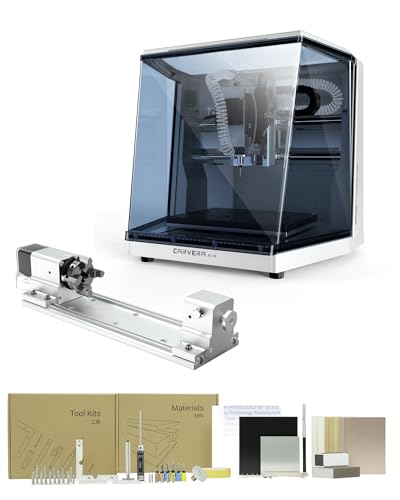
MAKERA CARVERA CA1 Cnc Routers
What We Like
- True 4-axis machining for 3D shapes
- Auto-probing and leveling for precise cuts
- Quick tool changer for multi-step projects
- Cross-platform software with WiFi control
Trade-offs
- Rotary work area limited to 3.6-inch diameter.
- Spindle speed tops out at 13,000 RPM.
Smart automation like auto-probing and a 10-second tool changer makes complex CNC projects accessible for beginners who prefer designing over manual setup. The integrated 4th axis supports cylindrical machining and 3D shapes. A closed-loop spindle and runout under 0.01mm contribute to surface quality, which can mean less hand-finishing on completed work.
This desktop CNC comes as a smart, enclosed package rather than an open-frame design. Its automation handles calibration for intricate, multi-stage projects on smaller blanks, such as detailed inlays or prototype parts. The workflow suits users focused on craft rather than manual machine adjustment.
Product photos
FoxAlien Masuter Pro CNC Router
What We Like
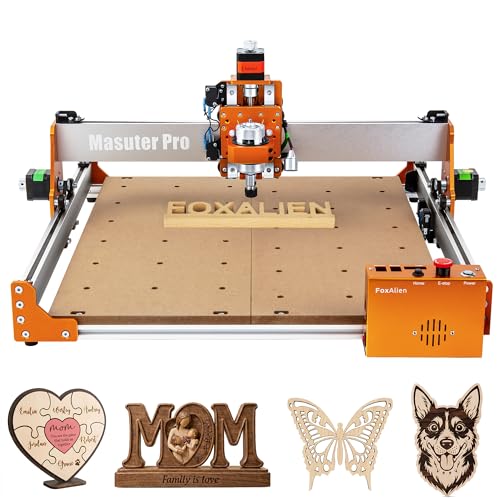
- Quick 10-15 minute assembly with pre-wired components.
- Sturdy all-metal frame for improved precision and stability.
- Generous 400x400mm work area with optional Y-axis expansion.
- Dust-proof controller box with accessible emergency stop.
Trade-offs
- Heavier 1.5KW spindle and 69mm clamp require separate purchase.
- At 28.7 pounds, it's lighter than some all-metal counterparts like the Genmitsu 3030-PROVer.
The promise of a machine ready to run in about fifteen minutes is a huge win for any beginner staring at a box of parts. FoxAlien achieves this with a clever pre-wired controller and a main structure that comes largely pre-assembled. You get a solid, all-metal foundation and a surprisingly capable 400x400mm work area right from the start. This means you can begin learning on decently sized wood or acrylic projects without the frustration of a days-long build, squarely targeting the hobbyist who wants to spend weekends carving, not constructing.
That focus on accessibility does involve some trade-offs. The machine’s lighter overall weight compared to a beast like the Genmitsu 3030-PROVer suggests it’s built for the forces of wood and plastic, not aggressive metal milling. Furthermore, while it offers fantastic spindle upgrade flexibility, you’ll need to source and buy the higher-power spindles and specific clamps separately. For a beginner who values a fast start and a stable platform to learn the basics of CAD/CAM, the Masuter Pro delivers a very sensible and capable entry point.
Product photos
CNCTOPBAOS 1610 PRO Mini CNC Router

What We Like
- Extremely compact frame fits on any desk
- Upgraded GRBL board adds safety and control ports
- USB interface and included software simplify setup
- Can engrave soft metals like aluminum and copper
Trade-offs
- Tiny 7-inch work area limits project size severely
- 120W spindle lacks torque for deep or fast cuts
- Lightweight construction may struggle with vibration on harder materials
A working area under 8 inches makes this the smallest true CNC router you can buy, perfect for someone with zero shop space. It’s a genuine beginner’s machine, with a GRBL control system that’s widely supported and a USB plug-and-play setup that avoids complex wiring. The upgraded control board includes practical touches like an emergency stop port and a fan for cooling, which are thoughtful additions for a new user. If your ambition is engraving small plaques, PCBs, or detailed ornaments in wood or acrylic on your kitchen table, this machine removes the barrier of entry.
The trade-off for that tiny footprint is a very limited scope. You won’t be making signs or cutting guitar bodies here. The 120W spindle is adequate for light engraving and shallow passes, but it demands patience. For a beginner who wants to learn the fundamentals on truly small projects before committing more space and money, it’s a logical first step. If you have even a modest workbench, however, stepping up to a machine with a larger frame provides a much more versatile work area for a similar learning curve.
Product photos
SainSmart Genmitsu 3020-PRO Ultra
What We Like
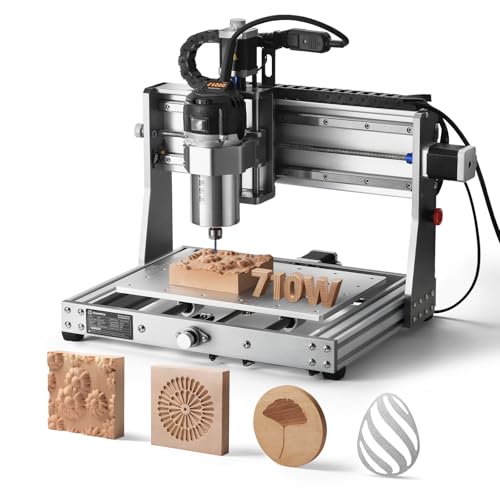
- All-metal build for exceptional stability
- Powerful 7.3 Nm torque from 60mm stepper motors
- Versatile spindle and laser module compatibility
- Quick 15-minute installation process
Trade-offs
- 33.7 lb weight requires a sturdy work surface
- Small 11.8×11.8 inch footprint limits large projects
- No enclosure included for containing debris
A 710W spindle with constant torque control prevents bogging down when cutting aluminum or hardwoods, giving this machine a clear performance edge over basic hobbyist models. Its all-metal frame and reinforced axes provide a solid foundation that translates directly to cleaner cuts and finer details. This desktop router delivers industrial-grade rigidity without requiring a garage-sized workshop.
You trade work area for that rock-solid construction. The compact footprint fits on a benchtop, but you’ll be breaking down larger stock before mounting it. Compared to the larger 3030-PROVer Ultra, this model has a smaller footprint and lower weight, making it a more space-conscious choice. Its strength lies in depth and detail, not in sweeping width.
Product photos
How We Evaluated CNC Routers For Beginners
This guide is based on an analysis of manufacturer specifications and documented features. It examines details on assembly, software compatibility, and build quality, while considering expert summaries and consistent patterns in user feedback. Key criteria include the ease of initial setup, frame rigidity for consistent cuts, work area size relative to beginner project needs, and the clarity of the included software or required program knowledge.
A research-led evaluation like this cannot replicate the feel of long-term use, but it effectively identifies machines praised for their out-of-the-box reliability and supportive user communities, making them a great choice for CNC beginners.
What To Look For In CNC Routers For Beginners
Your first CNC router should minimize frustration and maximize learning. Prioritize clear setup instructions, a supportive user community, and software that matches your comfort level.
Look for a machine with a pre-assembled or quick-assembly frame, a work area that fits your project ambitions, and clear guidance on compatible, beginner-friendly software. A rigid construction is more important than top spindle power for clean cuts.
Ease of Setup and Operation
The initial build can make or break your experience. Many top picks for beginners come with frames that are largely pre-assembled, reducing the first-day workload to under an hour. Look for machines with clear cable management and offline controllers that allow you to run jobs without a dedicated computer tethered to the machine. Software is a critical, often overlooked, part of the operation; some machines work with free, beginner-focused programs like Easel or Candle, while others require separate CAD/CAM software knowledge, which is a significant learning curve.
Machine Rigidity and Work Area
A rigid frame, often indicated by all-metal construction or industrial linear rails, prevents vibration that leads to imprecise cuts and broken bits. This stability is more crucial for a good finish than raw spindle power. The work area, measured in millimeters for X, Y, and Z travel, dictates your project size.
A common beginner size is around 300x180mm, suitable for small signs and engraving. Consider if you’ll need to use tiling software for larger projects or if you should invest in a machine with a larger bed from the start, understanding it will have a larger footprint. For those with tight spaces, a guide to compact CNC routers can help.
Software and Community Support
Your CNC is only as good as the software that drives it. Determine if the machine includes control software or requires a separate purchase. Many new users benefit from machines compatible with intuitive, often web-based, platforms. Equally important is the manufacturer’s and user community’s support presence. Active forums, detailed online tutorials, and accessible troubleshooting resources are invaluable for solving your first problems and finding project inspiration, which is a key advantage of popular beginner CNC machines.
- Check if the machine uses standard GRBL firmware, which offers wide software compatibility.
- Verify the spindle or router uses common collet sizes (like 1/4″ or ER11) for easy bit sourcing.
- Ensure your computer meets the software’s operating system requirements.
- Plan for dust collection; some machines have ports, while others require an add-on shroud.
- Consider the noise level, especially if working in a shared living space.
A sturdy, well-supported machine with a moderate work area will teach you more than a large, flimsy one.
CNC Routers For Beginners Compared
The following table compares the key specifications of our top picks to help you see the differences in work area, spindle power, and special features at a glance.
| Product | Working Area (L x W) | Control System / Software | Key Materials |
|---|---|---|---|
| SainSmart Genmitsu 3018-PROVer CNC Router | 16.5 x 16.5 inches | CAD/CAM software | Wood, plastic, acrylic, soft metals |
| Genmitsu 3030-PROVer Ultra CNC Router | 20.6 x 20.6 inches | Candle, UGS, Easel | Aluminum & Acrylic |
| Genmitsu Cubiko Desktop CNC Router | 13.0 x 13.0 inches | N/A | wood, acrylic, PCB, plastics |
| FoxAlien Masuter 3S CNC Router | 15.75" x 15.75" | N/A | wood, plastics, soft metals |
| VEVOR 400×400 CNC Router Machine | 15.7 x 15.7 in | GRBL | Wood Acrylic MDF PVC Plastic |
| WolfPawn 1000×1000 CNC Router | 39.4 x 39.4 inches | GRBL v1.1 | Wood & aluminum |
| MAKERA CARVERA CA1 Cnc Routers | N/A | Mac OS, Windows, iOS, Android, Linux | N/A |
| FoxAlien Masuter Pro CNC Router | 15.75" x 15.75" | N/A | Wood Acrylic MDF Nylon |
| CNCTOPBAOS 1610 PRO Mini CNC Router | 7.08×3.93 inches | GRBL | plastic, wood, acrylic, pvc |
| SainSmart Genmitsu 3020-PRO Ultra | N/A | N/A | solid wood, metal, acrylic |
Frequently Asked Questions
Which CNC router is the easiest to use for beginners?
The easiest machines for beginners are typically those with significant pre-assembly, clear instructions, and compatibility with intuitive software. Models like the SainSmart Genmitsu 3018-PROVer and the Genmitsu Cubiko reduce setup time and complexity, letting you focus on learning the software and design process rather than mechanical assembly.
What is the best CNC machine for a beginner?
The best beginner CNC machine balances a gentle learning curve with enough capability to grow with your skills. Our top pick, the SainSmart Genmitsu 3018-PROVer, is a strong choice. It works with many materials and has a large accessory ecosystem, so you can upgrade as you learn more about using a desktop CNC router.
What are some good entry-level CNC machines?
Good entry-level CNC routers include the SainSmart Genmitsu 3018-PROVer, the FoxAlien Masuter Pro for quick assembly, and the ultra-compact CNCTOPBAOS 1610 PRO for desktop learning. These models represent different priorities, ease, expandability, and size, but all are designed to be a first step into the hobby.
What is the easiest CNC software for beginners?
Easel by Inventables is often cited as one of the easiest CNC software platforms for beginners due to its web-based, visual interface and integrated design tools. Other beginner-friendly options include Carbide Create and the Candle GRBL controller. The right software depends on your machine’s compatibility and whether you need integrated CAD/CAM or just control.
Can a beginner CNC router cut metal?
Yes, some beginner CNC routers can cut soft metals like aluminum, brass, and copper. Success depends heavily on the machine’s rigidity and spindle power. Models like the Genmitsu 3030-PROVer Ultra and the FoxAlien Masuter 3S are built with linear rails and stronger frames specifically for this purpose, unlike basic models meant only for wood and plastic.
The Bottom Line
For most beginners, the SainSmart Genmitsu 3018-PROVer is the best starting point. It gets you from box to first cut quickly and capably handles a variety of materials, providing a solid foundation for learning. If your budget is very tight but you need space, look to the VEVOR 400×400. For detailed work in a shared living space, the enclosed Genmitsu Cubiko is the clear choice.
Whichever model you choose, prioritize a rigid frame and clear software pathway; these factors will determine your success and enjoyment far more than any single advanced feature.
