
10 Best Beginner Laser Engravers in 2026
This post contains affiliate links. As an Amazon Associate, we earn from qualifying purchases.
Our research picks the Ortur R2 Fully Enclosed Laser Engraver as the best overall for its Class 1 safety enclosure and plug-and-play setup. For smart features, the xTool M2 shines, while the Sculpfun iCube Ultra is ideal for clean indoor use. Starting out can be intimidating, with concerns about safety, software, and material compatibility. We built this guide by analyzing specifications, manufacturer data, and patterns in owner feedback to help you find a machine that fits your space and first projects.
Top 10 Beginner Laser Engravers in the Market
Certain content that appears on this site comes from Amazon. This content is provided "as is" and is subject to change or removal at any time.
The Best Beginner Laser Engravers, Reviewed
Ortur R2 Fully Enclosed Laser Engraver
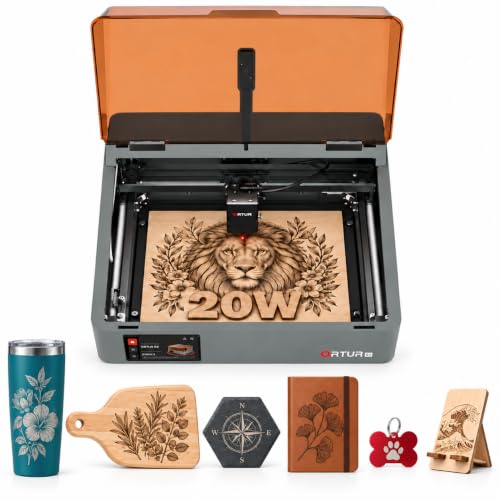
What We Like
- Fully enclosed Class 1 safety for home use
- Pre-assembled with no complex setup needed
- HD camera for precise visual framing
- Interchangeable laser module platform
Trade-offs
- Weighs 12.8 kg shipped, requiring a sturdy surface
- Gross shipping weight is 12.8 kg
A fully enclosed Class 1 safety rating means you can run this laser in your living room without worrying about stray radiation, which is a massive relief for any household. That peace of mind, combined with a machine that arrives ready to run right out of the box, makes the Ortur R2 a standout starting point. It’s built for the beginner who wants to dive into projects on wood and acrylic without first wrestling with a pile of parts. The built-in HD camera and touchscreen take the guesswork out of alignment, letting you focus on creating, not calibrating.
Now, the core design has been around a while, which is actually a strength for reliability and available community mods. Just know that you might be leaning on that DIY community more than Ortur’s own support these days. Compared to the more compact Ortur R1, the R2’s full enclosure and larger 20W module offer a more substantial and safer workshop foundation. This trades portability for a sturdy, stationary setup that can handle thicker materials.
xTool M2 Enclosed Laser Engraver
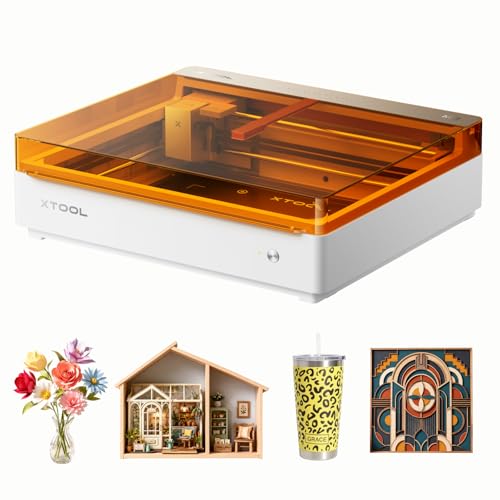
What We Like
- Class 1 fully enclosed design for home safety
- Dual cameras enable real-time preview and 'Place & Go' accuracy
- Beginner-friendly software with hundreds of ready templates
- Dual-mode architecture for future expansion with add-ons
Trade-offs
- Key modules like the CMYK inkjet are sold separately
- Standard 10W laser may be slower for heavy production
- Focus remains on smart features over raw cutting power
Built-in dual cameras and ACS vision control eliminate the guesswork of material placement, a common frustration for newcomers. This is the engraver for the crafter who values precision and ease over tinkering, letting you focus on design rather than alignment. The beginner-friendly xTool Studio software, packed with templates and an AI image generator, gets you from idea to finished gift in minutes. It’s a premium, safe choice for personalized home decor and starting a side hustle right out of the box.
Achieving the M2’s full versatility requires buying separate add-on modules, like the CMYK inkjet or 3W IR laser, for features such as full-color printing or engraving on metal. This makes it a platform that can expand later rather than a complete kit for those tasks. While the M2 comes standard with a 10W laser, the Ortur R2 offers a higher 20W output in a similarly enclosed Class 1 design. That higher power could mean faster cutting for some materials right from the start.
Sculpfun iCube Ultra Laser Engraver
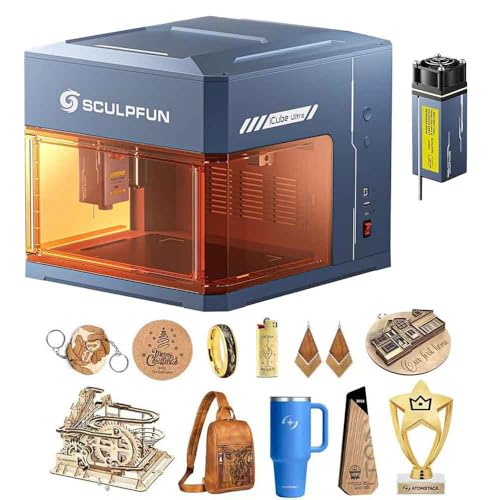
What We Like
- Fully enclosed Class 1 safe design needs no safety goggles
- Built-in smoke filter prevents odors for indoor use
- High-speed 32-bit motherboard boosts engraving efficiency
Trade-offs
- 5.9×5.9-inch work area is smaller than many enclosed models
- Maximum processing height of 80mm limits taller items
A built-in smoke filter makes this one of the few beginner machines truly suitable for a home office or classroom. The Sculpfun iCube Ultra’s fully enclosed Class 1 design means you can operate it safely without goggles, and its auto-focus system gets you from unboxing to first engraving with minimal fuss. For a newcomer who values a clean, safe workspace above all else, this laser handles the smoke problem others ignore.
A fully enclosed design with a built-in smoke filter makes this engraver safe for indoor use in homes or classrooms, eliminating the need for external ventilation. That cleanliness comes with a 5.9 by 5.9 inch working area, which is practical for detailed, small-batch projects like jewelry or keychains but limits single-pass work on larger items. Its Class 1 safety rating means no protective goggles are required during operation, simplifying the workflow.
Ortur R1 Foldable Laser Engraver
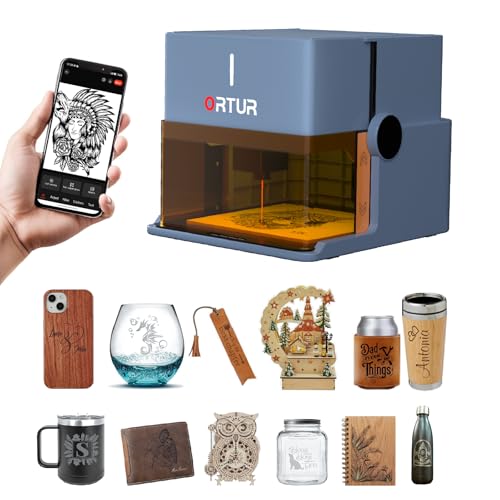
What We Like
- Class 1 safety with multiple automatic protections
- Truly portable, foldable, no-assembly design
- Comprehensive app with AI and hand-drawn modes
- Includes protective base plate and clear tutorial
Trade-offs
- 100mm x 100mm work area is small for larger projects
- 5W power limits cutting to 3mm basswood at most
A 5W Class 1 laser with a first-of-its-kind foldable design means it unfolds from its gift box ready for use, requiring no installation. An aluminum alloy base plate protects your work surface, and a simple tutorial printed on it gets you started quickly. This portable setup, measuring just over a foot in its longest dimension, is built for small-scale engraving right on a desk.
The trade-off for that portability is a compact 100mm square work area, which is fine for keychains, coasters, or jewelry but will have you batching larger projects. Its 5W diode can cleanly cut 3mm basswood, but you’ll be making multiple passes for thicker materials or denser woods. If your projects demand a larger bed and more cutting power in a still-manageable package, the Ortur R2 offers a 20W laser and a significantly bigger workspace. You do sacrifice the instant fold-and-go convenience.
Creality Falcon A1 Enclosed Laser Engraver

What We Like
- Zero assembly required for immediate use
- CoreXY system enables 600mm/s engraving speed
- Smart camera with live preview for precise placement
- Fully enclosed with six integrated safety protections
Trade-offs
- 10W laser limits single-pass cutting depth versus higher-power models
- Its 22.2-inch length requires more desk space than portable units like the Ortur R1
- Auto material recognition may not cover all exotic materials
With a top engraving speed of up to 600mm/s from its CoreXY motion system, the Creality Falcon A1 can complete detailed projects much faster than many basic models. Its smart HD camera shows a live view of the workspace, allowing users to drag and drop designs directly onto the material for positioning. The machine comes fully assembled and includes features like automatic belt tensioning to help maintain its 0.01mm precision level during high-speed operation.
The 10W laser module cuts 5mm wood and 9.6mm black acrylic in a single pass, which covers many common crafting materials. Its Class 1 safety rating, enclosed design, and six safety protections make it suitable for home use. The compact footprint is 47% more space-efficient than similar models, so it fits comfortably on a desk or shelf.
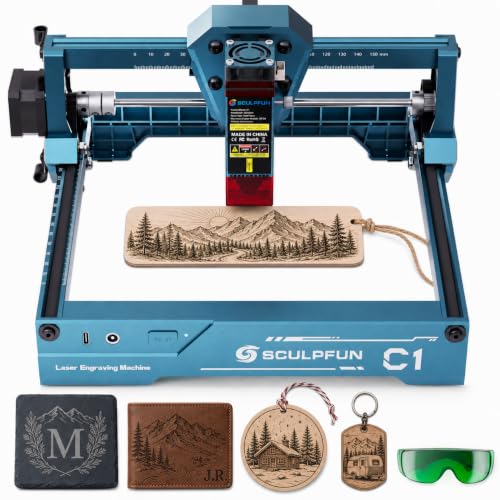
Sculpfun C1 Mini Laser Engraver
What We Like
- Fully pre-assembled for zero-hassle setup
- Ultra-fine precision for high-definition images
- Magnetic protective cover filters harmful wavelengths
- Compatible with Windows, MacOS, and free software
Trade-offs
- Cannot engrave bare metals or perform cutting
- No smartphone compatibility for operation
- Smaller work area than larger desktop models
At just 2.3 pounds and fully assembled, the Sculpfun C1 Mini is the most plug-and-play engraver you’ll find. Its 3W diode laser delivers ultra-fine detail on over 100 materials like wood and leather, making it perfect for a beginner’s first foray into personalizing small crafts and gifts. This is the ideal first machine for someone with limited space who wants to start engraving minutes after unboxing, without any technical assembly.
That simplicity and portability come with clear limits, however. The 3000mW output means it cannot engrave bare metals or cut through materials, it’s strictly for surface marking. If your projects require cutting acrylic or deeper engraving, you’ll quickly outgrow it. For those needs, a more powerful model like the Ortur R2, with its enclosed design and higher power, would be a better long-term fit. The C1 excels at one job: introducing you to the craft with minimal friction.
Product photos
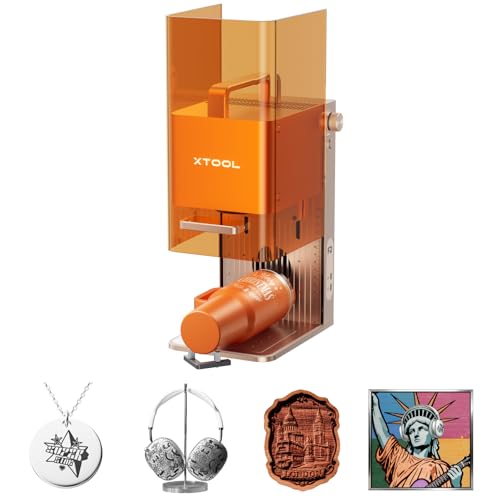
xTool F2 Dual Laser Engraver
What We Like
- Dual-laser system marks metal and cuts thick materials
- Built-in 50MP camera enables precise, waste-free alignment
- Ultra-fast 6000mm/s speed for rapid batch processing
- Fully enclosed, portable design for safe on-site use
Trade-offs
- Small 6.9 x 9.3 inch base plate limits large single-piece work
- Class 4 laser requires strict safety protocols and space planning
- Slide Extension accessory is needed for true batch processing
The combination of a 15W diode and a 5W infrared laser is what makes this machine stand out. It can produce vivid color marks on metal tumblers and dog tags with the IR laser, then switch to the diode for 3D embossing or cutting through wood and acrylic. For a beginner looking to offer personalized goods at markets or a small shop, this dual capability means one machine handles most customer requests. The built-in 50MP camera eliminates the trial-and-error of manual positioning, saving both time and material from the first project.
Portability comes from its compact size, weighing only 4.6 kg with a base plate measuring 6.9 by 9.3 inches. Engraving a project larger than that area would require repositioning the material. For users needing a larger stationary bed, a machine like the fully enclosed Ortur R2 offers more space. However, the xTool F2 includes an optional Slide Extension for batch processing of small items like coasters and phone cases, scaling productivity from personal projects to commercial use.
Product photos
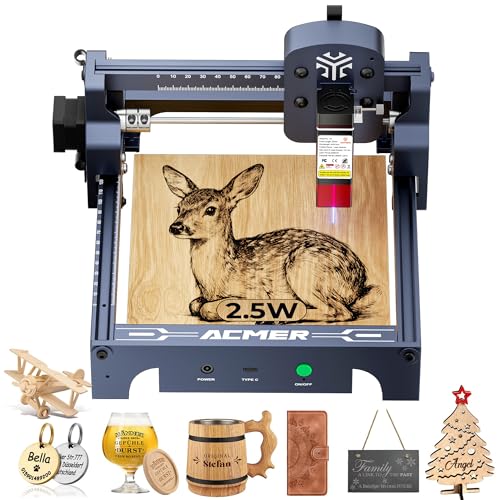
ACMER S1 Laser Engraver
What We Like
- 99% preassembled with 1-minute setup
- Free, proprietary Acmerstudio software included
- Lightweight, industrial-grade aluminum alloy build
- Wide compatibility with Windows, macOS, and Linux
Trade-offs
- 130x130mm working area
- 2.5W laser output power
It’s the definition of a beginner-friendly machine, arriving almost fully assembled and ready to run with its own free software. For a hobbyist taking their first steps into laser work, or a professional looking for a dedicated, ultra-portable unit for minor jobs, the S1 delivers capable performance without any complexity. It’s the workshop equivalent of a reliable utility knife, simple, effective, and always within reach.
You gain simplicity and portability, but you give up raw power and size. It won’t cut thick stock or handle big signs, and you’ll need to manage fumes yourself. For those needing more muscle and a safety enclosure from the start, the Ortur R2 is a logical step up. Owner feedback highlights that this machine’s greatest strength might be as a secondary unit. Its reliability and low cost make it a sensible insurance policy to keep projects moving if a primary, more complex engraver goes down.
Product photos
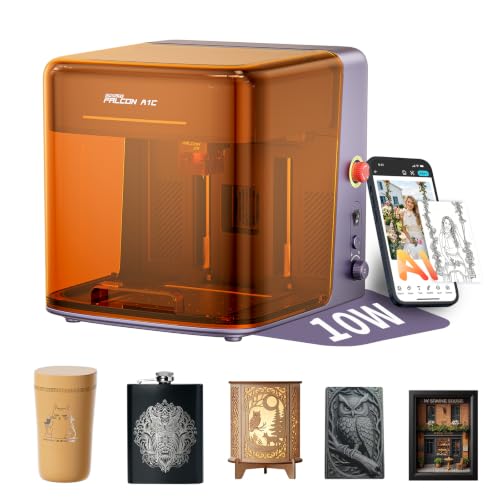
Creality Falcon A1C AI Laser Engraver
What We Like
- AI camera automates design positioning
- Interchangeable laser platform for future upgrades
- Fully enclosed Class 1 safety design
- Compact footprint for a desktop machine
Trade-offs
- Includes only one laser module at purchase
- At 18.5 inches long, it needs a dedicated bench spot
The built-in AI camera and software do the heavy lifting of converting photos and optimizing layouts, which cuts out the most intimidating part of the learning curve. That makes this a standout choice for a beginner who wants to start creating personalized gifts and decor right away, without first mastering graphic design software. Its fully enclosed Class 1 safety rating also means you can use it confidently in a shared space like a living room or classroom.
Its compact footprint means the Falcon A1C fits easily on a desk, but the working area is best for items like coasters, ornaments, and wallets. For larger panels, a model like the Ortur R2 has a bigger overall enclosure. The real advantage for a newcomer is the AI-guided workflow, which simplifies starting projects with safety features built in.
Product photos
Aufero Laser 1 Desktop Engraver
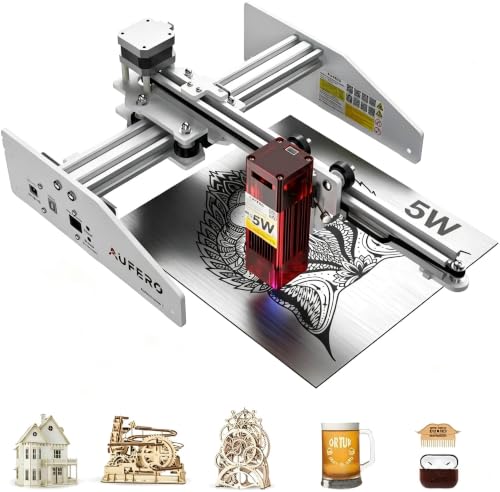
What We Like
- Comes fully pre-assembled for instant use.
- Ultra-lightweight and compact desktop design.
- Simple USB connection with compatible software.
- Includes full safety protections for daily use.
Trade-offs
- The 7.1-inch work area limits larger projects.
- 5W laser is for light cutting, not thick materials.
A pre-assembled machine with an ultra-light aluminum-acrylic body means you can unpack it and start a project in minutes, with no technical setup to scare you off. This is the engraver for a first-timer who wants to personalize a coaster or a leather keychain without dedicating a permanent workshop corner. Its safety features and simple USB operation make it a genuinely low-stress introduction to the craft.
This simplicity comes with a capacity limit. You’re working in a 180mm square area, so forget about engraving a full-size cutting board. The 5W short-focus laser is rated to cut up to 5mm pine wood, which suits light materials for small crafts. For a beginner focused on such projects, that’s a fair compromise. If your ambition outgrows the work area, you’d step up to a machine like the Ortur R2, which offers a larger, enclosed workspace.
Product photos
How We Evaluated Beginner Laser Engravers
We compared specifications and manufacturer documentation for a range of models aimed at new users. We prioritized safety features like Class 1 enclosures, ease of setup, and beginner-friendly software to identify machines that reduce initial frustration. We also examined patterns in owner feedback on reliability and support to gauge long-term usability.
Our evaluation focused on core criteria for a first machine: pre-assembly level, work area size, and included safety protections. We weighed these against common trade-offs like portability and cutting power. A research-led evaluation cannot replicate years of hands-on workshop use, but it effectively highlights the models that consistently meet a beginner’s fundamental needs for safety and simplicity.
What To Look For In Beginner Laser Engravers
Choosing your first laser engraver means balancing safety, simplicity, and your project goals. Focus on features that let you start creating quickly without a steep learning curve.
Look for a fully enclosed Class 1 design for safe home use, pre-assembled setup to avoid calibration headaches, and software with ready-made templates. Consider your most common materials, as diode lasers handle wood and leather well but struggle with bare metal.
Safety And Enclosure
A fully enclosed machine with a Class 1 safety rating is a non-negotiable for home use, as it allows operation without safety goggles and contains smoke. Models like the Sculpfun iCube Ultra even include a built-in air filter, which is crucial for indoor workshops. Enclosures also protect against stray laser reflections and contain any potential fire hazards, giving you peace of mind.
Setup And Software
Look for a machine that is at least 99% pre-assembled, like the ACMER S1, to avoid the alignment and calibration issues that plague kit-built models. The software is just as important; beginner-friendly programs should include visual tutorials, drag-and-drop design libraries, and clear material settings. Some beginner laser engravers even use AI or camera systems to automatically position your design on the workpiece.
Work Area And Power
Your project size dictates the needed work area. A compact 5.9×5.9-inch bed suits small items, while larger plaques need more space. Laser power, measured in watts, determines capability: a 5W diode can engrave deeply and cut very thin wood, while a 10W model cuts faster and through slightly thicker material. For engraving a wide variety of materials including metal, you’ll need to look at specialized diode laser engravers with dual-source systems.
- Check the machine’s maximum processing height if you plan to engrave mugs or other tall objects.
- Verify software compatibility with your computer’s operating system.
- Ensure the unit has a sturdy frame; a wobbly gantry ruins precision.
- Consider where you’ll place it; a machine of this size needs a dedicated, stable surface.
- Research accessory availability, like rotary attachments for tumblers.
For most beginners, a safe, enclosed, and pre-assembled machine with a moderate work area offers the best foundation for learning.
Beginner Laser Engravers Compared
The table below compares key specifications across our top picks to help you see the differences at a glance.
| Product | Laser Power | Working Area | Safety Class |
|---|---|---|---|
| Ortur R2 Fully Enclosed Laser Engraver | LU3-20A 20W | 300 x 190 mm | Class 1 |
| xTool M2 Enclosed Laser Engraver | 10000mW (10W diode) | N/A | Class 1 enclosed |
| Sculpfun iCube Ultra Laser Engraver | 12000mW | 150 x 150 mm | Class 1 |
| Ortur R1 Foldable Laser Engraver | 5000mW (5W) | 100 x 100mm | Class 1 |
| Creality Falcon A1 Enclosed Laser Engraver | 10W (10000mW) | N/A | Class 1 |
| Sculpfun C1 Mini Laser Engraver | 3000mW | 150 x 130mm | Class IV |
| xTool F2 Dual Laser Engraver | 15W Diode & 5W IR | N/A | Class 4 |
| ACMER S1 Laser Engraver | 2500mW diode | 130x130mm | N/A |
| Creality Falcon A1C AI Laser Engraver | 10W (interchangeable modules) | 150 × 150 × 148 mm | Class 1 enclosed |
| Aufero Laser 1 Desktop Engraver | 5W short-focus module | 7.1 x 7.1 inches | N/A |
Frequently Asked Questions
What is the best entry-level laser engraver for beginners?
The Ortur R2 Fully Enclosed Laser Engraver is an excellent entry-level choice. It comes pre-assembled with a Class 1 safety enclosure, making it safe and simple to start using right away for home craft projects on wood, leather, and acrylic.
What should a beginner look for in a laser engraver?
Beginners should prioritize a fully enclosed Class 1 safety design, a machine that is largely or completely pre-assembled, and intuitive software. These features minimize setup frustration and allow you to focus on learning design and material handling safely.
Can a beginner laser engraver cut materials?
Yes, many can, but capacity varies. Diode laser engravers for beginners, typically between 5W and 10W, can cut materials like thin wood, acrylic, and leather. Their cutting depth and speed are limited compared to more powerful laser engravers for home use.
What materials can I engrave with a beginner machine?
Most beginner-friendly diode lasers excel at engraving organic materials like wood, leather, paper, and coated metals. For engraving bare metals, glass, or ceramics, you need a different laser source, which is a key consideration when comparing a laser engraver to a CNC router.
Are there good budget options for beginners?
Absolutely. Models like the ACMER S1 offer a very affordable way to learn the basics on small projects. While they have smaller work areas and lower power, these budget laser engravers let you practice without a major investment.
The Bottom Line
The Ortur R2 Fully Enclosed Laser Engraver is our best overall pick for beginners who want a safe, ready-to-run machine for daily home projects. If your budget is tight, the ACMER S1 provides a capable and affordable starting point, while those needing to work in shared living spaces should consider the filtered Sculpfun iCube Ultra.
Before buying, honestly assess the space you have available. A stable, dedicated surface is essential, and for larger machines, a proper table is a wise investment. Ultimately, a fully enclosed Class 1 safety design is the most important feature, ensuring you can explore this hobby with confidence and peace of mind.
