
10 Best Entry Level Laser Engravers in 2026
This post contains affiliate links. As an Amazon Associate, we earn from qualifying purchases.
The xTool M2 10W Laser Engraver is our best overall entry-level model, winning for its safe, enclosed design and beginner-friendly software with real-time camera guidance. For absolute newcomers, the Glowforge Aura 6W is our best for beginners with its integrated app, while the LaserPecker LP5 Dual Laser is best for metal and portability.
Choosing your first laser involves balancing power, safety, and the materials you plan to work with most.
Top 10 Entry Level Laser Engravers in the Market
Certain content that appears on this site comes from Amazon. This content is provided "as is" and is subject to change or removal at any time.
The Best Entry Level Laser Engravers, Reviewed
xTool M2 10W Laser Engraver
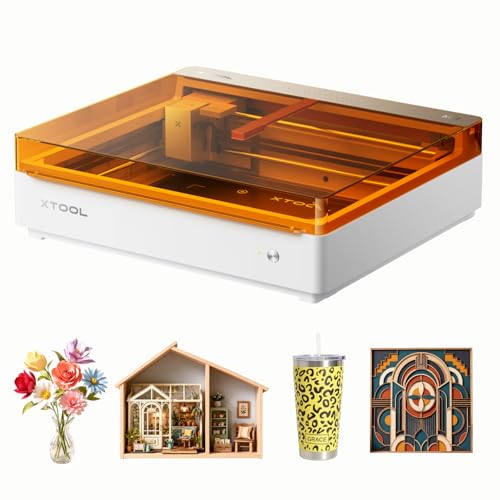
What We Like
- Dual cameras provide real-time preview and 'Place & Go' accuracy.
- Class 1 enclosure is safe for home use with family around.
- xTool Studio software is beginner-friendly with many templates.
- Add-on modules unlock full-color printing and metal engraving.
Trade-offs
- Inkjet module and rotary attachment are sold separately.
- 10W diode laser cannot engrave bare metal without the IR add-on.
A built-in dual-camera system fused with motion control means you can see your workspace in real time. You can simply place your material and go, which eliminates the guesswork and wasted stock that frustrates so many new engravers. This Class 1 enclosed machine is perfectly safe for a home workshop. It’s a standout choice for DIY crafters and anyone starting a side hustle who wants to produce personalized gifts and home decor without a steep learning curve. The included 10W diode laser handles wood, leather, and paper with ease, and the option to add modules later lets your machine grow with your skills.
This machine’s versatility requires separate purchases to unlock its full potential. Its marketing highlights full-color printing and engraving on metal, but those features need the CMYK inkjet or 3W IR laser add-ons, which are sold separately. The base unit is a solid foundation for varied projects, designed for future expansion with those modules.
Glowforge Aura 6W Laser Engraver
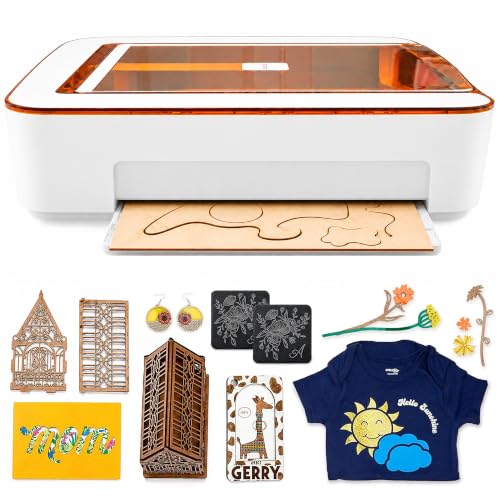
What We Like
- Proprietary app with live camera preview
- Spacious 12×12 inch workspace with passthrough
- Complete ecosystem with Proofgrade materials
- Class 1 enclosed design for safety
Trade-offs
- 6W laser limits cutting speed and depth
- Not compatible with MDF or clear acrylics
- Requires separate filter for convenient indoor use
Glowforge Aura’s 12 x 12 inch workspace and built-in passthrough slot let you create larger signs and projects without needing a huge machine on your bench. The web-based app and HD camera show your material on screen before you engrave, which eliminates a common source of beginner frustration and wasted material. This complete system, from automatic settings for branded materials to an active community, is designed to get you from idea to finished piece with minimal guesswork.
The trade-off for that polished experience is raw power. Its 6W diode laser works on wood, leather, and paper, but is less powerful than lasers in models like the 10W xTool M2 or 20W LaserPecker LP5. You’re also oriented toward the Glowforge ecosystem, which simplifies setup but limits you from using materials like MDF or vinyl made with PVC. For a hobbyist in a spare room or classroom, the enclosed safety and straightforward operation are worth the compromise.
Product photos
LaserPecker LP5 Dual Laser Engraver
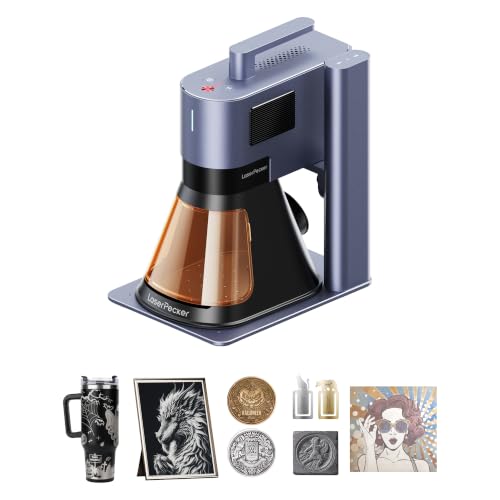
What We Like
- Dual laser system for metal and non-metal materials
- Extremely portable at just over 6 kilograms
- Pro-grade cutting depth for thick wood and thin metal
- 3D grayscale function for detailed relief art
Trade-offs
- Smaller work area than full-sized, stationary engravers
- Limited to 0.5mm thickness on metals like brass
The 20W dual laser system combines a fiber laser for metals and a diode for non-metals, so one machine handles both jewelry metals like gold and brass as well as thicker wood and acrylic crafts. At just over 6 kilograms, it’s half the weight of some similar engravers, which makes setup at a craft fair much faster and allows it to fit easily in a car trunk for mobile services. This dual capability and portability are designed for instant store customization during customer wait times, perfect for mall kiosks or mobile workshops.
Its compact size trades a large work area for ultra-portability, but the 0.0027mm precision enables 8K detail on small items like coins and jewelry. The 3D grayscale function creates depth-controlled relief art, allowing users to transform scrap material into higher-value goods. This combination of high accuracy and material versatility, from metal to wood, supports the needs of a small business performing on-site personalization.
xTool F2 Dual Laser Engraver
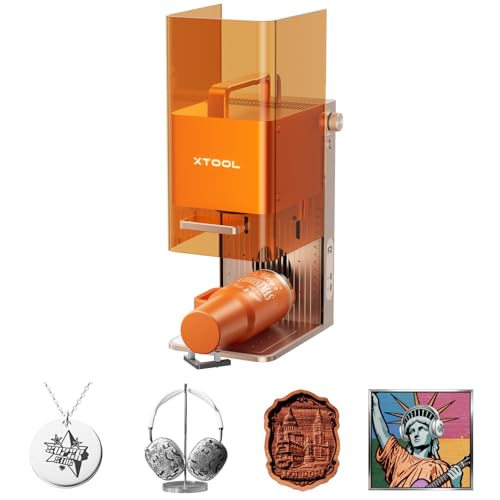
What We Like
- Dual-laser works on 300+ materials
- 50MP camera for 0.1mm alignment accuracy
- Fully enclosed, portable 4.6 kg design
- Comes fully assembled for quick start
Trade-offs
- Class 4 laser requires strict safety protocols
The combination of a 15W diode and a 5W infrared laser in one compact machine is what makes the xTool F2 stand out. You can mark color on metal with the IR laser and cut or do 3D embossing with the diode, all without switching machines. That dual capability, plus a 50MP camera for precise positioning, makes it a serious contender for someone doing on-site personalization at markets or small-batch work in a tight shop space. It’s ready to run right out of the box.
Its 0.1-inch overall height is a key physical trait, making the unit itself remarkably slim for storage or transport. However, the fully enclosed design and built-in camera system are engineered for flat items like coasters and phone cases placed on the base plate. Owners running it in shops or at home must follow Class 4 laser safety protocols and manage fumes, even with the integrated fan.
ACMER S1 Laser Engraver
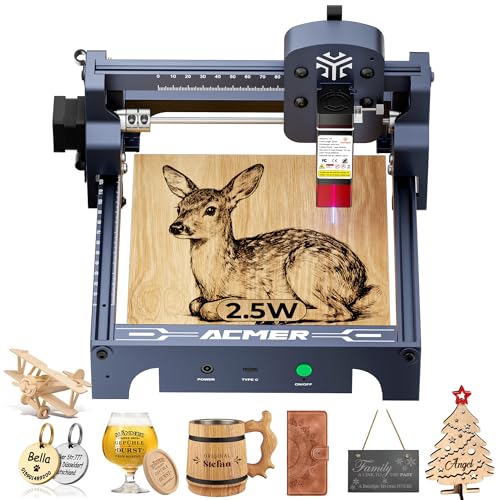
What We Like
- Comes 99% preassembled for one-minute setup
- Free, dedicated Acmerstudio engraving software included
- Lightweight, 2kg aluminum alloy construction is portable
- Wide compatibility with Windows, macOS, Linux, and LightBurn
Trade-offs
- The 130x130mm work area is small for large projects
- Class 4 laser lacks the safety enclosure of a Class 1 unit
With a 2500mW diode laser and a 130x130mm working area, the ACMER S1 is positioned as a reliable, affordable entry point into laser engraving. It arrives 99% preassembled for a setup that takes about a minute, and the included Acmerstudio software is free and ready to use immediately, letting you start projects on wood or acrylic almost right away. This straightforward, beginner-friendly approach suits hobbyists exploring the craft, while its low cost and compact size also make it a practical backup unit for small businesses to maintain production if a primary machine fails.
The trade-off for that simplicity and low cost is scale; you won’t be cutting large signs with it. For intricate, detailed work on smaller items like jewelry, coasters, or custom keychains, the S1’s 0.01mm accuracy is more than sufficient. If your projects consistently demand a larger bed, you’ll want to look at a model with a bigger workspace. But as a dedicated second machine or a first-step learner, the ACMER S1 delivers capable performance from the moment you set it up.
Creality Falcon A1 Pro 20W Laser Engraver
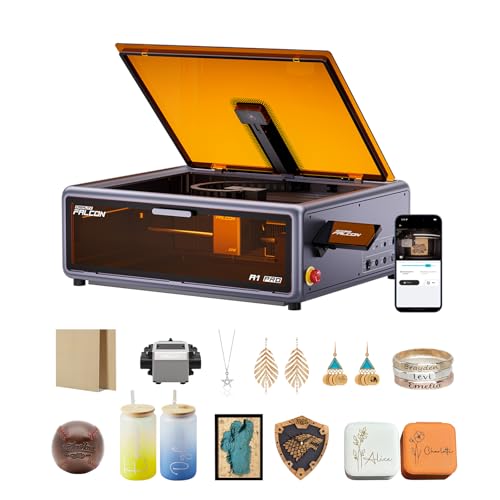
What We Like
- Full enclosure blocks smoke and noise
- Smart touchscreen and app for remote control
- HD camera enables precise object positioning
Trade-offs
- 37.5 lb weight makes it less portable
- Requires separate purchase for 2W IR metal module
A 20W laser output and a full enclosure make this a serious machine for someone ready to move beyond basic engraving. That power lets you cut through 10mm basswood and 8mm acrylic, opening up projects that smaller machines can’t handle. The enclosure isn’t just for show, it filters light, contains smoke, and dampens noise, so you can run it in a shared space without goggles. Combined with the smart touchscreen and remote app monitoring, this setup is built for small business batches or dedicated hobbyists who need efficiency and safety without constantly babysitting the machine.
That capability comes with a substantial 37.5-pound weight and a footprint of 32 by 27 inches, requiring a dedicated, permanent spot in a workshop. For high-precision engraving on metal or plastic, the required 2W infrared laser module is a separate purchase. Compared to a portable model like the 10-pound xTool F2, the Falcon A1 Pro is a stationary machine designed for its enclosed workspace.
Atomstack A20 Pro V2 Laser Engraver

What We Like
- Fast 400mm/s engraving speed
- Integrated linear guide for quick assembly
- Compatible with Lightburn and LaserGRBL software
- Includes lifetime technical support
Trade-offs
- The 9.8-inch work width limits larger single-piece projects
An engraving speed of 400mm/s means you can finish personalization jobs on wood or acrylic in a fraction of the time you’d expect. This machine is built for the newcomer who wants to start creating immediately, not fiddle with assembly. Its modular design and integrated linear guides snap together quickly, getting you from the box to your first project with minimal fuss. The 20W diode laser delivers clean results on common craft materials, and the included safety gear helps you work with confidence right away.
The trade-off is that a diode laser like this has its limits. It won’t slice through thick Cordura or dense hardwoods as cleanly as a more expensive CO2 unit like the Atomstack Hurricane. Compared to a fully enclosed model with a larger work area, you’re giving up some shop-floor safety for that faster setup and lower initial complexity. For intricate engraving on business cards and leather, it’s a capable workhorse, but for heavy-duty cutting, you’ll need to step up.
Product photos
Longer Ray5 5.5W Laser Engraver
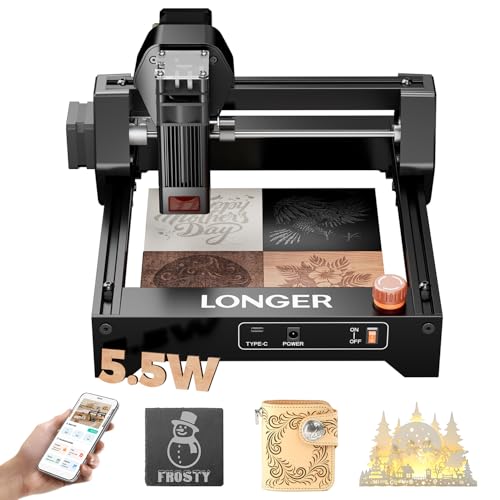
What We Like
- Fully pre-assembled for immediate start
- Ultra-compact 11.5-inch footprint
- Includes safety glasses and emergency stop
- Wide accessory system for future upgrades
Trade-offs
- 5.5W laser limits cutting speed on thicker materials
- 130mm work area is too small for large plaques or signs
A 130 x 130mm work area and 11.5-inch footprint mean this engraver fits on a crowded desk or dorm shelf without sacrificing its ability to handle detailed coasters and keychains. That razor-sharp 0.04mm spot delivers photo-grade portraits on wood and leather, which makes it a perfect first step for hobbyists who want pro-level precision in a plug-and-play package. If your creative space is measured in square inches, not square feet, this machine gets you engraving in minutes.
A 5.5W diode laser focuses on detailed engraving, not heavy cutting. Its razor-sharp 0.04mm spot and 0.01mm repeat accuracy produce intricate mandalas and photo-grade portraits on wood or leather. While the machine can cut, its power level is better suited for engraving tasks, whereas a model like the 10W BlazeX M3 offers higher wattage in an enclosed frame. The Ray5’s straightforward, pre-assembled design and dedicated accessory line, including a rotary roller for mugs, allow project variety without immediate machine replacement.
Product photos
BlazeX M3 10W Laser Engraver
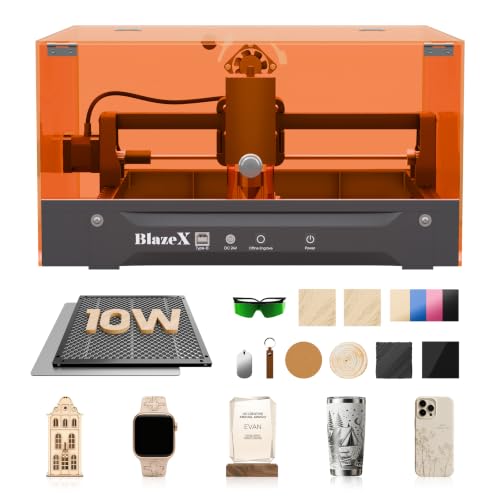
What We Like
- Comprehensive starter kit with enclosure and materials
- Class 1 safety rating with automatic stop sensors
- Wide software compatibility across multiple platforms
- Supports extensive accessory ecosystem for upgrades
Trade-offs
- Tool only: rotary roller and air assist are separate purchases
A 10W laser with a 0.01mm engraving accuracy means you can tackle detailed work on jewelry and small crafts immediately. That ultra-fine precision, combined with a bundle that includes a protective enclosure, a honeycomb bed, and thirteen different materials, removes the guesswork for a beginner. You’re not just buying a machine; you’re getting a complete workshop setup that lets you start a project minutes after unboxing. It’s the right choice for a hobbyist who wants to explore engraving on wood, leather, glass, and coated metals without hunting down a dozen separate accessories first.
With its Class 1 safety enclosure and 8.0-pound weight, the BlazeX M3 is designed as a stationary desktop unit rather than a highly portable tool. Its compact footprint suggests a workspace suited for jewelry and small DIY items, not expansive panels. For creators prioritizing a safe, enclosed system ready for detailed desktop projects, this engraver is a solid fit. Those needing to frequently move their equipment or work on larger pieces would need a different model.
Product photos
Creality Falcon A1C 10W Laser Engraver
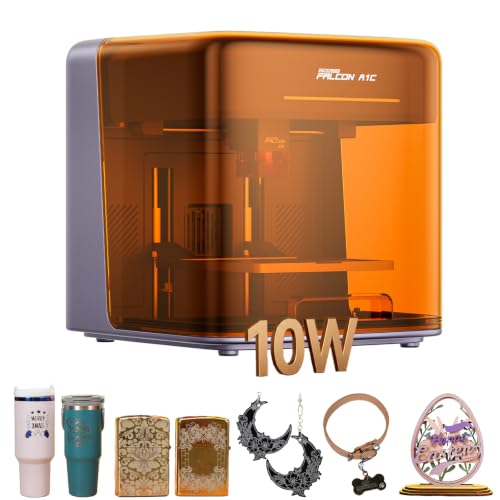
What We Like
- 15-second quick-swap modular laser system
- Built-in smart camera for visual positioning
- Fully enclosed, Class 1 eye-safe design
- Auto focus eliminates manual calibration
Trade-offs
- Upgradable IR module for metals sold separately
- Smaller footprint than the Creality Falcon A1 Pro
- Desk space required for its 14.8-inch width
The 15-second quick-swap module system is the real story here. It means you can start with the included 10W diode for wood and leather, then grab a separate infrared head later for metals without buying a whole new machine. That modularity, combined with the smart camera and auto focus, makes it a remarkably adaptable starter platform for a tinkerer who wants room to grow without the upfront commitment to a specialized tool. It’s built for the maker who knows their interests will evolve.
You trade some workspace size for that modular flexibility and desktop portability. It’s a compact unit, so for larger projects, you’ll be working in sections or looking at a bigger machine. The safety enclosure and intelligent flame detection are standout features for a home or classroom, letting you focus on the design work instead of constant supervision. Just remember, its strength is adapting to new materials, but that adaptability comes at the cost of buying additional modules down the line.
Product photos
How We Evaluated Entry Level Laser Engravers
We compiled this list by analyzing manufacturer specifications, software ecosystems, and safety certifications for each machine. We also reviewed expert round-ups from established hobbyist publications and distilled common themes from extensive owner feedback across forums and retailer reviews. Our key criteria were ease of use for a newcomer, material compatibility and laser power, physical safety features, and the value of the included software. Since this is a research-based evaluation, we cannot comment on long-term durability or precise engraving quality, which can vary based on user technique and material batches.
What To Look For In Entry Level Laser Engravers
Your first laser should get you creating quickly and safely. Focus on a machine that matches the materials you’re excited to work with and fits comfortably in your workspace.
Prioritize a Class 1 enclosed design for safety, ensure the laser power (measured in watts) matches your intended materials, and choose software that feels intuitive for your skill level.
Laser Power & Material Compatibility
Laser power, measured in watts, directly determines what you can cut and how quickly. A diode laser with a few watts can engrave wood, leather, and acrylic deeply but may struggle to cut thicker pieces. For cutting wood or acrylic efficiently, look for models with higher power. Most affordable diode lasers cannot mark bare metals like stainless steel; that requires a more powerful infrared laser module, often sold as an add-on. If metal is a goal, consider a dual-laser system right from the start.
Safety & Enclosure Design
A fully enclosed machine with a Class 1 safety rating is the safest choice, especially for homes with family or pets, as it contains the laser light and most fumes. Open-frame Class 4 lasers require you to provide your own enclosure and enforce strict safety protocols, including wearing laser safety glasses whenever the machine is operating. An enclosure also significantly reduces noise and helps manage smoke, though you’ll often still need an external exhaust fan or filter, particularly for cutting.
Software & Ease of Use
Beginner-friendly software is crucial. Look for dedicated apps that offer live camera previews for easy material alignment and a library of ready-made templates. Many beginner laser engravers use proprietary software, while others are compatible with popular third-party programs like LightBurn, which offers greater control for a learning curve. Consider how you’ll transfer designs: some machines connect via Wi-Fi, others require a direct USB link to a computer.
- Check if the machine requires assembly or comes ready to use.
- Verify computer compatibility (Windows, macOS, Linux).
- Look for features like auto-focus to eliminate manual calibration.
- Ensure the work area size fits the items you plan to engrave most often.
- Research the availability of customer support and online user communities.
For your first machine, prioritize a straightforward setup process and clear software over the absolute highest power.
Entry Level Laser Engravers Compared
The table below compares key specifications for all ten of our ranked picks to help you see the differences at a glance.
| Product | Laser Power | Safety Class | Weight |
|---|---|---|---|
| xTool M2 10W Laser Engraver | 10W diode laser | Class 1 enclosed design | N/A |
| Glowforge Aura 6W Laser Engraver | 6W diode laser | Class 1 safety | N/A |
| LaserPecker LP5 Dual Laser Engraver | 20W dual laser | N/A | 6.02kg (6kg) |
| xTool F2 Dual Laser Engraver | 15W diode + 5W IR | Class 4 | 10.0 pounds |
| ACMER S1 Laser Engraver | 2500mW | N/A | 2 kg |
| Creality Falcon A1 Pro 20W Laser Engraver | 20W | Class 1 safety | 37.5 Pounds |
| Atomstack A20 Pro V2 Laser Engraver | 20000mW (20W) | N/A | N/A |
| Longer Ray5 5.5W Laser Engraver | 5.5W diode | N/A | N/A |
| BlazeX M3 10W Laser Engraver | 10W | Class 1 | 8.0 pounds |
| Creality Falcon A1C 10W Laser Engraver | 10W Diode | Class 1 Enclosed Design | N/A |
Frequently Asked Questions
What is the best entry-level laser engraver for beginners?
For a true beginner, the Glowforge Aura 6W is an excellent choice due to its fully integrated, safe ecosystem. Its proprietary app with a live camera view removes the guesswork from alignment, and the complete system with recommended materials simplifies the learning process dramatically compared to more open-platform machines.
What is a good low-cost laser engraving machine?
The ACMER S1 Laser Engraver stands out as a compelling budget laser engraver option. It arrives nearly fully assembled for a one-minute setup and includes its own dedicated software. Its low cost and portability make it ideal for learning the basics or serving as a reliable backup machine for small craft projects.
Can a beginner laser engraver work on metal?
Most entry-level diode laser engravers cannot mark bare, uncoated metals. They work well on painted or anodized metal surfaces by removing the coating. To engrave directly onto metals like stainless steel or titanium, you need a different laser type, such as an infrared or fiber module. Some compact machines, like the LaserPecker LP5, integrate this capability into a dual-laser system.
What is the difference between a laser engraver and a CNC router?
A laser engraver uses a focused beam of light to vaporize material, excelling at detailed surface engraving and cutting through thin sheets. A CNC router uses a physical spinning bit to carve away material, making it better for cutting thicker blocks of wood or metal and creating true 3D relief carvings. The choice depends on whether your projects need fine detail on surfaces or deeper dimensional carving. You can explore this laser engraver vs. CNC router comparison for more details.
Is a 10W laser engraver good for a beginner?
A 10W diode laser is a good starting point for a beginner ready to tackle both engraving and light cutting. It offers a balance of speed and capability, allowing you to cut materials like wood and acrylic more efficiently than a lower-power machine. Many popular home laser engravers in this power range also include helpful features like camera alignment and user-friendly software.
The Bottom Line
The xTool M2 10W Laser Engraver is our best overall pick for most new makers thanks to its safe Class 1 enclosure, accurate dual-camera system, and software packed with templates. It’s an ideal foundation for home crafters building a library of personalized gifts and decor.
If your budget is tight, look first at the ACMER S1. For those whose primary goal is engraving metal items on the go, the LaserPecker LP5 Dual Laser is the machine to choose. Ultimately, the most important factor is matching the laser’s core capabilities, its power and material compatibility, to the first projects you are genuinely excited to create.
