
10 Best Portable Laser Engravers in 2026
This post contains affiliate links. As an Amazon Associate, we earn from qualifying purchases.
Our top choice for a portable laser engraver is the xTool F2 Dual Laser Engraver for its unmatched speed and ability to handle hundreds of materials. The LaserPecker LP4 Dual Laser is best for shop production with its integrated air filter, while the Carverall K15 Pro offers the most complete beginner kit. These machines bring professional engraving out of the workshop and into craft fairs, client meetings, or your living room.
Portability in engravers means more than just being lightweight. It’s about easy setup, safe operation in shared spaces, and the ability to run jobs wherever you have a power outlet. The right model balances material compatibility with a footprint that fits your mobile or compact workspace.
We researched specifications, manufacturer documentation, and patterns in user feedback to compile this list. Our goal is to help you find a machine that matches your material needs, safety requirements, and production style.
Top 10 Portable Laser Engravers in the Market
Certain content that appears on this site comes from Amazon. This content is provided "as is" and is subject to change or removal at any time.
The Best Portable Laser Engravers, Reviewed
xTool F2 Dual Laser Engraver
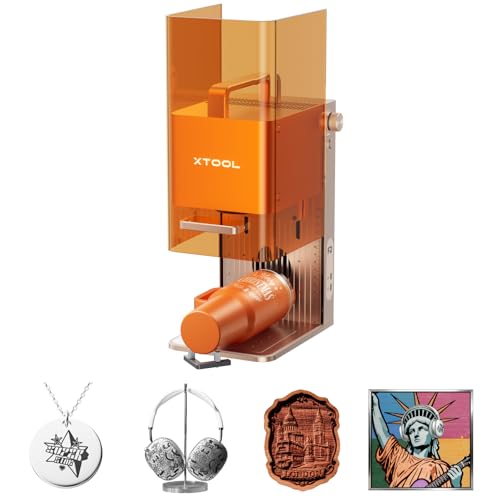
What We Like
- Dual-laser combo handles 300+ materials
- Ultra-fast 6000mm/s speed for batch work
- Precise 50MP camera for accurate alignment
- Fully enclosed, portable design for on-site use
Trade-offs
- Class 4 laser requires strict safety protocols
- Slide Extension accessory needed for true batch processing
The combination of a 15W diode and a 5W IR laser in one compact machine is what sets the xTool F2 apart. This dual-source system means you can switch from deep color marking on a metal water bottle to 3D embossing on wood without needing a second, specialized engraver. It arrives fully assembled, and the built-in 50MP camera eliminates material waste by aligning designs with 0.1mm accuracy. For a maker or small business owner who needs a single, do-it-all machine for everything from personalized jewelry to pop-up market merchandise, this versatility and speed are the core of its appeal.
As a Class 4 laser, the xTool F2 requires its fully enclosed, leak-proof design to be used properly for safe operation in workshops or stores. An optional purifier is available to manage fumes during indoor use. Weighing ten pounds, it remains portable for events like fairs and pop-up markets, built for users who need to work on both metal and non-metal projects with equal capability.
LaserPecker LP4 Dual Laser Engraver
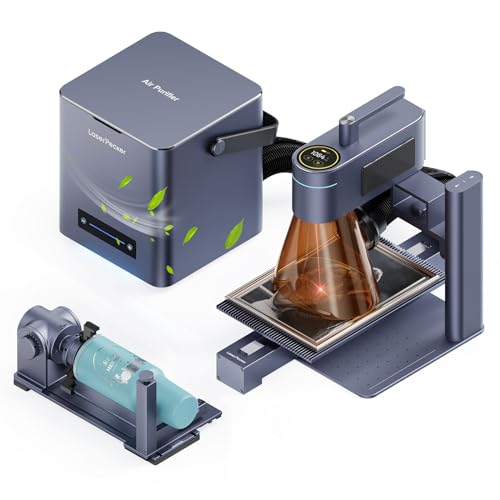
What We Like
- Dual-laser system handles metal, plastic, wood, and ceramics
- Smart screen repeat function enables fast batch production
- Integrated 4-layer HEPA air purifier for fume removal
- LightBurn and LDS ecosystem for efficient design workflow
Trade-offs
- At 32.3 inches long, it's less portable than compact foldable models
- Desktop air purifier adds to the overall footprint in a workshop
A 10W diode laser paired with a 2W infrared laser gives you the material versatility to tackle both organic surfaces and coated metals in one machine. That dual-source capability is the core reason this model stands out for a maker running a small custom goods business. The ability to save and reload designs directly on the unit’s smart screen means you can efficiently run batches of 50 to 100 keychains or wine tags without restarting your computer. This turns a complex setup into a simple production line. It’s built for someone who needs to switch between materials like anodized aluminum tumblers and wooden signs without owning two separate engravers.
The trade-off for that dual-laser flexibility is a larger, more stationary footprint than many portable units. While it’s compact for a desktop machine, you won’t be tossing it in a backpack like the Ortur R1. Its real competition in the dual-laser space is something like the xTool F2, which packs its lasers into a much smaller chassis but uses different power levels. The LP4’s included slide and rotary extensions, along with the air purifier, make it a complete workshop-ready package, but you’ll need to dedicate a permanent bench space for it and its accessories.
Carverall K15 Pro Laser Engraver
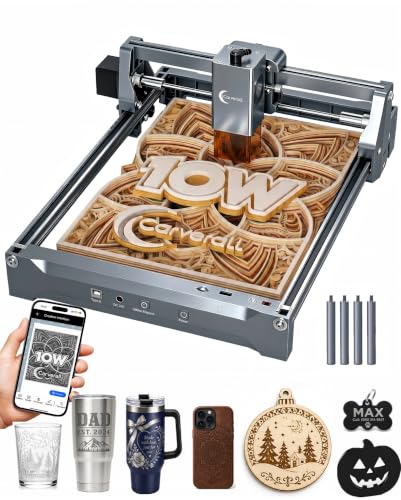
What We Like
- Comes with a complete starter kit and assembles in 3 minutes.
- Free software with AI design and offline TF card control.
- Upgradeable with optional IR head for bare metal engraving.
- Dual-fan module reduces heat by 50% for long jobs.
Trade-offs
- A4 work area is smaller than full-sheet engravers.
- Requires optional IR laser head for engraving bare metals.
- Weighs 5.9 pounds, less portable than sub-3 pound models.
A full starter kit that assembles in three minutes with just six screws means you can go from box to first engraving faster than you can watch a tutorial video. That immediate start, paired with free software that works from a phone and an AI that generates designs from a photo, is why this machine fits someone taking their first step into laser engraving. It removes the traditional barriers of complicated setup and software costs, letting you focus on learning the craft rather than configuring the tool.
One consideration with this beginner-friendly package is the work area. At just under A4 size, it handles coasters, jewelry, and small signs perfectly, but you won’t be engraving large panels or full-sized skateboard decks without creative tiling. For projects that demand more real estate right out of the gate, something like the Ortur R1 offers a larger, foldable format. The K15 Pro makes up for this by being deeply upgradeable. You can add a honeycomb bed, air assist, or an IR laser module later, letting the machine grow with your skills without needing a full replacement.
Ortur R1 Foldable Laser Engraver
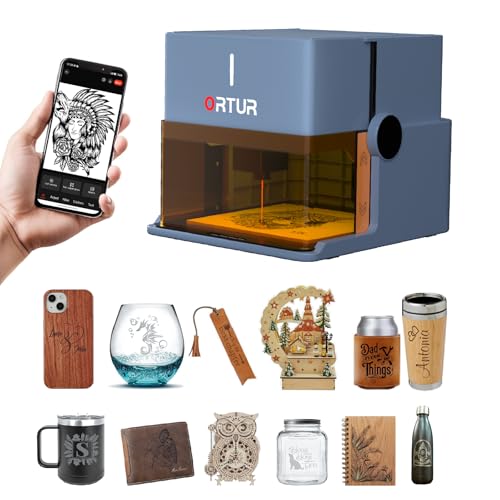
What We Like
- Unique foldable design requires zero installation
- Class 1 laser rating and multiple safety interlocks
- App with AI image processing and hand-drawn engraving
- Packaged in a handheld gift box for immediate gifting
Trade-offs
- 5W power limits cutting to 3mm basswood in one pass
- No built-in camera for material alignment or positioning
A Class 1, foldable laser engraver with a 5W diode laser makes this one of the safest and most portable options available. It unfolds with no installation required, and its aluminum base plate protects your work surface. A tutorial printed on the base and an enclosed high-definition cover let beginners start engraving wood, leather, or glass immediately.
Its 5W diode laser is capable of fine detail and can cut thin materials, but for thicker stock or faster engraving speeds, you’ll need a more stationary machine. If your priority is a true grab-and-go tool for small, personalized items, the R1 stands alone.
Sculpfun C1 Mini Laser Engraver
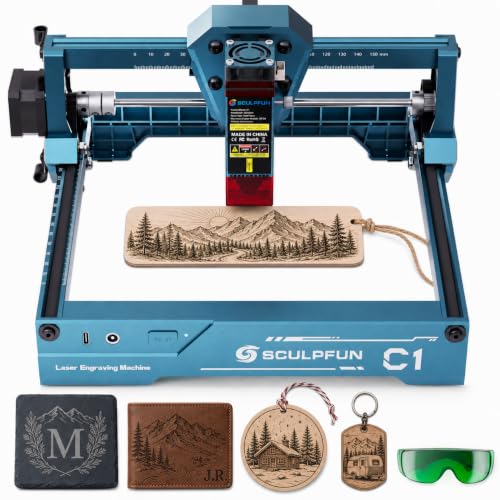
What We Like
- Fully pre-assembled for zero setup hassle
- Super fine engraving precision for detailed images
- Compact, space-saving and highly portable design
- Works with free software like Sculpfun Space and LaserGRBL
Trade-offs
- Cannot directly engrave bare metals due to 3W power
- Laser cutting is not recommended by the manufacturer
- No smartphone compatibility; requires Windows or MacOS
Weighing just over two pounds and coming fully assembled, the Sculpfun C1 Mini is the definition of plug-and-play portability. This is the engraver you grab when you want to personalize a small batch of coasters or jewelry right at the kitchen table, with no workshop required. It’s a perfect first step into laser engraving, eliminating the intimidation of a complex setup.
Compact ease does have a limit on power. You won’t be cutting materials or marking metal directly with this machine. For those tasks, you’d need to step up to a more capable model like the xTool F2. But if your projects revolve around intricate engraving on organic materials and you value a tool that disappears into a drawer when not in use, the C1 Mini’s limitations are a fair compromise. It excels at the job it was designed for.
xTool M2 Enclosed Laser Engraver
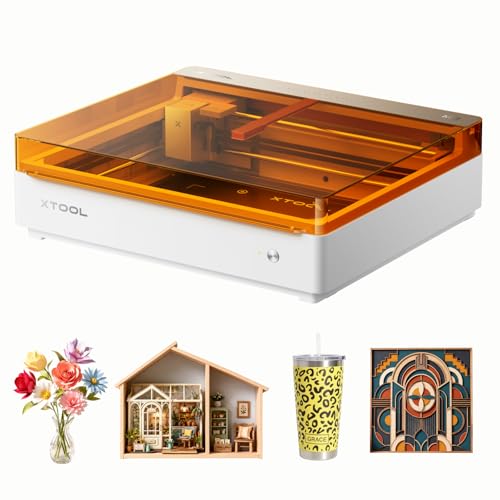
What We Like
- Dual cameras enable precise 'Place & Go' alignment
- Fully enclosed Class 1 design for family-safe operation
- Accepts add-on modules for color printing and metal engraving
- Beginner-friendly software with hundreds of ready templates
Trade-offs
- Core machine lacks color printing and rotary accessories
- Requires separate purchases for full-color or metal engraving
Built-in dual cameras give this machine a serious edge for accuracy, letting you see a real-time preview of your workspace and place materials exactly where you want them. That fusion of vision and motion control means you can skip the test runs and guesswork, which saves both time and material. For a crafter making personalized gifts or starting a side hustle, that reliable precision straight out of the box is a major advantage. The Class 1 enclosure makes it one of the safer choices for a home workshop, too.
The xTool M2’s modular design lets you add capabilities later, but its full-color printing and fine engraving on metal require purchasing separate modules. This 10W diode engraver works immediately on wood, leather, and fabric, yet expanding its function means extra investment. For projects focused on metals from the start, a dual-laser model like the xTool F2, which combines diode and IR lasers, could be a simpler initial solution.
Product photos
KoveYzao P1 Portable Laser Engraver
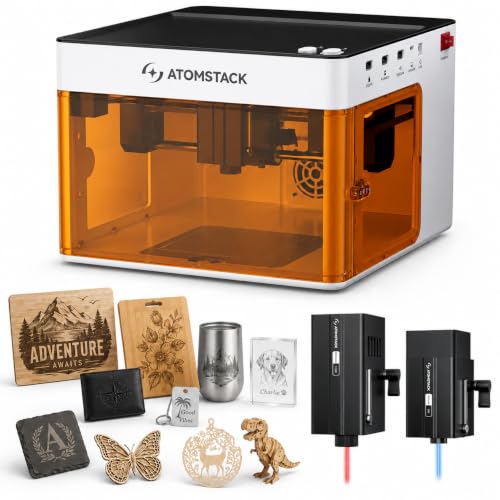
What We Like
- Switchable dual lasers for versatile material compatibility
- Class 1 enclosure with multiple safety detection features
- Compact, pre-assembled design ready for immediate use
- Compatible with free and popular third-party software
Trade-offs
- The 110mm work area is small for larger projects
- Manual focus lacks the speed of an autofocus system
A 5000mW diode laser paired with a 1200mW infrared module means you can switch from engraving wood and leather to marking metals like stainless steel and titanium. That dual-function capability in one compact, ready-to-run machine is the core appeal here. It’s a natural fit for a beginner or hobbyist who wants to explore a wide range of materials for personalized gifts and crafts without committing to a more specialized or expensive tool. The enclosed Class 1 safety design with tilt and cover detection makes it a responsible choice for a home workshop.
A 110mm square work area defines this machine’s practical scope, fitting projects like small coasters or jewelry but not large panels. Manual repositioning becomes necessary for anything wider than a smartphone. While the enclosed xTool F2 offers a built-in camera for alignment, the KoveYzao P1 provides a compact, ready-to-use package for beginners and hobbyists.
Product photos
Artilume T1-P Foldable Laser Engraver
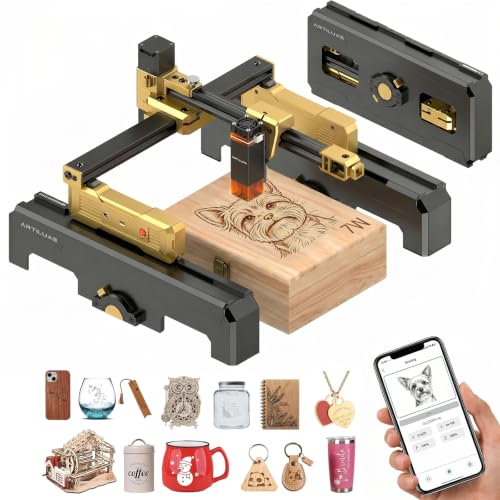
What We Like
- Exclusive foldable design for easy storage
- Smartphone app control for computer-free operation
- Included case doubles as a height extension stand
- Pre-assembled with emergency stop safety feature
Trade-offs
- 7W power limits cutting to thin, compatible materials
A 7W laser paired with dedicated smartphone app control makes the Artilume T1-P a genuinely portable workshop. You can pull it out, connect directly from your phone, and start engraving custom tags or leather crafts without firing up a computer. That app-centric design, combined with its foldable frame and protective case that also acts as a stand, is built for the creator who moves between a kitchen table, a classroom bench, and a studio workstation. It’s a fit for DIYers and small-batch crafters who prioritize flexibility and quick setup over raw cutting power.
A 7W diode laser provides enough power for detailed engraving and light cutting on wood, leather, and acrylic, which suits custom signs and personalized gifts. This positions it as a precision tool for craft materials rather than a machine for dense stock. Buyers who prioritize a clutter-free, app-driven workflow for portable projects will find the T1-P delivers, while those needing broader material compatibility may consider models with different laser types.
Product photos
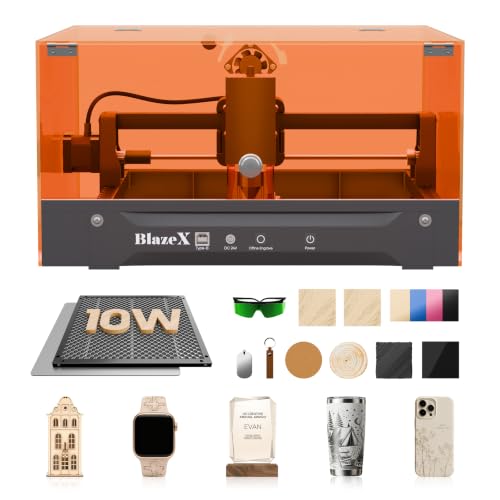
BlazeX M3 Laser Engraver Kit
What We Like
- Comprehensive starter kit with materials and enclosure
- Class 1 safety rating with automatic stop sensors
- Wide software and OS compatibility for easy setup
- Supports professional accessory upgrades like a rotary roller
Trade-offs
- 8-pound weight is heavier than some ultra-portable models
A 10W laser with 0.01mm precision enables detailed engraving on jewelry and clean cuts on acrylic. This kit is built for beginners who don’t want to hunt down parts, as it ships with an enclosure, honeycomb bed, and 13 starter materials. The Class 1 safety rating and lid sensors make it a sensible choice for a home workshop where kids or pets might be present.
All-in-one convenience does mean a work area constrained by its compact 4.3-inch width. You won’t be engraving large signage panels. For someone who needs to engrave wider items in a truly portable format, the Ortur R1’s foldable, larger-frame design is worth a look. But if your goal is to unbox, follow a tutorial, and start making personalized keychains and coasters this weekend, the BlazeX M3 removes all the friction.
Product photos
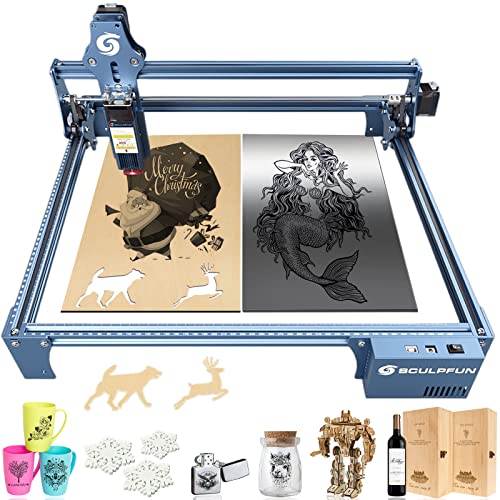
Sculpfun S9 Laser Engraver
What We Like
- Durable all-metal frame for stable operation
- Fixed-focus lens for quick, tool-free setup
- Wide software compatibility includes LightBurn
Trade-offs
- At 22.6 inches long, it requires a sizable desk
- Open-frame design lacks built-in fume extraction
That open-frame metal construction is solid enough to stay put on a workbench, and the 5.5-watt diode handles detailed engraving and can even cut through 15mm wood. This machine suits a DIYer or small business creator who needs a reliable, spacious platform for consistent projects on wood, leather, and acrylic, and doesn’t want to be constrained by a tiny bed.
The large workspace does come with a compromise on portability. While it’s light at 6.6 pounds, its footprint is substantial, so it’s more ‘portable between workstations’ than ‘toss in a backpack.’ Compared to a truly compact unit like the Sculpfun C1 Mini, you gain a lot of real estate but lose easy stowability. For someone prioritizing a large, stable canvas for workshop projects over ultimate portability, this design makes practical sense.
Product photos
How We Evaluated Portable Laser Engravers
Our research focused on specifications, manufacturer data, expert round-ups, and consistent patterns in owner feedback. We looked for machines designed for transport and quick setup, not just those that are physically light. A key part of our evaluation involved reading reviews of handheld engraving tools to understand the expectations for truly mobile operation.
We prioritized three criteria: material versatility, safety and enclosure design, and ease of setup. A portable engraver must work on the materials you plan to use most, from wood and leather to coated metals. Safety is paramount, especially for home or event use, so we favored machines with proper enclosures and safety interlocks. Finally, we valued machines that are ready to run quickly, with features like pre-assembly or built-in cameras that eliminate tedious alignment.
An evaluation based on product information has inherent limits. Factors like real-world cutting depth and long-term durability cannot be confirmed from specifications alone. This assessment relies on documented features and the consensus from user experiences, which offers a solid basis for comparison.
What To Look For In Portable Laser Engravers
Choosing a portable laser engraver means balancing power with practicality. Your workspace, target materials, and need for quick setup all dictate which features matter most.
Focus on the laser type and power for your materials, a Class 1 safety enclosure for home use, and features like a built-in camera or pre-assembly that minimize setup time wherever you work.
Laser Type & Material Compatibility
The laser source determines what you can engrave. Blue diode lasers are common and excellent for wood, leather, paper, and coated metals. For engraving bare metals like stainless steel or aluminum, you need an infrared (IR) or fiber laser. Many of the top portable engravers now combine both in a dual-laser system for maximum versatility. Check the manufacturer’s approved materials list closely; a 5W diode can engrave leather but may struggle to cut even 3mm basswood in one pass.
Safety & Enclosure Design
A portable machine often operates in shared spaces, making safety non-negotiable. Look for a Class 1 safety rating, which means the laser is fully enclosed during operation. This protects eyes and prevents accidental contact. Features like lid interlock sensors that stop the laser when opened are essential. Some models, like those in our guide to laser engraving machines, include integrated air purifiers to manage fumes, a critical feature for indoor use without dedicated ventilation.
Portability & Setup Ease
True portability is about more than weight. Consider the machine’s footprint on a desk and how quickly it goes from a carrying case to a finished job. Pre-assembled models require zero setup. Foldable designs save space. A built-in positioning camera is a huge time-saver for aligning designs on existing objects, eliminating manual measurements. For those new to the craft, a complete starter kit with materials and software, as often found with the best beginner laser engravers, gets you creating immediately.
- Check the machine’s assembled dimensions against your intended workspace.
- Verify the power requirements and whether a standard outlet is sufficient.
- Look for software compatibility with your preferred design programs or operating system.
The most portable engraver for you is the one you’ll actually use wherever inspiration strikes, not the one that sits boxed in a closet because setup is too complex.
Portable Laser Engravers Compared
Use the comparison table below to quickly see how the key specs of our top picks stack up side-by-side.
| Product | Laser Power | Max Speed | Weight |
|---|---|---|---|
| xTool F2 Dual Laser Engraver | 15W Diode & 5W IR | 6000mm/s | 10.0 pounds |
| LaserPecker LP4 Dual Laser Engraver | 10W Diode + 2W IR | 4000mm/s | N/A |
| Carverall K15 Pro Laser Engraver | 10W diode | 15,000 mm/min | 5.9 Pounds |
| Ortur R1 Foldable Laser Engraver | 5000mW (5W) | 5000mm/m | N/A |
| Sculpfun C1 Mini Laser Engraver | 3000mW (3W) | N/A | 2.3 pounds |
| xTool M2 Enclosed Laser Engraver | 10W diode laser | N/A | N/A |
| KoveYzao P1 Portable Laser Engraver | 5000mW diode & 1200mW IR | 10000 mm/min | 11.0 pounds |
| Artilume T1-P Foldable Laser Engraver | 7000mW (7W) | 10,000mm/min | 2.6 pounds |
| BlazeX M3 Laser Engraver Kit | 10W | N/A | 8.0 pounds |
| Sculpfun S9 Laser Engraver | 5500mW | N/A | 6.6 pounds |
Frequently Asked Questions
What is the best portable laser engraver?
The xTool F2 Dual Laser Engraver stands out as the best overall portable option. It wins for its exceptional 6000mm/s engraving speed, which lets you finish small jobs like a card in just three seconds. Its dual-laser system handles over 300 materials, including metals for color marking. A built-in 50MP camera provides precise alignment, making it a powerful tool for makers and small businesses needing professional results on the go.
What are the top 5 laser engravers?
Our top five portable laser engravers are the xTool F2 Dual Laser Engraver (Best Overall) and the LaserPecker LP4 Dual Laser Engraver (Best Dual-Laser Portable). The list continues with the Carverall K15 Pro Laser Engraver (Best Beginner Kit) and the Ortur R1 Foldable Laser Engraver (Best Ultra-Portable Design). Finally, there’s the Sculpfun C1 Mini Laser Engraver (Best Mini Engraver). Each excels in different areas like speed, safety, or beginner-friendliness.
Which is better, xTool or LaserPecker?
Choosing between xTool and LaserPecker depends on your priorities. XTool models, like the F2, often emphasize high speed and precision camera alignment for production work. LaserPecker machines, such as the LP4, frequently integrate features like built-in HEPA air purifiers for workshop safety. For a detailed look at other capable machines, our reviews of diode laser engravers provide further context on the market.
What is the best laser engraver for a beginner?
The best laser engraver for a beginner is the Carverall K15 Pro Laser Engraver. It comes as a complete starter kit that assembles in minutes, includes free software with AI design help, and offers a clear upgrade path. Its enclosed design and dual-fan cooling make it a safe and manageable first machine for home crafters. Many entry-level laser engravers share this focus on a gentle learning curve.
Can portable laser engravers work on metal?
Yes, but only with the correct laser type. Portable engravers with a blue diode laser can mark coated metals. To engrave bare metals like stainless steel or aluminum, the machine must include an infrared (IR) or fiber laser source. Many of our picks, including the xTool F2 and LaserPecker LP4, use a dual-laser system specifically for this metal-and-non-metal versatility.
The Bottom Line
For a portable laser engraver that combines serious speed with remarkable material versatility, the xTool F2 Dual Laser Engraver is our best overall pick. It’s built for makers and small businesses that need to handle batch jobs on everything from wood to metal in a format that can travel.
If you’re on a tight budget or just starting out, look to the Carverall K15 Pro Laser Engraver for its all-inclusive beginner kit. For those who prioritize workshop safety and production features like an integrated air filter, the LaserPecker LP4 Dual Laser Engraver is the standout choice.
Ultimately, your decision should hinge on material compatibility. Ensure the machine’s laser type, diode, IR, or a dual combination, matches the woods, plastics, or metals you plan to engrave most often.
