
10 Best Laser Engravers For Stainless Steel in 2026
This post contains affiliate links. As an Amazon Associate, we earn from qualifying purchases.
Our best overall laser engraver for stainless steel is the xTool F2 Ultra Dual Laser Engraver, thanks to its dual-laser system that excels on both metal and non-metal projects. For high-speed industrial power, we like the GWEIKE G2 Max, while creators on a budget will appreciate the capable GWEIKE G2 20W Fiber Laser Engraver.
Permanently marking stainless steel requires a specific laser wavelength, standard diode lasers can’t do it. You need either an infrared diode, a dedicated fiber laser, or a sophisticated dual-laser machine that includes one.
We researched machine specifications, expert round-ups, and patterns in owner feedback to identify the key differences in power, work area, and safety. This guide will help you match your project needs and budget to the right type of laser engraver.
Top 10 Laser Engravers For Stainless Steel in the Market
Certain content that appears on this site comes from Amazon. This content is provided "as is" and is subject to change or removal at any time.
The Best Laser Engravers For Stainless Steel, Reviewed
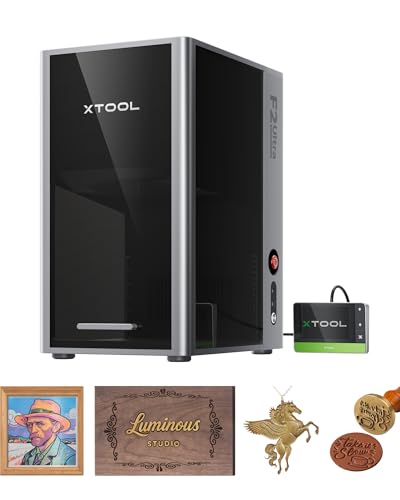
xTool F2 Ultra Dual Laser Engraver
What We Like
- Dual-laser system masters metals and non-metals
- Engraves over 100 consistent colors on metal
- AI cameras auto-detect materials and suggest settings
- Large desktop work area, expandable for batch jobs
Trade-offs
- Class 4 laser requires serious safety protocols
- Dual-laser complexity demands a learning commitment
A 60W MOPA fiber laser paired with a 40W diode gives you genuine all-metal capability and the flexibility to handle wood or acrylic in the same compact footprint. That dual-source design is the core reason this machine stands out. It handles deep engraving, color marking on stainless, and even light metal cutting, which makes it a true workshop centerpiece for a maker who juggles metal jewelry with personalized gifts. The AI cameras and preset color files drastically cut down setup guesswork, so you spend less time testing and more time producing.
Operating a Class 4 dual-laser system demands more safety planning than a basic diode engraver, as you’re managing two different laser types. For a shop focused purely on metals, a single-purpose fiber laser like the Monport 60W could provide a more straightforward setup. However, the xTool F2 Ultra’s combination of a 60W MOPA fiber and a 40W diode laser eliminates the need for two separate machines if your work constantly switches between materials like stainless steel and leather.
GWEIKE G2 Max Fiber Laser Engraver

What We Like
- Industrial 15000 mm/s engraving speed
- Deep engraving and metal cutting capability
- Over 90 color marking on stainless steel
- Electric lift column for easy focusing
Trade-offs
- Class 4 laser requires strict safety protocols
- No built-in camera for alignment like some models
A 50W fiber laser hitting 15000 mm/s engraving speed means you can run production batches of stainless steel parts without the job becoming a bottleneck. That industrial-grade galvanometer and 0.001 mm accuracy translate directly to crisp, repeatable marks on every piece. This is the machine for the shop that needs to move from a custom prototype to a small production run without swapping equipment. It handles the heavy lifting of deep engraving, 3D carving, and even color marking, making it a versatile workhorse.
With its 150mm by 150mm engraving area, the GWEIKE G2 Max is built for parts that fit within that square, so you’ll need to plan your layout or reposition items for bigger jobs. The machine’s detachable design and compact structure allow it to be used handheld for work on larger assemblies, offering flexibility beyond the fixed work area. This combination makes it a fit for users who prioritize high-speed engraving on smaller metal items but also need the option to tackle irregular or oversized pieces directly.
Product photos
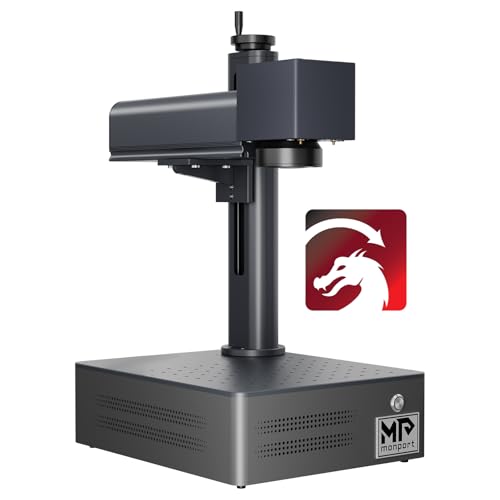
Monport 60W Fiber Laser Engraver
What We Like
- High 10000mm/s speed with 0.01mm accuracy for precise work
- Includes both LightBurn and free proprietary software
- Capable of deep engraving and some sheet metal cutting
Trade-offs
- 150x150mm work area is smaller than some 60W competitors like the OMTech
- Class 5 laser requires strict safety protocols and controlled access
- Optimal performance area is fixed; larger areas risk distortion
A 100,000-hour laser source lifespan means this machine is built to handle years of consistent shop use without the core component dimming. For a maker or small business regularly marking metals like stainless steel, brass, or titanium, that durability translates directly to lower long-term cost and reliability. The integrated 60W fiber laser delivers the power for deep engraving and even light cutting, all in a package that stays ready on the bench. It’s a straightforward workhorse for someone who needs a dependable, daily-use marker for metal parts and jewelry.
The trade-off for that compact, integrated build is a 5.9-inch square work area. It’s perfectly sized for rings, tags, and small components, but you’ll be repositioning larger plates or batches. Compared to the OMTech 60W MOPA with its 7×7 inch area, the Monport feels more confined. However, the galvanometer system is tuned to maintain edge-to-edge clarity, so what fits within that field gets a clean, fast mark every time. You’re choosing a focused, long-lived tool over a expansive one.
Product photos
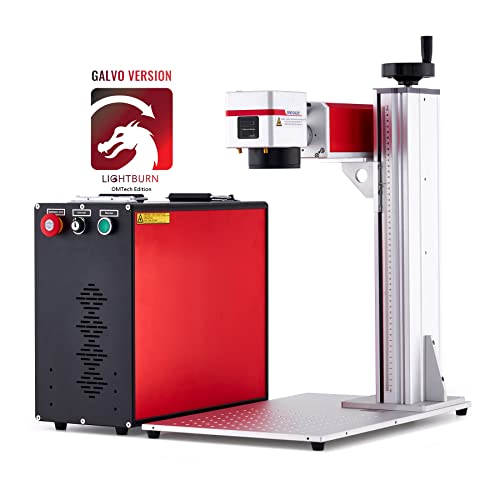
OMTech 60W MOPA Fiber Laser
What We Like
- Enables color marking on metals
- High-speed 10000 mm/s engraving
- Includes protective eyewear
- Large 6.9×6.9 inch work field
Trade-offs
- Open design requires careful workshop safety planning
- Rotary axis for curved surfaces is a separate purchase
Adjustable pulse frequency and width allows for color marking on metals like stainless steel, a feature that enables permanent, vibrant designs without paint. Its 60W JPT MOPA laser operates at speeds up to 10000 mm/s, which handles both fine detail and deeper engraving passes. The included EzCad2 software supports common image formats, providing a direct path from design to marking.
Its 27.6-inch height requires a workbench with significant overhead clearance, making it less suitable for tight spaces. When compared to other products in its category, like the Creality Falcon T1, this model has a larger physical footprint. For detailed color work on materials like jewelry and aluminum, the machine’s 175x175mm work area and MOPA laser specifications are aligned with that application.
Product photos
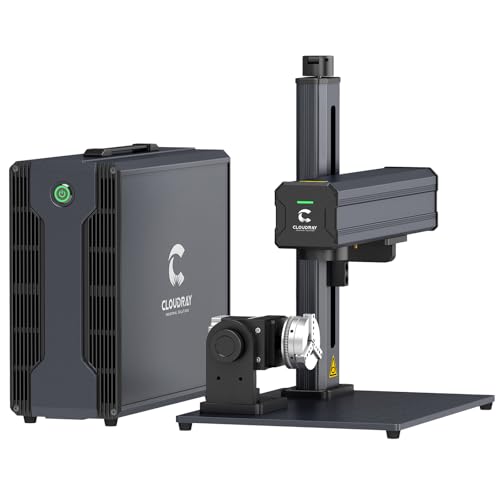
Cloudray 60W JPT MOPA Laser
What We Like
- Dual F-theta lenses for different precision needs
- Achieves over 100 color markings on stainless steel
- Long-life JPT laser source rated for 100,000 hours
- Manual lift column adjusts for large or thick items
Trade-offs
- Gross weight of 43 lbs limits portability
- Manual height adjustment, not motorized
A 60W JPT MOPA laser source capable of 10,000mm/s speed means you can blaze through production runs on stainless steel with consistent, high-contrast marks. The inclusion of two F-theta lenses is the real clincher here. You get a tight 4.3-inch square field for fine detail on jewelry or electronics, and a broader 7.9-inch square for larger plates or tools. That dual-lens setup makes it a versatile workhorse for a shop that handles both intricate custom pieces and bulk industrial tagging without swapping the core hardware.
The trade-off is in the work area size. While the dual lenses are clever, the larger 7.9×7.9-inch field is still more compact than what you’ll find on models like the OMTech 60W MOPA, which offers a full 7×7 inches. For a shop frequently marking large-format sheets, that difference matters. But if your work mixes small, precise engraving with medium-sized items, the Cloudray’s lens-swapping flexibility provides a clean, single-machine solution that handles both ends of the spectrum reliably.
Ophiner Pixi Laser Engravers
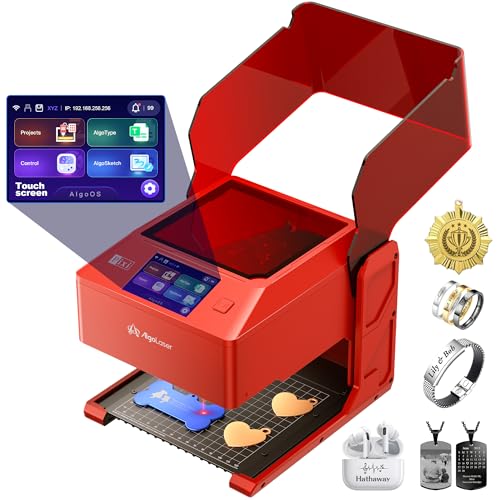
What We Like
- Compact 6.6 lb size fits on any counter
- Operates standalone via touchscreen, no PC required
- Built-in design tools and 300+ preset designs
- 0.04 x 0.05 mm spot for detailed metal lettering
Trade-offs
- No specified work area limits project size
- Suitable only for small tags and keepsakes
- Infrared laser is specialized for metal, not versatile
At just 6.6 pounds and under 11 inches tall, the Ophiner Pixi is designed to sit right on a retail counter, not a workshop bench. That compact footprint is its entire purpose. It’s for the gift shop owner or market vendor who needs to personalize a metal tag or small nameplate on the spot. They can use the built-in touchscreen to type a name or sketch a motif without ever opening a laptop. This laser makes its case by being ready to go where the customer is, turning a simple blank into a personalized keepsake in minutes.
This focus on portability and simplicity does limit the machine’s scale. It is for small, intimate items, not industrial parts or deep engraving. If your projects demand a larger work area or the advanced color marking capabilities of a MOPA laser, you’ll need a bench-sized unit such as the OMTech 60W MOPA. The Pixi excels at one job: adding a name, date, or simple drawing to a suitable metal piece right in front of the person who will cherish it.
Product photos
GWEIKE G2 20W Fiber Laser Engraver
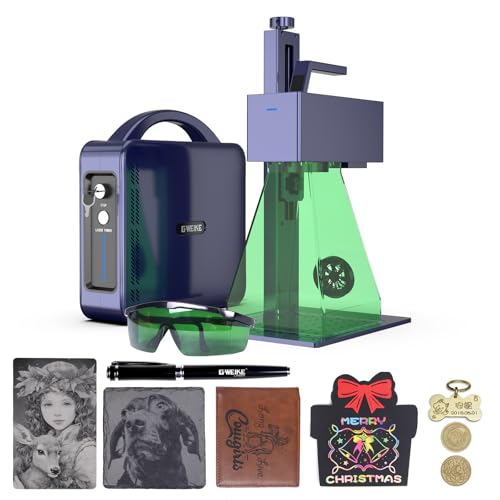
What We Like
- High-speed 15000mm/s galvanometer engraving
- Deep engraving and 30+ color marking on metals
- Portable, detachable design for flexible placement
- 8K HD resolution and red light preview for accuracy
Trade-offs
- 110x110mm work area is smaller than many fiber lasers
- 20W power limits maximum engraving depth versus 50W+ models
- Class 4 laser requires strict safety protocols during use
An engraving speed of 15000mm/s and 0.001mm accuracy mean you can run detailed, colorful marks on stainless steel and titanium far quicker than most machines in its class. That blistering pace combines with three resolution options up to 8K HD. This makes the GWEIKE G2 a compelling choice for a maker or small shop focused on high-volume, intricate metal items like jewelry or personalized tags where time is money. The detachable structure adds genuine workshop flexibility, letting you bring the machine to a bulky item instead of the other way around.
A 110 by 110 millimeter work area defines the GWEIKE G2’s scope, fitting items like rings or small tags but limiting larger plaques or batch processing of bigger pieces. While its 20W output handles deep engraving on metal, the more powerful G2 Max 50W model is listed for applications demanding greater depth or thicker materials. This unit still provides the fiber laser functions of high-detail engraving and color marking on common metals.
Product photos
AchiPrin 100W JPT MOPA Laser
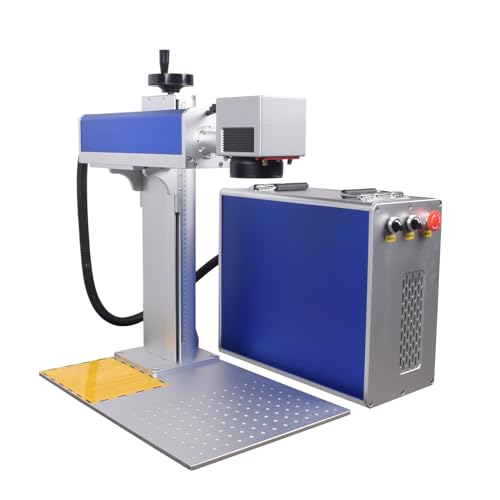
What We Like
- 100W JPT MOPA source for color marking on stainless steel
- Dual 175mm and 300mm lenses for small details or large parts
- Includes D80 rotary axis for rings, pipes, and cylinders
- Air-cooled system eliminates water tank maintenance
Trade-offs
- Large 21.7-inch width requires significant workshop space
- EZCAD software has a learning curve for new users
A 100-watt JPT MOPA laser source supports deep engraving and stainless steel color marking. The machine includes both a 175mm and a 300mm field lens, which is its key practical advantage. You can use the smaller lens for fine details on items like jewelry. Then you can switch to the larger one for big molds or automotive parts without moving your workpiece, making it suitable for shops handling items from small to industrial size.
That capability comes with a physical footprint. Compared to a more compact unit such as the OMTech 60W MOPA, the AchiPrin trades a smaller workshop footprint for greater power and lens flexibility. The air-cooled design simplifies setup, but you’re still dealing with industrial-grade software in EZCAD, which offers deep control over parameters like Q pulse width for color marking. It’s a serious tool for serious volume.
Product photos
Creality Falcon T1 Fiber Laser
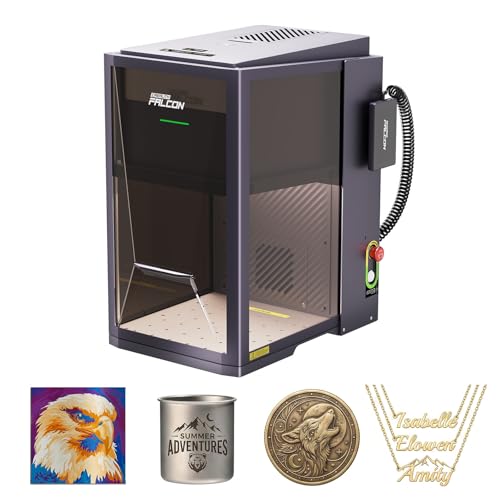
What We Like
- Ultra-fast 10,000 mm/s galvo engraving speed
- Fully enclosed, Class 1 certified safe enclosure
- Smart ecosystem with AI tools and mobile app
Trade-offs
- 175mm x 175mm work area is compact for large batches
- Additional laser modules are sold separately
The 5-in-1 modular design is the real story here. You’re buying a platform that starts as a competent 20W fiber laser for stainless steel, but can be upgraded with a 60W MOPA or diode modules later. That means a single machine can handle everything from crisp metal marking to cutting wood, which is a huge space and budget saver for a versatile shop. It’s built for the maker or small business that knows their needs will evolve, offering a clear path to more power or different materials without starting from scratch. The smart camera and auto-calibration simplify setup, making professional-looking results more accessible.
The 20W fiber laser delivers crisp, high-contrast markings on metals without needing a marking spray. Its 175mm by 175mm desktop work area is large enough for many projects but can feel compact for high-volume batches. While expert round-ups note that 20W is a recommended starting point for metal, they also mention that higher-wattage lasers provide deeper, faster engraving for dedicated production work.
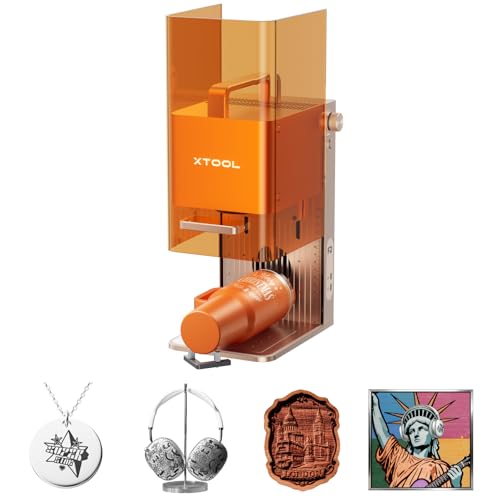
xTool F2 Dual Laser Engraver
What We Like
- Built-in 50MP camera for precise visual alignment
- Fully enclosed, leak-proof design for safe indoor use
- Extremely portable at just 4.6 kg for on-site work
- IR laser enables vivid color marking on metal
Trade-offs
- 0.1-inch height limits engraving of tall objects
- Class 4 laser requires strict safety protocols
- Dual-laser power is lower than dedicated fiber machines
A 10-pound, fully enclosed machine with both a diode and an IR laser means you can safely set up for color marking on metal almost anywhere, from a workshop table to a craft fair booth. That built-in 50MP camera locks in your design with 0.1 mm accuracy, so you’re not wasting material on small items like jewelry or keychains. It arrives ready to run, and the slide extension lets you line up a batch of coasters or phone cases to make the most of its 6000mm/s speed. This is the machine for the maker who needs to personalize metal and other materials on-demand in different locations without sacrificing setup precision.
That portability and dual-laser versatility do involve a compromise on raw power. Its 5W IR laser is excellent for surface marking and color on stainless steel, but it won’t match the deep engraving speed or capability of a dedicated fiber laser like the Monport 60W. For a small studio focused solely on high-volume, deep metal etching, a larger fiber machine is a more efficient tool. However, if your work involves a mix of materials and requires mobility, the xTool F2’s combo handles that switch without needing a second machine.
How We Evaluated Laser Engravers For Stainless Steel
This guide is based on a review of manufacturer specifications, technical documentation, and expert analysis. The core criteria for comparison are laser type and power, work area and precision, and built-in features for safety and ease of use.
For marking stainless steel, the type of laser is paramount. We prioritized machines with fiber or infrared laser sources, as these wavelengths are absorbed by bare metal. We compared power levels, measured in watts, which influence engraving depth and speed. Work area size determines the maximum part you can mark, while engraving accuracy, often listed in millimeters, affects the fineness of detail.
Finally, we examined practical features like enclosure design, safety certifications, and software compatibility. A key limit of our research-led approach is that we cannot verify real-world engraving speed or the exact quality of color marks on metal, which can vary based on material grade and machine calibration.
What To Look For In Laser Engravers For Stainless Steel
Choosing the right engraver starts with understanding your primary material and project scale. Not all machines can mark bare metal, and the ones that do vary dramatically in capability.
For stainless steel, you need a fiber or infrared laser. Key factors are laser power (20W-100W) for depth and speed, work area size for your parts, and whether you need features like color marking or a fully enclosed, safe design.
Laser Type & Power
Fiber lasers are the industry standard for engraving metals like stainless steel, as their 1064nm wavelength is readily absorbed. Machines labeled as MOPA fiber lasers add the ability to create vibrant, permanent color marks by finely controlling the pulse. For exploring a broader range of materials beyond just metal, a thorough review of the best laser engravers can provide valuable context.
A higher wattage, like 60W versus 20W, allows for deeper engraving and can cut thin sheet metal. While a 20W fiber laser is capable of detailed marking, stepping up to 50W or 60W provides more speed and penetration for production work.
Work Area & Engraving Precision
The work area, or engraving field, is the maximum space the laser can mark without moving the part. For small items like jewelry or dog tags, a compact 110x110mm area may suffice. For larger plaques, industrial tags, or batch processing, look for fields of 150x150mm or larger. Engraving precision, often given as a spot size in millimeters, determines how fine your details can be; a 0.01mm spot enables intricate graphics and small text that a 0.1mm spot cannot replicate.
Features & Safety
Modern machines include features that streamline workflow and enhance safety. A built-in camera helps with precise visual alignment, crucial for items like pre-made jewelry. A fully enclosed design with a safety interlock is a major advantage for workshop safety, containing light and fumes. Always check the laser safety class; Class 4 lasers require strict protocols like dedicated safety glasses and controlled access, whereas a Class 1 enclosed machine is much safer for shared spaces.
For those specifically interested in marking drinkware, our guide on the best laser engravers for tumblers dives deeper into features like rotary axes.
- Check if the included software (like LightBurn) is compatible with your design workflow.
- Verify if a rotary attachment for cylindrical objects is included or must be purchased separately.
- Consider the machine’s footprint and weight to ensure it fits your available workshop space.
For pure metal marking, a dedicated fiber laser often outperforms a versatile dual-laser system.
Laser Engravers For Stainless Steel Compared
The table below compares our picks side-by-side on key specifications to help you see the differences at a glance.
| Product | Laser Power | Max Engraving Speed | Laser Type |
|---|---|---|---|
| xTool F2 Ultra Dual Laser Engraver | 60W MOPA fiber + 40W diode | 15,000mm/s | MOPA fiber + diode |
| GWEIKE G2 Max Fiber Laser Engraver | 50W 1064nm Fiber | 15000 mm/s | Fiber |
| Monport 60W Fiber Laser Engraver | 60W | 10000mm/s | Fiber |
| OMTech 60W MOPA Fiber Laser | 60W JPT MOPA | 10000 mm/s | MOPA Fiber |
| Cloudray 60W JPT MOPA Laser | 60W JPT MOPA | 10,000mm/s | JPT MOPA |
| Ophiner Pixi Laser Engravers | N/A | N/A | 1064nm infrared |
| GWEIKE G2 20W Fiber Laser Engraver | 20W (20000mW) | Up to 15000 mm/s | Fiber |
| AchiPrin 100W JPT MOPA Laser | JPT MOPA M7 100W | N/A | JPT MOPA |
| Creality Falcon T1 Fiber Laser | 20W | 10000 mm/s | Fiber |
| xTool F2 Dual Laser Engraver | 15W Diode & 5W IR | Up to 6000mm/s | Diode & IR |
Frequently Asked Questions
What is the best laser engraver for engraving on stainless steel?
The best type of laser engraver for stainless steel is a fiber laser, specifically a MOPA fiber laser if you want the ability to create colored marks. Our top overall pick, the xTool F2 Ultra, combines a powerful MOPA fiber laser with a diode laser for exceptional versatility across metals and non-metals.
Will a laser engraver work on stainless steel?
Only certain laser types will work on bare stainless steel. Standard blue-light diode lasers and most CO2 lasers cannot mark it without a special coating spray. You need a machine with a fiber laser source or an infrared (IR) laser module, as these wavelengths are absorbed by the metal surface.
Will a 10W laser engrave stainless steel?
A 10W laser is unlikely to be powerful enough for effective stainless steel engraving. While some very low-power infrared diodes exist, most capable fiber lasers for metal start at 20W. For any meaningful depth, speed, or color marking, you should look for machines with at least 20W of fiber laser power.
What are the best laser engraving settings for stainless steel?
Optimal settings depend entirely on your specific machine, laser power, and the desired effect (light marking, deep engraving, or color). Always start with the manufacturer’s recommended settings for your material. Fine-tuning involves adjusting power, speed, and frequency; for color marking on a MOPA laser, pulse width is the critical variable.
Can one laser engraver handle both stainless steel and other materials like wood?
Yes, but it requires a dual-laser system. Machines like our top pick, the xTool F2 Ultra, pair a fiber laser for metals with a blue diode laser for wood, acrylic, and leather. This provides versatility but comes at a higher cost and complexity compared to a dedicated fiber laser engraver.
The Bottom Line
For the professional or advanced maker who needs a single desktop machine for both metal and non-metal projects, the xTool F2 Ultra Dual Laser Engraver is our best overall choice. Its dual-laser system and smart features deliver consistent results across a wide range of materials.
If your work is exclusively on metal, consider the high-speed GWEIKE G2 Max for industrial power or the budget-friendly GWEIKE G2 20W for detailed small-item engraving. For adding personalization to small metal gifts at the point of sale, the compact, standalone Ophiner Pixi is uniquely suited.
Ultimately, the single most important factor is matching the laser type to your material. For reliable, permanent marks on stainless steel, a fiber laser source is non-negotiable.
