
10 Best Metal Laser Engravers in 2026
This post contains affiliate links. As an Amazon Associate, we earn from qualifying purchases.
Our best overall metal laser engraver is the xTool F2 Ultra Dual Laser Engraver for its unmatched versatility across metals and non-metals. The Ophiner Pixi excels for portable countertop work, and the Monport 60W Fiber Laser is our choice for a long-lasting source. Choosing the right metal engraver depends on more than just power.
You must match the laser type to your materials, consider workspace safety, and know your required detail level and production speed. We built this guide by researching specifications, manufacturer data, and patterns in expert and owner feedback to help you find a machine that fits your projects and shop.
Top 10 Metal Laser Engravers in the Market
Certain content that appears on this site comes from Amazon. This content is provided "as is" and is subject to change or removal at any time.
The Best Metal Laser Engravers, Reviewed
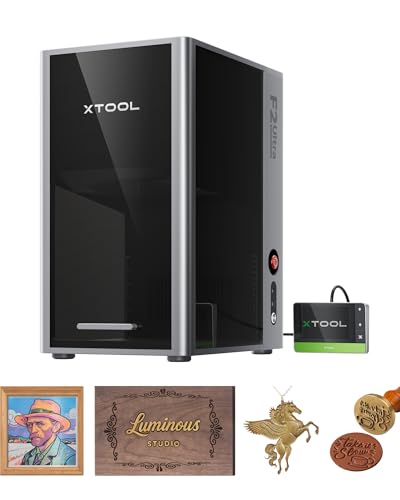
xTool F2 Ultra Dual Laser Engraver
What We Like
- Dual-laser setup masters metals and non-metals.
- Engraves over 100 consistent colors on metal.
- AI cameras auto-detect materials and suggest settings.
- Industrial speed reduces 3D embossing time by up to 80%.
Trade-offs
- At 16.9"L x 11.6"W x 20.5"H, it requires significant bench space.
- Class 4 laser demands a dedicated, safe workspace setup.
Combining a 60W MOPA fiber laser and a 40W diode laser, this machine is designed to work on a wide range of materials, from metals to wood and acrylic. The fiber laser handles tasks like deep engraving, color marking on metal, and cutting thin metal sheets, while the diode laser works on non-metals. Dual AI cameras help with positioning and material detection, and pre-set files assist with color engraving, which can reduce setup time for complex jobs. For users who frequently switch between metal and non-metal projects and want one machine instead of two, the xTool F2 Ultra offers that combined functionality.
This is a substantial desktop unit, and as a Class 4 laser, it requires planning for proper ventilation and safety. In comparison, the fully enclosed xTool P3 is noted for multiple safety features. While the F2 Ultra’s speed and expandable work area support batch processing, you could consider the UV laser in the xTool F1 Ultra if your work focuses on plastics and glass. The P3 is another option for a home environment where an enclosure is a priority.
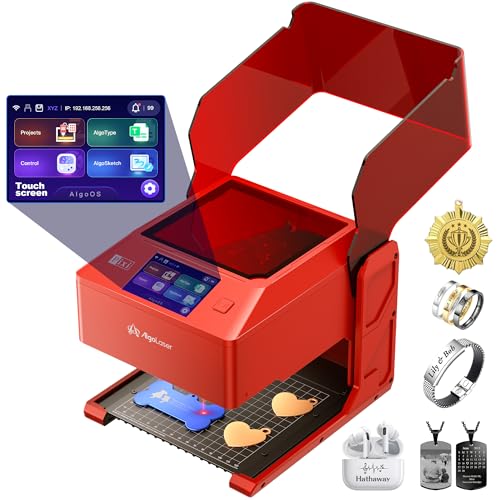
Ophiner Pixi Metal Laser Engraver
What We Like
- No PC needed for basic designs
- Compact size fits easily on a counter
- Built-in design library with 300+ motifs
- Compatible with LightBurn and LaserGRBL
Trade-offs
- Designed for small metal tags and keepsakes
- Infrared laser is specialized for metal only
Weighing 6.6 pounds and measuring 8.3 by 7.5 inches, this engraver fits on a retail counter or market table without a dedicated workbench. Its portability and self-contained 3.5-inch touchscreen suit gift shops offering personalization directly to customers. You can prepare names, dates, or simple sketches on the device to turn a suitable metal piece into a personal keepsake, all without needing a computer first.
The 1064nm infrared laser is specifically for metal personalization, unlike the diode laser in the Creality Falcon A1 which handles wood and acrylic. With a 0.04 x 0.05 mm laser spot, it supports detailed lettering and artwork on small items like tags and nameplates. For projects requiring work on other materials or larger formats, a dual-laser or more powerful fiber model from the other-products list would be necessary.
Product photos
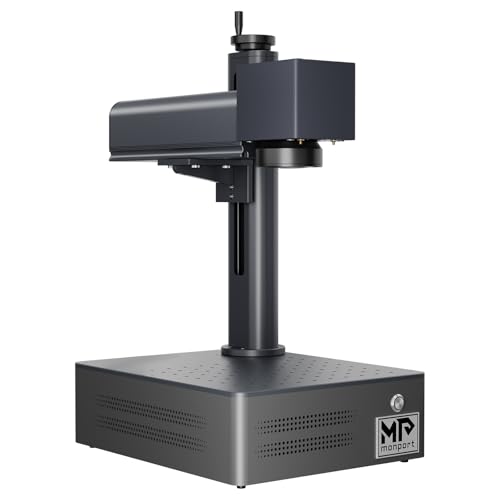
Monport 60W Fiber Laser Engraver
What We Like
- Extremely long 100,000-hour laser source lifespan.
- High 10,000mm/s speed with 0.01mm accuracy.
- Deep engraving and some metal cutting capability.
Trade-offs
- Fixed 5.9×5.9 inch work area limits larger projects.
- Class 4 laser requires strict safety protocols.
- Deep engraving power is limited by the 60W output.
A 100,000-hour rated laser source means this machine is built for the long haul, designed to handle years of consistent metal marking without needing a core component replacement. That makes it a solid, no-fuss choice for a small shop or a serious hobbyist who needs reliable daily operation on metals like stainless steel, brass, and titanium. The included LightBurn compatibility gives you access to powerful, professional-grade software, and the brand states the machine has a smaller size and lighter weight than previous models.
You won’t be engraving large plaques or sheet metal panels with this unit. For jobs that need a bigger canvas, like marking large tools or industrial parts, you’d need to look at a machine like the Cloudray 60W JPT MOPA Laser Engraver. The Monport excels at consistent, high-precision marking on smaller items, think jewelry, knives, or custom hardware, where its speed and accuracy shine.
Product photos
xTool F1 Ultra Dual Laser Engraver

What We Like
- Dual lasers handle all metals and most non-metals
- Capable of intricate multi-level 3D embossing
- High-speed camera enables automatic batch processing
- Fully enclosed with safety alarms for in-store use
Trade-offs
- At 43.9 lb, it's a substantial desktop unit, not portable
- Auto Conveyor for expanded work area is a separate purchase
- Fiber laser cuts only very thin sheets of metal
A 20-watt fiber and diode laser combo in one machine means you can switch from engraving a stainless steel tumbler to cutting a wooden sign without needing a second tool. That speed, hitting 10,000mm/s, is what makes it a serious contender for custom shops doing on-demand work. The integrated 16MP camera and software automate batch jobs, so you can line up a dozen keychains and walk away. This is the machine for a maker or small business that needs a single, versatile workhorse for high-detail 3D work on mixed materials, especially metal.
This dual-laser desktop machine combines a 20W fiber laser for metals and a 20W diode for materials like wood and acrylic, so you can switch between different project types without needing separate machines. While its fiber laser is designed for engraving and can handle thin pieces of stainless steel or brass, it isn’t meant for cutting thick metal stock. You’re getting the flexibility to work on almost any material, rather than maximum power dedicated to a single one, which makes it a practical choice for a busy workshop handling diverse daily projects.
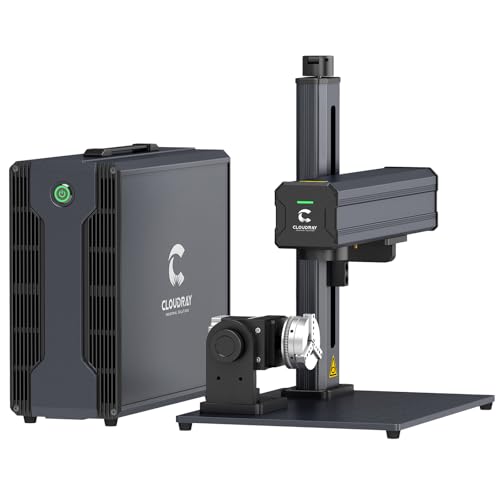
Cloudray 60W JPT MOPA Laser Engraver
What We Like
- Capable of 100+ color markings on metal
- Includes two F-Theta lenses for different precision
- Long laser source lifespan over 100,000 hours
- Compact and portable at 43 lbs gross weight
Trade-offs
- Manual lift column requires adjustment for height changes
- Maximum engraving depth is limited to 0.5mm
With its 60W JPT MOPA laser source, this engraver specializes in permanent, vibrant color marking on metals, ideal for personalizing jewelry or tools with multi-hue logos. The 0.01mm resolution ensures intricate designs and small text remain crisp. You also get two lens options: a detailed 4.3-inch square area for fine work like rings and a broader 7.9-inch space for larger items such as plaques.
The trade-off for that color capability and compact footprint is a manual lift column, so you’ll be turning a knob to adjust the focus height rather than pushing a button. Compared to a machine like the Monport 60W Fiber Laser Engraver, which has a fixed 5.9-inch square area, the Cloudray gives you more workspace options but demands more hands-on setup. It’s a focused tool that excels at one specific, high-value task rather than trying to be a jack-of-all-trades.
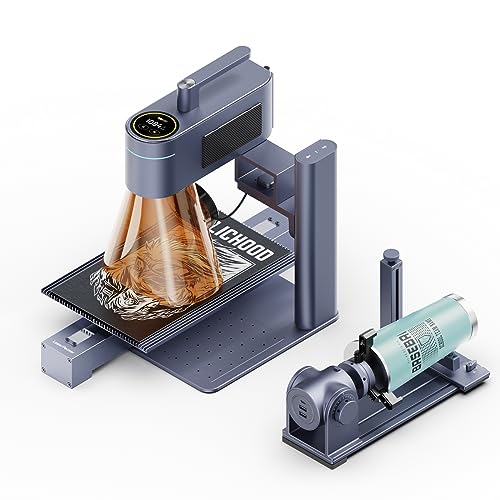
LaserPecker LP4 Dual Laser Engraver
What We Like
- Patented galvanometer delivers 8K ultra-detailed engraving
- Dual infrared and diode lasers master 10+ materials
- Complete rotary solution for curved surfaces with 3° accuracy
- Slide extension creates 2.6x larger workspace for batch jobs
Trade-offs
- At 20.1 inches tall, requires significant bench space
- Tool only: requires separate LightBurn software for full ecosystem benefits
- Industrial clamps and extensions add complexity to initial setup
Patented galvanometer technology delivers 1270dpi precision, so you can engrave a smartphone-sized design in under two minutes with reportedly 83% less graininess than conventional 4K systems. This level of detail suits jewelers marking surgical steel or shops marking serial numbers on industrial parts. The dual laser setup is very suitable for medical instrument engraving and handles ceramic coatings, allowing you to switch between material types without changing tools.
You pay for that precision with bench space, this isn’t a desktop unit you tuck away. The professional rotary kit and slide extension turn it into a complete workstation, but that means more gear to store and learn. For someone who needs that expandable 160x300mm area and multi-material capability, it’s a premium solution. If your work is purely on flat metals and you don’t need the infrared laser’s specialty on coated surfaces, a dedicated fiber machine like the Monport 60W might be simpler.
GWEIKE G2 Pro Fiber Laser Engraver
What We Like
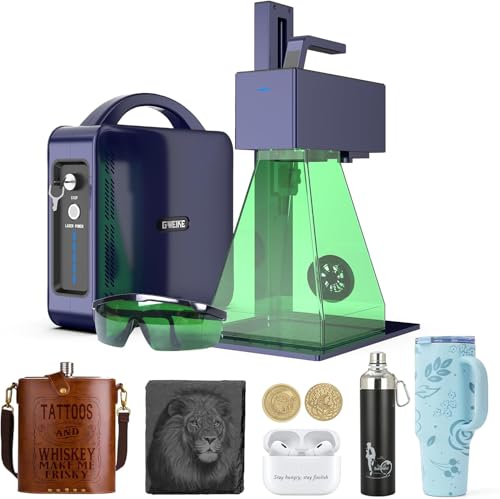
- Unmatched 15000 mm/s engraving speed for high-volume work.
- Deep engraving and 90+ color marking on metals.
- Electric lift column for fast, tool-free focus adjustment.
- Portable, detachable design for handheld use off the bench.
Trade-offs
- Class 4 laser requires strict safety protocols and protective gear.
- 30W power is less than higher-wattage industrial marking systems.
A 15000 mm/s engraving speed transforms what you can accomplish in a workday, making this machine a serious contender for anyone needing to mark parts or products in volume. The GWEIKE G2 Pro is built for the shop that has outgrown slower hobbyist engravers but doesn’t need the massive footprint of a full industrial marker. Its 8K resolution ensures crisp logos and fine text on metal, while the electric lift column and red light preview remove the fiddly setup that bogs down production. If your business runs on throughput, this laser’s galvanometer system is its reason for being.
With an engraving speed up to 15000 mm/s, this machine completes detailed metal marking jobs very quickly. That high speed is paired with a 150*150mm working area, which is well-suited for engraving individual pieces like jewelry or tool tags. The electric lift column lets you adjust focus with a button press, avoiding manual tweaks between different item heights.
Product photos
MR.CARVE M1 Pro Fiber Laser

What We Like
- Ultra-lightweight 13.2 lb industrial-grade body
- Infrared fiber laser marks all metals
- Portable design suitable for factory or home
- Fast digital galvanometer scanner head
Trade-offs
- Small 2.7 x 2.7 inch marking area limits part size
- Class 4 laser requires strict safety protocols
The MR.CARVE M1 Pro weighs 13.2 pounds, which makes it one of the lightest industrial-grade fiber lasers available. This light weight simplifies moving it between a home bench and a factory cart. Its infrared 1064nm laser is suitable for marking all metals and some hard plastics, fitting into spaces where a permanent, heavy station would not.
Portability comes with a 70mm by 70mm marking area, limiting projects to items like keyboard caps or jewelry rather than large plaques. The laser operates at 2500 mW of power. For context, other fiber lasers in the list, such as the Monport 60W, are specified with higher power outputs.
Creality Falcon A1 Laser Engraver
What We Like
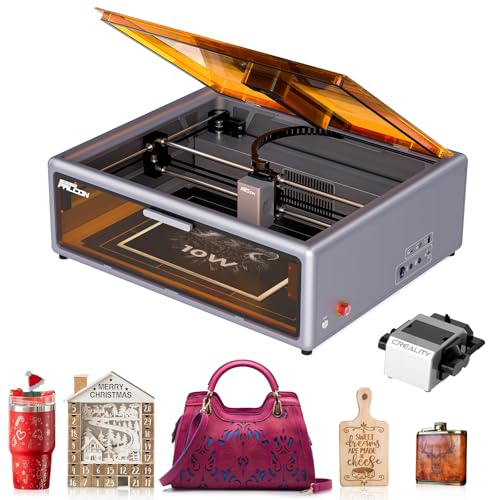
- HD camera provides precise pattern positioning
- Includes emergency stop and lid-open stop features
- Beginner-friendly software with pre-tested material settings
Trade-offs
- Internal fan requires connection to an outdoor exhaust
- Computer connection is mandatory to use the camera
- Weighs 35.2 pounds, requiring a dedicated, sturdy workspace
A Class 1 safety certification means you can operate this engraver without wearing goggles, and its fully enclosed design blocks smoke and noise for a secure home workshop. That makes the Falcon A1 a standout choice for newcomers who prioritize safety and a clean operation. The 10W diode laser and ultra-fine 0.06mm spot deliver sharp, photo-realistic engravings on wood and acrylic, while the included Creality software gets you from unboxing to engraving in minutes. For a beginner, this combination of safety and simplicity is hard to beat.
The trade-off for that safety is a mandatory ventilation setup; the internal fan must be ducted outside or to an air purifier. That adds a step to your setup you can’t skip. Compared to a more portable unit like the Ophiner Pixi, the Falcon A1 is a larger, heavier machine designed for a semi-permanent station. Its 10W power is perfect for detailed engraving and light cutting, but if your primary goal is deep metal etching, you’ll need to look at a dedicated fiber laser like the Monport 60W.
Product photos
Monport 60W Fiber Laser with LightBurn
What We Like
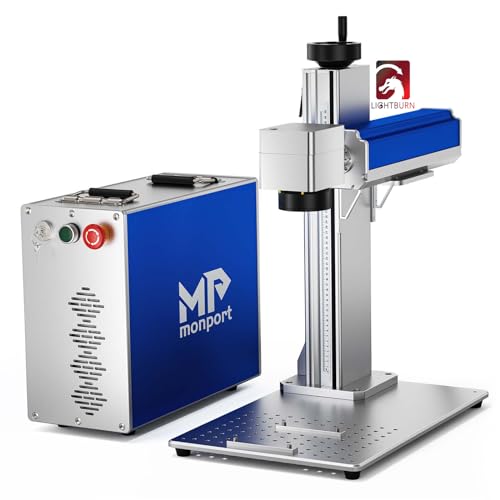
- Full 360° rotational marking capability
- High 10000mm/s engraving speed
- Compatible with intuitive LightBurn software
Trade-offs
- At 69.4 pounds, it's a substantial benchtop unit
- Large 27-inch height requires significant clearance
Full rotational marking capability is the defining feature here, allowing direct engraving on rings, pens, or curved tool handles without complex fixturing. This makes the Monport a specialist for anyone regularly working with cylindrical or irregular metal objects. Its powerful 30W fiber laser delivers fast, precise marking on metals, and the speed of up to 10,000mm/s means you won’t be waiting around for jobs to finish. If your projects involve more than flat plates, this 360-degree function saves a tremendous amount of setup time and expands your design possibilities.
You do pay for that flexibility in footprint and weight. This isn’t a portable machine you’ll move around the shop often. Its 27.0-inch height and 69.4-pound heft demand a dedicated, sturdy workstation. For purely flat work, a model like the Cloudray 60W JPT MOPA Laser Engraver offers a more compact footprint. But if curved surfaces are a regular part of your workflow, the Monport’s integrated rotational axis is a dedicated solution that eliminates a major headache.
Product photos
How We Evaluated Metal Laser Engravers
This guide compares key specifications from manufacturers to understand performance across different applications. It prioritizes laser type and power for material compatibility, workspace size and safety features for practical use, and speed and precision for production needs. This approach highlights machines with strong reputations for reliability.
What To Look For In Metal Laser Engravers
Selecting a metal engraver means balancing laser technology with your shop’s practical constraints. The right machine turns raw stock into finished work without becoming a safety hazard or a space-consuming obstacle.
Key factors are laser type (fiber for most metals, dual-laser for mixed materials), work area size, and safety class. Consider speed for volume, software compatibility for workflow, and whether you need features like 3D embossing or color marking.
Laser Type and Power
The laser source dictates what you can engrave. Fiber lasers are the standard for deep, high-contrast marks on metals like stainless steel and aluminum. For engraving both metals and materials like wood or acrylic, a dual-laser system that pairs a fiber or infrared laser with a blue diode or other source is essential.
Power, measured in watts, influences engraving depth and speed; a 20W fiber laser can mark quickly, while a 60W or 100W model allows for deeper engraving and some light cutting. Our research on the best fiber laser engravers for metalworking confirms their dominance for this material.
Workspace and Safety
Your available bench space and safety setup are critical. Machines range from compact, portable units to large, heavy benchtop systems. A Class 1 laser is fully enclosed and considered safest for home or shared spaces, while most powerful fiber lasers are Class 4, requiring dedicated areas, protective eyewear, and strict protocols. Always ensure your space has adequate ventilation, as engraving metals and coatings can produce fumes.
Speed, Precision, and Software
For production work, engraving speed (measured in mm/s) directly impacts throughput. Precision, often dictated by the spot size and galvanometer system, is vital for fine detail on items like jewelry. Software compatibility is equally important; some machines use proprietary apps, while others work with industry-standard programs like LightBurn, which offers greater control. When evaluating laser cutter engravers, software that manages both functions efficiently is a major advantage.
- Measure your available bench space, including height clearance for tall units or rotary attachments.
- Verify the machine’s safety class and plan for necessary protective gear and ventilation before purchasing.
- Check if the included software supports your design workflow or if you’ll need to budget for additional programs.
Match the laser’s core capability to your primary material; buying a machine that struggles with your most common project is a frustrating mistake.
Metal Laser Engravers Compared
For a quick scan of key specs, our comparison table below outlines the laser type, work area, and primary strengths of each model.
| Product | Laser Type | Laser Power | Max Engraving Speed |
|---|---|---|---|
| xTool F2 Ultra Dual Laser Engraver | 60W MOPA fiber & 40W diode | 60W & 40W | 15,000mm/s |
| Ophiner Pixi Metal Laser Engraver | 1064nm infrared | N/A | N/A |
| Monport 60W Fiber Laser Engraver | Fiber | 60W | 10000mm/s |
| xTool F1 Ultra Dual Laser Engraver | 20W fiber & 20W diode | 20W & 20W | 10,000mm/s |
| Cloudray 60W JPT MOPA Laser Engraver | 60W JPT MOPA | 60W | 10,000mm/s |
| LaserPecker LP4 Dual Laser Engraver | 2W IR & 10W diode | 2W & 10W | 4000mm/s |
| GWEIKE G2 Pro Fiber Laser Engraver | 30W 1064nm fiber | 30W | 15000 mm/s |
| MR.CARVE M1 Pro Fiber Laser | Infrared fiber laser (1064nm) | 2500 mW | N/A |
| Creality Falcon A1 Laser Engraver | N/A | 10W (10000mW) | N/A |
| Monport 60W Fiber Laser with LightBurn | Fiber | 60W | 10000mm/s |
Frequently Asked Questions
What is the best type of laser engraver for metal?
For dedicated metal engraving, a fiber laser is typically the best choice. It delivers high-contrast, permanent marks on metals like stainless steel, aluminum, and brass efficiently. For those who also work with wood, leather, or acrylic, a dual-laser machine that includes a fiber source provides the necessary versatility.
Can a beginner safely use a metal laser engraver?
Yes, with the right machine. Beginners should prioritize fully enclosed, Class 1 safety-rated engravers which minimize exposure to the laser beam and contain fumes. Models with beginner-friendly software that includes pre-tested material settings also significantly reduce the learning curve and setup errors.
What’s the difference between a fiber laser and a CO2 laser for metal?
Fiber lasers use a wavelength highly absorbed by metals, making them ideal for engraving, marking, and some cutting of metal surfaces. CO2 lasers are better suited for cutting and engraving non-metallic materials like wood, acrylic, and leather. For mixed-material work, understand the differences between a laser engraver and a CNC router as well.
How important is software when choosing a laser engraver?
Extremely important. Software controls the design process and machine operation. Some engravers use simple proprietary apps, while others are compatible with powerful third-party software like LightBurn. Your choice depends on your design complexity and whether you need advanced features like image tracing, layered engraving, or batch processing.
What can I make with a metal laser engraver?
These machines are used to personalize jewelry, create custom tools and dog tags, mark serial numbers on parts, and produce detailed artwork on metal sheets. Small businesses use them for branding products, while hobbyists make personalized gifts like keychains and coasters from materials like stainless steel or anodized aluminum.
The Bottom Line
For makers and small businesses needing a single, highly versatile machine, the xTool F2 Ultra Dual Laser Engraver is our best overall pick. It masters both metals and non-metals, a capability that justifies its premium positioning. If your budget is tighter or you only need to personalize small metal keepsakes, the award-winning Ophiner Pixi offers a compelling portable solution. Ultimately, the most important factor is matching the laser type, fiber for metal, dual-source for mixed materials, to your core projects to avoid costly limitations.
