
10 Best Fiber Laser Engravers For Metal in 2026
This post contains affiliate links. As an Amazon Associate, we earn from qualifying purchases.
Our best overall pick for metal engraving is the xTool F2 Ultra 60W MOPA Fiber Laser Engraver, which wins for its industrial speed and AI-powered precision for photorealistic color marking. For the fastest engraving, we like the Monport 60W model, and the Oabduz 60W JPT MOPA offers excellent value with its included rotary axis.
Choosing the right machine for your shop goes beyond raw laser power. You need to match the work area to your typical projects, consider the physical footprint on your bench, and understand the safety requirements of high-powered Class 4 lasers. We built this guide by researching specifications, manufacturer data, and patterns in user feedback to help you find a laser that fits your shop’s space, workflow, and metal engraving goals.
Top 10 Fiber Laser Engravers For Metal in the Market
Certain content that appears on this site comes from Amazon. This content is provided "as is" and is subject to change or removal at any time.
The Best Fiber Laser Engravers For Metal, Reviewed
xTool F2 Ultra 60W MOPA Fiber Laser Engraver

What We Like
- AI dual-camera system for precision setup
- Over 100 consistent color options on metal
- Industrial speed for batch processing
- All-metal capability from engraving to thin cutting
Trade-offs
- Class 4 laser requires strict safety protocols
- Conveyor for expanded work area is sold separately
- Large desktop footprint at 20.5 inches tall
A 60W MOPA fiber laser source is the core of what makes this machine so capable, handling everything from deep 3D embossing to vibrant color marking on virtually any metal. It’s built for the shop that needs serious throughput, with a 15,000mm/s engraving speed and the largest standard work area in its class. The AI cameras eliminate the guesswork in material detection and focusing, which is a massive time-saver when you’re switching between jobs on gold, titanium, or stainless steel all day. For a maker or small business looking to produce high-volume, photorealistic metalwork with minimal fuss, this engine delivers industrial-grade results from a desktop unit.
This is a serious piece of equipment. Its Class 4 laser designation means you need a dedicated, controlled workspace with proper ventilation and safety enclosures, so it’s not a machine to run on a kitchen table. While its 8.7-inch square bed is generous, you’ll need the optional conveyor to handle longer items like pens or knives in a continuous run. Compared to a more basic model, the xTool F2 Ultra 60W MOPA Fiber Laser Engraver is a premium tool for those who need its advanced color and speed capabilities. If you just need simple black marks on metal, a simpler fiber laser will do the job.
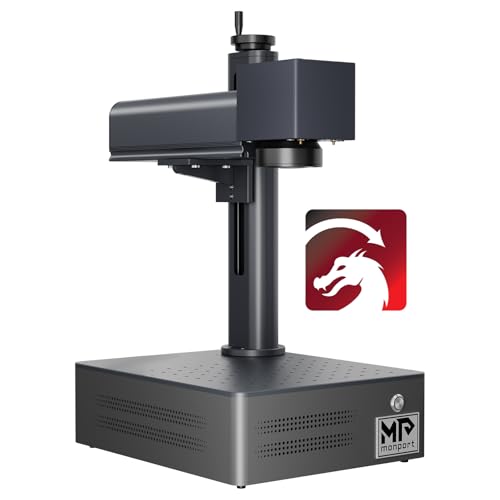
Monport 60W Fiber Laser Engraver with LightBurn
What We Like
- Blazing 10000mm/s maximum engraving speed.
- Precise 0.01mm carving accuracy.
- Integrated design for a compact footprint.
- Capable of 2.5D and deep metal engraving.
Trade-offs
- 150x150mm work area is smaller than many competitors.
- Class 5 laser requires strict safety protocols.
- Limited to metal substrates for engraving.
A maximum engraving speed of 10000mm/s lets this machine complete production runs extremely quickly, which directly translates to higher output for a business. That speed is matched by a 0.01mm accuracy from its custom galvanometer, ensuring fine details remain sharp even on fast jobs. It suits metalworkers marking hundreds of stainless parts or intricate jewelry where both speed and detail are critical. The integrated design results in a smaller overall machine, and the laser source’s 100,000-hour lifespan points to years of service before needing replacement.
Product photos
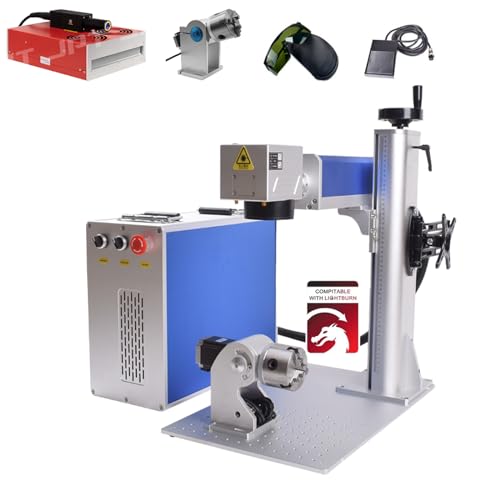
Oabduz 60W JPT MOPA Fiber Laser Marking Machine
What We Like
- Includes a D80 rotary axis for cylindrical items.
- Achieves high-contrast and color marking on metals.
- Air-cooled design requires no external chiller.
- Dual red dot system simplifies focusing.
Trade-offs
- Large footprint at 30.3 inches long.
- Rotary axis limited to 80mm diameter cylinders.
The inclusion of a D80 rotary axis in the package is a significant advantage for anyone engraving rings, pens, or small pipes, as it eliminates the need for a separate, costly purchase. This Oabduz machine is a genuine 60W JPT MOPA laser, which means it can produce the precise pulse control needed for black marks on aluminum and vibrant colors on stainless steel. For a jeweler, small shop, or serious hobbyist needing to mark both flat and round items, this bundle covers the essentials right out of the box. Its 100,000-hour laser source and rigid frame suggest it’s built for consistent, long-term use in a workshop setting.
The trade-off for that ready-to-rotate capability is a larger machine footprint compared to some more compact units like the xTool F2 Ultra. You’ll need to dedicate a solid table to its 30-inch length. While the 175mm flat work area is generous, the rotary axis is specifically for smaller diameter items. If your primary work involves very large cylinders or you have severe space constraints, a different configuration might be necessary. For the majority of users tackling mixed metal marking tasks, however, this machine delivers a complete, industrial-grade setup.
Product photos
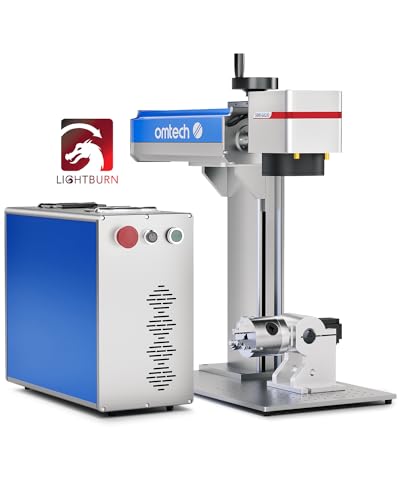
OMTech 50W Fiber Laser Engraver with Rotary
What We Like
- Large 7.9×7.9 inch workspace for bigger projects
- Includes a rotary axis for cylindrical objects
- Compatible with industry-standard EZCAD2 software
- Dual red dot pointers for precise setup
Trade-offs
- At 120 pounds, it requires a dedicated, sturdy bench
- Large 30.5 x 17.7 inch footprint demands significant shop space
With a 7.9×7.9 inch work area, this laser provides room for sizable plates or multiple smaller items in a single batch. The included rotary axis expands its use for cylindrical objects, and compatibility with LightBurn software is noted for design work. A 50W fiber laser source is specified for engraving, marking, and etching on metals.
That large work area requires a substantial machine measuring 30.5 by 17.7 inches and weighing 120 pounds, so it is suited for a permanent shop location. Compared to other models like the more compact OMTech 60W MOPA machine, this model has a lower power rating but a larger marking field.
Product photos
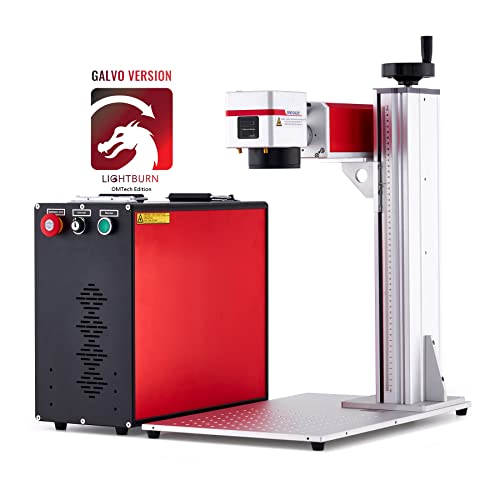
OMTech 60W MOPA Fiber Laser Marking Machine
What We Like
- MOPA design enables color marking on metals
- Includes protective eyewear for open-frame safety
- Pre-built 4-pin port for rotary axis accessory
- High-speed galvo system for quick scanning
Trade-offs
- Work area is smaller than some 50W models
- Rotary axis is not included in the package
- Large 27.6-inch height requires substantial bench clearance
Its adjustable pulse frequency and width allow for color marking on metals and gemstones, creating permanent designs without using paints or inks. This 60W MOPA fiber laser operates at up to 10000 mm/s, making it fast for production runs on items that fit its 7×7 inch work area. The included EzCad2 software supports various image formats, and a footpad trigger helps with batch work.
The machine’s open design requires protective eyewear, which is included. A 4-pin port allows connection of a rotary axis for curved surfaces, though that accessory is not included. Its dimensions mean it requires a workspace with adequate clearance for its height and footprint.
Product photos
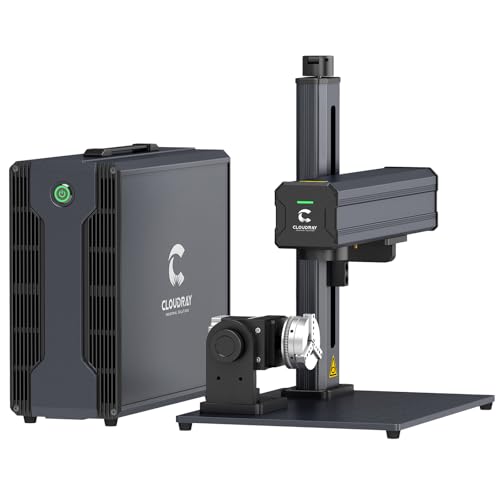
Cloudray 60W JPT MOPA Fiber Laser Engraver
What We Like
- Capable of 100+ color markings on metal
- Exceptionally long 100,000-hour source lifespan
- Compact and portable at 43 lbs
Trade-offs
- Manual lift column requires adjustment for height changes
- Maximum 7.9×7.9 inch work area limits large-part engraving
- Rotary axis is an optional extra, not included
The inclusion of two F-theta lenses is what sets this machine apart. You get a 4.3-inch square lens for ultra-fine detail on small items like rings and a 7.9-inch lens for faster work on larger plates. This dual-lens system, paired with a JPT MOPA source, means you can switch from deep black engraving to subtle color marking on stainless steel or aluminum without changing machines. It’s built for a jeweler or small shop that needs both pinpoint accuracy for tiny text and the flexibility to handle broader projects, all in a package that doesn’t dominate the workbench.
Its work envelope is not designed for marking very large tools or long bars. For those applications, a model like the Oabduz 60W JPT MOPA Fiber Laser Marking Machine offers a larger field lens. The manual lift column requires you to adjust the height block yourself when switching between materials of different thicknesses. However, for detailed metal jewelry and custom small parts, this provides a range of marking functions in a unit with a footprint smaller than many competitors.
xTool F1 Ultra 20W Fiber & Diode Laser Engraver

What We Like
- Dual lasers handle metals and organics in one machine
- Extremely fast 10,000mm/s engraving speed for productivity
- Built-in camera enables automated batch processing
- Fully enclosed design with safety alarms for in-store use
Trade-offs
- Requires a separate auto conveyor for the 500mm extended work area
- At 43.9 pounds, it's a substantial desktop unit requiring a sturdy bench
Combining a 20-watt fiber laser and a 20-watt diode laser in one unit lets you engrave metals like stainless steel and then switch to cutting wood or leather without needing a second machine. This dual-laser setup is the main advantage for a workshop that regularly handles different materials. Its 10,000mm/s speed and the 16MP smart camera system automate batch engraving, which is ideal for doing quick, in-person custom jobs.
The fiber laser handles thin pieces of stainless steel (0.3mm), brass (0.4mm), and aluminum (0.2mm), so it is not meant for cutting thicker metal stock. For shops focused only on metal, a dedicated fiber laser engraver may be a more suitable single-purpose tool. The F1 Ultra serves best as a versatile center for a mixed-material workflow.
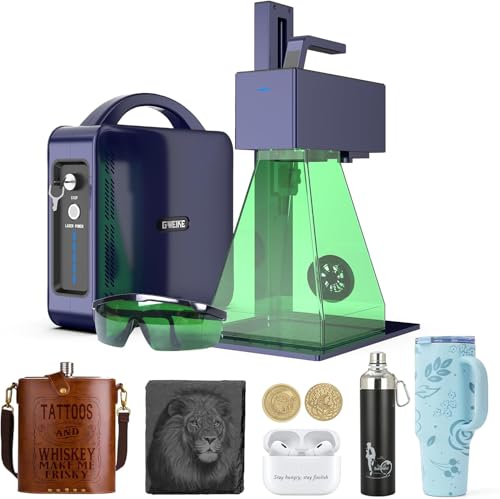
GWEIKE G2 Pro 30W Fiber Laser Engraver
What We Like
- Extremely high 15000 mm/s engraving speed
- Capable of over 90 color marks on metal
- Convenient electric focus adjustment
- Portable, detachable design for handheld use
Trade-offs
- 30W laser lacks the deep engraving power of 50W+ units
- 5.9×5.9 inch work area is smaller than many pro models
- Class 4 laser requires strict safety protocols
An engraving speed of 15000 mm/s makes this machine a sprinter, drastically cutting production time for batches of items like jewelry or custom tags. That blistering pace, combined with its ability to mark over 90 vibrant colors on stainless steel and titanium, is why it stands out for creators and small shops focused on detailed, decorative metalwork. The electric lift column and red light preview simplify setup, letting you move from idea to finished piece faster than you’d think possible with a bench-top unit.
Its 30W laser can’t match the deep engraving depth of a 60W MOPA machine like the OMTech 60W. For a hobbyist upgrading from a diode laser or a small business specializing in personalized, high-detail metal goods, this delivers pro-level features in a surprisingly portable package. Heavy industrial marking, however, is a job for a more powerful tool.
Product photos
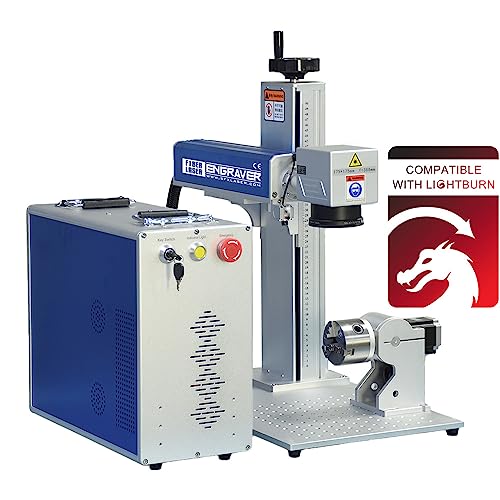
SFX 100W JPT M7 MOPA Fiber Laser Marking Machine
What We Like
- MOPA source enables color marking on steel
- Includes rotary axis and tall tower
Trade-offs
- Footprint and tower height require significant shop space
The 100-watt JPT M7 laser source is what sets this machine apart, delivering the energy needed for deep engraving and fast, industrial-scale marking. The MOPA technology adds crucial flexibility, allowing for everything from black marks on aluminum to colored finishes on stainless steel. This is the unit for a professional shop where throughput and capability on thick or varied metals are the primary concerns.
That capability comes with a physical presence. The included 800mm tall tower and the machine’s footprint demand a dedicated, sturdy bench with ample clearance overhead. For a comparison, the OMTech 60W MOPA model offers similar color marking technology in a more compact cabinet, making it a better fit for a crowded workshop focused on smaller items like jewelry. The SFX 100W is unapologetically specialized, it excels at heavy-duty tasks where its extra power directly translates to faster job completion.
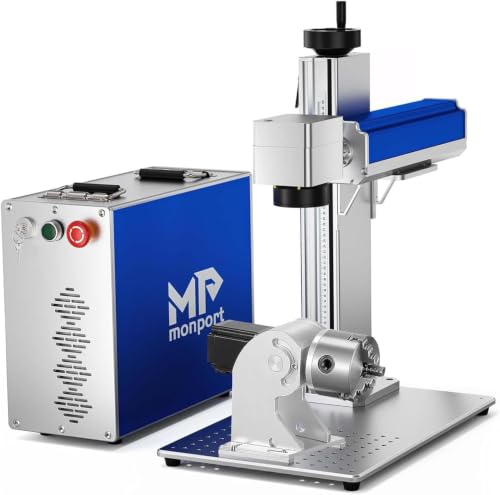
Monport 30W Fiber Laser Engraver
What We Like
- Extremely compact 10-inch square footprint.
- Integrated 30W Raycus source for long life.
- Includes red dot guidance for precise setup.
- Built-in grid and positioning bars for alignment.
Trade-offs
- 5.9-inch work area limits larger projects.
- Rotary axis is an optional extra purchase.
- Manual focus requires adjustment for each material.
A footprint of just 10 inches square means this fiber laser can fit on a crowded bench where larger machines simply can’t. That compact size, combined with its integrated 30W Raycus source and upgraded cooling, makes it a solid choice for a jeweler or small shop operator who needs reliable metal marking without sacrificing precious floor space. It handles precious metals and stainless steel with authority, and the built-in workspace grid gets you from unboxing to first marks quickly.
Monport’s 30W fiber laser fits in a compact 10-inch cube, so it can tuck into a tight workshop corner. That small footprint comes with a 5.9-inch square workbed, meaning you’ll need to reposition items wider than a business card. For marking rings, pens, or small tags, the area is perfectly capable.
Product photos
How We Evaluated Fiber Laser Engravers For Metal
Our research focused on comparing manufacturer specifications and design features across dozens of models. We prioritized core performance factors like laser power for engraving depth, work area size for project flexibility, and whether a machine included a rotary axis for cylindrical items. We also gave significant weight to practical shop considerations, such as the machine’s physical footprint and the required safety class, which dictates your workshop setup.
A detailed comparison of top laser engravers for marking metal reveals that the right balance of power and precision is key. We looked for consistency in owner feedback regarding engraving quality and ease of use, but our evaluation is limited to this aggregated research. We cannot account for the long-term durability of individual units or provide hands-on speed comparisons between different galvo scanning systems.
What To Look For In Fiber Laser Engravers For Metal
Finding the right fiber laser means balancing power, workspace, and the specific features your projects demand. It’s about more than just watts; it’s about fitting the tool to your shop’s physical space and your most common jobs.
Match the laser’s power and work area to your typical metal items. Consider if you need a rotary axis for cylindrical objects or a MOPA source for color marking, and always factor in the machine’s large footprint and strict safety requirements.
Laser Power & Type
Laser power, measured in watts, primarily determines how deeply and quickly you can engrave or mark metal. A 30W laser is capable for surface marking and fine detail on items like jewelry, while 50W to 60W models offer faster processing and better depth for industrial parts or batch work.
For the deepest engraving or thin cutting, a 100W unit like the SFX model is the industrial choice. The laser source type is equally critical. A standard fiber laser creates high-contrast black and white marks, but a MOPA (Master Oscillator Power Amplifier) fiber laser is needed for the advanced color marking possible on stainless steel and titanium that several of our picks offer.
Work Area & Footprint
The work area is the maximum size of a flat object you can engrave in one pass. Machines like the OMTech 50W provide a generous 7.9×7.9 inch space for larger plaques or batch jobs, while compact units like the Monport 30W have a 5.9-inch square area suited for small tags and tools.
Crucially, you must also measure the machine’s physical footprint. These are not small tools; the xTool F2 Ultra stands over 20 inches tall, and many models are 30 inches long and weigh over 100 pounds, demanding a dedicated, sturdy bench.
Key Features & Safety
Essential features can define a machine’s utility. A built-in or included rotary axis, like on the Oabduz 60W, is necessary for engraving rings, pens, or cylinders. For color work, ensure the machine has a MOPA source.
Software compatibility, such as with LightBurn or EZCAD2, affects workflow ease. Most importantly, fiber lasers for metal are almost always Class 4 industrial products, which require a dedicated, controlled workspace, proper ventilation for metal fumes, and the use of protective eyewear. An enclosed design, like on the xTool F1 Ultra, adds a significant safety layer for any environment.
- Check if the software is pre-installed or requires a separate purchase.
- Verify the maximum diameter and length capacity of any included rotary axis.
- Ensure your planned location has adequate ventilation and power access.
- Confirm the machine’s total dimensions and weight against your available bench space.
- Research the specific safety interlocks and warnings for the laser class.
Always prioritize setting up a safe, dedicated workspace that meets the laser’s Class 4 requirements before you even consider which machine to buy.
Fiber Laser Engravers For Metal Compared
To see how these key specs stack up side-by-side, the comparison table below details the laser power, work area, included features, and physical footprint for all ten models.
| Product | Laser Power | Max Engraving Speed | Work Area | Laser Type/Source |
|---|---|---|---|---|
| xTool F2 Ultra 60W MOPA Fiber Laser Engraver | 60W | 15,000mm/s | N/A | 60W MOPA Fiber Laser |
| Monport 60W Fiber Laser Engraver with LightBurn | 60W | 10000mm/s | 5.9"x5.9" | N/A |
| Oabduz 60W JPT MOPA Fiber Laser Marking Machine | 60W | 7000 mm/s | 175x175mm | Genuine JPT MOPA 60W |
| OMTech 50W Fiber Laser Engraver with Rotary | 50W | 7000 mm/s | 200×200 mm | 50W fiber laser |
| OMTech 60W MOPA Fiber Laser Marking Machine | 60W | 10000 mm/s | 175×175 mm | 60W MOPA fiber |
| Cloudray 60W JPT MOPA Fiber Laser Engraver | 60W | 10,000mm/s | N/A | JPT MOPA 60W |
| xTool F1 Ultra 20W Fiber & Diode Laser Engraver | 20W Fiber & 20W Diode | 10,000mm/s | 220mm x 220mm | 20W Fiber & 20W Diode |
| GWEIKE G2 Pro 30W Fiber Laser Engraver | 30W | 15000 mm/s | 150 x 150 mm | 30W 1064nm fiber |
| SFX 100W JPT M7 MOPA Fiber Laser Marking Machine | 100W | 7 m/s | 300 x 300 mm | JPT MOPA M7 |
| Monport 30W Fiber Laser Engraver | 30W | N/A | 5.9" x 5.9" | 30W Raycus fiber |
Frequently Asked Questions
What is the best fiber laser engraver for metal?
The best machine depends on your specific needs. For most professional makers and small shops seeking high-speed operation, deep engraving, and advanced color marking, the xTool F2 Ultra 60W MOPA is the best overall choice. Its AI camera system and MOPA source deliver precision and over 100 color options on metal.
What type of laser is best for engraving metal?
Fiber lasers are unequivocally the best type for engraving metal. Their infrared wavelength is highly absorbed by metals, allowing for fast, deep, and high-contrast marks. For the most advanced applications, like color marking on stainless steel, a MOPA fiber laser is required, as detailed in our guide to laser engraving stainless steel.
What is a good budget fiber laser engraver?
A good budget option provides core functionality without premium features. The Monport 30W Fiber Laser Engraver is an excellent budget-conscious choice for shops with severe space constraints. It offers a capable Raycus source in a compact 10-inch footprint for marking small metal items like jewelry and tools.
Can one laser engraver handle both metal and wood?
Yes, but it requires a specific type of machine. A dual-laser system, like the xTool F1 Ultra 20W Fiber & Diode Laser Engraver, combines a fiber laser for metals with a diode laser for organics like wood, leather, and acrylic in one enclosed unit. This is ideal for versatility, but it won’t match the deep metal engraving power of a dedicated 50W+ fiber laser.
What safety precautions are needed for a fiber laser?
Fiber lasers for metal are typically Class 4 industrial devices, requiring strict protocols. You need a dedicated, well-ventilated workspace, proper laser safety eyewear for the specific wavelength, and often an enclosure or barriers to prevent exposure to the invisible beam. Always follow the manufacturer’s safety guidelines to the letter.
The Bottom Line
For professional makers and small shops ready for high-volume, photorealistic work, the xTool F2 Ultra 60W MOPA Fiber Laser Engraver is the best overall investment, combining industrial speed with an AI camera for flawless setup. If your budget is tight or your shop space is minimal, look to the award-winning Monport 30W for capable marking in a compact footprint.
Before you choose any model, the single most important step is to honestly assess your workshop’s ability to safely host a Class 4 laser. You must ensure you have the space, ventilation, and safety protocols in place for this powerful tool.
