
10 Best Laser Cutter Engravers in 2026
This post contains affiliate links. As an Amazon Associate, we earn from qualifying purchases.
Our best overall laser cutter engraver is the xTool S1 40W Laser Cutter and Engraver for its powerful 40W diode laser and fully enclosed, safe design. For versatile metal marking, the xTool F2 Dual Laser wins, while the Glowforge Aura is ideal for long projects with its passthrough slot.
Choosing the right machine means matching its core capabilities to your most frequent materials and project sizes. This guide is based on specifications, manufacturer data, and patterns in owner feedback to help you evaluate the options and find the best tool for your workshop.
Top 10 Laser Cutter Engravers in the Market
Certain content that appears on this site comes from Amazon. This content is provided "as is" and is subject to change or removal at any time.
The Best Laser Cutter Engravers, Reviewed
xTool S1 40W Laser Cutter and Engraver

What We Like
- Powerful 40W laser cuts 18mm wood in one pass
- Spacious bed fits large projects like door signs
- Class 1 enclosure for safe home use
- Beginner-friendly software with AI design help
Trade-offs
- Diode laser cannot mark bare metal like a dedicated IR laser
A 40-watt diode laser that can slice through thick wood in a single pass is a serious step up from typical hobbyist machines. That power, combined with a work area big enough for a large door sign, makes the xTool S1 a true workshop workhorse. It’s built for the maker who has outgrown smaller engravers and needs to tackle substantial projects efficiently. The fully enclosed Class 1 safety design means you can run it without goggles in a shared space, a major plus for home shops. Add in the intuitive software and auto-focus, and you have a machine that delivers professional results without a professional-level learning curve.
As a diode laser, it cannot mark bare metal like the dual-laser xTool F2. This specialization means it excels with wood, acrylic, and coated metals but is not ideal for all mixed-material projects. For woodworking, crafting, or sign-making, its power and large bed provide substantial capacity. The machine arrives ready to use, with software that includes AI design help and over a thousand project tutorials for guidance.
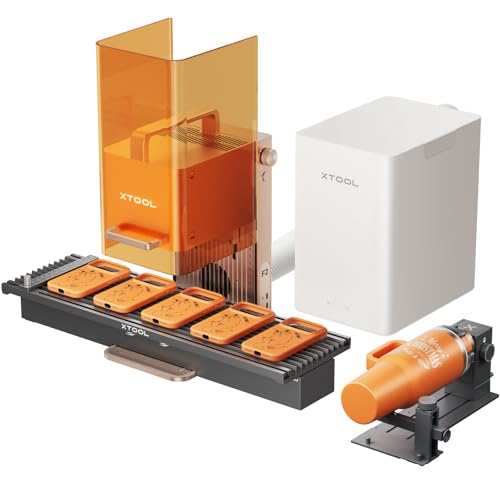
xTool F2 Dual Laser Engraver
What We Like
- Dual-laser system marks metal and cuts thick materials.
- Ultra-fast 6000mm/s speed for high-volume work.
- Built-in 50MP camera ensures precise, waste-free alignment.
- Fully enclosed, portable design is safe for indoor events.
Trade-offs
- Class 4 laser requires strict safety protocols during use.
- Slide Extension and RA3 Rotary are optional accessories for full capability.
The combination of a 15W diode and a 5W infrared laser in one machine is what makes the xTool F2 stand out. That IR module delivers vivid, permanent color marking on bare metal, a task most diode lasers simply can’t touch, while the diode handles 3D embossing and cuts through a wide range of non-metals. For a maker or small business that constantly switches between personalized metal items like dog tags and cutting wooden ornaments or acrylic signs, this dual-laser design eliminates the need for two separate machines. Its 6000mm/s speed and slide extension for batch processing mean you can move from a single custom piece to a production run without breaking stride.
The trade-off is in pure cutting depth and speed on dense materials compared to a dedicated high-power machine. While versatile, its 15W diode laser won’t slice through half-inch plywood as quickly as the 40W diode in the xTool S1 or a 45W CO2 laser like the OMTech K40+. That’s the compromise for its compact, portable form. For a home workshop focused mainly on wood and acrylic, a more powerful single-laser machine might be more efficient. But if your project list regularly includes both metal marking and non-metal cutting, the F2’s dual-system is a uniquely capable solution in one footprint.
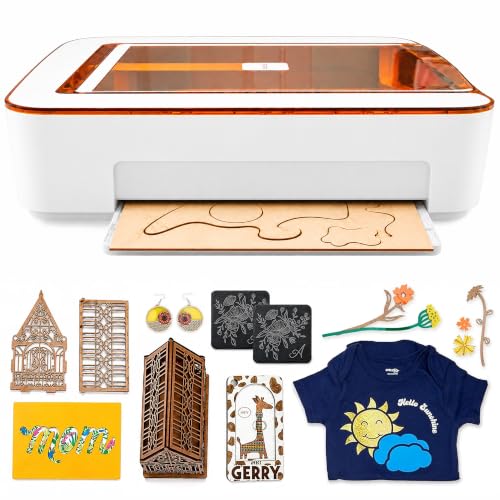
Glowforge Aura 6W Laser Engraver
What We Like
- Passthrough slot enables longer projects
- HD camera provides live preview for placement
- Complete ecosystem simplifies setup for beginners
- Class 1 safety enclosure blocks harmful light
Trade-offs
- 6W laser limits cutting depth and speed
A built-in passthrough slot is the Aura’s standout feature. It lets you feed materials longer than the machine itself to create extended signs or décor, which is a clever trick for a unit with such a compact footprint. This design, paired with a beginner-friendly app that uses a camera to show your material on screen, makes it a solid fit for hobbyists and small businesses. They can personalize gifts or craft home décor without dedicating a whole workbench to the task.
Glowforge designed the Aura as an entry-level machine, which means it uses a 6W diode laser. This lower power output suits engraving and cutting approved thin materials like wood, leather, and paper, but research mentions confirm it works best for smaller projects. For users needing a larger workspace or more power for bigger items, the research suggests looking at other models like the xTool P2 or larger Glowforge units.
Product photos
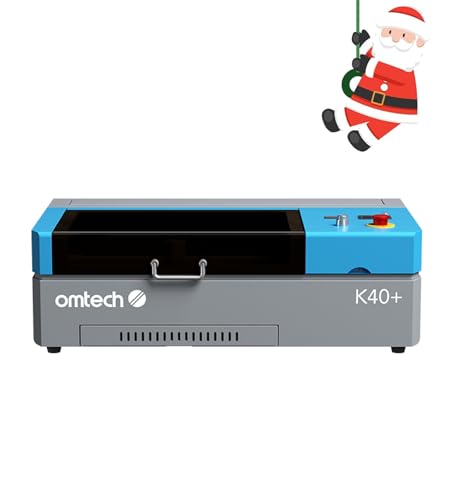
OMTech K40+ 45W CO2 Laser Engraver
What We Like
- Integrated 45° air assist system
- Supports LightBurn and LaserGRBL software
- Comprehensive door and water safety features
- Detachable base for cylindrical objects
Trade-offs
- 12×8 inch work area limits large sheet projects
- 31.9-inch length requires a dedicated bench space
Its 45W CO2 laser can cut up to 0.4-inch acrylic and 0.31-inch wood, handling thicker materials than many common diode engravers. Engraving speeds up to 300 mm/s help complete complex designs or bulk orders faster. With built-in air assist and support for LightBurn and LaserGRBL, the machine is ready for production work without needing major additions.
The machine’s professional power comes in a desktop-sized unit, though its 12-by-8-inch work area suits plaques and jewelry rather than large sheets. Unlike models like the Creality Falcon A1 Pro which list features like a touch screen and app control, this model focuses on core laser performance. It includes essential safety features like door protection and an emergency stop, prioritizing operational safety over automation.
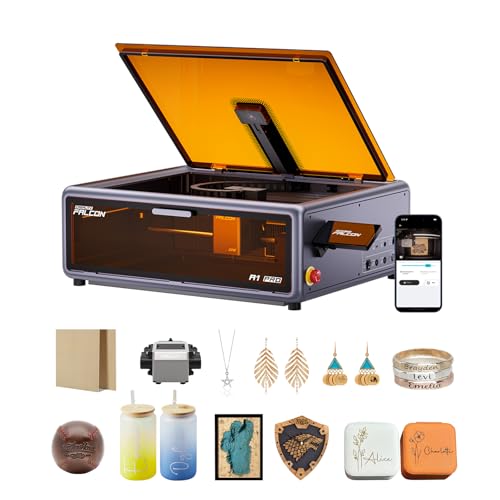
Creality Falcon A1 Pro 20W Laser Engraver
What We Like
- Fully enclosed Class 1 safety design
- Smartphone-style touchscreen for control
- High-definition camera for precise positioning
- Arrives 80% pre-assembled for quick setup
Trade-offs
- Optional 2W IR laser module sold separately
- At 37.5 lb, it's a substantial desktop unit
The Falcon A1 Pro’s full enclosure makes it one of the safer diode lasers you can run in a home workshop, filtering light and smoke so you don’t need goggles for every job. That 600 mm/s speed and the included auto-focus camera mean you can go from design to finished cut on wood or acrylic with very little fiddling. It’s built for the maker who values a tidy, ready-to-go machine that won’t disrupt the household, offering serious batch-processing capability in a package that’s largely pre-assembled.
The Falcon A1 Pro arrives 80% pre-assembled and includes a streamlined interface, which means new users can start creating with minimal setup and no prior expertise. Its fully enclosed design blocks smoke and noise, while dual protective covers filter light for operation without goggles. An internal fan, emergency stop, and lid-open halt feature provide multiple safety layers for home or small business use.
Carverall A1 Pro 12W Laser Cutter Engraver
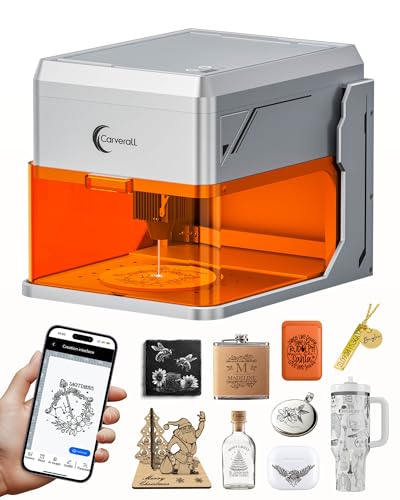
What We Like
- Built-in HD camera for precise visual positioning
- Includes TF card for offline batch job storage
- Swappable IR head for marking bare metal
- Fully enclosed Class 1 design with tilt protection
Trade-offs
- Small 4×4 inch work area limits project size
- Cuts only up to 12mm plywood, requiring multiple passes for thicker stock
The verified 12-watt output and 0.01mm precision mean your engravings on wood, leather, or acrylic will have exceptionally crisp, 4K-level detail. This is the tool for a crafter or small-batch maker whose priority is flawless detail on items like dog tags, keychains, and jewelry blanks. The built-in camera removes all the guesswork from alignment, and the pre-loaded TF card lets you run repeat jobs without a computer connected. It’s a setup that prioritizes accuracy and ease over raw cutting capacity.
That focus comes with a clear trade-off: the compact 4×4 inch bed. You won’t be making large signs or cutting full sheets here. For bigger projects, you’d need to step up to a model like the Creality Falcon2 Pro S with its 22-inch wide bed. Where the Carverall A1 Pro truly shines is in its enclosed, safety-focused design. The laser stops if the lid opens or the unit tilts, making it a responsible choice for a busy home workshop. The built-in air assist keeps cuts clean, and it handles a surprising range of materials right out of the box.
WECREAT Vision Pro 45W Laser Engraver
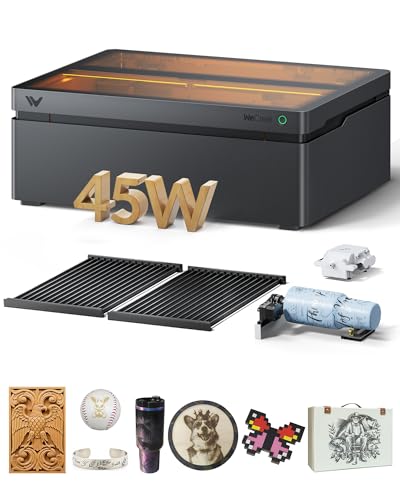
What We Like
- BeamFocus tech cuts 25mm wood in one pass
- Auto-lifting handles materials from 1mm to 140mm
- LiDAR auto-focus maintains 0.001" accuracy
- Includes Rotary Pro for full-wrap tumbler engraving
Trade-offs
- Weighs 77.2 pounds, requiring a sturdy, permanent surface
- The 2W IR laser module is a separate purchase
- 31.5-inch depth demands significant desktop space
A 22.83 by 15.75 inch work area lets you engrave over 200 dog tags in a single batch or cut large panels for furniture prototypes. That capacity, combined with a LiDAR auto-focus that holds a thousandth of an inch, means you can scale up production without sacrificing the fine detail needed for intricate designs. This machine is built for a busy small shop where volume and precision are both non-negotiable. The auto-lifting system and pass-through feeder further remove size constraints, letting you tackle materials up to five and a half inches thick or projects over eleven feet long.
You pay for that capability with a substantial 77.2-pound footprint that’s more of a workshop anchor than a portable tool. For someone focused purely on engraving smaller items like jewelry or phone cases, a more compact model like the xTool F2 would be far easier to integrate. But if your work regularly involves cutting thick stock or filling large engraving beds to maximize output, the Vision Pro’s integrated systems turn big jobs into simple, repeatable processes.
Product photos
Longer RAY5 20W Laser Engraver Bundle
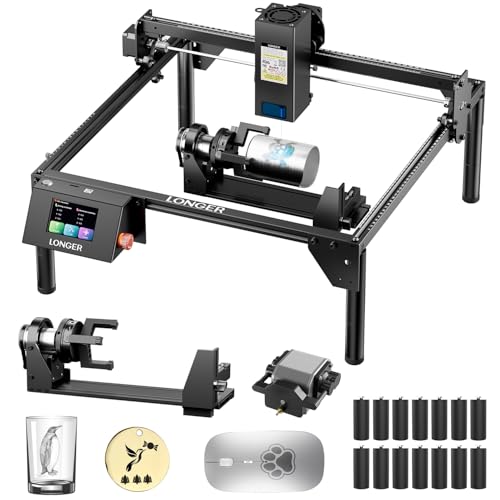
What We Like
- Strong 20W laser cuts 15mm wood in one pass
- Controls multiple engravers from one computer
- Includes 3-in-1 rotary attachment for curved objects
- Offline operation via USB or TF card
Trade-offs
- 20W power is slower on thick materials than 40W+ lasers
The ability to run several machines from a single computer terminal makes the Longer RAY5 a serious option for small-scale production. That 20W diode laser has the muscle to cleanly slice through half-inch pine or a third of an inch of acrylic, which covers a lot of common workshop projects. For a creator looking to scale up output, whether for a small business or a busy makerspace, this multi-unit control is the core feature that sets it apart. It’s built for running jobs in parallel, not just one at a time.
With the ability to control multiple engravers from one computer, the RAY5 is built for scaling up production runs. This makes it a strong choice for a small workshop aiming to increase output, rather than for a single user focused on highly detailed, one-off projects. While it offers broad material compatibility, its 20W laser means cutting thick pieces takes more time than with higher-powered models.
Product photos
BlazeX M3 10W Laser Engraver
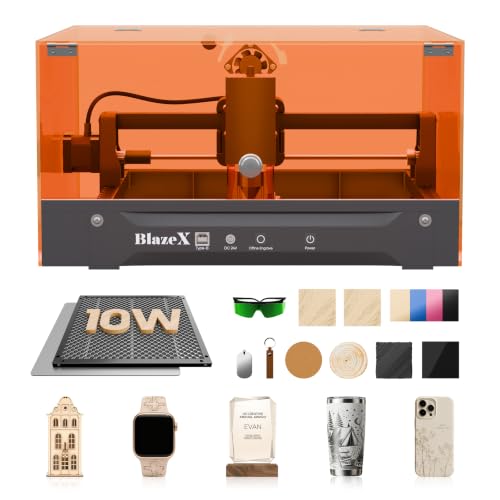
What We Like
- Comprehensive all-in-one starter kit included
- Class 1 safety rating with tilt/cover sensors
- Extensive software and OS compatibility
- Professional accessory ecosystem for upgrades
Trade-offs
- A 10W diode laser has limited cutting depth for thick materials
- Requires accessory purchases for 360° engraving or air assist
The 0.01mm engraving accuracy is the key here, delivering the fine detail needed for intricate jewelry and personalized items. This machine is built for the beginner or hobbyist who wants to start a project the same day the box arrives. The bundle throws in the enclosure, honeycomb bed, and materials, which eliminates the initial scramble for parts. Its Class 1 safety rating and smart sensors also make it a responsible choice for a home or studio workspace where safety is a priority.
That 10W diode laser is precise, but it’s not a deep cutter. You’ll be working on thin woods and acrylics, not slicing through thick stock. For larger format work or faster cutting on denser materials, you’d step up to a model like the Creality Falcon A1 Pro with its 20W output. Where the BlazeX M3 truly shines is as a complete desktop system. It gives you a focused, ready-to-create package that gets you from unboxing to engraving with minimal fuss.
Product photos
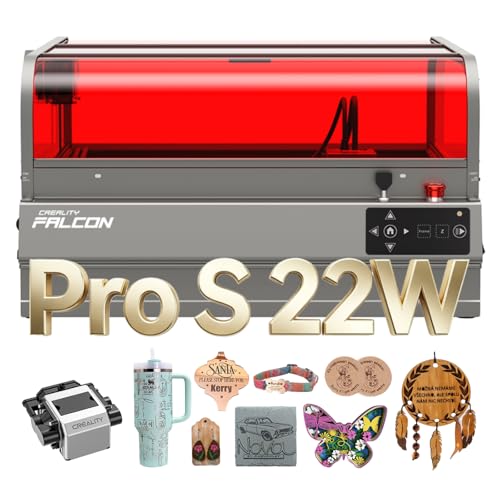
Creality Falcon2 Pro S 22W Laser Engraver
What We Like
- Auto Cut Through ensures clean, full-thickness cuts
- Integrated camera and auto focus for precise positioning
- Fully enclosed, fireproof design enhances workshop safety
- Built-in debris drawer simplifies cleanup after jobs
Trade-offs
- At 49.3 lb, it's a substantial, stationary workshop tool
- Large 26 x 22 inch footprint demands dedicated bench space
The 22W optical output and Auto Cut Through path compensation are what set this machine apart for reliable batch production. It consistently severs materials like 10mm acrylic or 15mm basswood in a single pass, which is a major time-saver for a small studio. The fully integrated enclosure and Class 1 certification mean you can run it with confidence in a shared space, while the built-in camera and auto-focus eliminate the tedious manual measuring between projects. For a sole trader or professional maker needing dependable, repeatable cuts on wood and acrylic, this laser handles the grunt work efficiently.
You are buying a complete, safety-focused system, not just a laser module. That integrated design does mean it’s a hefty unit that will claim a permanent spot in your shop. Compared to a more open-frame model like the OMTech K40+ 45W CO2 Laser Engraver, the Falcon2 Pro S offers superior out-of-the-box safety and easier setup. It trades off some raw power and the ability to easily modify or access the internal components. This machine is built for turnkey operation, not for tinkerers who want to upgrade or repair every component themselves.
Product photos
How We Evaluated Laser Cutter Engravers
Our evaluation began with a thorough review of manufacturer specifications and technical documentation to understand each machine’s fundamental capabilities, from laser type and wattage to bed size and software compatibility. We then cross-referenced this with expert round-ups and aggregated patterns in owner feedback, looking for consistent reports on performance, reliability, and ease of use.
For a deep dive into another category of precision tools, explore our guide to the best CNC laser cutting machines.
The key criteria were laser type and power, workspace and safety, and software ecosystem. Laser type, diode, CO2, or dual-source, determines which materials you can work with, while wattage directly affects cutting speed and depth. The work area dimensions and whether the machine is fully enclosed (Class 1) or open-frame (Class 4) dictate project size limits and the safety measures required in your space. Finally, the included software and its learning curve are critical for a smooth workflow, especially for beginners looking at entry-level laser engravers.
An evaluation based on research has clear limits. It can report common owner experiences and published specifications, but it cannot provide firsthand data on cut quality consistency, long-term durability, or the exact nuances of software usability. The goal is to equip you with the information needed to narrow your search confidently, for those considering powerful CO2 laser engravers or versatile diode laser machines.
What To Look For In Laser Cutter Engravers
Your primary projects and materials should guide your choice. A machine perfect for detailed wood signs may struggle with metal tumblers, so understanding the core trade-offs is essential.
Focus first on laser type and power: diode lasers handle wood and acrylic, CO2 lasers cut thicker materials cleanly, and fiber or IR modules are needed for bare metal. Next, ensure the work area fits your typical project size, and prioritize a fully enclosed Class 1 design for safe home use.
Laser Type and Power
The laser source defines your machine’s universe of compatible materials. Standard blue diode lasers, common in many desktop models, excel at engraving and cutting wood, leather, and coated metals, but they cannot mark bare metal. For that, you need a machine with an infrared (IR) or fiber laser module, either built-in like the xTool F2 or as an optional accessory.
CO2 lasers, like the OMTech K40+, are the traditional choice for deeply and cleanly cutting acrylic and thicker woods. Wattage is your benchmark for speed and depth; a 10W diode will cut more slowly and shallowly than a 40W model, often requiring multiple passes for thicker stock.
Workspace and Safety
The work area, or bed size, is a hard limit on your project dimensions. A small bed suits jewelry and keychains, while a larger area accommodates plaques and panels. Some models, like the Glowforge Aura, offer a passthrough slot for engraving indefinitely long items like rulers or trim.
Safety is paramount. A fully enclosed Class 1 laser, such as the Creality Falcon A1 Pro, contains all harmful light and is ideal for shared spaces. Open-frame or Class 4 lasers require dedicated, controlled workshops where everyone wears protective eyewear.
For projects focused on a specific material, our resource on the best laser engravers for wood can help narrow your search.
Software and Workflow
The software is your control center. Some brands, like Glowforge and xTool, offer proprietary, cloud-based platforms designed for beginners. Others rely on third-party software like LightBurn or LaserGRBL, which are more powerful but have a steeper learning curve. Consider if you need features like offline operation via USB or SD card, the ability to control multiple machines from one computer, or a built-in camera for visual job placement and alignment. A smooth workflow from design to finished part is crucial for productivity, for both hobbyists and small businesses.
- Check the software compatibility with your computer’s operating system.
- Look for machines with built-in cameras to save material and ensure precise placement.
- Verify if essential accessories like air assist or a rotary attachment are included or sold separately.
- Ensure the machine’s physical footprint and weight are suitable for your intended workspace.
- Research the required safety gear and ventilation solutions for your chosen laser class.
Your most frequent project material should be the single biggest factor in choosing your laser type.
Laser Cutter Engravers Compared
The following table provides a clear, side-by-side comparison of the key specifications for our top picks to help you evaluate them at a glance.
| Product | Laser Power | Work Area | Safety Class |
|---|---|---|---|
| xTool S1 40W Laser Cutter and Engraver | 40W (40,000mW) | 23.93 x 15.16 inches | Class 1 enclosed |
| xTool F2 Dual Laser Engraver | 15W Diode & 5W IR | N/A | Class 4 laser |
| Glowforge Aura 6W Laser Engraver | 6W Diode Laser | 12 x 12 inch | Class 1 laser product |
| OMTech K40+ 45W CO2 Laser Engraver | 45W | 12"×8" | N/A |
| Creality Falcon A1 Pro 20W Laser Engraver | 20W diode + 2W IR (optional) | 460 × 346mm | Class 1 (enclosed) |
| Carverall A1 Pro 12W Laser Cutter Engraver | 12.36-12.58W output | 3.94 x 3.94 inches | Class 1 enclosed |
| WECREAT Vision Pro 45W Laser Engraver | 45W Diode (BeamFocus Tech) | 22.83" x 15.75" | Class 1 Enclosed |
| Longer RAY5 20W Laser Engraver Bundle | 20W optical | 400 x 365mm | N/A |
| BlazeX M3 10W Laser Engraver | 10W diode | N/A | Class 1 |
| Creality Falcon2 Pro S 22W Laser Engraver | 22W optical output | N/A | Class 1 |
Frequently Asked Questions
What is the best laser cutter and engraver?
The “best” machine depends entirely on your primary materials and projects. For a versatile, powerful, and safe option suitable for many home workshops, the xTool S1 40W is an excellent overall choice. It combines a strong 40W diode laser for cutting thick wood with a fully enclosed Class 1 design.
Which type of laser engraver is best?
No single laser type is best for all tasks. Diode lasers are best for beginners working with wood, leather, and acrylic. CO2 lasers are superior for fast, deep cutting of woods and clear/colored acrylics. For engraving bare metals, you need a fiber or infrared (IR) laser. A dual-laser system like the xTool F2 offers the most versatility.
Which is better, xTool or LaserPecker?
This comparison depends on the specific models and your needs. Generally, xTool offers a wider range of machines, from enclosed diode cutters to powerful CO2 systems, often with larger work areas suitable for sign-making and production. LaserPecker models tend to be more compact and portable, ideal for very small-scale engraving on the go. You can explore more options in our guide to top laser engravers.
Can one laser engraver do everything?
No, a single machine cannot do everything perfectly. Each laser type has material limitations. A standard diode laser cannot mark bare metal, a CO2 laser is inefficient on metal, and a fiber laser is overkill and ineffective for cutting wood. The most versatile single machine for mixed materials is a dual-laser system, but it will still have trade-offs in cutting speed or bed size compared to specialized tools.
What is the safest laser engraver for home use?
The safest lasers for home use are fully enclosed units with a Class 1 safety rating. These machines, like the xTool S1 or Creality Falcon A1 Pro, have interlocking lids that prevent operation when open, containing all harmful laser light. They are designed to be used in typical home environments without requiring all viewers to wear safety glasses.
The Bottom Line
For makers and small shops needing a balance of power, a large work area, and crucial safety features for home use, the xTool S1 40W Laser Cutter and Engraver is our best overall pick. Its 40W diode laser handles demanding cuts while its Class 1 enclosure provides peace of mind.
If your budget is tight but you need true CO2 cutting power, look to the OMTech K40+. For beginners wanting a complete, ready-to-run kit for small crafts, the BlazeX M3 is the ideal starting point. Before you buy, decide if you need the precision of a laser engraver vs CNC for your specific projects.
Ultimately, let your most common project material, whether it’s wood, acrylic, or metal, guide your choice of laser type above all else. Matching the tool’s core capability to your primary need is the surest path to a satisfying and productive investment.
