
10 Best Small Cnc in 2026
This post contains affiliate links. As an Amazon Associate, we earn from qualifying purchases.
Our best overall small CNC machine is the Genmitsu 3018-PRO CNC Router Kit for its desktop-friendly size and offline controller. For an even quicker start, the Genmitsu 3018-PROVer V2 is the best beginner pick, while those needing automation should look to the MAKERA CARVERA CA1.
Choosing a compact CNC means balancing work area, power, and your available bench space. You need a machine that fits your shop physically and matches the materials and project sizes you plan to tackle. We compiled this list through research, comparing specifications, manufacturer details, and patterns in expert and user feedback to guide you to a confident choice.
Top 10 Small CNC Machines in the Market
Certain content that appears on this site comes from Amazon. This content is provided "as is" and is subject to change or removal at any time.
The Best Small CNC Machines, Reviewed
Genmitsu 3018-PRO CNC Router Kit
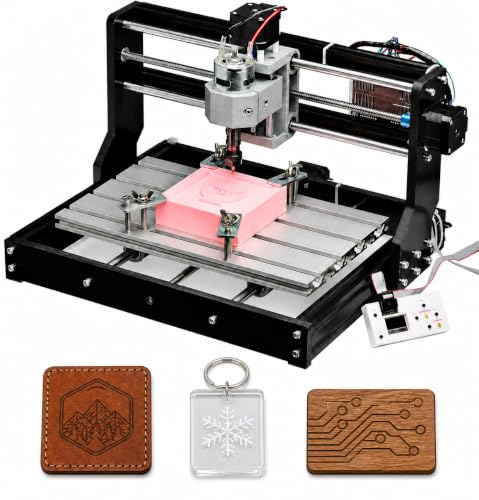
What We Like
- Compact 15.3 lb frame fits on a desktop
- Includes offline controller for computer-free operation
- GRBL control has extensive community resources
- Raised base design improves stability for cuts
Trade-offs
- 45mm Z-axis travel limits material thickness
- Spindle power limits cutting speed in aluminum
- 300mm X-axis restricts project size versus larger models
A 300 x 180 mm work area provides a practical canvas for small woodworking, engraving, and PCB prototypes without taking over a workbench. The Genmitsu 3018-PRO is a compact desktop CNC router designed for beginners, bundling an offline controller and GRBL control to offer a flexible entry point for learning CNC carving and milling. Its upgraded assembly reduces setup complexity, giving makers an approachable way to explore projects in wood, acrylic, and plastic with the right bits and cutting settings.
You will hit the machine’s limits quickly if you plan to batch out large parts or work extensively with metals. The compact frame and spindle are designed for learning and light duty, not production. For makers ready to tackle thicker hardwoods or more frequent aluminum work, stepping up to a model like the all-metal SainSmart Genmitsu 3020-PRO Ultra provides more rigidity and power. The 3018-PRO excels at its core mission: being the most complete and stable starter kit to demystify CNC machining.
Genmitsu 3018-PROVer V2 CNC Milling Machine

What We Like
- Semi-preinstalled for fast, beginner-friendly setup
- Quiet 32-bit drivers for improved engraving accuracy
- Comprehensive upgrade path with available accessories
- Includes a one-piece aluminum spoilboard for stability
Trade-offs
- 11.4-inch work area limits project size versus larger models
- Weighs 20.4 lb, requiring a dedicated, stable benchtop
A setup time of about 35 minutes from unboxing highlights its beginner-focused design. Semi-preinstallation and compatibility with software like Easel allow new users to start their first project quickly. Research identifies it as a top affordable choice for small businesses, noting it can handle an impressive variety of materials for its class.
The machine’s 11.4-inch square footprint makes it a desktop unit, fitting easily on a workbench. This compact size suits detailed engravings and smaller projects. For larger work areas, the Genmitsu product line includes models like the 3020-PRO Ultra, which has a larger footprint and weighs more.
MAKERA CARVERA CA1 Small Cnc
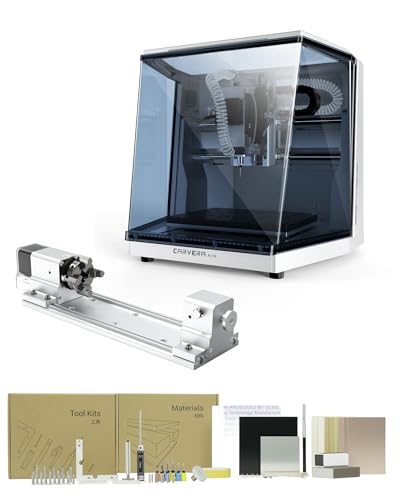
What We Like
- Includes true 4th-axis rotary module for cylindrical work.
- Quick tool changer automates multi-step projects.
- Auto-probing and leveling ensures precision on uneven stock.
- Closed-loop spindle control for exceptional surface finish.
Trade-offs
- No stated dimensions or weight for workshop space planning.
- Requires WiFi or USB connection for smart control features.
A quick tool changer that swaps bits in 10 seconds transforms this from a hobbyist toy into a serious prototyping tool. That automation, combined with auto-probing and a closed-loop spindle, means you can walk away from a multi-step job on wood, plastic, or soft metals and trust it to run accurately. This setup is perfect for the maker who values repeatable precision and wants to spend time designing, not babysitting the machine. The included 4th axis opens up genuine cylindrical carving and complex 3D shapes right out of the box.
This machine arrives as a complete system with the 4th axis rotary kit, accessory kit, tool kit, and material kit all included, so you can start machining projects without needing to source parts. Its user-friendly, all-in-one CAM software works on Mac and Windows, and it integrates with tools like Fusion360, which streamlines moving from a digital design to a physical cut. The quick tool changer switches tools in 10 seconds, making advanced projects with multiple milling steps far more efficient.
Product photos
Twotrees CNC Router Machine Small Cnc
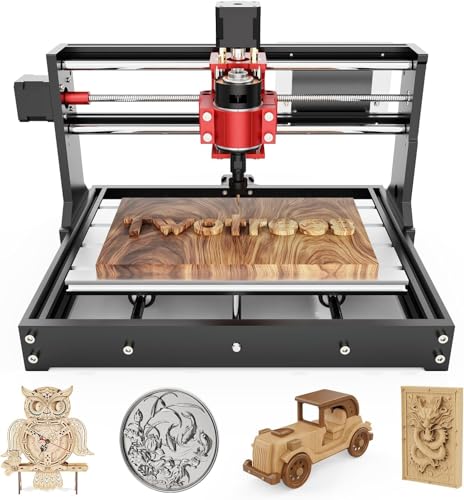
What We Like
- All-metal Z-axis for stable aluminum cutting
- Compact 15 lb frame fits on any desk
- Complete kit with tools ready for first project
- Full disassembly kit for learning XYZ-axis principles
Trade-offs
- No offline control via TF card or wireless
- Work area limits projects to small nameplates
- Only supports file transfer via attached USB cable
At 15 pounds with a footprint smaller than a briefcase, this machine redefines portability for a desktop CNC. It’s the router you can tuck into a closet or carry to a workshop class without breaking your back. The all-metal Z-axis and T8 lead screws deliver the rigidity needed for consistent passes on brass and aluminum sheets, a step up from flimsier nylon-frame kits. For a student, apartment-based maker, or anyone with severe space constraints, it delivers a genuine, upgradeable CNC experience without claiming a permanent station on your workbench.
The trade-off for that compact form is a strictly wired workflow and a modest work area. You’re managing files directly from a connected Windows or Mac computer, which keeps the cost down but tethers you to the machine. Compared to something like the Genmitsu 3018-PROVer with its offline controller, this is a simpler, more physical setup. It’s a focused tool for learning GRBL and tackling small engraving jobs, not for production batches.
FoxAlien Masuter Pro CNC Router
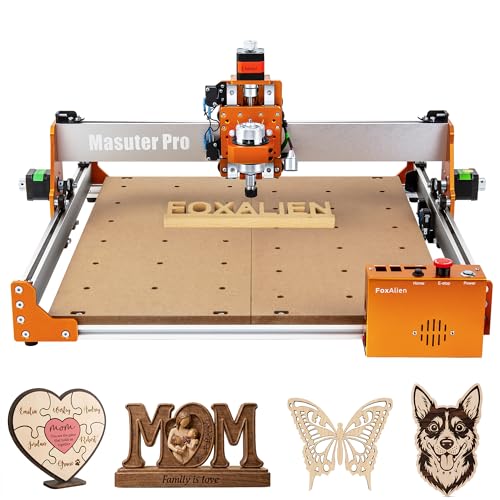
What We Like
- All-metal construction for enhanced stability and durability
- Pre-wired for quick, sub-15-minute assembly
- Dust-proof controller box with accessible safety buttons
Trade-offs
- Weighs 28.7 lb, requiring a sturdy, dedicated bench
- Optional 69mm spindle clamp must be purchased separately
- Y-axis extension kit is an optional add-on, not included
A 15.75 by 15.75 inch work area provides the room to tackle larger signs, detailed panels, or multiple smaller parts in a single setup, which is a serious step up from most compact desktop CNCs. This machine suits the hobbyist who has outgrown smaller machines and needs more real estate without moving to a full-sized industrial unit. The all-metal frame and linear rail Z-axis provide the rigidity needed to actually use that space for clean cuts in wood and acrylic, not just gentle engraving.
You get that large-format capability in a package that’s still relatively approachable, with pre-wired components that get you running in about fifteen minutes. The trade-off is that at 28.7 pounds, it’s a permanent shop fixture, not something you’ll tuck away on a shelf. Its design focuses on customization, including two spindle clamps and support for upgrade options like a 1.5KW spindle, letting you start with a basic setup and expand its capabilities later.
LIKARVA 3018-SE V2 CNC Router

What We Like
- Offline controller for standalone operation
- 80W spindle motor for efficient cutting
- Aluminum frame and workbench for rigidity
- Straight round rail for consistent performance
Trade-offs
- 80W spindle limits material hardness.
- Manual control for spindle and fan.
An offline controller lets you operate this CNC router without a connected computer, a major convenience for hobbyists who prefer a computer-free workshop or need to start a job and leave it running. Its 80W spindle motor and aluminum frame are designed for accurate engraving on softer materials like wood and plastic, making it suitable for detailed projects where ease of use is important.
This machine’s 18-pound weight is lighter than the 20.4-pound Genmitsu 3018-PROVer V2, indicating a more compact and portable build. With its offline control and focus on materials like wood and plastic, it serves users well for convenient, computer-free engraving tasks rather than heavy routing.
Product photos
SainSmart Genmitsu 3020-PRO Ultra CNC
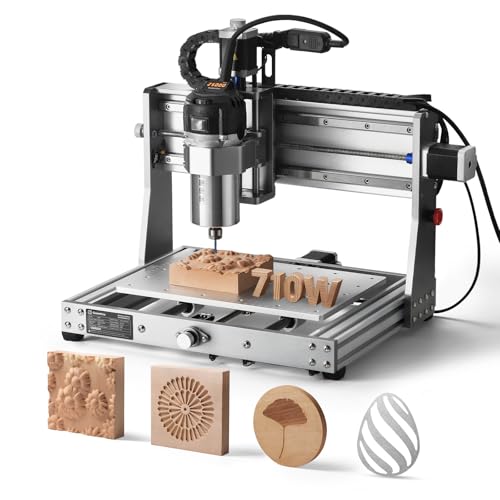
What We Like
- Powerful 60mm stepper motors provide 7.3 Nm torque.
- Adjustable 710W spindle handles wood, metal, and acrylic.
- All-metal construction for stability.
Trade-offs
- At 33.7 pounds, it's a substantial desktop unit.
- Requires separate purchase for a 69mm spindle bracket.
The 7.3 Nm of torque from its stepper motors is what sets this machine apart. That force lets you push through tougher materials like aluminum with a 1.5mm cut in one pass, which saves time and reduces wear on your bits. This makes the 3020-PRO Ultra a solid pick for hobbyists and small shops ready to move beyond softwoods and plastics into more demanding metals and composites. Its all-metal frame and reinforced axes provide the stability needed to handle that extra power without chatter.
Its all-metal construction and powerful 60mm stepper motors deliver 7.3 Nm of torque, which translates to deeper, more stable cuts in materials like aluminum. This rigidity comes in a desktop footprint, so the machine remains sturdy without dominating a workbench. Compared to the larger 4040-PRO MAX with the same spindle, this model prioritizes a compact form. The simpler 3018-PRO kit has a smaller frame and lower weight for a more basic introduction.
SainSmart Genmitsu 4040-PRO MAX CNC
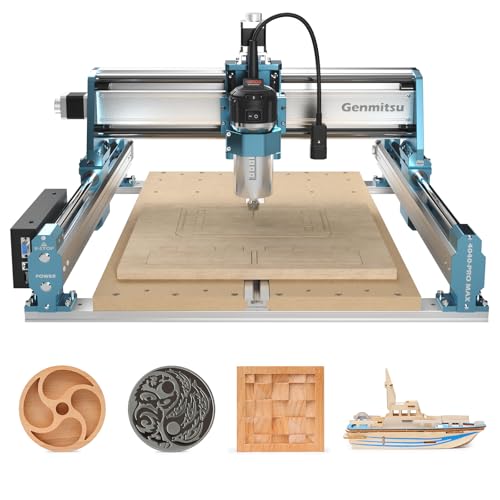
What We Like
- High-power 710W router for demanding cuts
- Increased 100mm pass height for thicker stock
- Reinforced spoilboard prevents sag under load
- Linear guideways enhance precision and stability
Trade-offs
- At 52.9 lb, it's a substantial desktop machine
- The 15.7-inch work area limits large sheet projects
The 710W router provides superior engraving and cutting power, which allows the machine to handle more demanding operations than lower-wattage models. Advanced linear guideways enhance motion stability and precision, so the machine maintains accuracy during fast, high-power work. A 100mm pass height, over 40% higher than the PRO version, accommodates taller materials or a spindle upgrade without reducing engraving capacity.
That capability comes with a 52.9-pound weight, requiring a sturdy surface like a workbench for stable operation. Its 15.7-inch by 15.7-inch footprint offers a desktop-sized work area suitable for items like plaques and signs. Research mentions the Genmitsu 3018-PROVer as the best affordable CNC for small businesses overall, noting it can handle an impressive variety of materials for its price.
Product photos
LUNYEE 3018 PRO MAX CNC
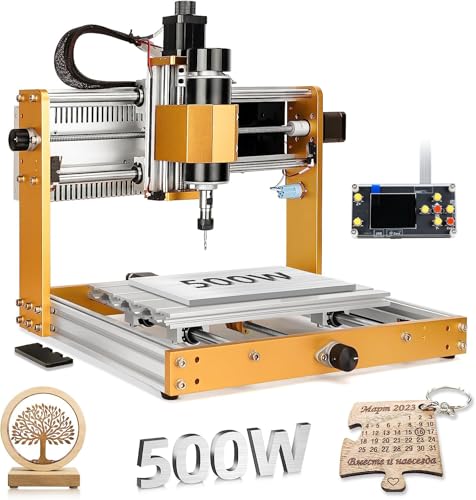
What We Like
- 80mm Z-axis travel for deeper cuts
- 500W spindle handles metals like aluminum
- Six limit switches and emergency stop for safety
- Includes GRBL offline control for standalone operation
Trade-offs
- Weighs 28.7 pounds, a heavier desktop model
- Upgrade kit for 12mm optical axis sold separately
- Assembly requires watching provided installation videos
An 80mm Z-axis travel is the standout feature here, giving you the clearance to work with thicker stock and use longer bits without constantly adjusting your workpiece. That extra depth, combined with a 500W spindle, makes this a strong candidate for makers ready to move beyond softwoods and plastics into more demanding materials like aluminum. The all-metal frame and suite of safety switches, including an emergency stop, provide a sense of durability and security that’s welcome when you’re pushing the machine harder.
While it shares a similar footprint with many 3018 models, its capabilities and construction place it closer to the Genmitsu 3020-PRO Ultra in terms of what it can tackle, just in a more compact package. For anyone who’s felt constrained by the shallow depth of a standard hobby CNC, this model directly addresses that limitation.
Product photos
NymoLabs NBS-6040 CNC Router

What We Like
- Linear rails and ball screws on all axes
- Modular design for 20-minute assembly
- 710W spindle with soft start and adjustable speed
- Extensive expansion ports for fourth axis and accessories
Trade-offs
- Maximum Z-axis travel is limited to 4.8 inches
- ER11 collet limits tool shank size to 1/4 inch maximum
The use of linear rails and ball screws on every axis is what sets this machine apart in its class. That full linear rail design translates directly to the kind of rigidity and precision you need for repeated, accurate cuts in harder materials like aluminum, not just wood and plastic. It’s built for the maker who has outgrown the slop and chatter of cheaper rod-based systems and needs a workshop-ready tool that can hold tolerances. The 710W custom spindle, with its wide 7000 to 30000 RPM range and soft start, gives you the controlled power to tackle those jobs without stalling.
You do trade some Z-axis depth for that stability, with just under five inches of clearance limiting the thickness of some stock you can work on. Compared to a more basic model like the Genmitsu 3018-PRO, this is a significant step up in both capability and physical size, moving from a desktop toy to a legitimate benchtop workhorse. It’s a machine for someone ready to invest in a solid foundation that won’t flex under pressure, even if it means requiring a more permanent setup in your shop.
Product photos
How We Evaluated Small CNC Machines
This guide is based on an analysis of manufacturer specifications, software compatibility, and potential upgrades. It also considers expert reviews and synthesizes common themes from user feedback across various platforms to assess real-world performance and reliability.
The most important criteria were the machine’s footprint and weight for small-space use, the work envelope dimensions for project capacity, and spindle power for material compatibility. We also prioritized features that reduce the learning curve, like offline controllers or semi-assembled kits. A key part of our search for the best small CNC machines involved understanding the trade-offs each machine makes to fit a compact form factor.
A limitation of this approach is the inability to personally verify cut quality, long-term durability, or software ease-of-use. The comparisons rely on published specifications and the consensus from user experiences, which offers a solid basis for evaluation.
What To Look For In Small CNC Machines
Selecting the right small CNC means matching its core specifications to your most common projects and your workspace constraints. A machine that’s too large or underpowered for your goals will lead to frustration, while one with unused capacity may strain your budget and space.
Focus on the work area (X and Y travel) for your typical project size, the Z-axis travel for material thickness, and spindle power for the hardness of materials you’ll cut. Don’t overlook the machine’s total weight and footprint, as stability and available bench space are critical.
Work Area and Footprint
The machine’s work area, defined by its X (width) and Y (depth) axis travel, dictates the maximum size of a single piece you can machine. For a desktop CNC, common work areas range from roughly 11 inches to just over 15 inches on a side.
Consider if you’ll primarily make small plaques, jewelry, or larger signs. Equally important is the machine’s physical footprint and weight; a 15-pound unit can sit on a desk, while a 50-pound model needs a dedicated, sturdy bench. For many, a compact CNC router offers the ideal balance, providing a useful work area without consuming an entire workbench.
Spindle Power and Z-Axis Travel
Spindle power, measured in watts, determines what materials you can cut effectively and how quickly. Lower-power spindles (under 100W) are fine for balsa wood, plastics, and engraving. For hardwoods, acrylics, or light aluminum work, look for spindles in the 300W to 500W range.
Premium desktop CNC machines may offer 700W or more for demanding cuts. The Z-axis travel is the vertical clearance, limiting how thick your stock can be. Travel under 50mm restricts you to thin sheets, while 80mm or more allows for deeper pockets and thicker material blocks, a key feature for metalworking.
Control System and Setup
The control system defines how you operate the machine. Some require a constant USB connection to a computer running control software. Others include an offline controller, allowing you to load files via SD card and run jobs without a connected PC, a major convenience. For beginner CNC machines, look for kits that are semi-preassembled to simplify setup. Community support is also vital; machines running common firmware like GRBL have extensive online tutorials and user forums to help troubleshoot issues.
- Check the software required (some are free, some are subscription-based) and ensure it’s compatible with your computer.
- Verify what file types the machine accepts (typically .nc or .gcode) and how they are transferred (USB, WiFi, SD card).
- Look for safety features like emergency stop buttons and limit switches to prevent the machine from driving beyond its physical boundaries.
- Consider future expansion: does the machine have ports for adding a rotary fourth axis or a laser module?
A good rule of thumb: your first machine should have the largest work area and most power you can reasonably fit and afford, as these are the hardest limits to overcome later.
Small CNC Machines Compared
The comparison table below summarizes the key specifications and features of our top picks to help you see the differences at a glance.
| Product | Work Area | Spindle Power | Weight |
|---|---|---|---|
| Genmitsu 3018-PRO CNC Router Kit | 300 x 180 x 45 mm | N/A | 15.3 pounds |
| Genmitsu 3018-PROVer V2 CNC Milling Machine | 11.4 x 11.4 inches | N/A | 20.4 Pounds |
| MAKERA CARVERA CA1 Small Cnc | N/A | N/A | N/A |
| Twotrees CNC Router Machine Small Cnc | 300x180x40mm | N/A | 15 lbs |
| FoxAlien Masuter Pro CNC Router | 15.75" x 15.75" x 2.36" | N/A | 28.7 Pounds |
| LIKARVA 3018-SE V2 CNC Router | N/A | 80W | 18.0 Pounds |
| SainSmart Genmitsu 3020-PRO Ultra CNC | N/A | 710W | 33.7 Pounds |
| SainSmart Genmitsu 4040-PRO MAX CNC | 15.7 x 15.7 inches | 710W | 52.9 pounds |
| LUNYEE 3018 PRO MAX CNC | 300 x 180 x 80mm | 500W | 28.7 pounds |
| NymoLabs NBS-6040 CNC Router | 24.12" x 16.21" x 4.80" | 710W | N/A |
Frequently Asked Questions
What is the best small CNC machine?
The best small CNC machine depends on your primary need. For a balanced combination of compact size, community support, and offline operation, the Genmitsu 3018-PRO is an excellent overall choice. If your priority is beginner-friendly setup, the Genmitsu 3018-PROVer V2 is ideal, while those needing high precision for metals might prefer a model with linear rails like the NymoLabs NBS-6040.
What is a good mini CNC machine for home use?
A good mini CNC for home use is compact, relatively quiet, and comes as a complete kit. Models like the Twotrees CNC Router Machine or the Genmitsu 3018-PRO are lightweight enough for a desk or small bench and are designed for home use. They allow you to learn the basics and create small projects in wood and plastic without requiring a dedicated workshop.
What are the best CNC machines for small businesses?
The best CNC machines for small business production need reliability, a sufficient work area for your products, and the rigidity for repeatable cuts. Models with all-metal construction and higher spindle power offer the durability and capability for creating sellable items consistently. For example, the SainSmart Genmitsu 4040-PRO MAX or the FoxAlien Masuter Pro can handle wood, plastics, and soft metals.
What is the best CNC machine for a beginner?
The best CNC for beginners minimizes initial frustration. Look for a machine that is partially pre-assembled, has clear instructions, and strong community support. The Genmitsu 3018-PROVer V2 is specifically designed for this, with quiet drivers and a straightforward setup process that gets you from unboxing to your first cut faster than a fully disassembled kit.
What’s the difference between a CNC router and a CNC mill?
Understanding the difference between CNC router and mill is key. Routers typically use a high-speed spindle for cutting softer materials like wood and plastic, often with a larger work area. Mills are built for rigidity to handle harder metals, using slower speeds and higher torque. Most small desktop machines are routers, though some, like the MAKERA CARVERA, blur the line with mill-like precision.
The Bottom Line
For most people starting out, the Genmitsu 3018-PRO CNC Router Kit is the best overall small CNC. It provides a complete, community-supported package that fits on a desktop and includes an offline controller, making it a versatile and accessible first machine for woods and plastics.
If your budget is tight or your space is extremely limited, the Twotrees CNC Router Machine offers a capable, all-metal entry point. For those ready to invest in automation for small-batch production, the MAKERA CARVERA CA1 represents a significant step up in capability.
Ultimately, the single most important factor is matching the machine’s work area and power to the projects you genuinely plan to make, ensuring your new tool becomes a frequently used asset, not a space-consuming regret.
