
10 Best Laser Engravers For Tumblers in 2026
This post contains affiliate links. As an Amazon Associate, we earn from qualifying purchases.
The xTool S1 40W Laser Cutter and Engraver is our best overall pick for its blend of high power, integrated safety, and production-ready performance. For a complete kit at a great value, the Creality Falcon 10W is a top choice, while the Twotrees TS5 stands out for its enclosed, portable safety.
Choosing the wrong machine can waste time and ruin expensive drinkware. You need a laser that handles a tumbler’s curved surface reliably and works with your available space. Our research compared specifications, expert insights, and owner feedback to bring you this curated list of ten capable machines.
Top 10 Laser Engravers For Tumblers in the Market
Certain content that appears on this site comes from Amazon. This content is provided "as is" and is subject to change or removal at any time.
The Best Laser Engravers For Tumblers, Reviewed
xTool S1 40W Laser Cutter and Engraver

What We Like
- Powerful 40W laser cuts 18mm wood in one pass
- Fully enclosed Class 1 safety with flame sensors
- Pre-tested parameters for over 400 materials
Trade-offs
- Large 19.6-inch square footprint requires significant bench space
A 40-watt laser paired with a nearly two-foot-wide bed is a combination that moves beyond hobbyist tumbler projects into serious small-batch production. This machine is built for someone ready to graduate from occasional crafts to consistent, high-quality work on a mix of materials, from wood and acrylic to large door signs. The enclosed Class 1 safety design means you can run it in a shared space without worrying about stray laser light or constant supervision, a legitimate concern for home workshops.
The xTool S1’s aerospace aluminum frame and extensive factory testing point to a tool meant for daily use, not just weekends. That premium build and the expansive work area, however, demand a dedicated spot in your shop. For focused tumbler engraving in a tighter space, a more compact model like the Twotrees TS5 might be a better fit, but you’ll sacrifice the S1’s power, speed, and capacity for larger projects.
Creality Falcon 10W Laser Engraver

What We Like
- Includes a versatile 4-in-1 rotary roller kit
- Groundbreaking air assist for cleaner cuts
- High precision with 0.06mm laser spot
- Quick assembly and offline operation capability
Trade-offs
- Large footprint at 24.8 inches tall
- Rotary kit cable can be hidden in packaging
- Class 4 laser requires strict safety protocols
A 10-watt laser paired with a purpose-built 4-in-1 rotary roller kit makes the Creality Falcon a serious contender for anyone starting a tumbler business on a budget. This setup, which can grip items from 1mm to 130mm in diameter, means you can securely hold everything from slim shot glasses to hefty insulated mugs. The included air assist keeps engraving smoke clear, which research suggests is key for getting clean, unburned results on anodized tumblers. For the hobbyist or new seller looking to turn projects into profit, this machine bundles the essential tools without demanding a premium investment.
The trade-off is its open-frame design, which lacks the integrated safety and space efficiency of a fully enclosed unit like the Twotrees TS5. You’ll need to dedicate a secure, well-ventilated workspace and be meticulous about safety gear, as this is a Class 4 laser. However, that open design also makes it easier to manage larger or irregularly shaped projects beyond just cylinders. When you compare its core engraving capability and included rotary to other diode lasers in its class, the Falcon delivers the fundamental performance needed for professional-looking tumblers at an accessible point.
Product photos
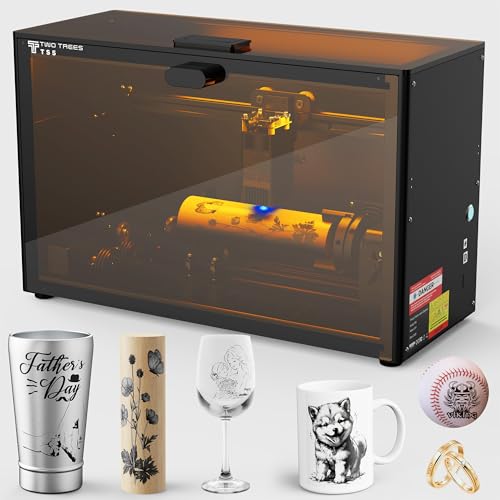
Twotrees TS5 7W Laser Engraver
What We Like
- Class 1 safety enclosure blocks light and smoke
- Ultra-fine 0.035×0.1mm laser spot for photo-realistic detail
- Comprehensive 4-in-1 rotary kit for various round objects
- Compact, portable design at 9.13 kg
Trade-offs
- 7W power is lower than many 10W+ competitors
- Workspace height of 4.8 inches limits taller items
A fully enclosed Class 1 safety design means you can set this engraver up anywhere in your home workshop without worrying about stray laser light or fumes. This is a genuine benefit if you’ve got kids or pets wandering through. That, combined with a four-in-one rotary kit ready for anything from a tumbler to a baseball, makes it a solid pick for the crafter who values a tidy, secure operation. You can tackle a variety of round projects right out of the box.
This 7W laser engraver is fully enclosed, which filters 99% of laser light for Class 1 safety so you can operate it without goggles even with kids or pets nearby. Its aerospace-grade aluminum frame and over 80,000 hours of factory testing suggest a focus on durability for long-term use. The included 4-in-1 rotary kit handles items from tumblers to rings, making it a versatile choice for cylindrical and spherical objects.
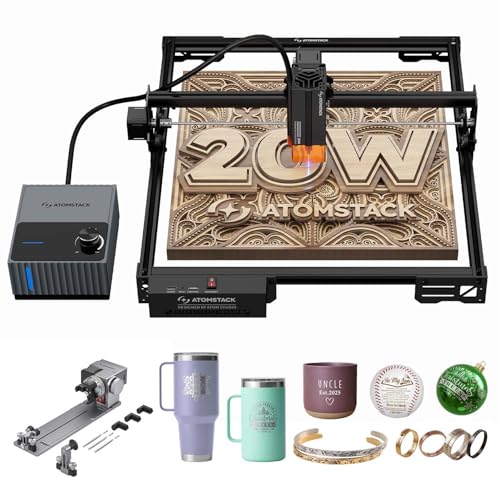
Atomstack A20 Pro V2 20W Laser Engraver
What We Like
- Ultra-fast 400mm/s engraving drastically cuts job times.
- Versatile 4-in-1 rotary handles objects from 12mm to 200mm.
- Powerful 60L/min air assist prevents charring for cleaner results.
- Integrated safety features like tilt sensor and magnetic eye shield.
Trade-offs
- Class 4 laser demands a dedicated, well-ventilated workspace.
An engraving speed of 400mm/s means you can personalize a batch of tumblers in the time it takes some machines to do one. That blistering pace, paired with a 0.1° precision rotary, is built for high-volume creators who need to turn around custom drinkware quickly without sacrificing detail. The integrated air assist keeps marks crisp on coated metals and woods, making it a serious production tool for a small business or a dedicated hobbyist with a steady stream of orders.
The trade-off for that speed is raw cutting power; for engraving tumblers, the 20W diode is excellent, but it won’t match the deep material cutting ability of a CO2 machine like the VEVOR 45W. Compared to more compact options like the AlgoLaser Pixi, the A20 Pro V2 is a workshop anchor, not a portable unit. It’s for the maker who values throughput and has the space for a dedicated, powerful station.
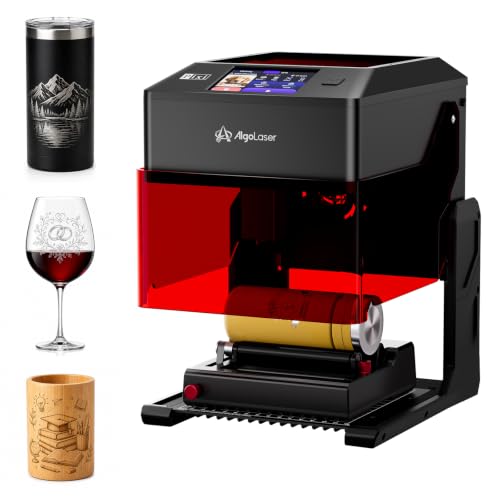
AlgoLaser Pixi 10W Laser Engraver
What We Like
- Built-in rotary kit for tumblers out of the box
- Offline operation via touchscreen with AlgoOS
- Fully enclosed Class 1 safety design
- Flexible file support and multi-device compatibility
Trade-offs
- 10W diode laser limits depth on hard materials
- Compact 14.7-inch length restricts very long items
A fully integrated rotary kit and a 3.5-inch touchscreen let you start personalizing tumblers immediately without a computer or extra purchases. That makes the Pixi a remarkably straightforward choice for a beginner or a small business looking to produce custom drinkware with minimal setup fuss. Its Class 1 enclosure and tilt protection also mean you can run it confidently in a shared space like a home office or classroom, where safety is a priority.
AlgoLaser designed the Pixi 10W to be an all-in-one starter machine, which means its scale is a deliberate trade-off for plug-and-play convenience. Its 10W diode laser can engrave glass and coated metals, but it won’t match the cutting speed or depth of more powerful units like a 40W laser for production work. This compact desktop footprint suits a hobbyist or gift shop starting out, while high-volume work on heavier materials may require a larger machine.
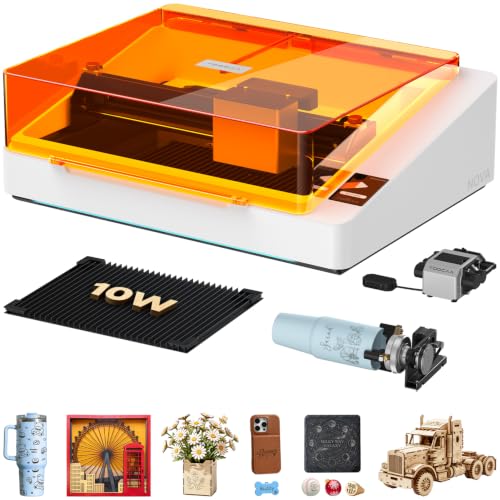
TOOCAA 10W Enclosed Laser Engraver
What We Like
- AI camera enables precise drag-and-drop positioning
- AI auto-recognizes materials for optimal settings
- Fully enclosed Class 1 safety for indoor use
- Includes exclusive dual exhaust to reduce burn marks
Trade-offs
- 10W laser power limits cutting speed on thick materials
- Requires recognition card for AI material settings
A built-in 5MP AI camera provides a real-time workspace preview and lets you drag designs directly onto the material view. This means you can place a logo on a tumbler with pinpoint accuracy and reduce material waste. The visual positioning makes the machine beginner-friendly by eliminating alignment guesswork. Its AI system also recognizes materials with a card to apply optimal settings in seconds, which removes the need for manual focusing or parameter testing. The fully enclosed design and Class 1 safety rating filter laser light and include multiple protections, making it suitable for use in homes, classrooms, studios, and small businesses.
The core of this machine is a 10W (10,000mW) diode laser, which is designed for engraving and cutting a wide range of materials like wood, acrylic, and coated metal. Its intelligent workflow and AI camera are significant time-savers for personalized projects on items such as tumblers and gifts. For users whose primary need is fast, deep cutting on very dense materials, a laser with a higher power rating, like the 40W xTool S1, exists as an alternative product category.
WECREAT Lumos Portable Laser Engraver

What We Like
- Unique IR laser for metal color marking.
- Precise 50MP camera for design alignment.
- Class 1 safety with built-in enclosure.
Trade-offs
- Lower 10W diode power for deep cuts on hard materials.
- Portable design limits work area for large items.
The 3W IR laser with nano temperature control unlocks true color marking on bare metal, a feature that moves far beyond simple black etching. This makes the Lumos a specialist’s tool for anyone aiming to produce vibrant, anodized-style designs on tumblers or jewelry without chemicals. It pairs this with a practical 10W diode for everyday engraving and a sharp 50MP camera that takes the frustration out of aligning intricate artwork. For the crafter focused on metallic personalization, this is the technical edge that opens new creative doors.
Its combination of a 10W diode for general engraving and a 3W IR laser for color marking on metal makes this a specialized tool for personalizing items like tumblers and jewelry. The portable, compact form factor is geared for marking and engraving rather than heavy cutting. For deep, fast cutting on thick materials, a more powerful stationary diode or CO2 laser would be a better fit.
Product photos
LONGER Ray5 5W Laser Engraver
What We Like
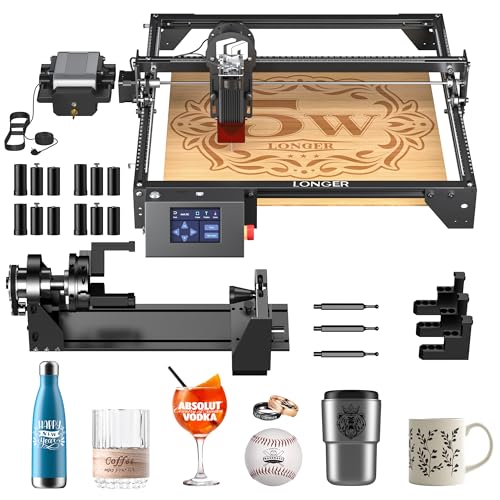
- Comes with a versatile 4-in-1 rotary kit
- Includes 12 risers for added height flexibility
- Built-in air assist improves cut quality
- Offers multiple connectivity options including WiFi
Trade-offs
- 5W laser is less powerful than many 10W+ competitors
With a 4-in-1 rotary kit and 12 risers included, the LONGER Ray5 provides the tools needed for engraving cylindrical objects and adjusting the work height immediately. Its 400mm square working area also accommodates various flat project sizes. This bundle offers a versatile starting point for personalization tasks.
The 5W laser is less powerful than many 10W+ competitors, which influences its material processing capabilities. It operates effectively for engraving and cutting materials 3-6mm thick, as stated in its specifications. This positions it for detailed work on compatible surfaces rather than heavy-duty removal.
Product photos
VEVOR 45W CO2 Laser Engraver
What We Like
- 45W power for fast, clean engraving and cutting.
- Includes a rotary axis for cylindrical items like tumblers.
- Built-in air assist and water cooling for clean, stable operation.
- Broad compatibility with Windows, macOS, and Linux.
Trade-offs
- Heavy at 64 pounds and requires significant permanent space.
- Cannot engrave bare metal, only coated metals.
- Work area is smaller than some desktop diode laser options.
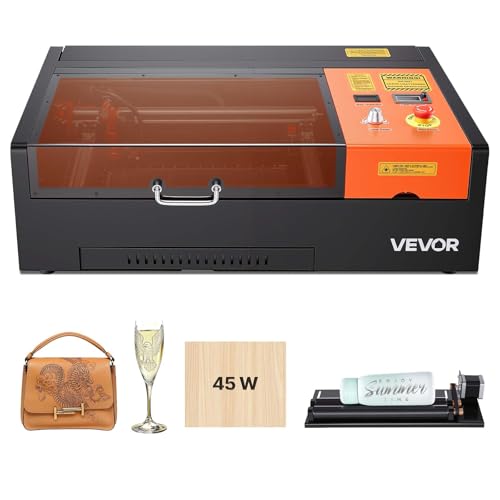
A 45-watt CO2 laser tube delivers clean, fast etching on materials like glass and acrylic, where its wavelength is naturally absorbed. This VEVOR engraver includes a rotary axis for cylindrical items and an air-assist system to clear debris during operation. Its 64-pound weight and bench-sized footprint require a dedicated workspace, positioning it for users who specifically need CO2 capabilities.
The machine’s focus is its material specialization. Research indicates that for engraving common powder-coated metals, a modern diode laser can provide sufficient power and a gentler initial learning curve. This model finds its justification when a project list consistently features non-metals like wood and acrylic, or clear glass, where the CO2 laser type excels.
Product photos
WECREAT Vista 10W Laser Engraver
What We Like
- Patented FlipLaser rotary for desktop tumbler engraving
- Smart HD TopView camera for precise, distortion-free alignment
- Class 1 fully enclosed metal design for safe home use
- Includes extensive library with 2000+ design projects
Trade-offs
- Large 30 x 23.6 inch footprint requires significant workspace
- 10W diode laser limits cutting speed on thicker materials
- Optional 2W infrared module needed for metal marking
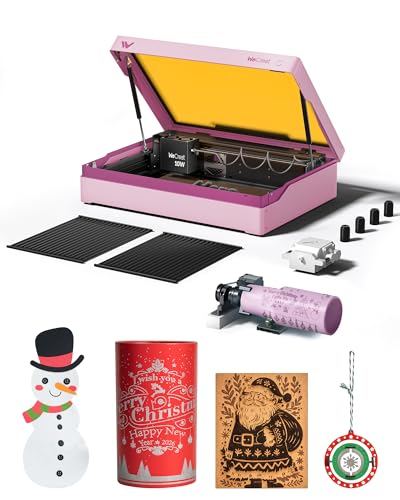
The WECREAT Vista’s patented 90° FlipLaser rotary is the key to its design, letting you engrave a 40oz tumbler directly on your desk without bulky risers or complex calibration. This makes it a standout for beginners and hobbyists focused on drinkware, as the integrated smart camera and massive design library further flatten the learning curve. You get a complete, safety-focused system ready for personalized gifts right out of the box.
The trade-off is its substantial 30-inch length, which demands a dedicated bench space more than some compact competitors like the AlgoLaser Pixi. While its 10W diode and air management deliver clean engraving on thin materials, the laser power is best suited for marking and fine detail work rather than rapid production or deep cutting. For a user whose primary goal is effortless tumbler personalization in a home workshop, the Vista’s integrated approach is hard to beat.
Product photos
How We Evaluated Laser Engravers For Tumblers
Our evaluation began with manufacturer specifications and documentation to understand core capabilities like laser power, work area dimensions, and included accessories. We then analyzed patterns in expert round-ups and owner feedback, focusing on real-world performance for cylindrical objects. The key criteria were a machine’s compatibility with a rotary attachment, its power for clean results on coated metals, and its safety classification for the intended workspace. Since this is a research-based guide, we cannot confirm the long-term durability of any individual unit or the performance of proprietary software.
What To Look For In Laser Engravers For Tumblers
Selecting a laser for tumblers involves more than just raw power. You need a system designed to handle curves and the specific materials used in drinkware.
Focus on a machine that includes or supports a high-quality rotary attachment, offers sufficient laser power for your production speed, and matches your workspace with an appropriate safety enclosure.
Laser Type & Power
Diode lasers are the most common and affordable choice for engraving the powder-coated or painted surfaces of popular tumblers. Power, measured in watts, influences engraving speed and depth; a 10W diode is a solid starting point, while 20W and 40W models significantly reduce job times.
For engraving bare, uncoated stainless steel, you typically need a specialized infrared or fiber laser module, which some machines offer as an add-on. CO2 lasers excel on materials like glass and clear acrylic but cannot mark bare metal. Our research into the best engravers for stainless steel and top engravers for glass highlights these material-specific needs.
Rotary Attachment & Workspace
A rotary attachment is non-negotiable for uniform engraving around a tumbler. Look for a versatile “4-in-1” style that can handle different diameters and shapes, including mugs and bottles with handles. The machine’s physical footprint and internal work area must accommodate both the rotary and your tallest tumbler; some compact models have height limitations.
Enclosed, Class 1 safety designs are ideal for home or office use as they contain light and smoke, while open-frame, Class 4 lasers require a dedicated, well-ventilated workshop. For those with space constraints, a review of the best portable laser engravers can point to more compact solutions.
Software & Ease of Use
User-friendly software can drastically shorten the learning curve. Features like an AI camera for drag-and-drop design placement, material libraries with pre-tested settings, and offline operation via a touchscreen are huge advantages for beginners. Consider the file types the software supports and its compatibility with your computer’s operating system. For newcomers, exploring our guide on the best beginner laser engravers can identify machines that prioritize a smooth start.
- Check if the machine includes a rotary kit in the box or if it’s a separate, required purchase.
- Verify the maximum object diameter and height the included rotary can handle.
- Ensure the software is compatible with your computer (Windows, macOS, Linux).
- Confirm the safety class and whether an external exhaust fan is required.
- Look for bundled resources like design libraries or project tutorials.
For most makers starting a tumbler business, a 10W or 20W diode laser with a reliable 4-in-1 rotary offers the best balance of capability and value.
Laser Engravers For Tumblers Compared
The table below compares key specifications to help you see the differences at a glance.
| Product | Laser Power | Max Engraving Speed | Rotary Kit Included |
|---|---|---|---|
| xTool S1 40W Laser Cutter and Engraver | 40W (40,000mW) | 600mm/s | Rotary Bundle |
| Creality Falcon 10W Laser Engraver | 10000mW (10W) | N/A | Rotary Roller Kit |
| Twotrees TS5 7W Laser Engraver | 7W (7000mW) | N/A | 4-in-1 Rotary Kit |
| Atomstack A20 Pro V2 20W Laser Engraver | 20W | Up to 400mm/s | R8 Rotary Chuck |
| AlgoLaser Pixi 10W Laser Engraver | 10W | N/A | Built-In Rotary Kit |
| TOOCAA 10W Enclosed Laser Engraver | 10W (10000mW) diode | 600mm/s | 360° rotary kit included |
| WECREAT Lumos Portable Laser Engraver | 3W IR & 10W Diode | 4000mm/s Fast | N/A |
| LONGER Ray5 5W Laser Engraver | 5W (5000mW) | 10,000mm/min | 4-in-1 kit included |
| VEVOR 45W CO2 Laser Engraver | 45W CO2, 45,000 mW | N/A | Rotary Axis |
| WECREAT Vista 10W Laser Engraver | 10,000mW (10W) | 600mm/s | 9-in 1 Rotary |
Frequently Asked Questions
What laser engraver is best for tumblers?
For most users, the best laser engraver for tumblers is a diode laser system, like our top pick the xTool S1, paired with a quality rotary attachment. This setup handles the powder-coated surfaces of popular drinkware effectively. The “best” model depends on your budget, desired speed, and whether you need to engrave bare metal or other materials.
What is the best tumbler for laser engraving?
The best tumblers for laser engraving are those with a durable, consistent powder-coated or painted finish, such as popular brands like Yeti or Stanley. The coating provides a contrasting layer for the laser to remove cleanly. Avoid tumblers with bare, uncoated stainless steel unless you have a laser specifically designed for metal marking.
What is the best laser engraver for engraving Yeti cups?
The best laser engraver for Yeti cups is one that works well with coated stainless steel and includes a secure rotary attachment. Yeti cups have a powder-coated finish, making them compatible with most diode and CO2 lasers. Machines like the AlgoLaser Pixi or Creality Falcon, which include a rotary kit, are excellent starting points for this specific task.
Can you laser engrave tumblers?
Yes, you can laser engrave tumblers. The process permanently removes the top layer of a powder-coated or painted finish to reveal the metal beneath, creating a detailed, contrasting design. It requires a laser engraver equipped with a rotary attachment to rotate the tumbler evenly under the laser beam for a consistent wrap-around result.
Do I need a special laser for stainless steel tumblers?
You need a special laser module for bare, uncoated stainless steel tumblers. Standard blue-light diode lasers reflect off bare metal. For a permanent mark, you need an infrared (IR) or fiber laser wavelength, which some machines offer as an optional upgrade. For coated stainless steel (like most drinkware), a standard diode laser works perfectly.
The Bottom Line
For the serious maker or small business ready for production, the xTool S1 40W is the best overall laser engraver for tumblers, offering powerful performance in a safe, enclosed package. If you’re starting on a budget, the Creality Falcon 10W provides exceptional value with its included rotary kit, while beginners seeking a foolproof desktop experience should look at the AlgoLaser Pixi.
Ultimately, the single most important factor is ensuring the machine you choose integrates a rotary system for your specific tumbler sizes. Without that, you cannot achieve professional, consistent results.
