
9 Best Home Cnc Machines in 2026
This post contains affiliate links. As an Amazon Associate, we earn from qualifying purchases.
The SainSmart Genmitsu 3018-PROVer V2 is the best overall home CNC for its quick setup and wide material range. For automated workflows, the MAKERA Carvera Air wins best quick tool changer, and the Genmitsu 4040-PRO MAX is the best with wireless control. Choosing a desktop CNC involves balancing work area, spindle power, and your tolerance for setup and noise. This guide is based on specifications, manufacturer data, and patterns in expert and owner feedback to help you find a capable machine for your space and projects.
Top 9 Home CNC Machines in the Market
Certain content that appears on this site comes from Amazon. This content is provided "as is" and is subject to change or removal at any time.
The Best Home CNC Machines, Reviewed
SainSmart Genmitsu 3018-PROVer V2 CNC Router

What We Like
- Pre-assembled frame enables setup in under an hour
- Engraves a remarkably wide range of materials for its class
- Easily expandable with accessories like extension kits
- Strong support resources and clear cable management
Trade-offs
- Spindle power is sufficient for entry-level work but not heavy milling
- Requires separate CAD/CAM software for design work
The Genmitsu 3018-PROVer V2 is positioned as the first choice for beginners entering CNC machining, which means its design prioritizes approachability over intimidating complexity. Its main parts arrive pre-assembled, so you can have your first machine running in under an hour instead of spending a weekend on setup. It can engrave a wide range of materials, including wood, plastic, and soft metals like aluminum and copper, opening up many creative and practical applications from the start.
The trade-off for that beginner-friendly ease is raw power and size. For larger projects, you would need a machine with bigger dimensions, such as the Genmitsu PROVerXL 6050 Plus. However, as a first CNC, the 3018-PROVer V2 gets you making things immediately. Its real strength is the ecosystem; accessories like a laser module or offline controller can be easily added later. This lets you grow your skills without replacing the entire machine.
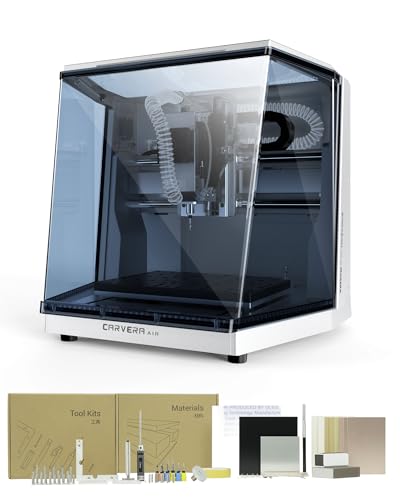
MAKERA Carvera Air Desktop CNC Machine
What We Like
- Quick tool changer switches bits in 10 seconds
- Fully enclosed design contains noise and debris
- Automatic probing and surface leveling for accuracy
- Cross-platform software and wide CAD/CAM integration
Trade-offs
- 11.8" x 7.9" work area is smaller than many desktop CNCs
- Compact size limits projects to smaller parts and prototypes
A tool changer that swaps bits in 10 seconds fundamentally changes the workflow for a desktop machine. It turns a multi-step job with engraving, drilling, and cutting from a tedious manual process into a streamlined, automated operation. That makes the Carvera Air a serious fit for a hobbyist or small shop tackling intricate projects like detailed inlays, multi-layer PCBs, or jewelry, where you’d normally be stopping constantly. The fully enclosed design keeps your workspace clean and safe, while the automatic probing ensures your cuts are precise even on warped stock.
You get that automation and polish in exchange for a compact work area. This means giving up the capacity for larger panels or furniture components that machines like the Genmitsu PROVerXL 6050 Plus offer. It’s built for detailed, multi-tool precision work on smaller pieces, not for hogging out big signs or cutting cabinet parts.
Product photos
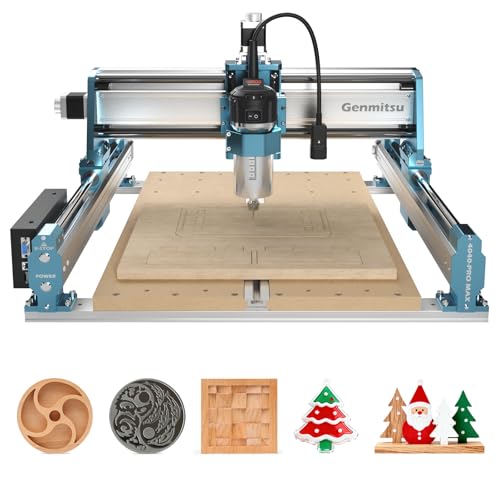
Genmitsu 4040-PRO MAX CNC Router
What We Like
- Optional Wi-Fi module for wireless control
- Reinforced spoilboard with integrated T-track
- Upgradeable with Y-axis extension and 4th-axis
- 710W spindle for superior cutting power
Trade-offs
- Wi-Fi module is a separate purchase
Wireless control is supported through an optional module, allowing job management from a phone without a computer tether. Its 710W spindle provides power for engraving and cutting, while modified SBR16 rails on the X-axis reduce vibration during high-power operations for greater precision. The machine’s 16.1 by 15.9 inch work area and upgradeable design offer a platform for expanding capabilities.
With a weight of 36.2 pounds and a height under sixteen inches, the machine fits on a workbench without requiring a dedicated stand. The optional Wi-Fi module enables wireless control for added convenience, and the reinforced spoilboard with a central aluminum bar prevents sagging under load. Its design accepts various accessory kits, letting users tailor the system to specific projects over time.
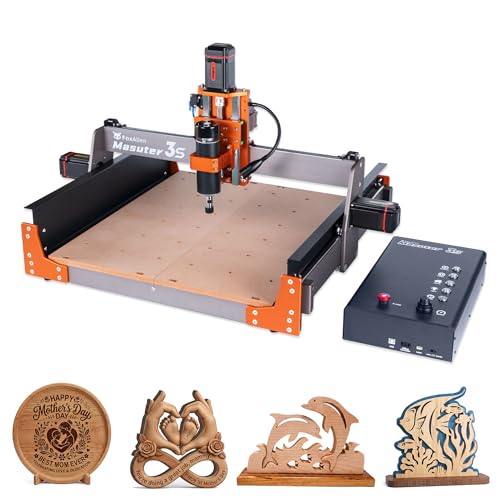
FoxAlien Masuter 3S CNC Router
What We Like
- Closed-loop motors prevent step-loss.
- Supports 4th axis for cylindrical carving.
- Upgraded dust-proof controller box.
- Expandable X-axis with extension kit.
Trade-offs
- 3.74-inch Z-axis limits thick material options.
- At 58.4 pounds, it's a substantial benchtop unit.
- Spindle is less powerful than some 1.5kW rivals.
Closed-loop stepper motors deliver 2.2 Nm of torque and can reach speeds up to 10,000mm/min without step loss, which maintains tool position for consistent finishes. Dual linear rails on the Z-axis and a T12 lead screw provide stability for an engraving precision of 0.05mm. This combination supports professional-grade results when carving materials like aluminum.
The included 400W spindle handles wood, plastics, and soft metals like aluminum. For larger projects, the design is compatible with an X-Axis Extension Kit to increase the carving surface. Its 58.4-pound weight and footprint require a dedicated, sturdy work surface for stable operation.
Genmitsu PROVerXL 6050 Plus CNC Router

What We Like
- Large desktop work area for bigger projects
- Redesigned all-metal frame for rigidity and accuracy
- Pre-assembled core reduces initial setup time
- T-track extrusion system for versatile clamping
Trade-offs
- 4.53-inch Z-axis clearance limits material thickness
- Essential accessories like dust shoe sold separately
A 23.6 by 19.7-inch work area puts this machine in a sweet spot for desktop users who regularly need to handle larger panels or multiple smaller parts in a single session. The redesigned all-metal frame and dual linear rails provide the stiffness needed for consistent cuts across that expanded bed. That’s why it’s a solid pick for ambitious hobbyists and small workshops outgrowing more compact starters. The pre-assembled core and included jog wheels get you from box to first chips faster than a fully kit-based machine.
Its large-format desktop capacity does come with compromises in the spindle and Z-axis. The 300W motor is competent for wood and plastics, but it lacks the grunt of a 1.5KW unit for serious metal work. Similarly, the 4.5 inches of vertical travel dictates your maximum material thickness. This isn’t an industrial workhorse. It’s a capable bridge machine for those who need more real estate than a beginner model but aren’t ready to commit to a heavier, more powerful, and more complex floor-standing unit.
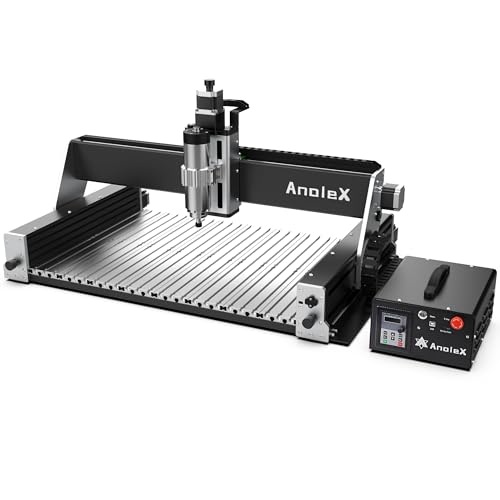
AnoleX RX6040 CNC Router
What We Like
- 1.5kW spindle provides power for milling metals
- Dual linear rails and ball screws on all axes for rigidity
- Full-metal aluminum alloy frame for stability
- Wi-Fi control and reprogrammable macro buttons for convenience
Trade-offs
- Spindle speed adjustment requires manual dial control
- Z-probe tool is not included with the machine
A 1.5-kilowatt spindle paired with dual linear rails and ball screws on every axis is what separates a serious metal-cutting machine from a hobbyist wood carver. This combination gives the AnoleX RX6040 the rigidity and power to handle aluminum and brass predictably, not just hope for the best. It’s built for a maker or small shop that needs industrial-grade precision and durability in a benchtop footprint, offering repeatable accuracy within a hair’s width.
That capability comes with real heft, as this 112.4-pound router needs a solid, dedicated work surface. While the GRBL_ESP32 firmware and WiFi control are modern touches, remember that fine-tuning spindle speed is a hands-on task at the machine. For someone whose projects are strictly wood or plastics, a lighter-duty model like the Genmitsu 4040-PRO MAX might be more than enough. But if you’re regularly facing metal and need a tool that won’t flex, this is the bench-mounted workhorse that can take it.
Product photos
Twotrees TTC450 Pro CNC Router
What We Like
- Expansion ports for 4th-axis and laser upgrades
- Sturdy all-metal construction with dual limit switches
- Compatible with Windows, macOS, and Linux
Trade-offs
- Requires a specific driver download for Windows 11 compatibility
- At 45.2 lb, it needs a dedicated, sturdy benchtop
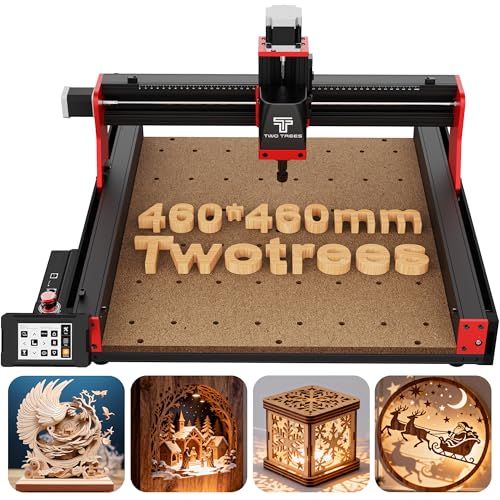
The high-precision Z-axis, driven by a NEMA 57 stepper, delivers the control needed for intricate relief carvings and clean finishes on wood and plastics. It’s built with an industrial-grade aluminum and steel frame that dampens vibration during long jobs. For the hobbyist ready to tackle larger projects like furniture panels or batch signage, the TTC450 Pro offers a sturdy, upgradeable platform that feels more professional than entry-level models.
Setup involves installing a specific USB driver, and Windows 11 users must download a different driver from the manufacturer’s website. The machine works with a 775 brushed spindle motor and a wide range of materials, including wood, acrylic, and metals. Its open-source GRBL control system is compatible with mainstream design software like Fusion 360 and Easel across Windows, macOS, and Linux.
Product photos
FoxAlien XE-Ultra Core CNC Router
What We Like
- Heavy-duty aluminum frame for industrial rigidity
- Closed-loop steppers prevent lost steps during cuts
- Dual-layer collision protection with limit switches
- Open ecosystem accepts various spindles and modules
Trade-offs
- Supporting desk not included with the machine
- All spindles and engraving modules sold separately
- Large 40×40-inch footprint demands significant bench space
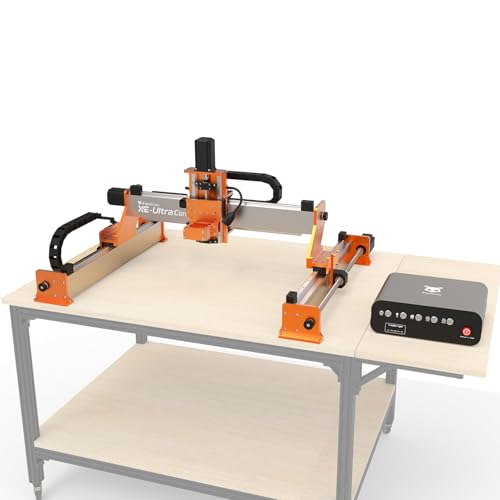
A 46×80mm aluminum frame paired with ball screws and linear rails creates a foundation that shrugs off vibration, which is why it stands out for demanding materials like aluminum. The closed-loop stepper motors add another layer of confidence, actively correcting themselves to maintain precision at speeds up to 5,000 mm/min. This machine is built for the maker who has outgrown hobbyist rigidity and needs a benchtop anchor that won’t flex under load, making it a logical step up from more flexible beginner kits like the SainSmart Genmitsu 3018-PROVer V2.
That industrial-grade construction comes with practical considerations. Its 40-inch square footprint requires a dedicated and sturdy work surface, which you’ll need to source yourself. Furthermore, while its flexible spindle clamp supports various 65mm routers or spindles, the power tool itself is sold separately.
Product photos
AnoleX 4030-Evo Ultra 2 CNC Router

What We Like
- Dual linear rails and ball screws on all axes for rigidity
- Grbl_ESP32 firmware enables WiFi and advanced feature support
- Nema 23 stepper motors with closed-loop upgrade interfaces
- ±0.005mm repeatability for precision metal work
Trade-offs
- At 83.8 lb, it requires a sturdy, permanent bench.
- Router speed adjustment requires manual dial control.
The AnoleX 4030-Evo Ultra 2’s defining feature is its dual steel linear guides and ball screws on every axis, a construction that translates directly into the stability needed for serious metal cutting. This isn’t a machine that will chatter or deflect when you’re pushing an 800W router through aluminum. It’s built for the maker who has outgrown entry-level frames and needs a platform that can hold ±0.02mm engraving accuracy in metal, all while offering the upgrade path of closed-loop motors and a 4th axis. The integrated WiFi and macro buttons just make operating this capable foundation more convenient.
That construction contributes to a total weight of 83.8 pounds, making it a substantial benchtop fixture. Compared to the 36.2-pound Genmitsu 4040-PRO MAX, this router is less portable. Its HGH-15 dual linear rails and DUAL-bearing ball screws are designed to reduce vibration and extend motor life, which are factors in maintaining precision during extended use.
Product photos
How We Evaluated Home CNC Machines
Our evaluation focused on manufacturer specifications and documentation to establish core capabilities like work area dimensions, frame construction, and spindle power. We looked to expert round-ups to understand how these specs translate to real-world performance in materials like wood, plastics, and soft metals. Finally, we analyzed patterns in owner feedback on reliability, ease of setup, and support resources.
The key criteria were work area and rigidity for project scope, spindle power and material compatibility for capability, and features affecting the user experience like software, safety, and upgrade paths. A research-led approach like this can identify well-documented machines with strong reputations, but it cannot replicate the hands-on feel of using a CNC router or predict individual workshop results.
What To Look For In Home CNC Machines
Your first CNC is a major shop investment. Focus on the machine that fits your physical space and your most common project goals, not just the one with the most features.
Prioritize a rigid frame and adequate spindle power for your materials. Consider the work area for your project sizes and evaluate the software learning curve. Noise and dust management are critical for home use.
Work Area and Rigidity
The work area defines your maximum project size. A common starting size is around 300mm x 180mm, suitable for small plaques, PCB milling, and detailed carvings. Larger desktop CNC machines like the PROVerXL 6050 offer more capacity for bigger signs or multiple parts. Crucially, the frame must be rigid enough to resist flex during cuts; all-metal construction and dual linear rails, as seen on the AnoleX RX6040, provide the stability needed for precise work in harder materials.
Spindle Power and Material Compatibility
Spindle power, measured in watts, determines what you can cut and how quickly. A 300-500W spindle handles wood, plastics, and engraving soft metals like aluminum. For consistent milling of metals, look for 1kW or more, like the 1.5kW spindle on the AnoleX RX6040. Your material choice also dictates the machine type; for true milling of steel, you’d need a dedicated desktop CNC mill, whereas a router is ideal for wood and composites. Check the manufacturer’s specified material list.
User Experience and Features
Consider features that reduce friction. A pre-assembled frame gets you cutting faster, while closed-loop motors on picks like the FoxAlien Masuter 3S prevent lost steps. Software compatibility is key; some machines use proprietary software, while others work with common CAD/CAM programs. For home shops, features that manage noise and mess are vital. A fully enclosed design, like on the MAKERA Carvera, contains both.
- Measure your available bench space, including room for the machine’s full travel and your computer.
- Plan for dust collection; CNCs create significant fine debris.
- Verify software runs on your operating system.
- Check for available upgrade paths, like a 4th-axis rotary attachment.
Always match the machine’s core strengths to your primary project type.
Home CNC Machines Compared
The table below compares key specifications across all nine machines to help you see the differences at a glance.
| Product | Work Area (inches) | Spindle Power | Control System |
|---|---|---|---|
| SainSmart Genmitsu 3018-PROVer V2 CNC Router | 16.5 x 16.5 x 11.4 | N/A | GRBL offline control |
| MAKERA Carvera Air Desktop CNC Machine | 11.8 x 7.9 x 5.1 | N/A | Wi-Fi & USB |
| Genmitsu 4040-PRO MAX CNC Router | 16.1 x 15.9 x 3.0 | 710W | Optional Wi-Fi module |
| FoxAlien Masuter 3S CNC Router | 15.75 x 15.75 x 3.74 | 400W | N/A |
| Genmitsu PROVerXL 6050 Plus CNC Router | 23.62 x 19.69 x 4.53 | 300W | N/A |
| AnoleX RX6040 CNC Router | 600 x 400 x 130 mm | 1.5 kW | Grbl_ESP32 |
| Twotrees TTC450 Pro CNC Router | 18.1 x 18.1 inches | N/A | Open-source GRBL |
| FoxAlien XE-Ultra Core CNC Router | N/A | N/A | N/A |
| AnoleX 4030-Evo Ultra 2 CNC Router | N/A | 800W | Grbl_ESP32 |
Frequently Asked Questions
What is the best CNC machine for home use?
The best home CNC depends on your experience and projects. For most beginners, the SainSmart Genmitsu 3018-PROVer V2 offers the best balance of easy setup, material versatility, and community support. It’s a solid foundation for learning before moving to more advanced hobby CNC routers.
Which brand of CNC machine is considered the best?
There is no single “best” brand, as different brands excel in different areas. Brands like SainSmart Genmitsu are renowned for accessible beginner CNC machines, while FoxAlien and AnoleX offer models with industrial-grade rigidity for more demanding users. The best brand is the one whose machine lineup aligns with your specific needs for size, power, and precision.
Is CNC machining a dying trade?
No, CNC machining is not a dying trade. While industrial automation advances, the skills to program, operate, and maintain CNC equipment are in high demand. For hobbyists and small businesses, affordable desktop CNCs have created a thriving maker economy for custom parts, signage, and artisan goods.
What is the difference between a CNC router and a CNC mill?
A CNC router typically has a moving gantry over a fixed bed and is optimized for cutting softer materials like wood, plastics, and thin metals over a larger area. A CNC mill has a stationary spindle and a moving table, offering greater rigidity and torque for precision milling of hard metals. For a detailed breakdown, see our CNC router vs mill comparison.
What should a beginner look for in a CNC router?
Beginners should prioritize machines that are pre-assembled or easy to build, have strong learning resources and community support, and offer forgiving material compatibility. The goal is to minimize initial frustration. Our dedicated guide on CNC for beginners explores these traits in detail.
The Bottom Line
For most people entering the world of CNC, the SainSmart Genmitsu 3018-PROVer V2 is the best place to start. Its combination of a quick setup, ability to engrave a wide range of materials, and strong support network lets you focus on learning and creating.
If your budget is tight or your projects demand specific features like a large work area or automated tool changing, look to the award winners like the Genmitsu PROVerXL 6050 Plus or the MAKERA Carvera Air. Just ensure the machine’s work area and spindle power are a confident match for the projects you’re most excited to make.
