
10 Best Laser Engravers For Wood in 2026
This post contains affiliate links. As an Amazon Associate, we earn from qualifying purchases.
The xTool S1 40W Laser Cutter and Engraver is our best overall pick for wood, balancing high power for cutting thick stock with a large, safe work area. For camera-guided precision, we like the award for the xTool M2 10W, and beginners will appreciate the all-included Carverall K15 Pro kit.
Choosing a laser for wood involves more than just power; your available space, safety setup, and project size are equally critical. We built this guide by researching specifications, manufacturer data, and patterns in expert and owner feedback across the market. You’ll find a detailed comparison and key buying factors to match a machine to your workshop reality.
Top 10 Laser Engravers For Wood in the Market
Certain content that appears on this site comes from Amazon. This content is provided "as is" and is subject to change or removal at any time.
The Best Laser Engravers For Wood, Reviewed
xTool S1 40W Laser Cutter and Engraver

What We Like
- Powerful 40W laser cuts 18mm wood in one pass
- Large bed handles big projects like door signs
- Class 1 safety enclosure filters 99% of laser light
- Beginner-friendly software with AI design help
Trade-offs
- Large 19.6-inch square footprint requires dedicated space
- Heavier industrial build limits portability
A 40-watt laser that slices through thick wood in one pass is the kind of power that moves projects from the drawing board to the finished product without hesitation. That raw capability, paired with a spacious work area, makes the xTool S1 a serious contender for a small business or a dedicated hobbyist who needs to handle large-scale engravings and deep cuts reliably. Its fully enclosed Class 1 safety design and pre-tested material settings mean you can focus on creating without constant safety worries, which is a major advantage for a workshop that isn’t isolated from family life.
The trade-off for that power and large-format capacity is a substantial machine that needs a permanent home on a sturdy bench. For users whose projects are exclusively on flat sheets, it’s a strong performer. However, if your work frequently involves engraving tumblers or curved objects, you’ll need to factor in the cost and setup of a separate rotary attachment. Compared to a more compact model like the ATOMSTACK A20 Pro V2, the S1 offers more muscle and a bigger bed, but demands more space and a bigger initial commitment.
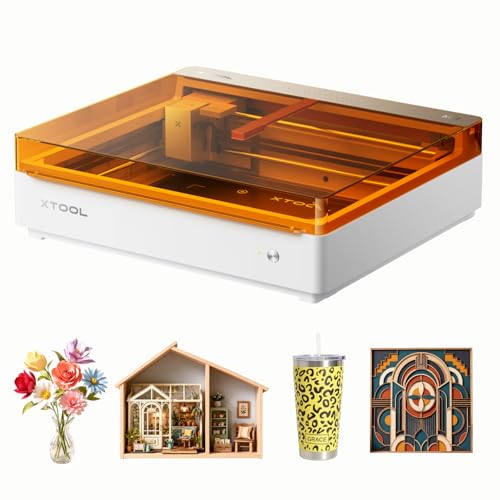
xTool M2 10W Laser Engraver
What We Like
- Dual cameras provide real-time preview and ACS for accuracy
- Class 1 fully enclosed design is safe for home use
- Beginner-friendly software with hundreds of ready templates
- Accepts add-on modules for full-color printing or IR laser
Trade-offs
- 10W laser may cut thicker woods slower than higher-power models
- CMYK inkjet and rotary modules are sold separately
- Dual-mode versatility relies on purchasing additional modules
The xTool M2’s dual cameras provide a real-time preview of the workspace, and its ACS system fuses this vision with motion control for a ‘Place & Go’ experience. This is designed to ensure high accuracy for the user. Its Class 1 fully enclosed design offers safety for a home environment, making it suitable for DIY projects like personalized gifts or home decor. The platform is built to expand with separately sold modules like a CMYK inkjet or a 3W IR laser.
A 10W diode laser comes standard, suitable for materials like wood, leather, felt, fabric, and paper. The machine’s architecture allows for adding a CMYK inkjet module or a 3W IR laser, both sold separately, to enable full-color printing or fine engraving on metal and plastic. This approach provides versatility for creative projects involving engraving, cutting, and potential full-color printing without requiring multiple dedicated machines.
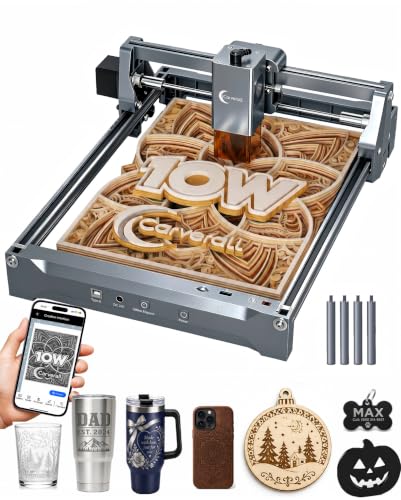
Carverall K15 Pro 10W Laser Engraver
What We Like
- Includes full starter kit with safety glasses and materials
- Assembles in 3 minutes with 6 screws
- Free AI design software and offline TF card operation
- Upgradeable with optional IR head for bare metal
Trade-offs
- A4 work area limits projects larger than 11.8 x 7.9 inches
- 10W power cuts only up to 12mm plywood, not thick stock
A 10W diode laser that assembles in three minutes with a full starter kit in the box is built for someone’s first day. The free CutLabX software, AI design prompts, and offline control via a memory card strip away the technical intimidation that stalls most beginners. It’s the complete package for a crafter who wants to start engraving coasters or cutting jewelry blanks on a Saturday afternoon without a weekend of setup. The compact A4 footprint and 5.9-pound weight mean it slides onto a kitchen table without a dedicated shop.
The trade-off for that plug-and-play simplicity is scale. For cutting power, it cleanly slices 12mm plywood, which is sufficient for many DIY projects, but if your plans involve frequently cutting through half-inch hardwoods, you’ll hit its limit. Compared to a larger, more powerful machine like the VEVOR 55W CO2, this is a desktop starter, not an industrial workhorse. Its brilliance is in letting you learn the craft first, with a clear upgrade path to engrave metals later via an optional head.
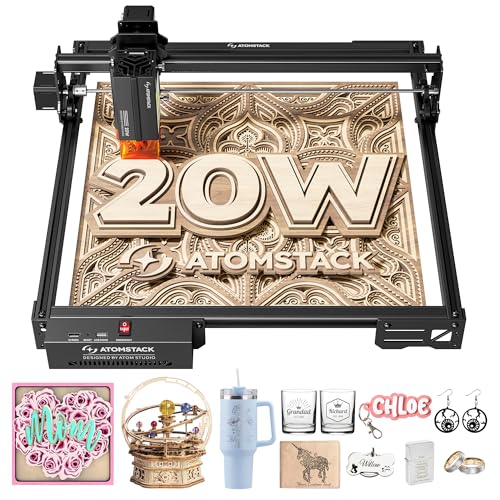
ATOMSTACK A20 Pro V2 20W Laser Engraver
What We Like
- High 400mm/s engraving speed reduces job times
- Integrated linear guides for quick assembly and precision
- Compatible with Lightburn and LaserGRBL software
- Includes safety cover, glasses, and tilt alarm
Trade-offs
- 9.8-inch work width limits wider single-pass projects
- Open-frame design lacks full enclosure for safety
A 400mm/s engraving speed means this machine chews through detailed wood projects in a fraction of the time a typical 10W diode would need. That raw pace, backed by a solid 20W output, makes it a serious contender for anyone whose shop time is money or who simply hates waiting. It’s built for the maker who values throughput and has outgrown the slower pace of entry-level engravers, needing a workhorse that can keep up with batch orders or ambitious personal projects.
Its open-frame design requires a dedicated, well-ventilated workspace, unlike fully enclosed models like the xTool M2. The ATOMSTACK A20 Pro V2 uses a 20W diode laser, so it lacks the power of larger CO2 machines like the VEVOR 55W, but it also avoids their need for water cooling and complex setup. For fast engraving and light cutting on materials like wood, acrylic, and metal, this machine delivers high speed without a large footprint.
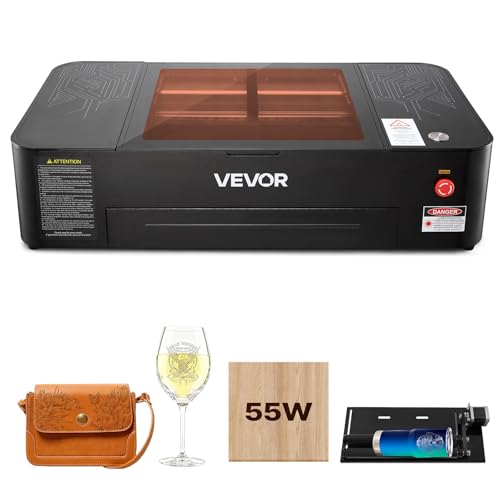
VEVOR 55W CO2 Laser Engraver
What We Like
- Large 20×12 inch work area for panels and signs
- Auto-focus and 5MP camera for precise positioning
- Includes rotary axis for cylindrical objects
- Built-in air-assist and pull-out waste tray
Trade-offs
- Weighs 120.6 pounds and needs a dedicated, sturdy surface
- Class 4 laser requires serious safety precautions and ventilation
- Not for engraving bare metal, only coated metals
A 55-watt CO2 laser tube and a 20 by 12 inch bed mean you can cut through quarter-inch plywood and acrylic in a single pass. This lets you handle large furniture panels or batches of craft pieces that would choke a smaller machine. The integrated camera and auto-focus take the guesswork out of alignment, so you can focus on the work, not the setup. Research notes that for cutting acrylic and plywood, a CO2 laser cutter is the best option.
That capability comes with real shop demands. For someone whose projects are strictly metal engraving or small wooden trinkets, a capable diode machine like the xTool M2 would be far more practical. But if you’ve outgrown those limits and need to cut thicker materials across a bigger area, this VEVOR delivers genuine CO2 power without the industrial price tag, bridging the gap to professional-grade output.
BlazeX M3 10W Laser Engraver
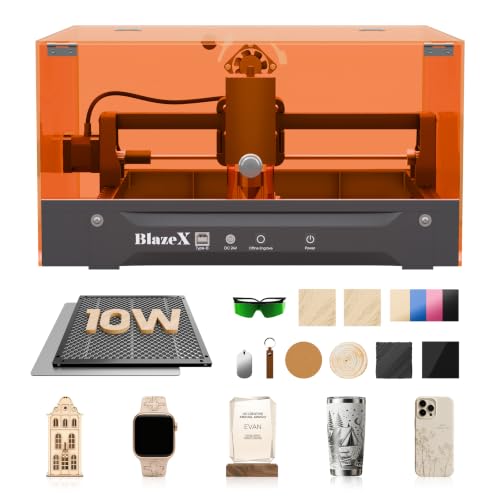
What We Like
- Includes a full starter kit with materials
- Class 1 safety rating with automatic stop sensors
- Wide software compatibility across all major OS
- Compact 8-pound desktop footprint
Trade-offs
- 10W laser requires multiple passes on thicker materials
- Lacks a built-in camera for positioning
A 0.01mm engraving accuracy from a 10W laser delivers remarkable detail for intricate designs on wood, leather, and glass, making it a serious contender for jewelry and personalized gifts. Its true strength is the all-in-one kit, you get the protective enclosure, honeycomb bed, and a stack of materials to start projects immediately. This turnkey approach, combined with beginner-friendly software like LightBurn, removes the initial guesswork and upfront accessory cost that often stalls new hobbyists. It’s built for the desktop creator who values precision and a safe, contained setup right out of the box.
With a 0.01mm ultra-fine laser, the BlazeX M3 achieves exceptional detail for intricate jewelry and small DIY projects. Its compact design, however, limits the work area to just over four inches wide, which is ideal for engraving phone cases or keychains but not large signs. For bigger sheets, a model like the xTool S1 offers a bed approximately 24 inches wide. This engraver’s strength is delivering a complete, safe system for small-scale precision without a high cost, making it a specialist tool for detailed crafting.
Product photos
WIZMAKER Wand 12W Laser Engraver
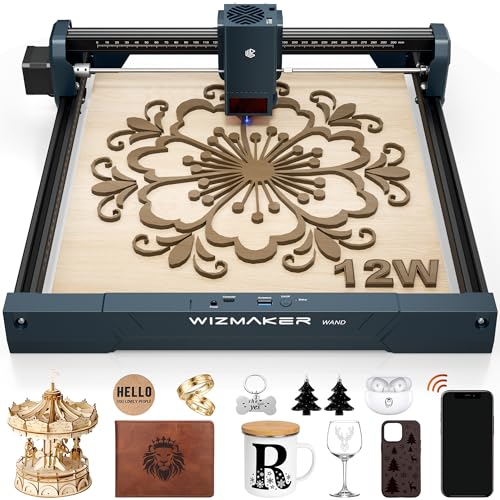
What We Like
- Extremely portable at just 2.0 pounds
- High 0.1mm precision for intricate work
- Connects to Windows, macOS, Android, and iOS
- Includes tilt and flame safety sensors
Trade-offs
- 12W power limits wood cutting to 8mm thickness
Weighing only two pounds, the WIZMAKER Wand is built for mobility. You can easily move it between a workbench, a desk, or even a client’s shop, and its modular setup gets you running in about ten minutes. This makes it a natural fit for a creator who needs to engrave small batches of personalized items, like jewelry or signs, in different locations. The 0.1mm repeatable accuracy ensures clean lines on detailed artwork, and connectivity with phones and tablets via Wi-Fi adds to its on-the-go flexibility.
Its 12W diode laser is well-suited for engraving wood, leather, and coated metals, but the maximum wood cut depth of 8mm means it works best with thinner stock. For cutting thicker materials, a larger machine with a more powerful laser would be necessary. The product is a Class 4 laser and includes tilt detection and flame monitoring for operational safety.
Product photos
OMTech K40+ 45W CO2 Laser Engraver
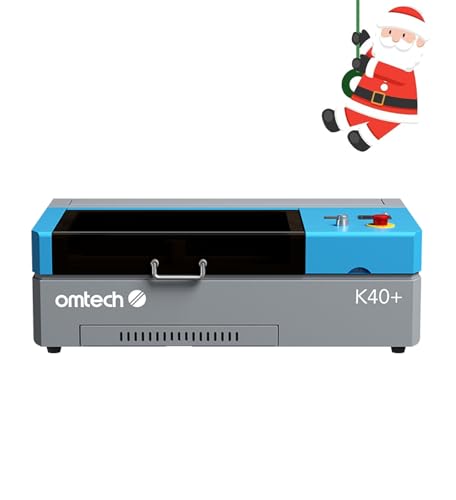
What We Like
- 45W power cuts 8mm wood easily
- High-speed engraving up to 300 mm/s
- Built-in air assist reduces fire risk
- Wide software compatibility with LightBurn
Trade-offs
- 12×8 inch work area is relatively small
With its 45-watt CO2 laser tube, this machine can cut through 0.31-inch wood and 0.4-inch acrylic, providing desktop-level power for thicker materials. The built-in air assist system automatically adjusts airflow to clear debris, protect the lens, and reduce wood carbonization during operation. This makes it a practical option for users stepping up from diode lasers or starting a small business where cutting depth is important.
That power comes with a 12 by 8 inch work area, which suits smaller projects like jewelry or parts cut from smaller stock. The machine supports standard design software like LightBurn and LaserGRBL, offering direct control for users familiar with such tools. It includes safety features like door protection and an emergency stop, prioritizing function within a focused design.
Product photos
Glowforge Aura 6W Laser Engraver
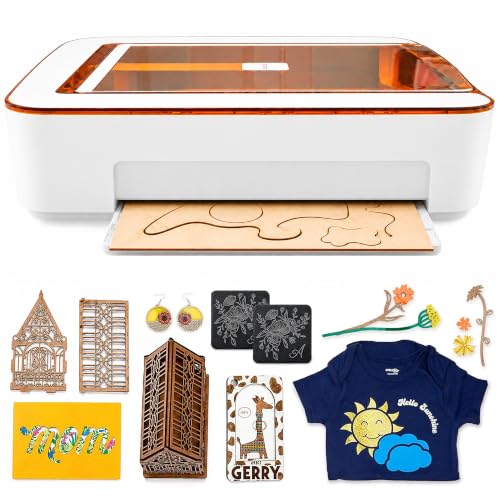
What We Like
- Passthrough slot for materials longer than machine
- HD camera for live preview and precise placement
- Complete ecosystem with app and auto-material settings
- Class 1 safety enclosure for contained operation
Trade-offs
- 6W laser limits cutting speed and material thickness
- 12-inch width constrains project size despite passthrough
- Requires separate ventilation or filter for indoor use
A built-in passthrough slot lets you work on materials longer than the machine itself, which is a clever trick for a unit with a 22-inch footprint. This makes the Glowforge Aura a solid pick for hobbyists or small businesses focused on long, narrow projects like signs or wall decor. The 6W diode laser and the intuitive camera-guided app lower the barrier to entry, creating a system where you spend less time setting up and more time making. It’s designed for someone who values a streamlined, beginner-friendly process over raw power or a massive bed.
While the passthrough slot lets you work on materials longer than the machine, the 12-inch width remains a fixed limit for any project. This confines you to panels no wider than a foot, which can feel restrictive for batch work or large signs. Compared to the 40W xTool S1 with its larger bed, the Aura prioritizes a compact footprint and beginner-friendly workflow over heavy-duty cutting capacity.
Product photos
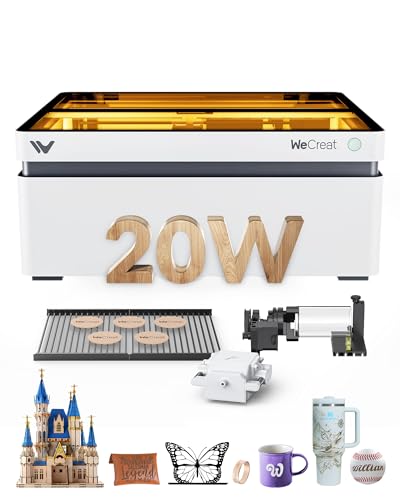
WECREAT Vision 20W Laser Engraver
What We Like
- Auto-lifting enclosure handles materials up to 140mm tall
- Built-in smart HD camera for precise design positioning
- Includes a rotary system for cylindrical engraving
- Compatible with both proprietary software and LightBurn
Trade-offs
- 20W laser is less powerful than 40W+ CO2 models like the VEVOR 55W
Its auto-lifting enclosure adjusts from 1mm to 140mm, which means you can switch from a thin sheet to a thick block without needing a separate riser base. This eliminates manual focus adjustments for materials of various heights. The integrated smart camera and one-click quick view settings for over 100 materials further streamline the setup process.
The trade-off is in raw cutting power, as a 20W diode laser won’t slice through thick materials as quickly as a dedicated CO2 machine. For cutting 10mm wood or 8mm acrylic, it gets the job done, but it operates in a different league than a high-power CO2 engraver. Where it shines is in its all-in-one, safety-focused package. The full Class 1 enclosure with automatic shutoff means you can run it in a shared workspace without worrying about stray laser light, a significant advantage over open-frame diode lasers.
Product photos
How We Evaluated Laser Engravers For Wood
This comparison is based on an analysis of manufacturer specifications, technical documentation, and expert reviews to assess core capabilities. It also considers patterns in user feedback regarding real-world performance, reliability, and ease of use.
The key criteria were laser power and type for material compatibility, work area dimensions for project scope, safety features for home or shop use, and software ecosystem for user experience. A research-based approach like this cannot replicate the nuances of daily, long-term use in a specific environment, but it effectively highlights the fundamental trade-offs between models.
What To Look For In Laser Engravers For Wood
Selecting the right laser engraver means matching its core specifications to your most common projects and your workshop’s limitations. The ideal machine provides enough power and bed size for your work without demanding impractical space or safety concessions.
Key factors are laser type and power for cutting depth and speed, work area size for your project dimensions, and enclosure design for safety and fume management.
Laser Type & Power
The laser’s type dictates which materials it can process and how quickly. For wood, diode and CO2 lasers are the most common. Diode lasers, like the 10W unit in the Carverall K15 Pro, are affordable and great for engraving and cutting thin plywood, but they require multiple passes for thicker hardwoods.
CO2 lasers, such as the 55W in the VEVOR model, cut thicker woods and acrylic much faster and more cleanly. Higher wattage generally means faster cutting and the ability to handle denser materials, like the xTool S1’s 40W diode cutting 18mm wood in one pass.
However, power isn’t everything; a 20W diode with high-speed mechanics, like the ATOMSTACK A20 Pro V2, can significantly reduce engraving job times on thinner materials.
Work Area & Machine Footprint
Your project size is limited by the machine’s work area, while your shop is impacted by its physical footprint. Consider both. A large bed, like the VEVOR’s 20×12 inches or the xTool S1’s 19.6-inch square area, is necessary for door signs or furniture panels but requires a dedicated, sturdy table.
For small, detailed items, a compact bed like the BlazeX M3’s is sufficient and saves space. Some models offer clever solutions for longer items; the Glowforge Aura’s passthrough slot allows for engraving materials longer than the machine itself, though the width is still constrained. Always measure your available space against the machine’s external dimensions, not just its work area.
Safety & Enclosure
A laser engraver concentrates heat and light, producing fumes and potential fire hazards, especially with wood. A fully enclosed Class 1 safety design, like on the xTool M2 or WECREAT Vision, contains laser light and integrates filtration, making it far safer for home use. Open-frame designs like the ATOMSTACK A20 Pro are more affordable and accessible but require strict user diligence with safety glasses and dedicated, well-ventilated space.
Features like automatic stop sensors, flame detection, and air-assist systems (which blow air on the cut to reduce charring and fire risk) are valuable. For a deeper understanding of the technology choices, our comprehensive laser engraver guide covers the core differences between systems.
- Check if the machine requires a separate ventilation system or has a built-in filter.
- Look for safety certifications like Class 1, which indicates a fully enclosed laser.
- Consider machines with automatic lifting lids or rotary attachments if you work with varied object heights.
- Verify software compatibility with your computer’s operating system.
- Assess the learning curve of the included or required design software.
Your workspace safety setup is as important as the machine you choose; never operate an open laser without proper precautions.
Laser Engravers For Wood Compared
The following table compares these ten laser engravers across the specifications that matter most for woodworking.
| Product | Laser Power | Max Engraving Speed | Safety Class |
|---|---|---|---|
| xTool S1 40W Laser Cutter and Engraver | 40W | 600mm/s | Class 1 enclosed |
| xTool M2 10W Laser Engraver | 10W | N/A | Class 1 enclosed |
| Carverall K15 Pro 10W Laser Engraver | 10W | 15,000mm/min | Class 1 |
| ATOMSTACK A20 Pro V2 20W Laser Engraver | 20,000mW | 400mm/s | N/A |
| VEVOR 55W CO2 Laser Engraver | 55W CO2 | 500 mm/s | N/A |
| BlazeX M3 10W Laser Engraver | 10W | N/A | Class 1 |
| WIZMAKER Wand 12W Laser Engraver | 12W | 10,000 mm/min | Class 4 |
| OMTech K40+ 45W CO2 Laser Engraver | 45W CO2 | 300 mm/s | Class 2 |
| Glowforge Aura 6W Laser Engraver | 6W diode | N/A | Class 1 |
| WECREAT Vision 20W Laser Engraver | 20W (20,000mW) | 600mm/s | SGS Class 1 Enclosed |
Frequently Asked Questions
Which laser engraver is best for engraving wood?
For most wood engraving and cutting, a diode or CO2 laser is ideal. Our best overall, the xTool S1 40W, offers excellent power and a large bed for serious projects. Beginners might prefer a complete starter kit like the Carverall K15 Pro, while those needing to engrave on cylindrical objects should look at models with included rotary axes like the VEVOR 55W.
What is the best laser engraving machine for wood?
The “best” machine depends on your primary use. For heavy-duty cutting and large projects, the xTool S1 40W is a top choice. For safe, camera-guided precision in a home workshop, the xTool M2 10W excels. If your main constraint is budget, the BlazeX M3 10W offers a capable entry point with a full starter kit included.
What are the top 5 laser engravers?
Our research for woodworking highlights several leading models. These include the powerful xTool S1 40W, the feature-rich xTool M2 10W, the beginner-friendly Carverall K15 Pro kit, and the high-speed ATOMSTACK A20 Pro V2. Each one serves a different maker profile, from the hobbyist to the small business owner.
What is a good priced laser cutter for wood?
Affordable options start with capable diode lasers. The BlazeX M3 10W and Carverall K15 Pro are budget-friendly picks that include essential accessories to start engraving immediately. For more on budget laser engravers, we have a dedicated resource. Remember that a lower initial cost may mean slower cutting speeds or a smaller work area.
What’s the difference between a CO2 and a diode laser for wood?
CO2 lasers, like the VEVOR 55W, use a gas tube to produce a laser that cuts wood and acrylic very efficiently and are often found in larger, workshop-grade machines. Diode lasers, like those in most of our picks, use semiconductor modules; they are generally more compact and affordable but cut slower, especially on thicker hardwoods. Our guide on CO2 laser engravers details the advantages for cutting applications.
The Bottom Line
For the serious maker or small business owner ready to tackle a wide range of wood projects, the xTool S1 40W Laser Cutter and Engraver is the best overall choice. It offers a powerful 40W laser in a large, safe enclosure. If you’re setting up a first workshop on a tight budget, start with the all-inclusive BlazeX M3 or Carverall K15 Pro kits.
For those needing to engrave on cylindrical objects or mixed-thickness items, prioritize models with built-in rotary systems or auto-lifting enclosures like the WECREAT Vision. Ultimately, honestly assessing your available space and commitment to safety will guide you to a better, more suitable machine than focusing on power alone.
