10 Best Budget-Friendly Laser Engravers in 2026
This post contains affiliate links. As an Amazon Associate, we earn from qualifying purchases.
Based on our research, the Ortur R2 Enclosed Laser Engraver is a leading budget-friendly choice for its safe, pre-assembled design. The BlazeX M3 is our top starter kit, and the Atomstack A20 Pro V2 offers the best high-power desktop performance. Finding a capable machine at this price is easier than ever, but choosing the right one for your space and projects requires careful comparison. This guide compares specifications and features to help you choose.
Top 10 Budget-Friendly Laser Engravers in the Market
Certain content that appears on this site comes from Amazon. This content is provided "as is" and is subject to change or removal at any time.
The Best Budget-Friendly Laser Engravers, Reviewed
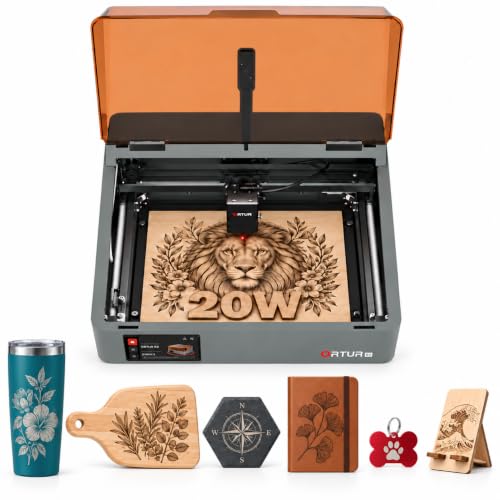
Ortur R2 Enclosed Laser Engraver
What We Like
- Fully enclosed Class 1 safety design for home use
- Pre-assembled with no complex setup required
- HD camera and touchscreen for precise, offline operation
- Interchangeable laser module platform for different tasks
Trade-offs
- Weighs 12.8kg shipped, requiring a dedicated bench space
A fully enclosed Class 1 laser safety rating means you can set this machine up in a living space or home workshop without worrying about stray radiation. That’s the core advantage here. It arrives pre-assembled, so you’re carving within minutes, not hours. The built-in HD camera and responsive touchscreen take the guesswork out of alignment, letting you place designs visually before you commit. For a hobbyist or a small creator making custom gifts from wood and acrylic, it delivers a complete, worry-free system right out of the box.
It’s perfect for coasters, small signs, and jewelry, but you’ll be batching larger projects. Compared to an open-frame model like the Ortur Laser Master 3 LE, you sacrifice some bed size for superior protection and beginner-friendly features. If your priority is safe, simple operation in a shared space, this enclosure is a smart compromise. If you need to engrave full sheet goods, you’ll feel the limits.
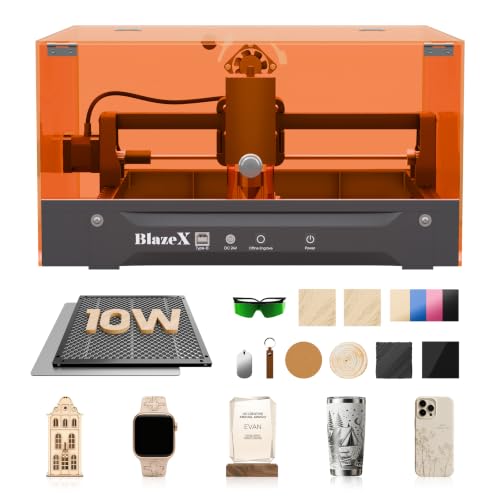
BlazeX M3 Laser Engraver
What We Like
- Comprehensive all-in-one starter kit with enclosure
- Class 1 safety rating with automatic stop features
- Extensive software compatibility across multiple OS
- Supports professional accessory upgrades
Trade-offs
- 10W laser is less powerful than some 20W competitors
- Weighs 8.0 pounds, less substantial than heavier models
A 10W laser with 0.01mm accuracy means you can tackle intricate designs on jewelry and small crafts right out of the box. This is the ideal first machine for someone who wants to start engraving immediately, without hunting for parts. The kit includes the enclosure, honeycomb bed, and a stack of materials, so your first project is minutes away, not days. It’s built for the desktop, perfect for learning the ropes in a home office or craft room where safety and a contained setup are priorities.
The BlazeX M3 is built around a compact 4.3-inch by 1.2-inch frame, which makes it exceptionally portable and easy to fit on a crowded desk. This small footprint naturally limits project size, focusing its use on detailed, small-scale items like jewelry or personalized gifts. Its ecosystem of accessories, including a rotary roller for cylindrical items and an air assist for cleaner cuts, allows users to expand their project range without needing a larger machine.
Atomstack A20 Pro V2 Laser Engraver

What We Like
- High 20W power for strong cutting and fast engraving
- Quick assembly with integrated linear guide structure
- Wide software support including Lightburn and LaserGRBL
Trade-offs
- A 22.8-inch length requires a dedicated desktop space
- Open-frame design lacks the containment of an enclosed model
With a 20000mW laser, the Atomstack A20 Pro V2 has the power for cutting materials like wood, acrylic, and metal. Reviewers report it arrives with a pre-assembled frame and incredibly clear instructions, so you can start projects quickly. The included software profile library provides settings for common materials, which helps newcomers avoid initial setup errors.
The trade-off for that out-of-box ease is its open-frame footprint, which demands a stable, dedicated bench space and your own attention to safety. For workshop environments where dust or curious hands are a concern, a fully enclosed option like the Ortur R2 provides inherent containment. Yet, for the maker who prioritizes raw power and immediate start-up on a desktop, the A20 Pro V2 delivers a remarkably straightforward path from unboxing to creating.
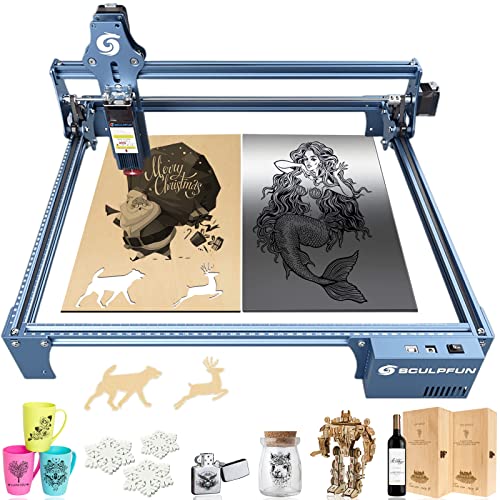
Sculpfun S9 Laser Engraver
What We Like
- Spacious 410x420mm open-frame work area
- All-metal frame for stable, long-term operation
- Fixed-focus lens allows for quick setup
- Compatible with LightBurn and LaserGRBL software
Trade-offs
- Open-frame design lacks built-in fume extraction
A 410x420mm engraving area gives you the room to tackle larger signs, decorative panels, or batch multiple smaller projects in a single run. For the hobbyist or small business creator working primarily with wood, leather, and acrylic, this machine delivers a solid foundation. The all-metal frame and simple sliding focus mechanism mean it’s built to handle repeated use without fuss, letting you concentrate on the design work instead of the hardware.
Since the large open bed lacks an enclosure, you’ll need to plan for ventilation and safety glasses yourself. Compared to a fully enclosed model like the Ortur R2, the S9 prioritizes workspace flexibility over integrated safety features. This straightforward tool handles detailed engraving and light cutting well, but it requires ample bench space and a properly set up workspace.
Ortur Laser Master 3 LE
What We Like
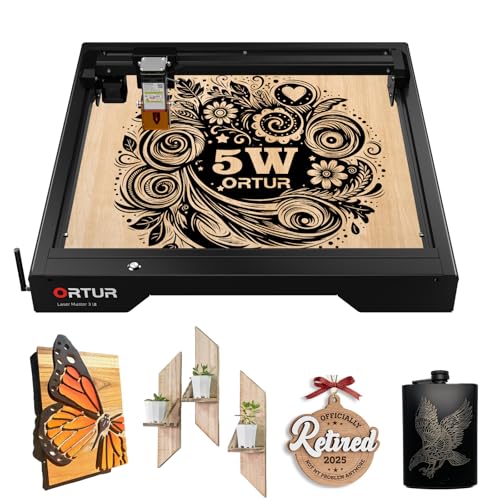
- Ultra-fine 0.09×0.15mm spot for crisp detail
- High 15,000 mm/min speed for fast project turnaround
- Comprehensive six-layer safety protection system
Trade-offs
- Open-frame design lacks an enclosure for debris containment
- Maximum cut depth is 8mm plywood, requiring multiple passes
- Weighs 13.5 pounds, requiring a stable, dedicated surface
That speed, combined with its 5000mW laser and ultra-fine spot size, makes it a standout for crafters and small studios who prioritize throughput and fine detail on materials like wood, acrylic, and leather. It’s built for the user who has a steady stream of personalized items or intricate artwork to produce and needs to minimize wait time between jobs.
An open-frame design like this requires users to manage smoke and debris, a consideration for spaces without strong ventilation. The machine relies on a full safety system including tilt detection and laser exposure limits for operator protection. For a fully enclosed option, the Ortur R2 is listed, but its performance specifications are not provided for direct comparison.
Creality Falcon A1 Laser Engraver
What We Like
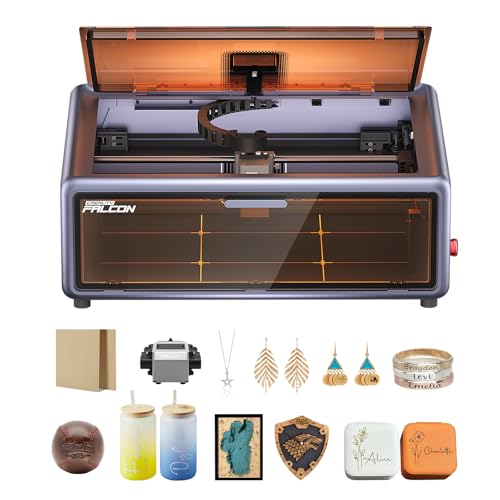
- Smart material recognition via built-in camera
- Fully enclosed Class 1 safety design
- Double-door design for easy material access
- Compatible with LightBurn and LaserGRBL software
Trade-offs
- Large footprint at 30 x 25 inches
- Cannot engrave highly reflective materials like mirrored metals
The built-in camera automatically recognizes your material and applies the best settings, so you don’t have to experiment. This is a major time-saver for crafters and small business owners who need consistent results on wood or metal without becoming laser experts. Its fully enclosed Class 1 design blocks 99% of laser light, making it safe and quiet enough for a home workspace without safety goggles. Coming pre-assembled means you can start engraving right away with zero setup required. This machine is built for the user who values a streamlined, intelligent workflow over tinkering with settings.
You get smart, plug-and-play convenience, but the machine itself is quite substantial. The Falcon A1 is a workshop anchor, not a portable tool like the more compact BlazeX M3. For general crafting and personalized goods, however, its automated features genuinely simplify the process.
Product photos
Longer Ray5 Laser Engraver
What We Like
- ESP32 controller can run multiple machines at once
- High 24,000 mm/min speed for faster jobs
- Compatible with LightBurn and LaserGRBL software
Trade-offs
- Open-frame design lacks built-in enclosure for safety
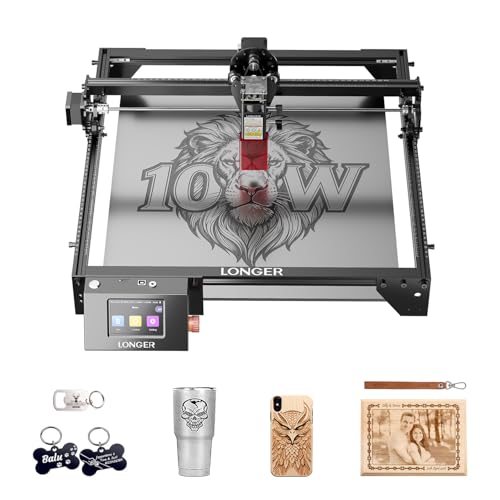
The ESP32 controller’s ability to run several engravers from one unit is its standout feature. For a small workshop or classroom setting where you want to scale up output without buying a stack of separate computers, this is a clever and efficient solution. The 10W dual-beam laser and fine 0.06mm spot deliver crisp details on wood and leather, making it a solid performer for dedicated hobbyists and small-scale producers who value control and capacity.
You do trade the integrated safety enclosure found on models like the Creality Falcon A1. For a user focused on single-machine projects, a simpler model might suffice. But if the goal is to run several engravers from one station, the Ray5’s multi-machine control offers a practical advantage.
Product photos
Carverall K15 Pro Laser Engraver
What We Like
- Free AI design software works on phone or tablet
- Assembles in three minutes with only six screws
- Optional IR head for engraving bare metal later
- Smart memory and one-touch focus simplify operation
Trade-offs
- 10W diode laser cannot cut bare metal without an add-on
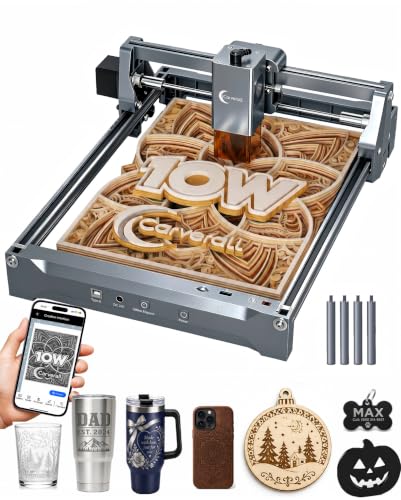
The free CutLabX software and its AI design tools fundamentally lower the barrier to entry. You can snap a photo or type a prompt to generate a design, then run the job wirelessly from your phone or completely offline with a memory card. That, combined with a three-minute assembly, makes this machine about as plug-and-play as laser engraving gets. It’s built for the newcomer who wants to start making custom coasters or engraved wood signs without a weekend of software tutorials.
Its beginner-friendly design gets you from unboxing to engraving in about three minutes, since assembly requires only six screws and the free software works across devices. The included starter kit with safety glasses and materials means you can complete a first project the same day without extra purchases. An offline mode lets you load files onto a TF card and run batch jobs without a computer, which is ideal for repetitive crafts or if your workspace lacks a dedicated PC.
Product photos
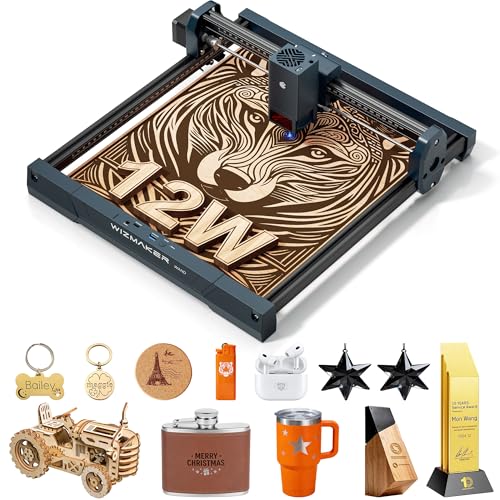
WIZMAKER WAND Laser Engraver
What We Like
- 12W power for deeper cuts than 6W models
- Full LightBurn compatibility across platforms
- Multiple connection options including WiFi
- Optional rotary attachment for cylindrical objects
Trade-offs
- Only engraves selected dark acrylic, not clear or all colors
- Open-frame design lacks built-in enclosure for safety and fume control
Full compatibility with LightBurn software is the standout feature here, making it a serious contender for anyone who wants professional-grade control without fuss. The 12W diode laser provides a noticeable step up from common 6W entry-level machines, allowing for faster cuts and deeper engravings on woods and leather. It’s a logical upgrade for a hobbyist whose projects are outgrowing a beginner machine, or for a small business maker who needs reliable software integration. The reinforced aluminum frame and high-torque motors point to a build designed for repeatable work, not just weekend experiments.
A key consideration is its open design, which lacks the integrated protective cover found on machines like the Ortur R2. This means users must provide their own dedicated, ventilated workspace to manage laser exposure and fumes. For makers prepared to handle safety externally, the WIZMAKER WAND offers a compact footprint with performance that exceeds typical 5W-6W entry-level machines.
Product photos
Sculpfun S9 Pro Laser Engraver

What We Like
- High 10W power for cutting thicker materials
- Ultra-fine 0.06mm focus for detailed engraving
- Quick slide-to-focus system for fast setup
- Includes a safety filter cover and protective steel pad
Trade-offs
- Class 4 laser requires strict safety management during use
- Full assembly required, taking 10-20 minutes
- Open-frame design lacks the containment of an enclosed unit
A 10W laser module with a 0.06mm spot gives you the muscle to slice through 15mm wood and the precision for fine-line engraving on metals. For the maker stepping up from entry-level machines, this delivers professional-grade capability without a professional price tag. The full-metal frame and expandable structure mean it’s built to last and grow with your projects. It’s a logical choice for the serious hobbyist who has outgrown their first engraver and needs more cutting power and detail.
The trade-off is that you’re responsible for safety, as the Class 4 laser and open design mean you must control the workspace. Compared to a fully enclosed model like the Ortur R2, you lose the built-in containment and emergency stop, but you gain easier access to the work and a more straightforward, serviceable design. It’s a powerful workhorse, but it demands a disciplined operator who respects the laser and utilizes the included safety accessories.
Product photos
How We Evaluated Budget-Friendly Laser Engravers
This guide compares manufacturer specifications and documented features across many models. It prioritizes criteria important for budget-friendly home use: laser power and capability, work area size and frame design, and the included software or control ecosystem. The rankings also consider the completeness of the package, such as whether a machine includes an enclosure or requires assembly. The assessment is based on the consensus from expert reviews and aggregated owner feedback about performance and reliability.
What To Look For In Budget-Friendly Laser Engravers
Focus on the core features that define what you can make and how safely you can make it. Your ideal machine balances power, workspace, and ease of use within a constrained budget.
Key factors are laser power (measured in watts) for cutting depth and speed, work area dimensions for project size, and whether the frame is open or enclosed for safety and fume control. Software compatibility is equally crucial for a smooth workflow.
Laser Power and Capability
Laser power, measured in watts, determines what materials you can cut and how quickly you can engrave. In this price range, you’ll typically find diode lasers from 5W to 20W. A 10W laser can cut through thin plywood and acrylic, while a 20W model like the Atomstack A20 Pro V2 will do it faster and handle slightly thicker stock.
Remember, advertised power can sometimes refer to electrical input; optical output is the true measure of cutting ability. For detailed engraving on softer materials like wood and leather, even a 5W or 10W laser is sufficient, making many beginner laser engravers perfectly capable.
Work Area and Frame Design
The work area, or bed size, dictates the maximum dimensions of a single piece you can engrave. Models like the Sculpfun S9 offer a large 410x420mm open frame, which is ideal for plaques and signs. More compact portable laser engravers suit smaller items. Frame design is a major safety consideration. An enclosed machine like the Ortur R2 contains light and debris, making it safer for shared spaces. Open-frame designs offer easier material access but require you to manage safety separately. An enclosed frame often correlates with a Class 1 safety rating.
Software and Control Ecosystem
The software you use to create and send designs to the machine is critical to the user experience. Most engravers in this category are compatible with free programs like LaserGRBL or the powerful, paid LightBurn software. Some, like the Carverall K15 Pro, include their own beginner-friendly app.
Check for compatibility with your computer’s operating system. A machine that works directly with LightBurn, like the WIZMAKER WAND, offers professional-grade control for intricate projects. You can use this control on materials like wood and leather, which you can explore further in our guide to laser engravers for wood and laser engravers for leather.
- Verify the software is compatible with your computer’s operating system (Windows, macOS, Linux).
- Consider if the machine supports offline operation via a touchscreen or controller, like the Ortur R2.
- Look for features like a built-in camera for material alignment, as found on the Creality Falcon A1.
A good rule of thumb: choose a machine whose software you feel comfortable learning, as it’s your primary interface for every project.
Budget-Friendly Laser Engravers Compared
The comparison table below details the key specifications of our top picks to help you weigh power, work area, and design at a glance.
| Product | Laser Power | Work Area | Software Compatibility |
|---|---|---|---|
| Ortur R2 Enclosed Laser Engraver | LU3-20A 20W | 300 x 190 mm | N/A |
| BlazeX M3 Laser Engraver | 10W | N/A | LightBurn, LaserGRBL, CutLabX |
| Atomstack A20 Pro V2 Laser Engraver | 20000mW output | N/A | N/A |
| Sculpfun S9 Laser Engraver | 5500mW | 410 x 420 mm | LightBurn, LaserGRBL |
| Ortur Laser Master 3 LE | 5000mW | 400 x 400 mm | LaserGRBL, LightBurn |
| Creality Falcon A1 Laser Engraver | 80W Powerful Output | 460 x 346mm | Falcon Design Space |
| Longer Ray5 Laser Engraver | 10W dual-beam | 400 x 400 mm | N/A |
| Carverall K15 Pro Laser Engraver | 10.36-10.58W output | 11.8×7.9-inch A4 size | CutLabX & AI software |
| WIZMAKER WAND Laser Engraver | 12000mW (12W) | 300 x 300 mm | LightBurn & LaserGRBL |
| Sculpfun S9 Pro Laser Engraver | 10000mW (10W) | 400x410mm | LaserGRBL, LightBurn |
Frequently Asked Questions
What is the best budget-friendly laser engraver?
Based on our research, the Ortur R2 Enclosed Laser Engraver is the best overall choice. It wins for its combination of a fully enclosed Class 1 safety design, pre-assembled setup, and features like a built-in HD camera and touchscreen, making it a safe and capable ready-to-use machine for home crafters.
What is the best budget laser cutter and engraver?
For a balance of cutting power and engraving detail on a budget, we recommend the Sculpfun S9 Pro Laser Engraver. It offers 10W of power and an ultra-fine 0.06mm focal spot for detailed work. However, as a Class 4 open-frame laser, it requires you to manage safety protocols diligently.
What is the best brand of laser engraver?
In the budget category, several brands consistently offer good value. Ortur, Atomstack, and Sculpfun are prominent for their reliable diode laser platforms, often praised in expert round-ups for build quality and user community support, which is vital for troubleshooting and finding replacement parts.
What is a good low-cost laser engraving machine for a beginner?
The BlazeX M3 Laser Engraver earns the award for Best Starter Kit. It arrives as a comprehensive package with an enclosure and a Class 1 safety rating, so you don’t need to source extra safety gear. Extensive software support and included accessories let a beginner start with small, detailed projects right away.
Can you engrave glass with a budget-friendly laser engraver?
Yes, but with important caveats. Most diode lasers in this price range can mark coated glass or tumblers with a special spray, but they cannot deeply engrave or cut bare glass efficiently. For consistent results on glass, a CO2 laser is typically required, which starts at a higher price point beyond this guide’s scope.
The Bottom Line
For most home crafters and DIY gift makers, our research indicates the Ortur R2 Enclosed Laser Engraver is a top budget-friendly choice, offering a safe, pre-assembled package that’s ready for your living space. If you’re a total beginner, start with the all-inclusive BlazeX M3 starter kit; if you need maximum cutting speed, look to the high-power Atomstack A20 Pro V2.
Your single most important decision is safety: an enclosed, Class 1 rated machine provides critical protection for home use, while an open-frame model requires you to create that safe workspace yourself.
